--Contents:
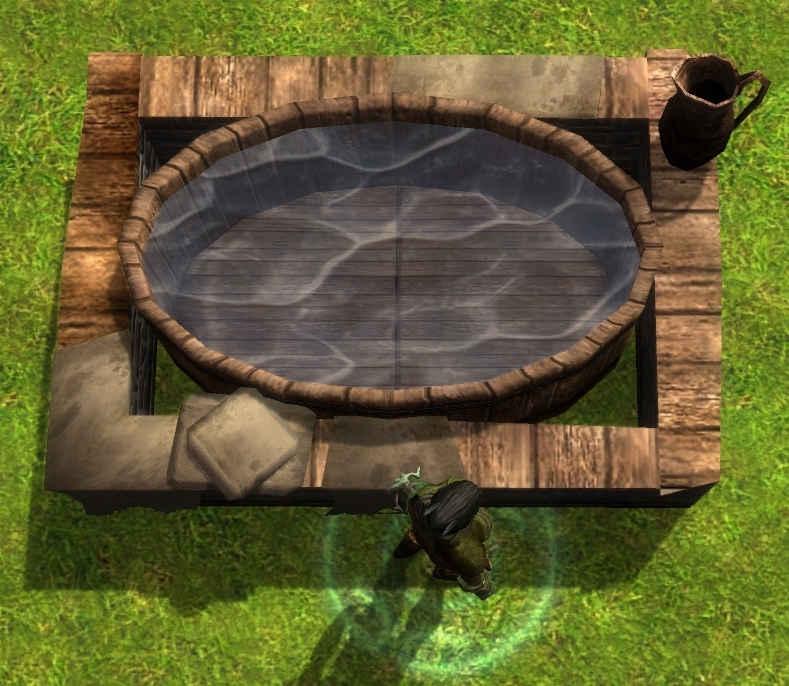
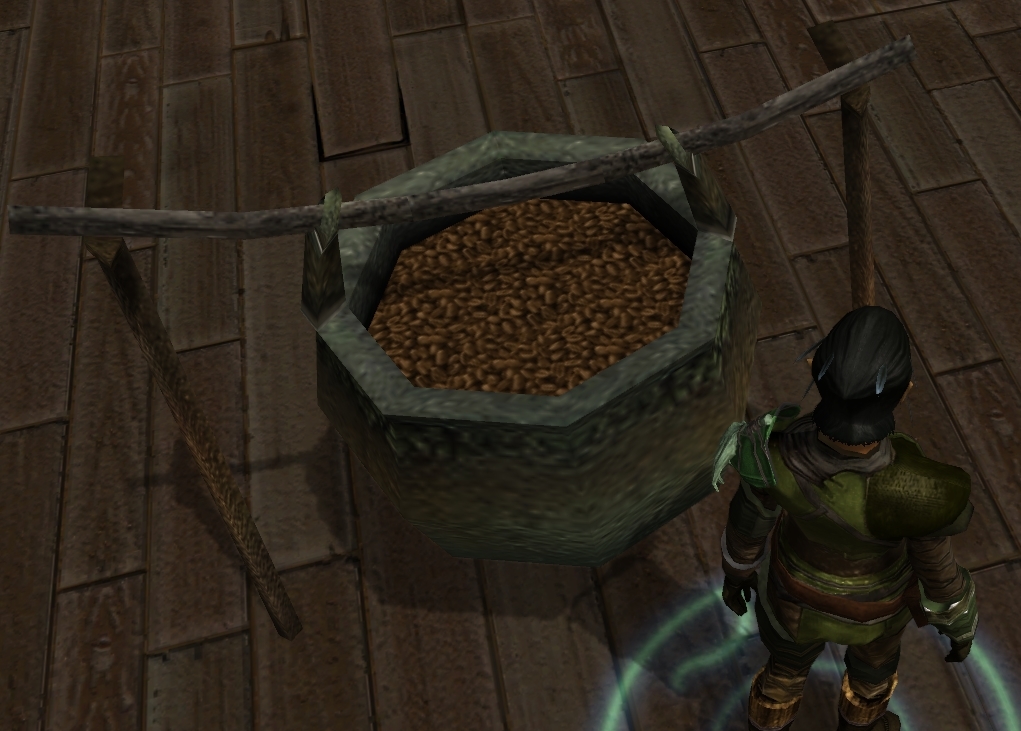
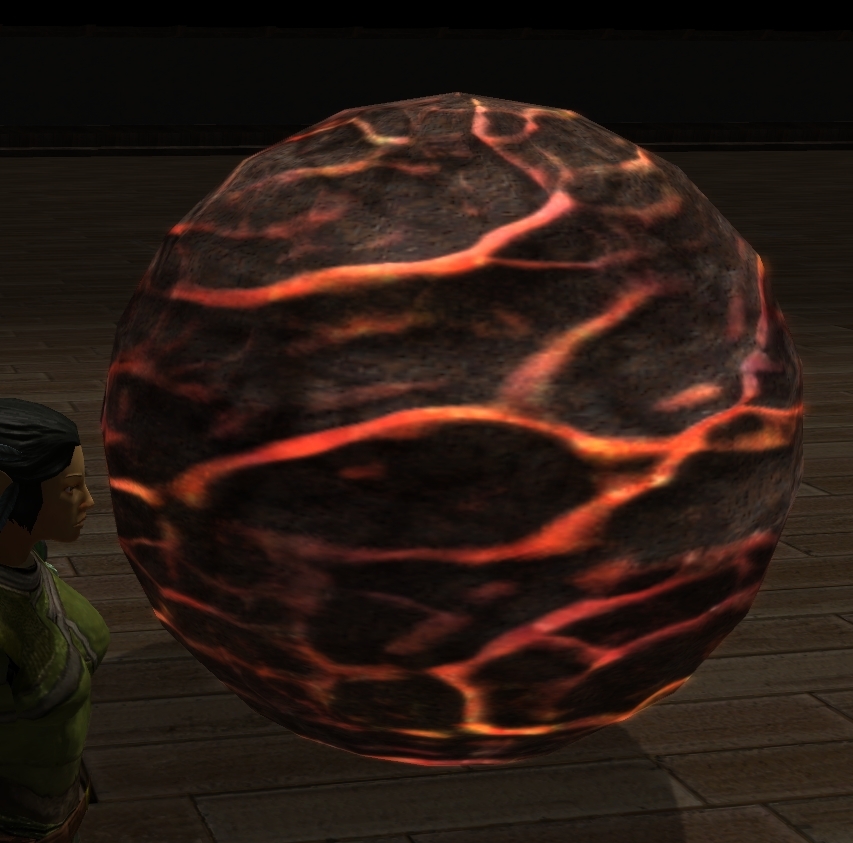
This package contains 7 basic geometric placeables, 21 base textures, and 12 texture swapping VFX. The purpose of this pack is to provide an easier way to fill non rectangle containers with various substances like water, instead of having to rely on billboards or the exterior texturing tools.The models can be used on their own as well for various props or special effects.
--How to set up for use:
[bom_containerfillers_v10.rar]
Extract the contents of bom_containerfillers_v10.rar into a temporary working directory.
Copy the contents of placeables_2DA_stub.txt and append them to the end of your module's placeables.2da file.
Move all the .sef, .tga, and .mdb files either into your module/campaign working directory, or add them to your module's hak pack.
[bom_cfiller_demomod.rar]
This archive contains a one room demo module demonstrating some of the various forms and vfx in use.
Extract this file into your MyDocuments/NWN2/Modules directory.
[bom_cfiller_layouts.rar]
This archive contains texture assets showing the uv layouts of all the primitive forms included with this pack. Use these grids in your 2d drawing program when you want to custom tailor a new texture to a specific model.
--General usage guide:
Tinting works like a regular placeable. Just set the colors in the placeable's properties.
To change the textures on a placeable add one of the texture_swap_ vfx's to the object's appearance (special effect) slot.
Texture changes from a vfx won't be shown in the toolset, but they do work in game.
The original diffuse alphas on an object will not get replaced by the vfx diffuse's alpha channel. I suspect this was hard coded in to prevent stoneskin/barkskin effects from messing up hair and body appearances. This means that it is not possible to get invisible form highlighting with just a vfx swap.
Setting up existing stock placeables for use with texture vfx:
Open the placeable's mdb file using the MDB Cloner.
Turn on the alpha of the object.
Add bom_color1_t.tga to the tint slot if it is blank.
Add bom_blank_i.tga to the glow slot if it is blank.
Save the mdb and add as an override to your project.
--Permissions:
Anyone is allowed to repackage and/or modify the meshes and textures in this package as long as credit is given for the original source and the user does not charge money for their derived product.
--Credits:
Barrel of Monkeys
based on a request posted by Dunniteowl in the NWN2 custom content forum
Posted by alupinu at 2012-02-13 16:35:45 Voted 10.00 on 02/13/12
Wow! and where this been all my life. I was just thinking how cool something like this would be. _________________________ Murder in Dunlop Fanglewood
My Class is Rogue ... "You look surprised to see me. If you'd been paying attention, you might still be alive."
I think I followed the instructions (which are not exactly idiot-proof - I should know) but nothing shows up in either toolset or game.
Here's what I did:
- I opened my module and copied all the files from bom_containerfillers_v10.rar\container fillers into the temporary directory created by the toolset.
- I selected View -> 2DA... -> placeables, hit "save" and then opened the file created in the override directory with an text editor. I checked that the line 2839-2845 were free and replaced them with the contents of placeables_2DA_stub.txt.
- I placed the edited placeables.2da into the module's temp directory.
- Just to make sure I made no mistake, I copied the "formcyln24.UTP" from the demo module into my module's temp directory.
- It hit save, closed and opened the toolset, opened my module again and checked that the files were also in the new temp directory. They were.
- I placed a "primitive cyl n 24" into my interior area. Nothing appeared - not even a white cylinder. I hit "save" and "run module" nonetheless because it says here that the stuff does not show in the toolset. But also did not show in the game.
And, well, what else to try? I can run the demo module and see the stuff just fine there. When I open it in the toolset, everything looks like in my module (nothing is visible in the render window and the blueprints match).
Fantiz: Modified 2da's are linked to a module by either associating a hak pack that contains the new 2da, or copying the edited 2da into the mod file while it's opened in the toolset with directory mode. You can edit a 2da through the toolset by selecting the menu option View > 2DA File. When you save the file, the toolset adds the new version to your MyDocuments/NWN2/Override folder. Move it from there into your module's HAK or content directory.
They look great but I can't figure out how 2 get into my module. I'm fairly new 2 using nwn2 toolset for my comp is now able 2 run it. Where would a module's placeables.2da be exactly? I keep my module I want 2 put it the files in, in My Docs/NWN2/ Modules _________________________ The more time, that passes me by, gives my evil multiple personality more time to break from it's prison.
MokahTGS: The default tint map on all the primitives is assigned to the texture bom_color1_t.tga. That allows color control over the entire object using tint color 1 in the object blueprint. When a vfx indicates the number of tints, it means that the tint map texture is being reassigned to a different image. 3 tints means that every tint channel in the object's blueprint will color some part of the object. The items in the parenthesis are just random examples of materials that the vfx could emulate.
I'm not sure what could be causing the vfx to simply not work. Did the vfx work as overrides, but then stopped working when placed in a hak? Did you change the texture file formats (tga to dds)? To test the vfx in the toolset, you can add a large creature like a horse or cow, and add the vfx to the creature's special appearance slot. Creature vfx refresh in the toolset, placeable vfx don't.
Posted by MokahTGS at 2009-02-21 16:46:29 Voted 9.75 on 02/21/09
I think what is unclear is how to change the VFX with the tints. Can you explain this further?
For example: texture_swap_dirt - 3 tints (soild, rough rock, crumbly cheese)
What do you mean by this? Is each tint channel a different texture?
Posted by MokahTGS at 2009-02-21 16:13:30 Voted 9.75 on 02/21/09
I can't get the textures to show up and I'm certain that the textures are in the hak pack and it is attached correctly. I know it doesn't show up in the toolset, but it doesn't show up in the game either. All I have is white spheres. _________________________ Mokah - The Grumpy Strumpet || Dear Strumpet Letters|| Jabberwocky Development Blog|| Vertex I - The State of the Union ||
ShadowDragon311007: No. Unfortunately I don't think it would be possible to use these in .erf files without a separate .hak... When I said a hak wasn't necessary, I was thinking of .mod files where it's possible to add the necessary 2da, textures, models, and vfx files into the mod file itself.
Anyone using a prefab area with this stuff in it would need the same placeables.2da file that you used to build the prefab.
Posted by ShadowDragon311007 at 2009-02-18 15:54:54 Voted 10.00 on 02/09/09
Barrel of Monkeys: Are you saying that if I use this, then export the area for another persons mod, they will still see the water..? no problem, dont need a hak pack if so I will be using this every day..
TheStoryteller01: You don't actually need to use a hak to get these working in a module. If you look at the contents of the demo module, you'll find the placeables.2da and all the components embedded into the mod file itself. It's one of the major differences between nwn1 and nwn2.
Posted by TheStoryteller01 at 2009-02-11 13:33:12 Voted 10.00 on 02/11/09
Since I follow a strict no-hak policy in all my uploads I won't actually use this....
...BUT its worth a straight 10 for showing the *pros* whats possible with the necessary effort & creativity.
*thumbs up* _________________________ In case you find my grammar/spelling weird sometimes -----> native german speaker ;-)
puket: You're supposed to change the first column of numbers to match the end of your module's placeables.2DA sequence. It's the main reason I didn't list a fully built 2da. There's too much custom content for placeables to keep track of all the numbers in use for now or in the future.
Posted by Saphhira at 2009-02-10 09:39:31 Voted 10.00 on 02/10/09
Fantastic! Thanks for sharing.
Posted by puket at 2009-02-10 07:51:16 Voted 9.25 on 02/10/09
Let's hope the 2DA entries numbers will never be used by Obsidian.But so far a fantastic great and really handsome work.Thank you very much and greetings to you.
Cheers!
Posted by ShadowDragon311007 at 2009-02-09 09:13:34 Voted 10.00 on 02/09/09
This is great thanks for taking the time to make it.
Posted by Caos81 at 2009-02-09 01:31:11 Voted 9.50 on 02/09/09
Thanks BoM! Just would like to direct everyone to the fact that, while I may have made the request, it came from a thread started by TheStoryteller01 in the NWN2 Toolset Forums. Credit where credit's due.
I cannot thank you enough for doing this. Once I get a chance to play with it, be assured that your vote will represent my overall satisfaction (which I suspect will be high.) :D
dunniteowl
NWN2 Forums Moderator
NeverWinter Citadel Project Admin/Mod
NWN2 Community Rep _________________________ Be Excellent to Each Other!
Posted by Saduj at 2009-02-08 02:34:32 Voted 10.00 on 02/08/09
Posted by Ransom at 2009-02-07 17:29:49 Voted 10.00 on 02/07/09
As usual, really nice work. These have many, many potential uses and after messing with them for only a few minutes, appear quite easy to use.
Posted by Hellfire at 2009-02-07 16:45:30 Voted 9.50 on 02/07/09
These are very handy. Thanks for making them.
Posted by NWN DM at 2009-02-07 10:31:25 Voted 9.00 on 02/07/09
Excellent work. Certainly these will come in handy in most modules, assuming the author knows how to integrate it into their existing configuration(s).
You must be Logged In to post comments in this section.
10 - A Masterpiece, Genuinely Groundbreaking 9 - Outstanding, a Must Have 8 - Excellent, Recommended to Anyone 7 - Very Good, Deserves a Look 6 - Good, Qualified Recommendation 5 - Fair, Solid yet Unremarkable 4 - Some Merit, Requires Improvements 3 - Poor Execution, Potential Unrealized 2 - Very Little Appeal 1 - Not Recommended to Anyone






 Site
Site









 at 2012-08-11 16:41:35
 at 2012-02-13 16:35:45
 at 2009-07-02 11:24:09
 at 2009-02-07 16:45:30


