TKL Quests is a system for creating scripted quests for use in Persistent Worlds. It takes
care of many of the tricky persistence issues, like disabling quests after completion, and
party participation. It also makes the creation of unique and interesting quests extremely
easy, requiring no scripting or toolset knowledge. (Quest-creation is done with a Toolset Plugin) Finally, it is easy for scripters to add
custom code to their quests, allowing an limitless number of quest types and plots.
TKL Quests is not for single-player quests. This is a system for Persistent Worlds. TKL Quests requires an NWNX4 connection to a database (tested on MySQL only, but others
may work).
For more info, see the included documentation and tutorials.
Updates:
3/25/10
-Some typos fixed in documentation. Important final step added to "Server Installation" doc.
4/7/10
-Quest-Variables syntax changed from <> to []
(to avoid conflict with the toolset's "StartAction" stuff)
-Constants syntax changed from [] to {}
(because of above-mentioned change)
-Updated docs accordingly
-Cleaned up tab order of user interface fields
-Added warning and option to abort if any quest-variables have invalid parameters
-Added tkl_quests_external script: a template for external scripts fired from TKL Quests
-Bugfix: Passwords (in Contact Conversations) compile properly now
-Bugfix: Trigger Spawners compile properly now
Good feedback, thanks. I will try to do a new version in the near future to fix these problems. "Near future" may be a bit delayed, though, because of RL concerns, but let me know if any of these problems are game-breakers, and I'll do a quick-fix for you.
Posted by Kanbyen at 2010-11-19 12:57:33 Voted 9.75 on 09/26/10
Found another Issue: If the creature name has {Quest} in the name, or anything in braces the script will fail to compile since it puts a +Quest in the field causing it to say function with wrong variable type error. _________________________ Eye of the World PW
Posted by Kanbyen at 2010-09-26 13:16:42 Voted 9.75 on 09/26/10
I've found that if the area name is too long the pluggin crashes. If the item names are to long they quests do not work.
If they are short 12character mostly they work as intended.
If the description for the creature to be spawned is to large the creature wont spawn. I've taken to creating the blueprints for all items and creatures involved and shortening the name and it mostly works. But its not hard to cause the quests to break if you have any of several things at the limit of the input boxes.
I have an area named xp005_yp001_arcanes_nf_lost_tomb if I select it in the plugin the whole toolset crashes. _________________________ Eye of the World PW
Posted by pcentobie at 2010-08-10 09:49:16 Voted 9.50 on 08/09/10
Update!!!!
OK Everything was setup correctly. I recompiled all scripts in module and now multiple quests show up in the Journal Item as well as the database.
I am very happy about this working!
Posted by pcentobie at 2010-08-09 14:50:38 Voted 9.50 on 08/09/10
I was able to get pretty much everyhting working. I have one problem, when a new quest gets accepted it overwrites the existing one both in the database and on the journal. I ahven't figured out a way around this. It seems that each quest needs a unique identifier, which I thought was the quest giver name and the player name.
example :
I created the Carl quest and it works fine, updates journal, knows I am still on the quest etc.
I then created a new quest with a different name quest giver "kyle". teh quest gets logged and recorded in the db and journal, but if I am still on the carl quest it erases the carl quest and now has the "kyle" quest.
It seems to work the same either way. I ahd max number of quests set to 0 for unlimited. I then changed it to 5 just to see if it makes a difference.
I am rewrite the way it enteres the info in the db, but thought I woudl check here before proceeding to see if this is already addressed.
It really is a phenominal peice of work. I am impressed and know that I will find soem way to make quests stay permanently if the quest is still active, even with multiple quests going at once.
Posted by Qrizz at 2010-05-11 23:31:18 Voted 10.00 on 05/11/10
must have masterpiece!
Thanks ! _________________________ Qrizz
Middle Earth Arnor PW Link
Hi Troy:
I'm having trouble recreating your first problem. Did you import the tkl_quests_erf.erf into the module? It seems like maybe you are missing the tkl_quests_conditionals script. Maybe try re-importing that erf to make sure you have everything. (overwrite if it asks you). Doing a "Compile All Scripts" might not hurt, either (though it wasn't necessary in my testing)
You had the right idea with the second question. To do that, you'll make a "placeable spawner" for the flower placeable, and fill in the "inventory item" section to make your quest item appear inside. If this isn't working, make sure that all resrefs are for valid blueprints, and that the placeable blueprint actually has an inventory. If everything is entered right, TKL Quests will spawn the placeable and spawn the item inside when the PC goes into the area.
Posted by Troy47 at 2010-04-07 08:09:08 Voted 10.00 on 04/04/10
Brock - I'm having trouble getting the conversations to work as indicated/directed in the tutorials. I'll enter in lines for each of the 'quest giver' nodes, but when playing the npc will only say the first line and the only player response option will be the dialogue end one. Also, I'm not sure how to connect it so pc's can pull the necessary quest giver item from a placeable. (For instance, say I wanted them to pull a 'flower' inventory item from a set of flower placeables I have, I'm not seeing how/where I can set that up. Tried using the placeable menu in the TKL Quest ui but that didn't seem to work). _________________________ Admin, Legacy: Dark Age of Britain. Link
Posted by Troy47 at 2010-04-04 02:36:34 Voted 10.00 on 04/04/10
Amazing. 20 stars. _________________________ Admin, Legacy: Dark Age of Britain. Link
Posted by happycrow at 2010-03-30 20:59:33 Voted 10.00 on 03/30/10
Awww, hell. You've just updated the Adventure Construction Set for nwn2. OUTSTANDING.
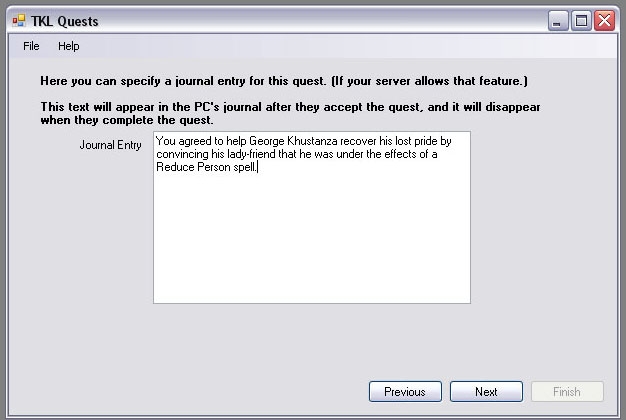
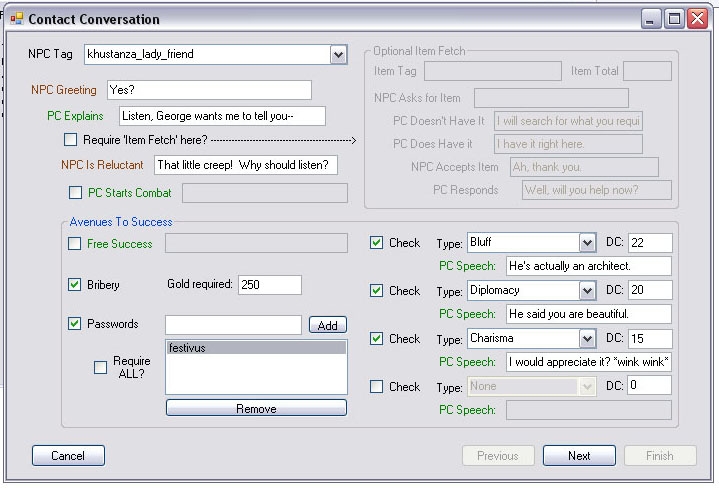
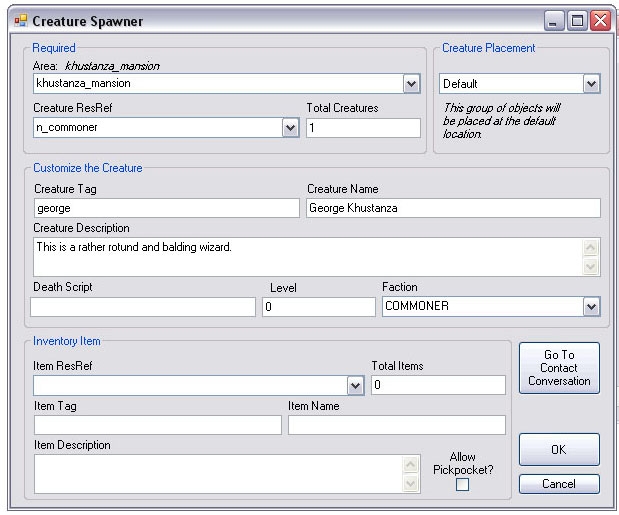
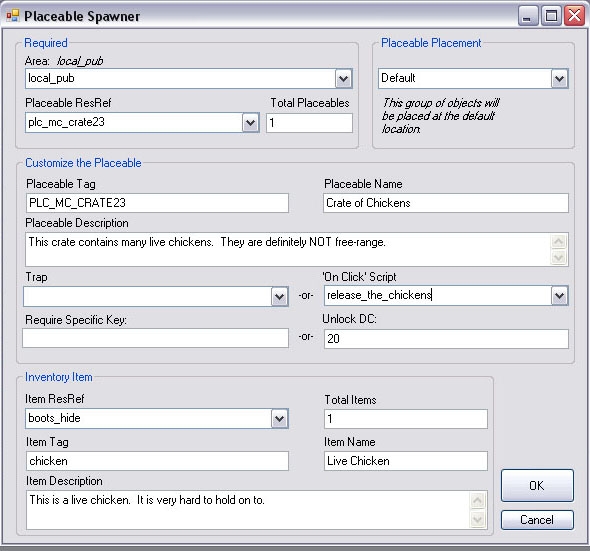
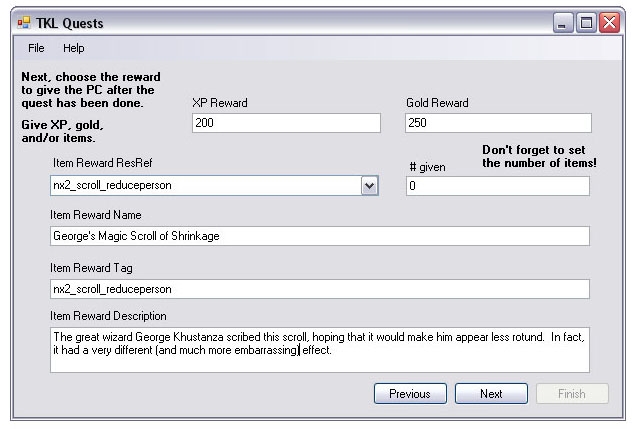
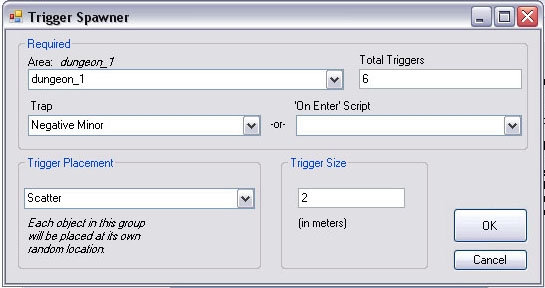
Quick update: some minor fixes to docs, plus an important 7th step in the Server Installation doc I forgot to add. Also added some screenshots to the right. :)
Posted by 5thDragon at 2010-03-25 09:23:30 Voted 9.50 on 03/25/10
Posted by Lhynnith at 2010-03-24 06:00:11 Voted 10.00 on 03/24/10
So simple to use, even I can use it! :O
The tutorials included are as good as the quest system itself - clear, practical and engaging to read - and will help you get started right from the get-go, so definitely have a read of them ... whether you're a coding guru already, or just a drooling waste of teamside space *cough*.
@nicethugbert: Actually, the quests have repeatability by default. In the tkl_quests_settings script you can set the number of days (real-life) that quests are disabled after being completed. I never considered "one-shot" quests that were disabled permanently, I guess because the typical PW mindset is: if you're going to go to the trouble to make a quest, make it re-usable. But that's not a bad idea for the first update: the ability to make a quest one-shot. This plugin makes quests easy enough to create that I actually *can* imagine making lots of one-shot quests on a PW, perhaps with bigger/better rewards than re-usable versions would have. :)
Posted by nicethugbert at 2010-03-23 17:16:04 Voted 10.00 on 03/23/10
Posted by Apep at 2010-03-23 15:24:19 Voted 10.00 on 03/23/10
Ummm...wow?! This is brilliant work and PWs certainly need all the help they can get. _________________________ AP Magical Miscellanea Package (v1.5, over 750 items): Link
Posted by BlakOrkz at 2010-03-23 12:26:52 Voted 10.00 on 03/23/10
Brockfanning is the f*ing man.
Your creativeness and documentation never cease to impress. I haven't played on any PW in over a year, but every time you release something I install it in a module just to try it out.
You must be Logged In to post comments in this section.
10 - A Masterpiece, Genuinely Groundbreaking 9 - Outstanding, a Must Have 8 - Excellent, Recommended to Anyone 7 - Very Good, Deserves a Look 6 - Good, Qualified Recommendation 5 - Fair, Solid yet Unremarkable 4 - Some Merit, Requires Improvements 3 - Poor Execution, Potential Unrealized 2 - Very Little Appeal 1 - Not Recommended to Anyone






 Site
Site









 at 2010-11-24 17:17:42


