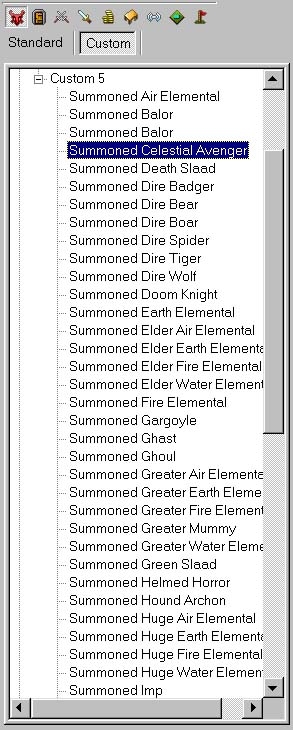
| #1: Open up the toolset and use the File/Import menu to import esummon_X_XX.erf into your module. (X_XX is the version number, ie: esummon_1_02.erf) #2: It'll ask you if you want to Override Existing Resources. Choose 'Select All'. #3: You can now find all the summoned monsters in the game under Creatures/Custom/Special/Custom 5. All of the summon specific creature items are in the usual places under Items/Custom/Creature Items. #4: Right click on creature/item you want to edit and choose Edit. All the regular options for modifying creatures are there. That's all there is to it. You can now modify the summoned monsters like you would any other custom creature. Have fun. Note: editted version of OMW's original perl script included. | 





 Site
Site