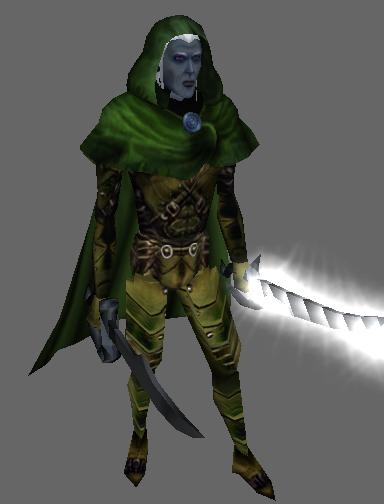
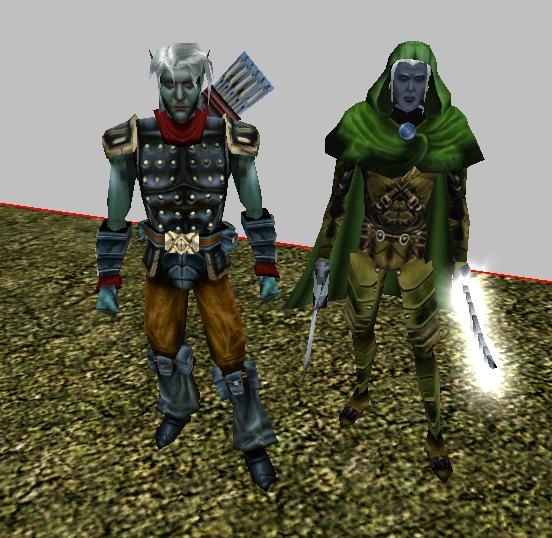
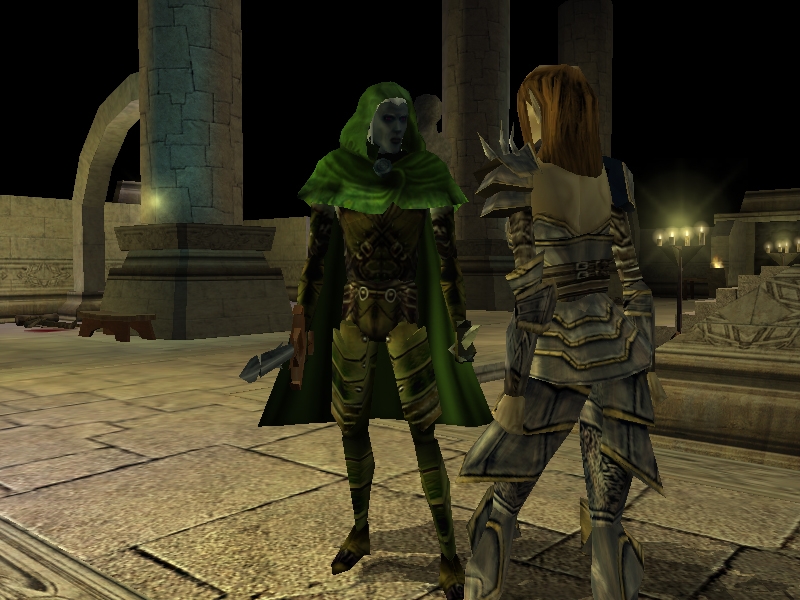
This is a model of Drizzt Do'Urden, Included in the zip are the model and textures files as well as a 2da. I didnt make the bic this time but it is pretty easy to make the character, just make your character as normal and change the appearance # to match drizzt I think 996.. Anyway Imade this to go with my http://nwvault.ign.com/View.php?view=Characters.Detail&id=1112
Jon Irenicus, I figure a good villain needs a good hero.
Also a special thanks to Antenni, who made the fable armour which inspired me to make Drizzt. And which he was based on.
Posted by Draygoth ( 66.82.xxx.xxx ) at 2006-07-04 08:24:29
looks good...are we going to see more from you?
Posted by Claudius at 2006-03-04 02:51:35 Voted 9.75 on 03/04/06
Looks great! :D _________________________ DIE HAPPY Link
Posted by st4rscream ( 70.239.xxx.xxx ) at 2006-02-08 09:29:16
Ok sorry all of the files must be in the override folder, not in a subfolder, So basically: In your ovverride folder you will have the mdl file the 2 tga files and the 2da. then you should see Drizzt as a choice in the apearance drop down when you make a creature. Also you have to put all that in there before you start the tool set.
Posted by matt ( 61.68.xxx.xxx ) at 2006-02-07 22:54:40
I put all the folders in my override file then went into my module and created a creature but i coudlnt find drizzt on the list and couldnt find his appearence anywhere what am i doing wrong
Posted by St4rscream ( 70.239.xxx.xxx ) at 2006-02-07 22:10:59
Well If you want to make him for use in say the origional adventure, in your override folder.
Posted by matt ( 61.68.xxx.xxx ) at 2006-02-07 21:42:27
oh ok um anther thing i need to know where do i put the the files (2da,mdl and tga)
Posted by ST4RSCREAM ( 64.214.xxx.xxx ) at 2006-02-07 20:30:12
Sorry, I desided not to post a bic file because there were so many already on the vault. To use him as a NPC you just make your creature and choose Drizzt from the appearance selection. To use him as a Player Character you must have a program called Leto to change the characters appearance #.
In Leto go to advanced editor and choose 996 as the Appearance # and save your character. Also the character may not work with all modules, but will work with the origional campain and the expansions.
Posted by matt ( 61.68.xxx.xxx ) at 2006-02-07 17:16:05
The images look good but how do i use it in my module and also how do i change the appreance for a bic file im new to neverwinter nights....mabye u should make a bic file to go with it
Posted by Ziggy ( 24.177.xxx.xxx ) at 2006-02-07 13:24:06
So many Drizzts, so many indeed. This one stands out. Very well done. The drow him self would be pleased to see him self done in such a well made model :)
Posted by mondego at 2006-02-07 04:13:05 Voted 10.00 on 02/07/06
I always loved this underdark creature, since old menzobarranzan days.
very nice, make more please.
Posted by mondego at 2006-02-07 04:10:28 Voted 10.00 on 02/07/06
very, very nice!
You must be Logged In to post comments in this section.






 Site
Site









 at 2006-03-04 02:51:35


