How did you do the drawbridge?
I am trying to do the same for the city tileset, and i cant get the walkmesh for the drawbridge to work.
vini, vici, vomitti
Posted by Gonar at 2004-02-20 10:37:19 Voted 10.00 on 02/20/04
Overall: 10 Usefulness: 10 Value for Size 10 Ease of Use 10 Quality Control 10
Posted by DunjonStomper at 2004-02-20 10:37:18 Voted 10.00 on 02/20/04
Overall: 10 Usefulness: 9 Value for Size 10 Ease of Use 10 Quality Control 10
Will this hakpak work with HoTU? Also, if I implement the changes posted below, will it fix the edge problems described below?
Excellent work, by the way. Exactly what I have been looking for. Thank you, thank you Mendeku!
Posted by DunjonStomper at 2004-01-21 01:40:00 Voted 10.00 on 02/20/04
As they say in the NFL, after further review......
There is a VERY small problem with this otherwise excellent tileset hak. Some of the terrain crossers end abrubtly at the map edge when you paint them down to extend beyond the border; blue space instead of Fortress Wall (Muro), Barranco (Trench), Imperial Road (Calzada) or Wall 1. Looking through I found that the 2DA file 'ttr01_edge' has what appears to be a few typographical errors:
I am not sure if they were renamed on purpose or if they are also in error. Like I said, a very small error but again a most excellent tileset hak pack. Muchas Gracias Mendeku!
Posted by DunjonStomper at 2004-01-20 22:08:00 Voted 10.00 on 02/20/04
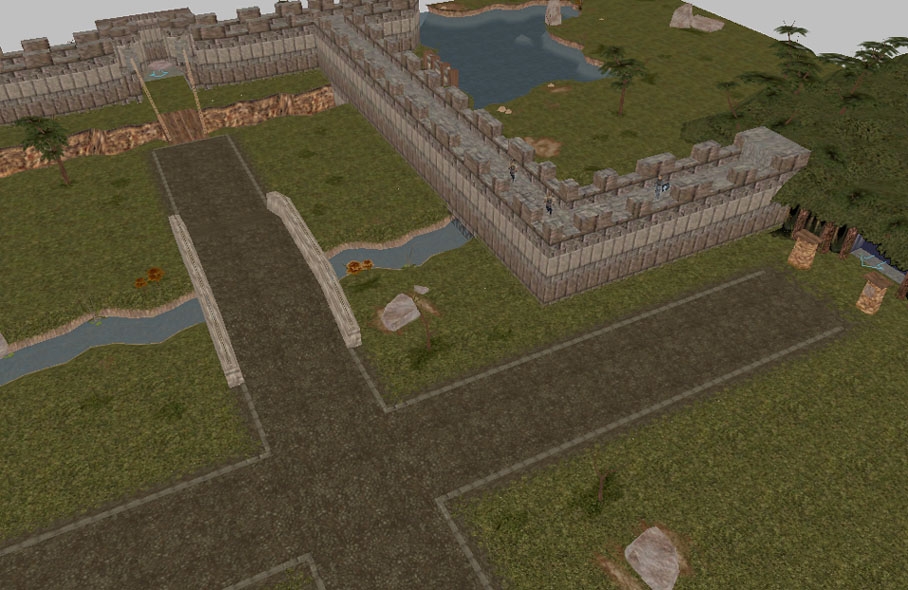
When the "Fortress Wall" and "Ditch Crosser" were first released I was very happy to see them and added them to my campaign immediately! With HotU I have begun rebuilding my campaign from square one and am even happier to see them together - and with an "Imperial Road"?!? FANTASTIC! Many thanks Mendeku! In my opinion this is a must-have as it adds tremendously to the rural setting. With this hak, DOA's rural/city builder base, JXP's forest and mountains, and Danmar's LOK dungeon I am pretty well set :)
You must be Logged In to post comments in this section.






 Site
Site










 at 2004-02-20 10:37:19


