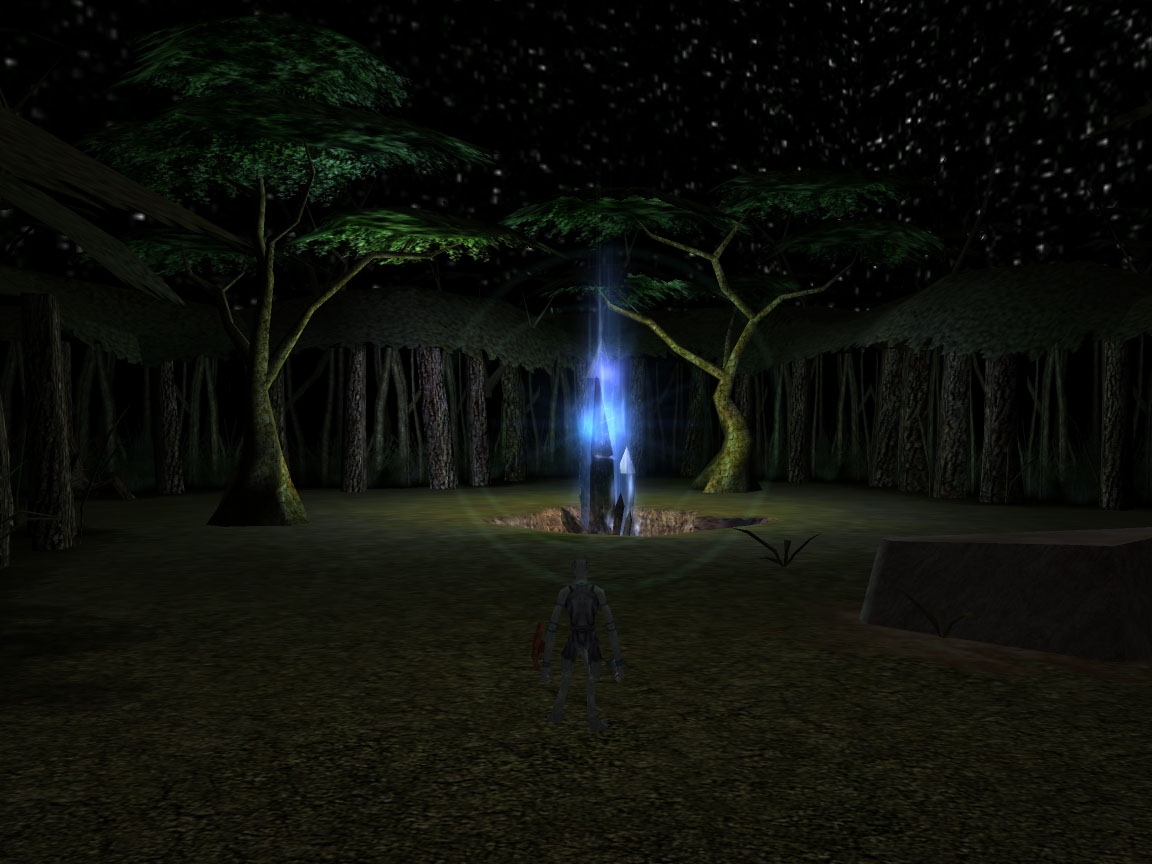
WeatherSim is a set of scripts that utilizes the SkyBETA2 HakPak by Doyleyboy (on the Vault) that provides for dynamic weather that changes according to variables you can set. I have recently added a new HakPak to this compilation and that is the NoGlow hak by TheMountain. It gets rid of the glow around NPC's and PC's when you hit the TAB key or mouse over them. This has the added benefit of getting rid of the highlighted sky problem that plagued the orginial incarnation of the WeeatherSim and SkyBETA2 hakpaks.
I will me creating a small module that will be available on my website at http://www.exileink.com/nwn soon that will be an example of where the scripts go and what the skies look like. It only hit me after I finished uploading the hakpak to add a module.
This is a compilation of the old system into a single score. There were 2 that made this score of 10.00.
Posted by benton ( ..xxx.xxx ) at 2003-07-14 11:26:00
Attention DoyleyBoy, and all sky-watchers:
An alert user has discovered a currently-undocumented bug which exists in DoyleyBoy's Skies Beta 2 HAK, and in all HAKs derived from it (currently benton's "Ivodon Unified Skies & Weather", and DarkElfPoet's "WeatherSim 2.0"). The problem is that whenever the rendered sky effect is applied, PCs are unable to drag an item from their inventory onto the ground to drop it, and are also unable to drag an item onto another PC's avatar to initiate bartering. Both of these actions can still be accomplished by right-clicking on the ground, or on the other PC, and then using the radial menu, though this makes dropping or offering an item a two-step process. In indoor areas where no sky is rendered, item drag-and-drop behaves normally.
The sky effect is achieved by applying an effect of SUBTYPE_SUPERNATURAL to each PC in an outdoor area. The effect renders the sky texture (stored in the HAKPAK as an MDL resource) 100 or 200 meters overhead. Is it possible that when this occurs, the Aurora engine is somehow trying to drop the item onto the sky model instead of onto the desired target?
Any effects experts out there want to take a guess as to why this is happening? I have posted a help request to the Bioware forums as well.
- benton
Posted by DarkElf ( ..xxx.xxx ) at 2003-07-06 17:43:00
Someday maybe. It's really not that hard. Just get the sources from the Bioware Custom Content or Toolset forum. It's a sticky post in one of them. And add the visual effect lines to the SoU/1.30 2da.
Posted by SBird ( ..xxx.xxx ) at 2003-06-25 11:18:00
DarkElf,
Whatever the problem was, it seems to have vanished now. Ive had a look at the .mod and I have to say that it looks great. Good work!
Posted by DarkElf ( ..xxx.xxx ) at 2003-06-20 20:32:00
Odd.... I just dl'd it just fine. *sighs* Stupid Vault. Sometimes it can be a pain.
Posted by SBird ( ..xxx.xxx ) at 2003-06-18 11:05:00
Dark Elf Poet, I'd love to be able to say great stuff about your .hak but I think something's gone screwy with your latest upload or the vault. I've downloaded the file three times and it's about 3.5 megs but it only contains the readme.txt file. WinRar doesn't show anything else in the file.
I've played around with the SkyBeta2.0 and I'm very interested in your improvements. If you could check what's wrong I'd greatly appreciate it.
Thanks.
Posted by DarkElfPoet ( ..xxx.xxx ) at 2003-05-12 06:53:00
I've never seen that happen... I check the clock frequently due to time related quests in my module. And the script should not effect the time at all. There's nothing in game except timestop, that would effect the clock that I know of. I don't even know of time stop slows the game clock down... just a guess.
Posted by Zonker ( ..xxx.xxx ) at 2003-05-11 22:54:00
Something I noticed while playing around with this ...
It seems that the clock gets screwed up somehow, like its 14:00 for a really long time and then all of a sudden its 21:00 ...
Has anyone noticed this? I wonder if its caused by the way its being called ...
Great job btw :)
Posted by DarkElfPoet ( ..xxx.xxx ) at 2003-05-10 08:26:00
1.) Oh yeah... I forgot to mention the zoom out boundaries. Don't zoom out past 20 and you should never see the boundaries of the model. Although they should never show up in game like they do... the models (created by Doyleyboy) are invisible from the other side. Something to do with it being a visual effect most likely.
2.) I've never noticed this myself. I'm usually in drive mode. I'll check it out later though. As for the placeable, yeah , I know. I think this will be just good for single player right now. I'm going to add a congiuration script to my module in the Entry Hall so players can decide how they want to play the module. Ie.e with or without skies, no respawning after death, respawning or no respawning monsters and quests, etc.
Posted by Doyleyboy ( ..xxx.xxx ) at 2003-05-08 04:21:00
im pretty sure i tried that route when i was testing ages ago, and the thing is when the npc fades from view so does the visual effect, so thats a bit of a no go. resizing the vfx mdl files takes about 2 mins, just use obsidian ss, and its really easy, you dont have to mess around with 3d editors or anything
Posted by DarkElfPoet ( ..xxx.xxx ) at 2003-05-07 23:13:00
It's a problem with how the visual effects are handled. The only way I can think of getting around it is making an invisible NPC in the center of each area that you apply one visual effect to, but I'm not going to mess with that for a long time. Not until I'm ready to remake the visual effect mdl's and increase their size.
Posted by Doyleyboy ( ..xxx.xxx ) at 2003-05-07 18:10:00
yeah thanks, ive been making alot of headway into the plot of my module as ive got more familiar with scripting actually. when i consider that the rough plot line notes ive wrote is already at about 5000 words and im only a quarter of the way through writing it, AND that the actual dialog ingame takes up about 5 times that much, i think maybe ill be finished by hmm... about christmas if im lucky. and thats not really a joke if you think about it, ack!.
shame about the weathersim not really working in MP, is it a problem with the scripts or the sky hak itself tho?
Posted by DarkElfPoet ( ..xxx.xxx ) at 2003-05-07 13:08:00
Well, some bad news. The WeatherSim/SkyEffects don't work very well in multi-player. There are just some small graphic artifacts that get in the way of it being really immersive. I am going to consider trying an alternate route to applying a larger sky visual effect to a placeable in the center of the area.
It'll be a few months though, so enjoy this in solo play. It really shines there. Multi-player just has a couple distractions that are a bit annoying, that's it.
And nice shots Doyley. Looks good.
Posted by DarkElfPoet ( ..xxx.xxx ) at 2003-05-06 14:29:00
Ah, did not know that. Too much work at the moment. I'm not ready to re-create the mdl files yet. Soon though. Just want to put more work into my module now instead of hakpaks and scripts.
Posted by Doyleyboy ( ..xxx.xxx ) at 2003-05-06 14:27:00
There is another way of getting rid of the white glow (is that what you mean by buffed?). You have to make the skies themselves bigger, it means you have to increase your view distance setting to about 250-275 meters or so too but thats not much really. i dont know about the 100 meters skies, as i honestly dont use them, so i dont know what its like for them.
Posted by DarkElfPoet ( ..xxx.xxx ) at 2003-05-06 07:31:00
The NoGlow hak is included in the WeatherSim files. It is only one file called appearences.2da TheMountain turned off the creatures targetable field by making it a zero. Such a simple change... I'm glad he found it. ^.^~
Posted by Zonker ( ..xxx.xxx ) at 2003-05-05 23:00:00
Great work. Works fine ... now I'm looking for that NoGlow hak ... can't seem to find it in the hakpaks list, hoping you can point me to it.
Posted by DarkElfPoet ( ..xxx.xxx ) at 2003-05-05 14:52:00
It works.... and I'm so glad it does. The damned glow when buffed was the most annoying part of the sky effects. I'd been asking around seeing if anyone knew how to disable the glow around creatures, thinking it might've worked, but no one knew how. Then I saw your hak here and just had to try it. And it worked! I was so happy I immediately got to work on Version 2.o and here it is.
So all of you that eventually download this... give TheMountain a hand. Without his NoGlow I would've been stuck 'til someone told me how to get rid of the glow.
Posted by TheMountain ( ..xxx.xxx ) at 2003-05-05 05:35:00
Hah!
Never did think of that use for the NoGlow Hak.
Nice work! :)
You must be Logged In to post comments in this section.






 Site
Site









 at 2004-02-20 10:04:28


