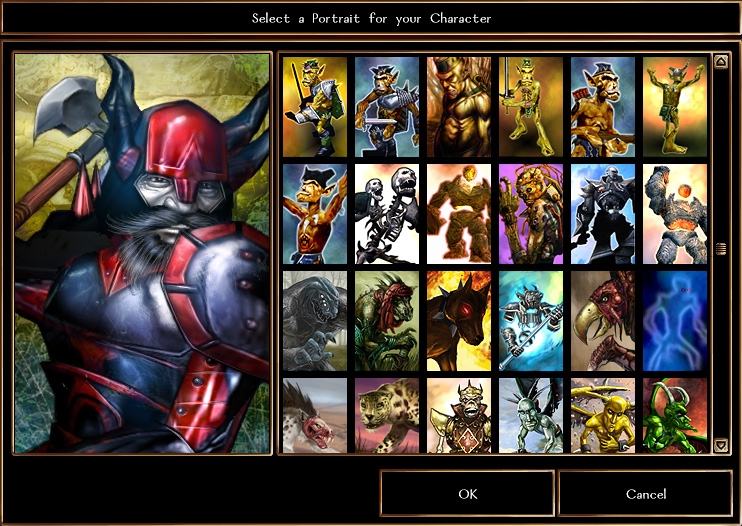
Override files (portraits.2da) to have access to all NPC portraits (male and female, beasts and creatures, any race) while creating a character.
Very useful for original server vault custom characters.
See the NPC soundset override file for even more customization.
NOTE: If you do not want to see female portraits while creating a male character or if it bothers you to have male portraits available during female character creation, use the gender-specific pack (genders_2da.zip) and choose between the male (male/portraits.2da) and female (female/portraits.2da) file versions to access genderless portraits.
A new override file is now available to display all portraits at once (including genderless ones), without having to switch between male and female file versions.
Please choose between the male and female file versions to access genderless portraits.
(Since genderless portraits must be assigned a gender in order to be accessible during the character creation: creatures, beasts and animals are considered male in the male file version, and female in the female file version.
Posted by N/A ( 24.91.xxx.xxx ) at 2005-05-27 18:25:49
The beast/animal portraits only show up when you choose the female gender.
You must be Logged In to post comments in this section.






 Site
Site