The Customize Character Hak allows you to customize your character in-game:
Once the files are installed in the NWN override folder you're able to
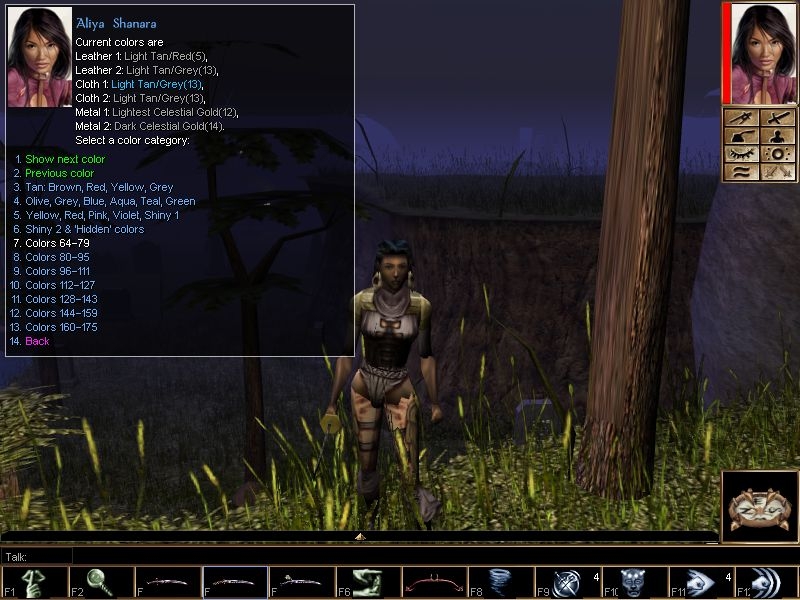
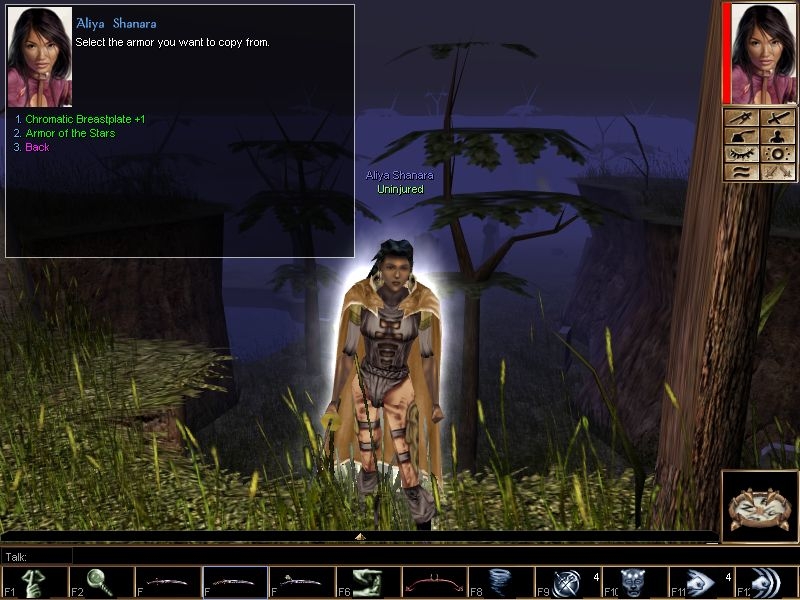
- modify and dye your armor without being charged or making skill checks,
- modify and dye your cloak, make cloaks invisible,
- modify and dye your helm,
- modify and dye your weapon without being charged or making skill checks,
- modify your shield,
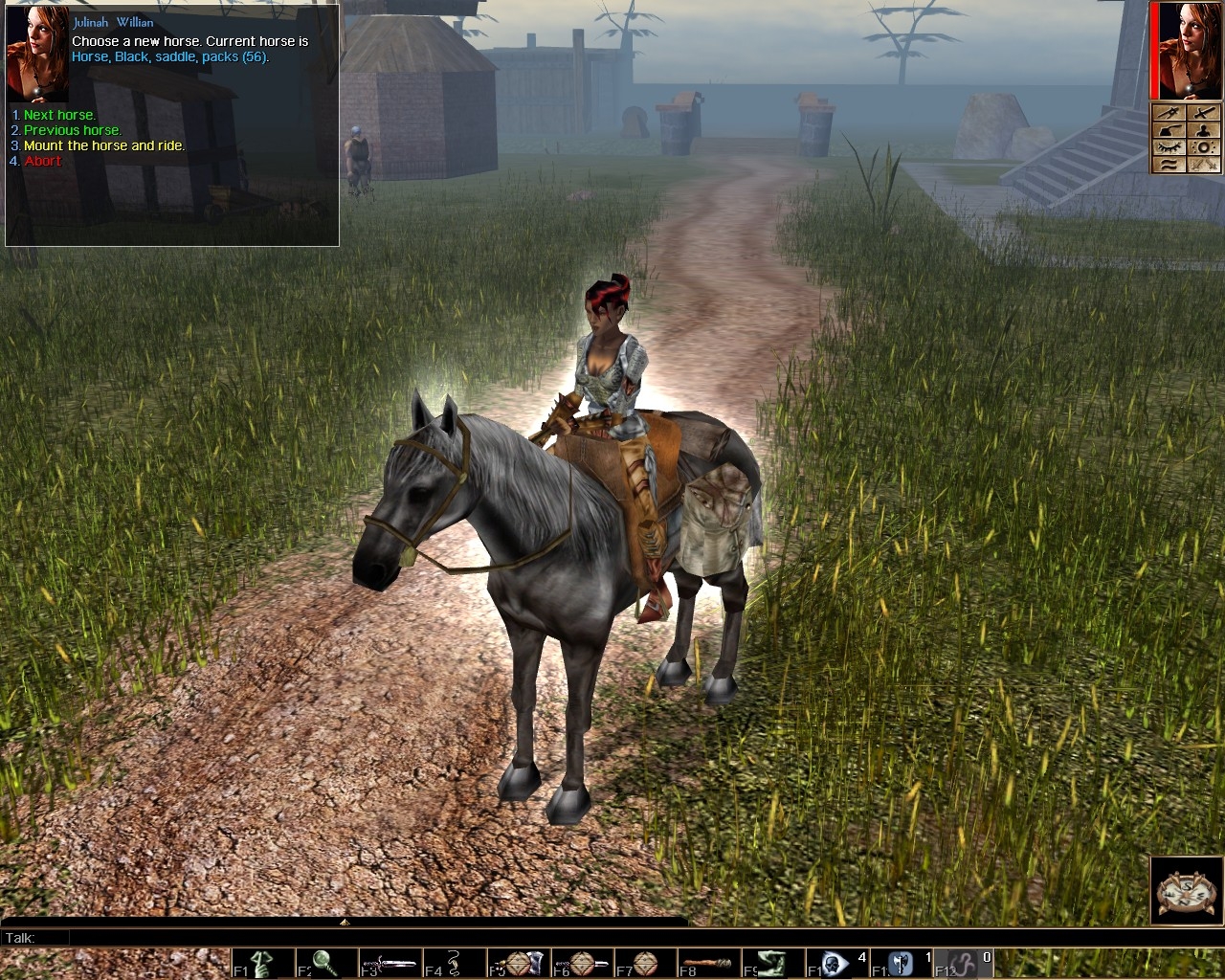
- choose a different portrait for your character (both official and custom portraits can be used),
- choose a different head for your character,
- choose a different phenotype,
- change your character's body (add/remove tattoos, add/remove bone arm, ...)
- add a new tail to your character or remove an existing one,
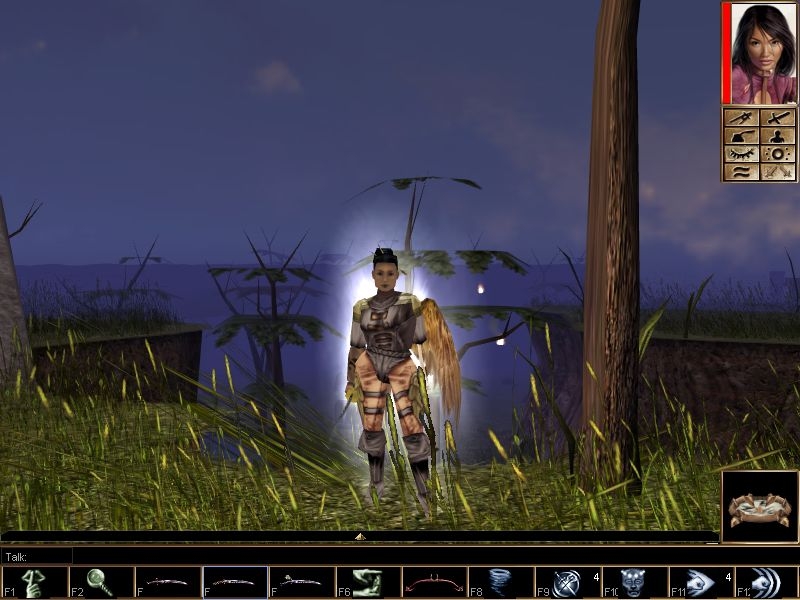
- add new wings to your character or remove existing ones,
- add a glowing eyes effect to your character's head.
Version 4.10 (requires patch 1.69 installed) allows you to
- change skin, hair or tattoo color,
- rename items,
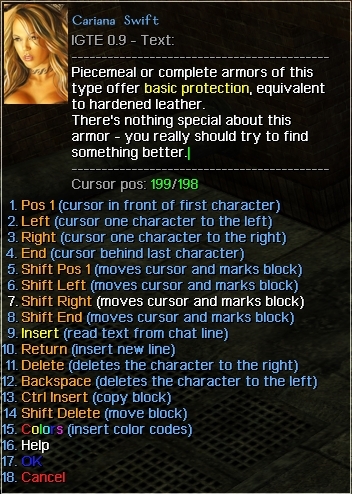
- edit descriptions (items, character).
Most of these feature support custom content (new armor parts, robes, heads,...).
Some of the scripts used in this HAK contain parts taken from Mandragon's Dye Kit (http://nwvault.ign.com/View.php?view=scripts.Detail&id=972) or the CEP crafting scripts. The idea to modify the cloak model is taken from a script postet by John 'Gestalt' Bye at the Bioware forums.
The installation is very simple. Just copy all files from the included override folder into your NWN override folder. If you have installed an older version you may want to unstall that version first (to clean up the override folder).
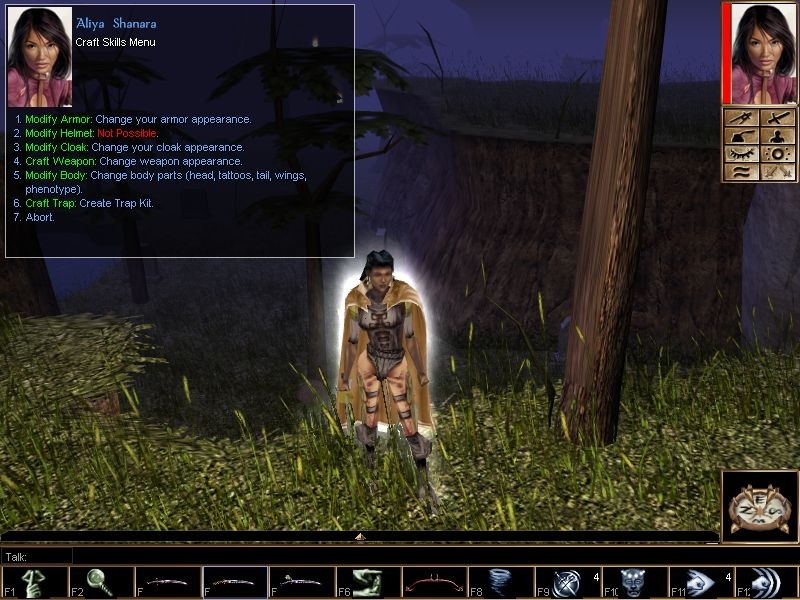
To use the customize character hak right click your character and select the craft icon. If everything is installed properly should see the new options (unless you're playing a module which has overwritten the default bioware craft dialog).
The HAK should be compatible with NWN patch 1.69 (version 3.93 is compatible with NWN 1.68) and any other module/hak that does not override the NWN craft dialog (x0_skill_ctrap.dlg).
The included erf file MK_CRAFT.ERF can be used to import the hak files into the toolset (if you want to make modifications). Also the erf file contains the source code (necessary if you want to make modifications).
New in version 4.10: Added edit description (items / character), added rename item, added glowing eyes (supports custom races), change skin/hair/tattoo color.
Works in multiplayer if installed on the server.
See the readme file for more information.
The ZIP file contains both the old version 3.93 (usuable with patch 1.68, for those who can't update to 1.69 yet) and the new version 4.10 (usuable with patch 1.69).
The customize character override hak (contains English and German language). Contains version 3.93 (usuable with patch 1.68) and version 4.10 (usuable with patch 1.69). Version 4.10 supports change skin/hair/tattoo color, rename item and edit item/character description. Both versions support glowing eyes (4.10 also supports glowing eyes for custom races -> readme file).
Special version of x0_skill_ctrap.dlg. Makes the CCOH compatible with Ragnarok's Alternate Combat Animations v4.0 (ACP). Just extract the file and put it in the NWN override folder.
Posted by Tekidek at 2012-08-19 18:23:15 Voted 10.00 on 08/19/12
I give it a 10!! This tool is so perfect... it is exactly what I was searching for... I hate when I find a helmet with a different color than my armor, and etc.
but the better thing is that it is an override, and not a simple hak! :D
Hello Jedijax, can't promise anything but I'll take a look ...
Posted by Jedijax at 2012-04-14 12:02:37 Voted 10.00
Hey Kamiryn! Just dropping by to say hi and ask if there is any update coming up! I had been thinking about the addition of visual effects selection by numbers, just like the tails and wings, but with visual effects.
Hello earp, sorry for your problems but I need more information to help you. What module are you playing? Or does it happen in any module? Any other things in the override folder? ...
Never realised that the light effect did not go away after finishing a modification. I'll take a look.
Posted by Muric at 2012-01-28 01:19:14 Voted 10.00 on 01/28/12
Don't think I could play NWN without it..my only complaint is it seems to add a light effect to the PC. it goes away after resting though, so it's really just a minor annoyance. _________________________ jml's list of community addons/overrides, etc. Link
Posted by jml at 2011-04-16 00:24:24 Voted 10.00 on 04/16/11
I use it everyday I play NWN.
('also making sure I voted for one of the greatest tools around those Realms...) _________________________ @ + jml, level 52
"Overgod? Is that like Supergod or something?", from "Citadel"
"M�not shr this ishych u g�dea.", from "Prophet" series
Posted by Vivienne at 2011-03-15 06:22:07 Voted 10.00 on 03/15/11
Sorry! Forgot to vote before so here you go! Wonderful tool!
This seems really awesome, however I'm having a problem trying to get this to initially work. Apparently, every time I choose a desired menu in the crafting skills menu, an error appears in the dialogue box, along the lines of "Script mk_pre_body,OID:ffffffff, Tag:,ERROR: INVALID COMMAND" or "Script mk_im_start,OID:ffffffff, Tag:,ERROR: INVALID COMMAND" and nothing happens. I have expansions SoU, HotU, updated to 1.69 and I believe I did correctly install the override. Is there anything I can do to resolve this?
Posted by Henesua at 2011-02-05 00:23:01 Voted 10.00 on 02/05/11
Dont work for me, every time i try to change any a error in the chatbox aper
aslo when i try to change the eyes for glowing ones allways say "It seens there is no column "human_male" in "mk_vfx.2da".
How do i fix thiS?, i have bought the NWN diamond edition (Come with the 2 exp SoU and HoTu, games vercion is 1.66.8074 english"
Thx
Posted by Wyrdwolf at 2010-10-27 19:28:38 Voted 10.00 on 10/11/10
After some slight tweaks to increase the range of available heads and a friend and I putting the conversation and my old one together into a merged one with a the options I was using before, this works wonderfully!
I salute you Kamiryn, for an amazing piece of work!
Posted by Wyrdwolf at 2010-10-11 07:00:18 Voted 10.00 on 10/11/10
Thank you for this amazing piece of work. I just implemented it on A Tale of Bone and Steel, and it works great! I haven't gotten around to the tweaking of it yet, trusting my players to not abuse it to make their characters look silly. The only thing I've done so far is to increase the range of heads they can choose from, which seemed necessary.
The one thing I might suggest, is to put in an option for the player to choose a number for the part they want, both on armour parts, heads, and colors. If someone knows what they desire, this might speed up the process some.
Yes, we can :D... sort of at least. Problem is that tail or horse is just a visual effect, it's inpossible to decide in-game (as far as I know) if it's really a tail or if the 'tail' is actually a horse. That's why I made it possible to set a 'filter'. The filter is just a 2da file that contains only the valid tails (or wings,...).
To use a filter you have to activate it in the 'mk_init.2da' file. Open the file (with an text editor), go to line 33 (key is '2DA_ValidTails') and replace the '****' in the third column (column 'value') with the example filter file '"mk_tails"'. You can edit the 'mk_tails.2da' file if you want or create your own filters.
is there any way to clean up the scripts.
I look at the tails it shows every file in the cep 2da file I only want to see the tails not a horse a orc a flag ect.. same with tye wings it shows every file in the mail 2da files. Can we get a clean ver.
I don't know what is the best way to add the CEP to existing modules or one of the official campaigns but I think extracting the CEP hak files into the override folder is not the best way. I'm sure you'll find proper instructions how to do it in the NWN\CEP forum at nwn.bioware.com.
Once you've added the CEP you just have to make the CEP and the CCOH work together.
If you don't get my version of the x0_skill_ctrap.dlg dialog when you start crafting then my version is overwritten by the CEP version. But that's no problem, all you have to do is to find the CEP hak file that contains the x0_skill_ctrap.dlg and delete the dlg file from the hak file.
Posted by revolucion09 at 2010-08-02 23:23:56 Voted 10.00 on 08/02/10
Hello there, I wish to add CEP Content into this mod in my Single player campaign. Should extracting CEP haks in the override folder suffice? Thank you
installation: the content of the ZIP file override folder goes into the NWN override folder. Nothing else is required, the 2da/erf folders are optional.
to test the installation: start/load a NWN game (a not modified official campaign for example), right-click on your character, select 'special abilities' (9 o'clock), then 'Crafting Skills' (12 o'clock). If everything works fine you should see the 'CCOH' version of the crafting dialog ('Craft Skills Menu (CCOH 4.1, requires NWN 1.69)').
Hi. It looks great but I can't get it to work. I'm using version 4.10 as I have patch 1.69 installed. I extracted everything to my game's main directory, making sure the contents of the override folder were copied into my override folder. The instructions didn't say what to do with the 2da and erf folders so just left them in the main game directory.
I start up the game and right click on my character but there's no craft icon anywhere. Does it only work with a new game or something?
In addition to an override directory my game also has a Override_Bak directory that has many more files in it. I tried copying the files into there instead but still nothing. Can you tell me what I'm doing wrong?
Thank you kindly.
Posted by Phyte at 2010-04-10 21:05:40 Voted 10.00 on 04/10/10
Well met.
A stunningly simple module to use, but so far reaching in what it does. 10.00.
Blessing. _________________________ Evil meet thy end, right here, right now.
Posted by jml at 2010-03-07 14:21:30 Voted 10.00 on 04/16/11
Just to make sure I voted as I can't play NWN without this. _________________________ @ + jml, level 52
"Overgod? Is that like Supergod or something?", from "Citadel"
"M�not shr this ishych u g�dea.", from "Prophet" series
Posted by Hechicera at 2010-02-28 15:56:19 Voted 9.50 on 02/28/10
This is so very convenient!
A tiny bit cheating in a couple things, if you want to be very strict on yourself, but for me the convenience of being able to set the characters appearance to match the portraits better was worth it.
Kamiryn,
Have you considered adding any anti-duping code to this system?
Posted by Spidercat at 2009-11-15 09:33:52 Voted 10.00 on 11/15/09
Absolutely great! tysvm >^^
Posted by Amyerst_Carrie at 2009-08-07 13:55:35 Voted 10.00 on 08/07/09
Love love love this hak! It's made my gameplay twice as fun as before. I downloaded this a while ago, but I don't think that I ever commented or voted. This is one of the best haks I've downloaded yet. _________________________ "Fight to the death, best two out of three."
-SCA Listmistress






 Site
Site









 at 2012-08-19 18:23:15
 at 2012-04-27 22:35:33
 at 2010-07-27 02:26:17


