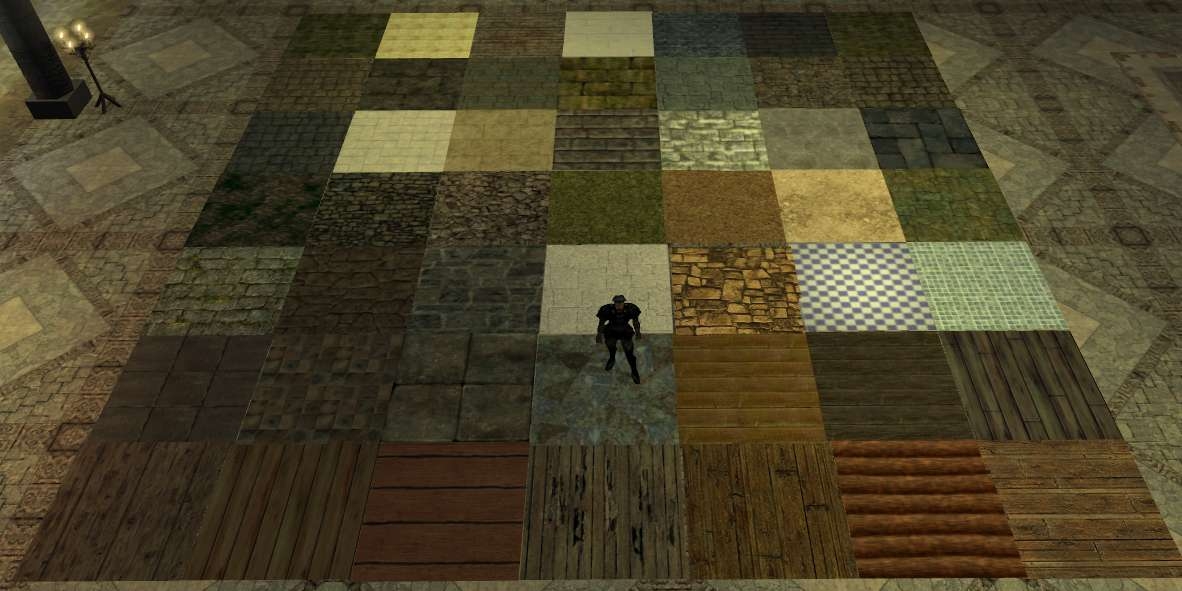
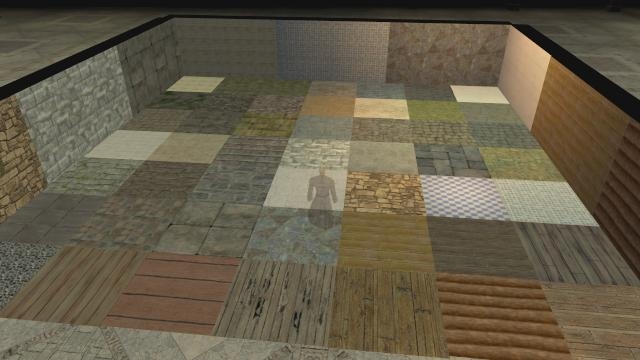
This is a collection of 50 different floor covering placeables in three sizes; small, medium and large. Most of them are stone, a few are wood and several natural ones are included as well. I've included a demo mod, a screen capture taken from the demo mod, an erf for easy import of a basic sample of each of the covers in addition to the hak and this doc file.
--------------------------------------
10.29.06 version 2.0
Lot's a new stuff in 2.0!
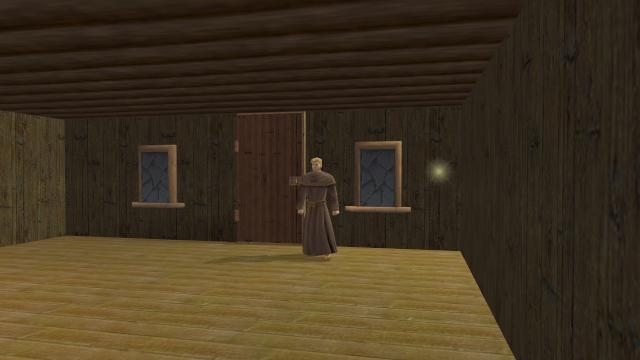
* Placeable walls to match each of the floor textures.
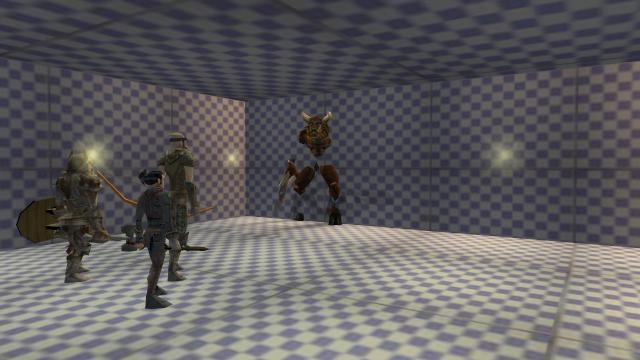
* Illusionary walls to match each of the floor textures.
* Ceiling placeables to match each of the textures.
* walls and ceiling placeables for lava and water.
* 2DA padded for compatiblity with CEP2 and my upcoming Natural Cover hak.
--------------------------------------
02.25.07 version 2.5 A minor upgrade.
* updated the lava and water mdl's to use animation. Special thanks to Mecheon for providing the necessary skills and files for that!
--------------------------------------
updated 11.03.08 version 2.6
*Padded to be compliant with 1.69 and CEP2.1.
--------------------------------------
updated 03.18.09 version 2.7
I'll see what I can do about creating an erf file with a couple of samples for easy import into an existing mod. Those you could then edit and save as needed to create additional ones. I'll try to have that up over the weekend sometime.
A ReadMe.txt/Help.txt file and demo of the 2.7 version would be greatly appreciated.
I'm using only one .hak file (the 2.7 one) in my whole module and I'm getting a lot of errors about models not being there and seeing strange conversation-like text as model options.
Oh, and just to clarify, you don't need the erf file to use the hak. That was created by another user and I posted it for those who might find it useful to import items to the pallet, rather than having to make them up for themselves.
Well, I tried editing and saving pwk file as outlined but it didn't work. If someone can do one or two samples that work, and email them to me, I'll crack them open and make copies for the rest of the walls.
"Actually, I sorted of tried doing just that, taking the pwk for the LOK brickwall, but am rather clueless about how to play with such files, having never done so before. If someone would be willing to give me some directions or help with that, I'd be happy to redo these.
markrendl"
First note that the LOK .mdl and .pwk are named identical except for the file extention.
Extract the LOK .pwk file, and change the name to what ever your wall's name is.
Next pop it open with a text editor, WordPad works great. Change those internal referances to your walls name as well and save.
For example:
If your wall's name is plc_wall01.mdl , rename the LOK.pwk to plc_wall01.pwk.. Then change these, inside your .pwk to:
node trimesh plc_wall01_wg
parent plc_wall01_pwk
node dummy W01_pwk_use01
and so on.. Pwks are small and there won't be many referances to edit.
Posted by jdeavila at 2008-11-06 21:17:36 Voted 9.50 on 11/06/08
Nice job!!...nice to see you update this to CEP 2.1 and 1.69 - good show!!! _________________________ Imtherealthing
As you discovered, I padded the 2da's to include ref's to my other hak, ground cover.
I'm planning to update both haks to be 1.69/CEP2.1 compliant in the next week or so.
As for unwalkable walls, I'm told I need some pwk files and as I'm not familiar with these, I'm not sure how to edit/create these atm. Would welcome any help with this.
markrendl
Posted by belren at 2008-10-14 18:59:51 Voted 9.75
I've been delving into the 2da files. I've noticed that you have references to DarkAngle1, DarkHigh, ... ( a list of these.. ) The models seem to be missing. Are these entries in placeables.2da meant to be place holders for future work?
Beyond that, and the walkable walls... Excellent work.
I do have an idea to make the walls unwalkable. examine the gateblocks used by CEP. I would love to see walls that block both ways. ( gateblock04 is almost as wide as a wall. )
I'll vote when I get an answer to my question.
Belren
Posted by Winterhawk99 at 2008-08-17 14:56:40 Voted 10.00 on 08/17/08
used this with aria in a large placeable hak. these floors add a whole new demension to nwn thank you
Posted by Saduj at 2008-06-05 13:20:53 Voted 10.00 on 06/05/08
Actually, I sorted of tried doing just that, taking the pwk for the LOK brickwall, but am rather clueless about how to play with such files, having never done so before. If someone would be willing to give me some directions or help with that, I'd be happy to redo these.
markrendl
Posted by Keltic_Oryantal at 2007-04-29 18:11:11 Voted 10.00
Ack, scratch that. You have illusionary walls and real walls... _________________________ Cheers,
*K.O*
"Eliminating the need for a PnP game one NWN area at a time."
Posted by Keltic_Oryantal at 2007-04-29 17:40:03 Voted 10.00
If most of these wall are based off of the cep brick wall from LOK, you *might* be able to steal the pwk from that so long as their the same dimensions. I know,I know. I'm terrible, but this is how I've become self taught in certain areas. That would be too easy, of course... _________________________ Cheers,
*K.O*
"Eliminating the need for a PnP game one NWN area at a time."
You may need to manually select the appearance via the properties menu, if the erf doesn't build the pallette correctly for you. Another thing you might try is using the CEP2 tlk file when you're creating the mod as that seems to do the trick for some. You don't need to continue using the tlk file once you get the placeables set up and visible.
Well to solve the walk thru walls I need to create pwk for each of the walls. As I've never messed about with pwk fils before, I'm not sure how soon I'll have time to delve into this :( If someone more knowledgable about such would be willing to lend an hand with this, I'd appreciate it :) It will get done eventually I hope!
If you don't need blocking walls, you can use the hak as is. An update will not affect anything aside from making the non-walkable walls, non-walkable.
Ground Cover has been released. I never got the corner pieces I was waiting for, so it's not quite a flexible as I'd hoped, but it works well enough.
markrendl
Posted by Graymaster at 2007-03-18 08:30:27 Voted 10.00 on 03/01/07
Heh-heh. Any time-line on the "walk-thru walls' problem instigated by 1.68? Have a mod concept floating around in the abyss of my mind, but hesitate to include your work if later rebuilding should prove a nuisance. Btb, how's the Natural Cover progressing?
Only if your family want's to move into a NWN module:)
markrendl
Posted by Graymaster at 2007-03-01 14:12:44 Voted 10.00 on 03/01/07
Hmmm, only problem is that now my wife looks around our house with a decidely "what can we do about these walls and floors" look. By any chance do you do house calls? Seriously, excellent offering.
Hmm it looks like the last patch 1.68 has somehow broken the walls. I DL'd and checked out the older version and you can walk thru the walls in that one now too:(
I may have to redo all the mdls to get them to work right again:(
Hmm I'll look at the walls, not sure why this suddenly changed:(
As for tinting, I'm not really qualified to make something like that from scratch. All the textures I'm using were collected from other sources and just reskinned over other models of the same size. If someone wants to create some other textures of other natures such as gases, mirrors, what not, I'll be happy to add them to the exiting collection in further updates.
markrendl
Posted by Owrtho at 2007-02-26 15:28:03 Voted 9.00 on 02/26/07
It looks good. However, I noticed the that I was able to walk through any wall, not just the ilusionary ones. I wondered if this could be changed. Also, I noted that if you look through the water wall when it is set to static and there is a lava wall on the other side, you cannot see the lava wall or anu creatures. I wondered if it might be possible to make a slightly tinted clear wall that would not show creatures or ilusionart walls on the other side of it regardless of weather it was set to static or not. This would alow scenarios such as having to use a special panel to tell if a wall is able to be walked through or not.
Owrtho _________________________ Time is never on your side.
It's just less an enemy to you than it is to your opponent.






 Site
Site









 at 2009-05-01 06:57:56


