Neverwinter Vault

Expand AllContract All -Site -My Profile -Features

Neverwinter Nights 2

-NWN2 Files -NWN2 Game Info -NWN2 Resources -NWN2 Community

Neverwinter Nights

-NWN Files -NWN Game Info -NWN Resources -NWN Community

Vault Network
RPG Vault
VN Boards
IGN Vault
Vault Wiki
· Age of Conan
· Anarchy Online
· Asheron's Call
· Dark Age of Camelot
· City of Heroes
· D&D
· EVE Online
· EverQuest
· EverQuest 2
· Final Fantasy
· Guild Wars
· Lineage 2
· Lord of the Rings Online
· Middle Earth
· Neverwinter Nights
· Pirates of the Burning Sea
· Rise of the Argonauts
· Star Wars Galaxies
· Tabula Rasa
· The Matrix Online
· The Witcher
· Titan Quest
· Two Worlds
· Vanguard
· Warhammer
· World of Warcraft

Planet Network
Planet Hub

IGN
Games
Cheats
Entertainment

The Web   The Site  


NWN HAKPAKS

- Jump to comments -
Title  Arvale GUI 2
Author  Ricko
Submitted / Updated  11-01-2007 / 11-24-2008
Category  Other
Expansions  Works on all versions
Description
This is a partial rework of the NWN GUI, designed especially for the Roleplaying Persistent World "Kingdom of Arvale". It replaces the following:

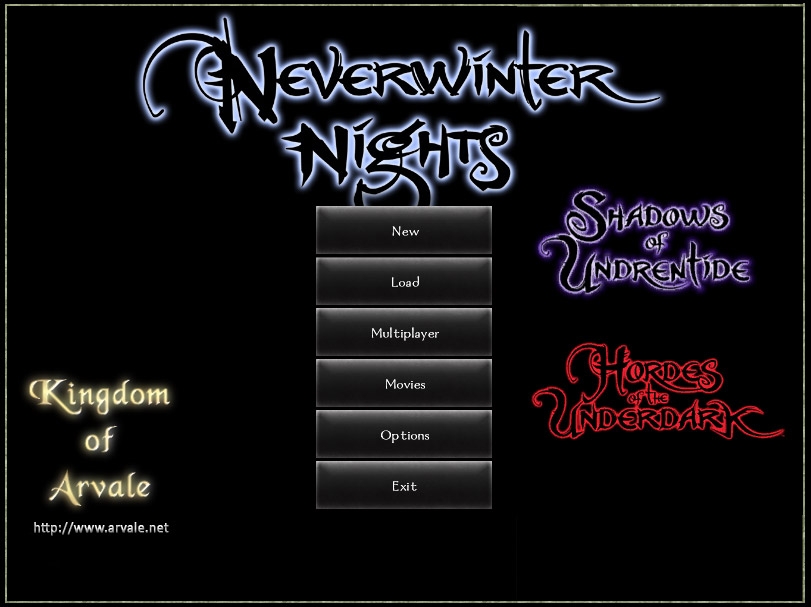
- Main menu (background)
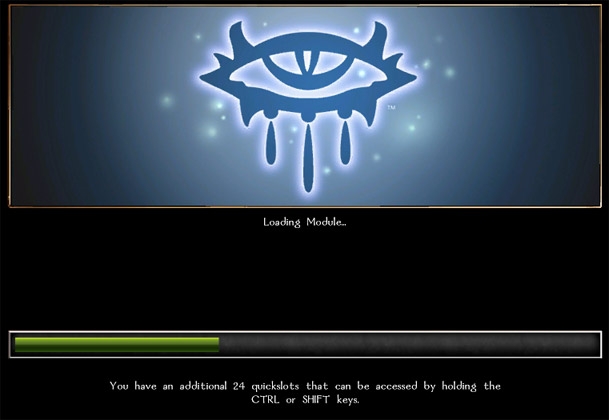
- Loading bar
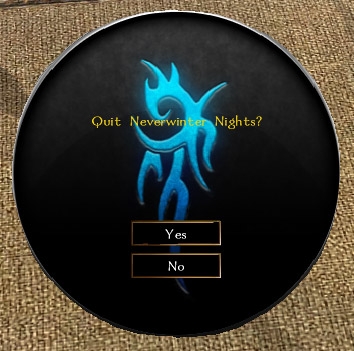
- Quit/Direct Connect/Character Selection dialogue
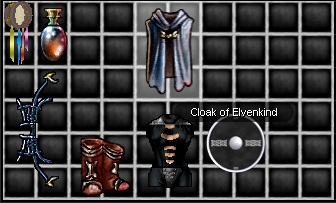
- Inventory squares (also affects merchant window)
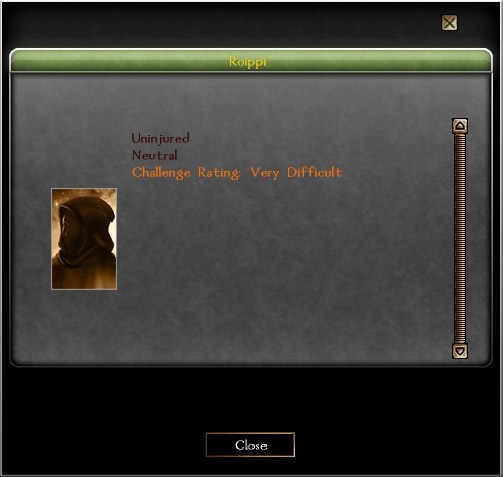
- Examine panel
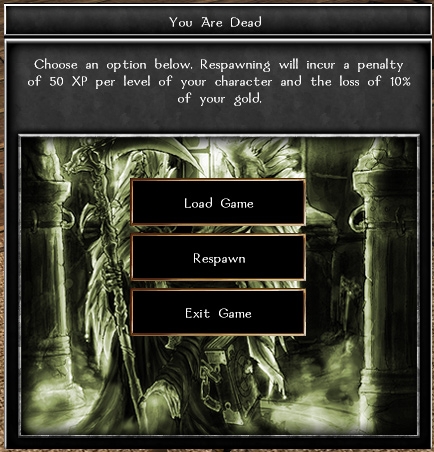
- Death panel
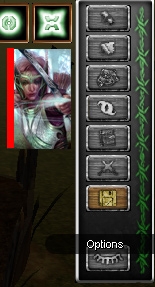
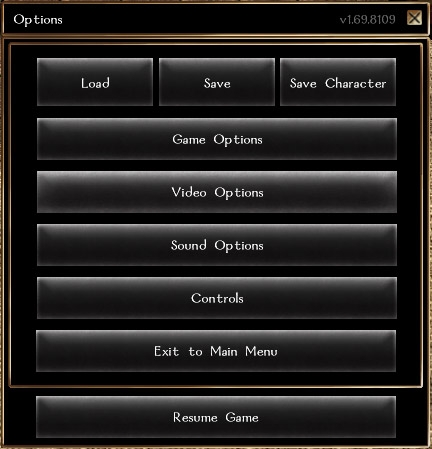
- In-game menu
- Chat & hotbar
- Compass

Everything else is left as the NWN default. Installation is simple - extract the files as they are to your nwn\override directory. NOTE: This is technically not a HakPak, but can be compiled as one.

Credits:
Special thanks to the creator of the original Baldur's Gate GUI override (MtK) and to the creator of the Ravenloft: Prisoners of the Mist GUI override (Ravenloft POTM Team), as I used their work as a starting point.

Artwork on the death panel was sourced from Arjen Mollinger (http://a-m.deviantart.com/). All other images/textures in this override were created by me.


VERSION HISTORY:

v1.2
- New dialogue window
- New examine window
- Adjustments to buttons
- Adjustments to level up screens
- Various colour tweaks
- Changed main menu background to include website URL
- Fixed positioning issue on DM controls

v1.1
- Improved loading bar
- Adjusted examine panel
- Added new button appearances

v1.01
- Minor changes to inventory squares, hotbar and dialogue window
- Improved in-game menu


Link for more info (or use the secondary URL if the first does not work: Link )

Files

NameTypeSizeDownloads
arvalegui_v1.2.ziparvalegui_v1.2.zip
Submitted: 11-01-2007 / Last Updated: 11-24-2008
zip1015.53Kb549
Arvale GUI 2 (v1.2)
SCORE OUT OF 10
10
3 votes
View Stats
Cast Your Vote!

PORTFOLIO
Add this entry to your portfolio so you can track it
Manage your existing portfolios or create a new one.
SCREENS

Death Panel


Compass


Inventory


Chat & Hotbar


IG Menu & Portrait


DM Task Buttons


Main Menu


Loading Screen


Examine Panel


Dialogue


Replacement Buttons


You Must Be Logged In to Participate.
Comments (5):

Posted by E_H_Bonner at 2009-11-22 18:52:39    
Hello, Ricko!
I'm DLing this as we speak - it looks very promising! I'll be back with a vote/feedback ASAP!

Meanwhile, thanks for contributing to the community!
_________________________
Ring of Ethereal Storage | Common Ring of Storage | Hole and Rope Set Version 1.5 | NwN Module Production - Issue Focal Sheet | Ellspeth's Legendary Elixirs ||| The Personal Work of E_H_Bonner | E_H_Bonner's Favorite Overrides Portfolio | E_H_Bonner's List of Personal Favorite Modules
_________________________

"Black Wax, says change your mind and say they do and he will give you a hearing, while MEAT HOUSE SLIM, laying in the bin killing all good men." - L. A. Vaugh

Posted by McV at 2009-05-29 10:16:31    Voted 10.00 on 05/29/09
Hi there! This is an awesome hak, and saved me a lot of building time.

Also, a question: I just started a redesign of the GUI for a module I'm working on, and I need to move the transparent box that dialogue "prints" to further up the screen. Any idea which mdl that is? Email if you do!

Nicely done though, I'm going to "borrow" (read: "steal") parts of this if you don't mind - (the buttons, primarily) - because they're just so darn nice :)
_________________________
[Blog] [Revenant Module] [The Immortal Module] [Darkened Ruins Reskin] [Immortal GUI Alpha Test]

Posted by Ricko97 at 2008-08-05 05:08:59    
Thanks for the feedback. I have had a few emails asking how this is done and I will answer here instead of replying to them (Calgach, I responded to your email but it bounced back).

I actually don't know much about how the GUI of NWN is put together. There are three types of files used for it:

.txi - appear to contain simple data related to the placement/rendering of textures
.mdl - the actual 'models' of on-screen elements (I would assume these define the shapes and positions of menus, etc)
.tga - Targa format images. These are commonly used in games as a texture format and can be edited in graphics editing apps such as Photoshop and PSP


All I did was mix and match some of the files from two other GUIs, the Baldur's Gate one and the Ravenloft: POTM one (thank you MtK and Ravenloft!), and changed the textures.

Sorry I can't be of any more help than that. I would actually really like to know exactly what role the .txi and .mdl files play myself, as I would love to change the stock GUI layout as well as its appearance.

I'll let you know if I ever find out more.


As for making the compass area/region dependant, I believe the workings of it are hard coded and so you would have to rewrite that part, which may or may not be possible through editing various files (likely not), and even then you would need to make it work with a specific module (using area tags or some other identifier to tell the compass what to do).

Again, thanks for the feedback, I appreciate it.

Posted by Calgach at 2008-08-04 23:39:02    Voted 10.00 on 08/04/08
Nice work.
BTW, I would like to use several compasses in the HUD, different ones for diferent areas - for example when the players are standing on the north pole I want a compass that shows south in all directions, when they are standing in the center of the earth the compass should read north and south but not show east or west. How could this be done?

Thanks.

Posted by JRVthatsME at 2008-04-16 08:59:56    Voted 10.00 on 04/16/08
I think you have done an excellent job of creating this GUI. Would you happen to know where I might be able to find a tutorial on creating custom GUI's as I would love to be able to make one for a module I am working on.

You must be Logged In to post comments in this section.

 
Most recent posts on the MMO General Boards
Analyst: Star Wars: The Old Republic Could...Analyst: Star Wars: The Old Republic Could Sell 3M: more numbers
- last reply by Acao on Aug 15, 2011 06:15 PM
which class will your first character be
- last reply by Blisteringballs on Aug 15, 2011 05:50 PM
New Community Content!
- posted by Vault_News on Aug 15, 2011 05:00 PM
New Community Content!
- posted by Vault_News on Aug 15, 2011 04:00 PM
NWN Idea Database Update
- posted by Vault_News on Aug 15, 2011 03:46 PM
Missing Votes for NWN2 Hall of Fame
- posted by Vault_News on Aug 15, 2011 03:40 PM
Missing Votes for NWN Hall of Fame
- posted by Vault_News on Aug 15, 2011 03:39 PM
Random Questions and game altering suggest...Random Questions and game altering suggestions!!!
- last reply by ArkadyTepes on Aug 15, 2011 03:22 PM
State of the game?
- last reply by LyricOpera on Aug 15, 2011 01:37 PM
Yesterday streaming, now demanding downloa...Yesterday streaming, now demanding download :(
- last reply by Sinane-tk on Aug 15, 2011 10:23 AM


IGN Entertainment
By continuing past this page, and by your continued use of this site, you agree to be bound by and abide by the User Agreement.
Copyright 1996-2011, IGN Entertainment, Inc. | Support | Privacy Policy | User Agreement | RSS Feeds
IGN’s enterprise databases running Oracle, SQL and MySQL are professionally monitored and managed by Pythian Remote DBA.


NWN2 Hall of Fame

HOF NWN2 Scripts


View all Hall of Fame entries


Neverwinter Nights 2

TOP NWN2 Modules

NEW Modules

NEW Reviews

NEW INTL. Modules

TOP Hakpaks

TOP Gameworlds

TOP Tutorials

TOP Prefab:Areas

TOP Blueprints

TOP Plugins

TOP UI

TOP Other

TOP Visual Effects

TOP Scripts

TOP Tools

TOP Movies

TOP Models

TOP Characters


Hall of Fame

HOF NWN Modules


View all Hall of Fame entries


TOP NWN Modules

NEW NWN Modules

NEW Reviews

TOP Intl. Modules

TOP NWN Hakpaks

TOP NWN Gameworlds

TOP NWN Models

TOP NWN Portraits

TOP NWN Scripts

TOP NWN Prefabs

TOP NWN Other

TOP NWN Movies

TOP Sounds

TOP NWN Textures

TOP NWN Creatures

TOP NWN Characters