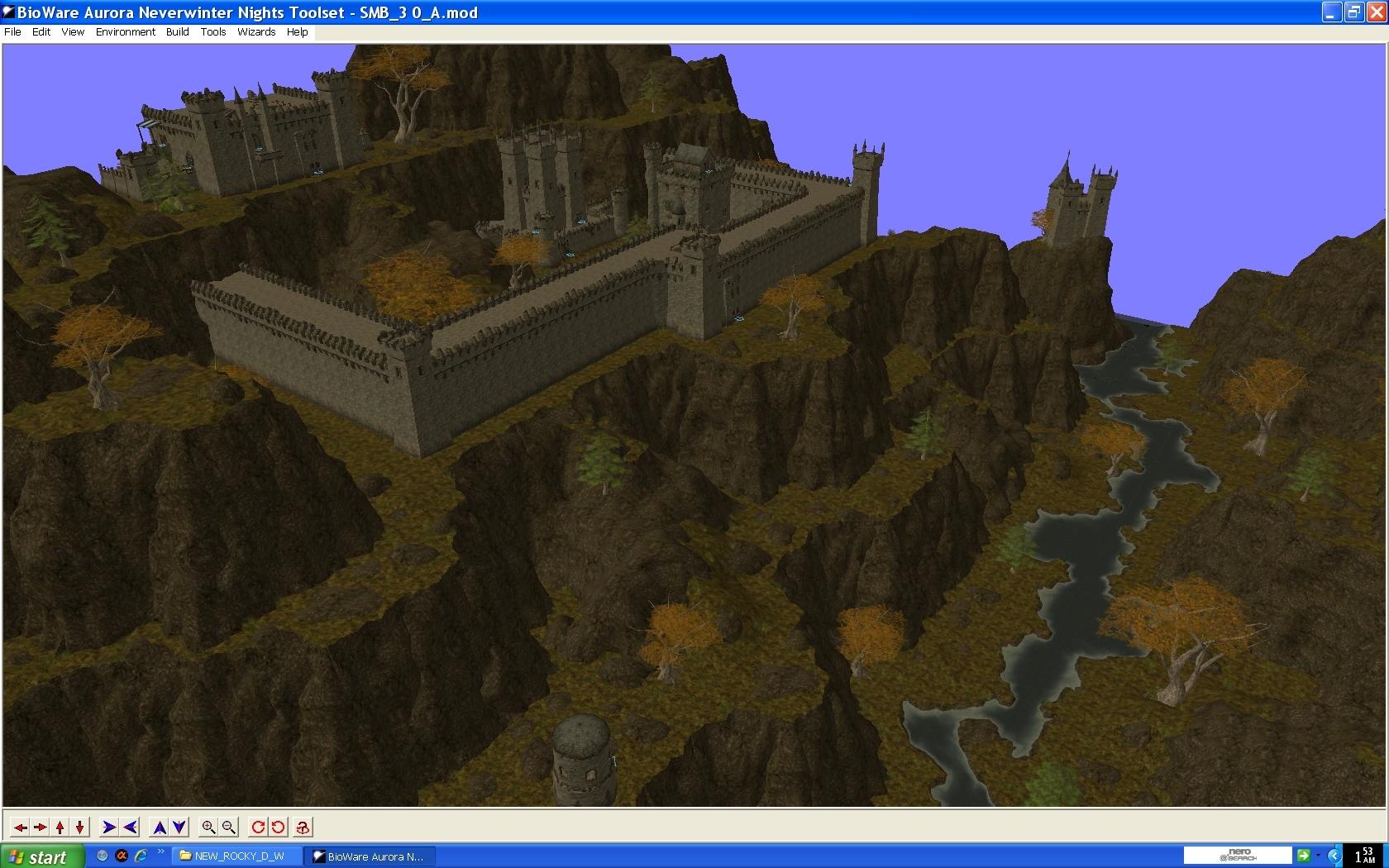
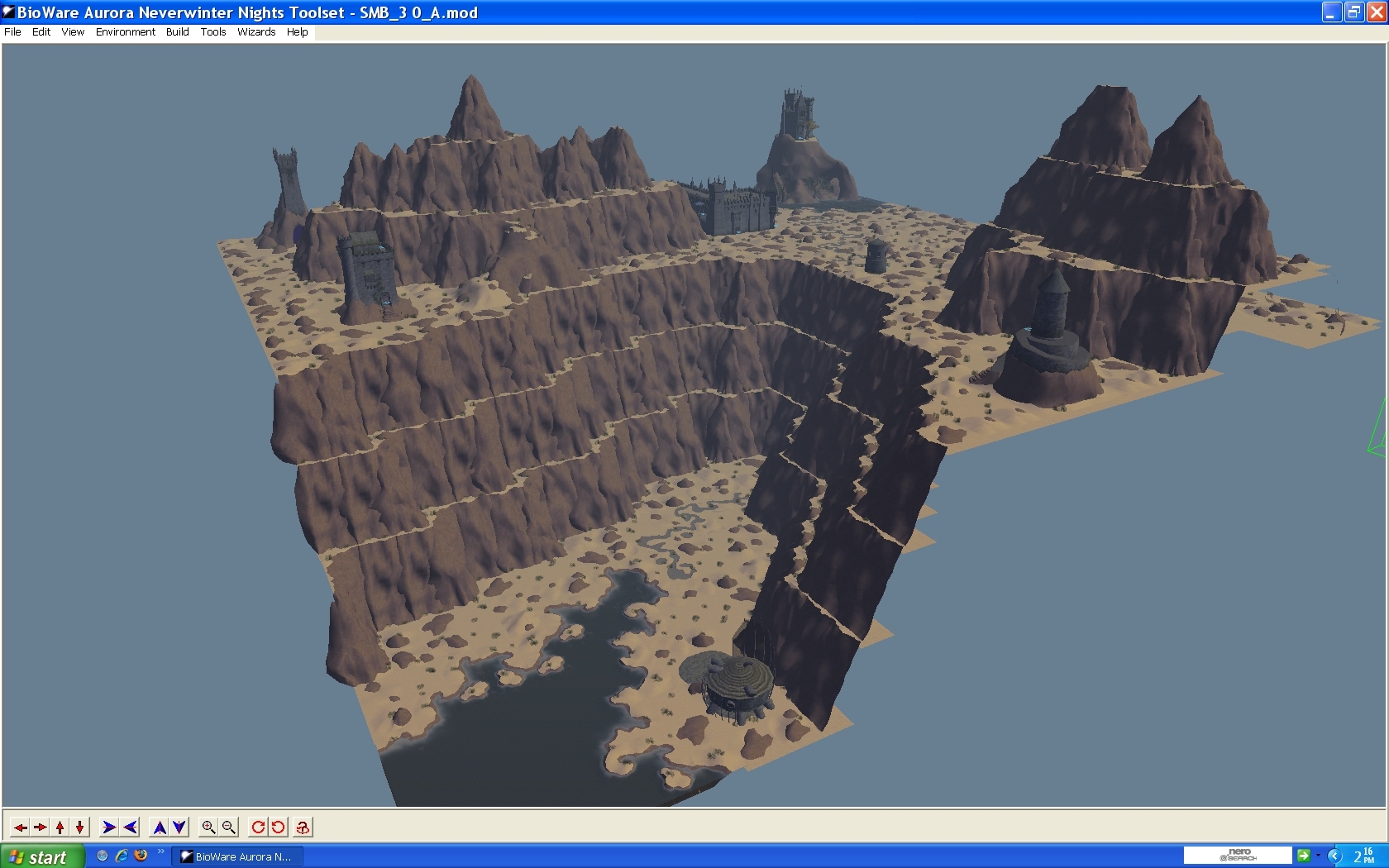
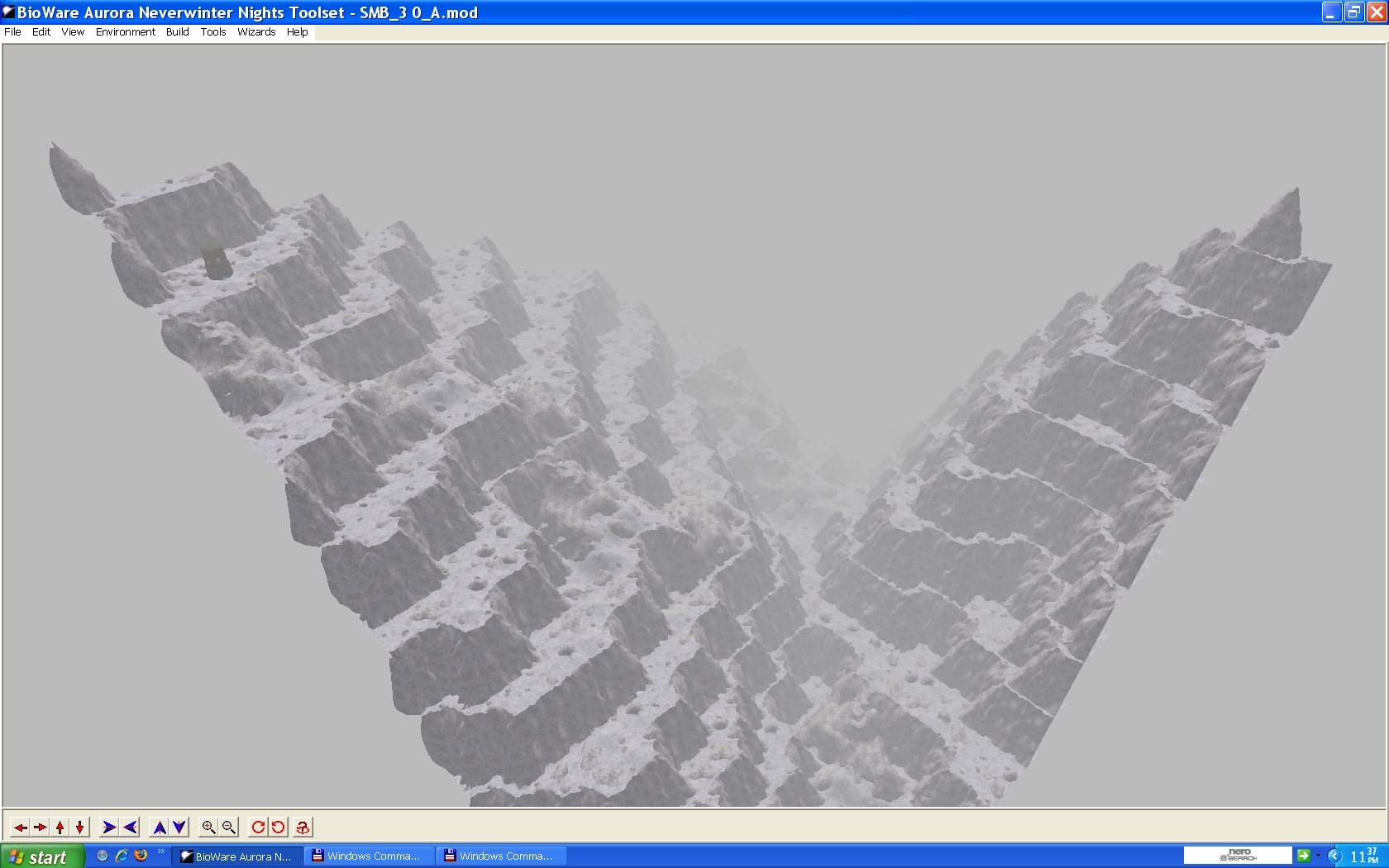
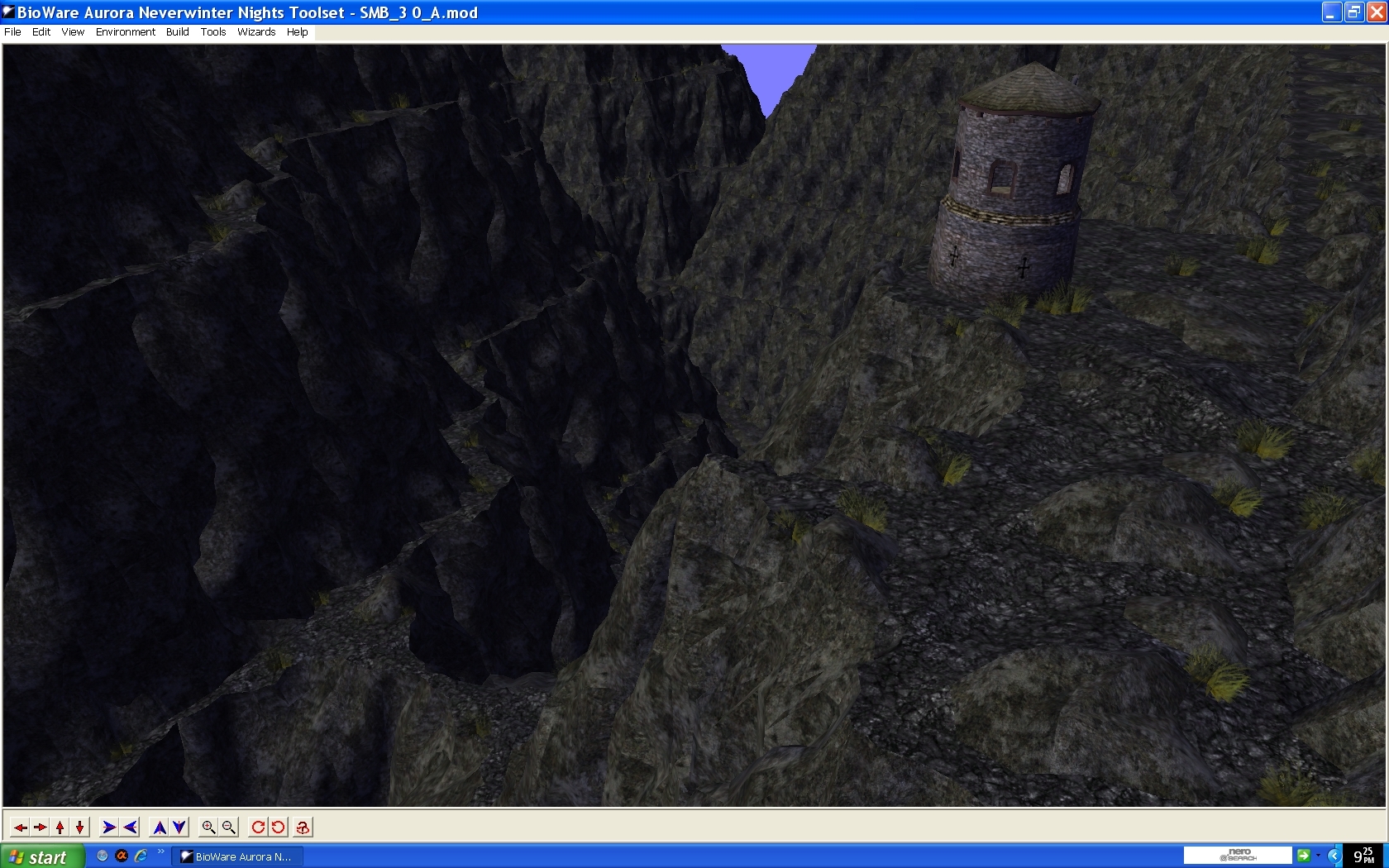
New rocky: mountains, desert, winter and rocky (new).
First of all i want to say thanks to lord rozenkraz, who made this wonderful tile set long ago.
I re textured, duplicated, to make more 3 versions, and removed some texture models (flowers), who made the engine to heavy to work whith large areas like i use (30x30).
Unpack with winrar with all files selected
Carlos
08/04/2009 added rocky version.
09/04/2009 removed grass from snow and desert tile sets, reduced to 9, in rocky and normal tile sets.
Thanks friedeyes for the int, help and work, to find the right way to go.
Update:
2012-11-19: Combined the 3-part rar into a single .7z - Rolo
Posted by KenMajere at 2012-11-26 12:28:53 Voted 10.00 on 11/26/12
Fantastic tileset! I just have a simple question though. Is there a path that can lead up the rocky terrain when it's raised? Or a ramp? The edge fixer does not seem to make a way for one to reach a top of a mountain. Please advise. Thank you so much.
A nice tweak/expansion to LR's Rocky Mountains. _________________________ -------------------------------------------
"Repent, Harlequin!" said the TickTock Man.
thanks raven blood, but some times we have to take some decisions, you see, this stupid planet (not the planet itself of course), is so stupid that when we talk is like talking Chinese, now one listen or understand what your saying, you know why? Because everybody just listen to themselves.
And everybody likes to clean other asses whit their tongues, and to be the pretty boys, and put their head in the sand.
that's the problem, i am not mad whit you people, i am mad whit the stupidity of some people.
Posted by Raven_Blood at 2009-06-16 11:09:51 Voted 10.00 on 06/16/09
thanks for the update Mondego, ive been wanting those great big bushes to go. too bad you chose to leave, you did such great additions to the older tilesets :[
Thanks fryedeies, that int really works, i have to put your name in this work to, you really helped a lot, i will see to it, but if i take to long please do it and post for me i will have the work to come here just for you and vote.
Have my friendship and thanks, and if you ever come to Portugal, me and my wife will welcome you, just mail me.
Right now, and that is sad for me, i leaved nwn for good, because many things:
stupid people due to their lack of vision on the power of the nwn engine and different approaches, envious or jalousie i don't know of what and for what, sarcasm from many idiots (to many for count), him tired of fuccing talking to monkeys, they don't have brain, but at least real monkeys have feelings. Lack of good feedback, of course in the world of lies, if someone says the truth, is burned, like saying the worst game ever made was the stupid nwn2, and i am even more stupid to have those useless boxes, thanks to good theres always the, trash can way...
And of course to many mafias here to, "the chosen perfect kiss asses ones, or kiss shoes", the sissies, the donkeys, etc.
And my favorite expression, dont like it? Kill your self!
And by by
Mondego
Posted by Friedeyes at 2009-05-31 17:17:11 Voted 10.00 on 03/25/09
chaos_theocrat & mondego
Regarding the danglymesh on bushes:
There is a way to remove it that does not require any modeling.
It can be done in a simple text program.
1. First thing you need to do with these sets, is to make sure all the .mdl files are de-compiled. (Don�t do the doors)
2. Second thing, use a find and replace program like "Search And Replace.exe" to change all the danglymesh lines in the .mdl files to trimesh. It will do all the files really fast.
Directions with that program:
(Without quotes)
1. Put a folder on your desktop with all the decompiled .mdl files in it.
2. Start the "Search And Replace.exe" program and drag the folder onto the �Directory to search for files� line. It should then change to the folder you dragged.
3. Select the "Mask to add to list" line and Add �*.mdl� to the line and choose add.
4. Add �danglymesh� into the top box (replace).
5. Add �trimesh� into the bottom box. (by)
6. Run the program by clicking the "Replace" button. It will then find and change all the lines.
(Without quotes)
Once done, the constraints don't apply and can be deleted. It did work without deleting those lines in a simple test.
Posted by Friedeyes at 2009-03-25 17:11:21 Voted 10.00 on 03/25/09
First; thank you for posting this. I needed these mountains without the flowers, and you saved me all the work.
Some additional information or opinions:
Delete the grass section from the sand and snow version set files. Turn the grass off.
[GRASS]
Grass=0
To help with frame rates; don't use the water, it eats resources.
Reduce the grass in the mountains: 50 is too much, try 10; I use 5.
I've tested this quite a bit. Other than rebuilding the models that is the best I could do.
I have a rebuilt set (17Megs) without the TNO stuff, that gets good frame rate as long as I don't place water (Streams or lakes).
Aside from those things; the woks are way too complex and need to be remade. That's a modelers job though.
As it is, the woks look to be copies of the models. Way too many faces there, and un-needed.
It's not a bad way to build a model; some actually prefer to build what you want first, then clean it up and make it more efficient later.
Thanks chaos, it is true, this tileset is a real frame rate killer, i will try to remove bushes, but if it make holes, i will not be able to disguise them, maybe its bether to leave like it is, so if someone can do this, please, do it.
I think the problem is more than just eliminating those flowers. I made a 16x16 area with the regular mountains from this pack and got an FPS of 17 minimum to 20 tops. I did a test. I threw together a blank 16x16 area using your winter mountains. It had nothing built up in it, just flat terrain. It got an FPS of 21. I then compared it to bioware's rural winter and in that I got an FPS of 51.2 which is a huge 30.2 point difference. So...
Through process of elimination I found out that it is the high poly bushes that are all over the map. They are all danglymesh, according to the model files, and dangly as everyone knows is a frame rate killer. I tried removing their textures, but the mere presence of the base models for them slows the area. I then attempted to remove the models, but that just ripped out the terrain itself, leaving blank holes in the map. It did fix the FPS though, so if you *could* somehow take out the bushes without ripping up the terrain in the process... that would fix the FPS problem this tileset had since it's inception, and make it pefect for use with any size area. You've done a lot of good with this so far, though. It's still a world of difference when compared with the FPS of the original. _________________________ Chaos is not about anarchy! It is creativity that is boundless and unrestrained.
Ym not a modeler, so i can not make new models, i just duplicated, removed a few models, and retextured, dealing whith tilesets is just for experts in that field, sad the original tileset didnt came whith those fixes, thath onli lord rozenkraz can perform, the autor whith enough skils to do that.
Posted by Kaliesto at 2009-02-27 12:24:01 Voted 10.00 on 02/27/09
I take that back. I looked at them closer and they are not pathways. my apologizes _________________________ Life is but a Dream.
Posted by Kaliesto at 2009-02-27 12:21:41 Voted 10.00 on 02/27/09
When I came on today, this is the first thing I saw and I said *wow*. My only beef with this, is the pathways on the mountains that makes it a *tiny* bit unrealistic but I'm still giving you a 10 for some much effort put into this. _________________________ Life is but a Dream.
Posted by electryc at 2009-02-26 22:32:31 Voted 9.25 on 02/26/09
Nicely done sir. I liked Rocky Mountain Tileset Too, except I never could get castle walls to be put near any elevation. The desert and snow versions of the cliffs look wicked.
Posted by Raven_Blood at 2009-02-26 20:12:00 Voted 10.00 on 06/16/09
i like this :] I think its pretty nifty;I use the origional, but runs slow with all its detail. good job, i might just use this to replace the origional...
Posted by kalbaern at 2009-02-26 17:51:45 Voted 10.00 on 02/26/09
Very nice indeed. _________________________ The Savage Frontier and Surrounds - NWN PW based in the Forgotten Realms: Link
Posted by jdeavila at 2009-02-26 15:44:57 Voted 10.00 on 02/26/09






 Site
Site









 at 2012-11-26 12:28:53
 at 2009-03-01 08:10:21
 at 2009-02-28 06:34:56


