Very simple idea. Hope no one discover that already. :)
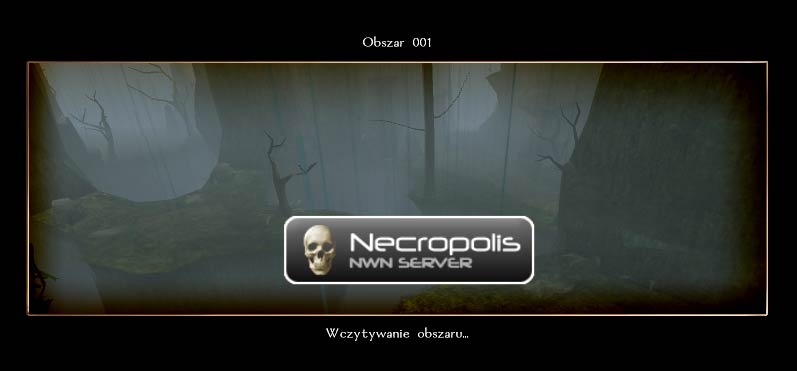
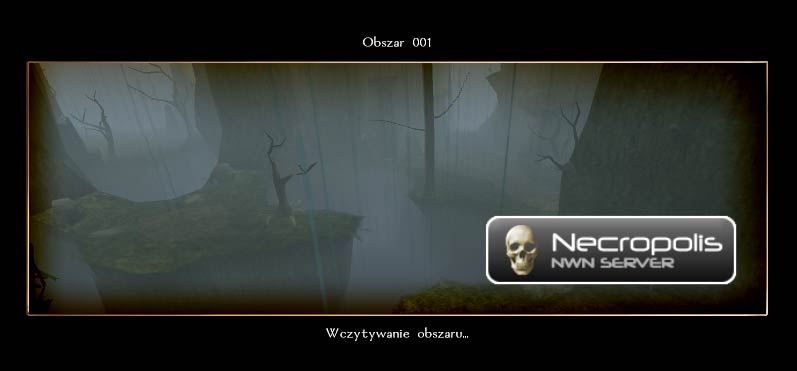
This is loadscreen model override which will add you own logo to every loadscreen. This may be useful for Persistent World servers. Just make own logo, save it as TGA and it will appear on all loadscreens in your module.
Three versions available: left, center and right.
Just put one of the mdls together with tga into one of your hakpaks and it should work.
Very cool. I've started using this, and the results are great. _________________________ World of Aenea (Hall of Fame PW and the origin of all my works)
Vault Entries: The Complete List (50+ entries, including 17 Hall of Fame awards)
Self-Promotional Honesty: If you have opinions on stuff I've made, or if you use any of it (as a player or builder), I like comments/votes/feedback...so do other content makers and builders. Keep us motivated. :)
fresh news :) i've just discovered that FadeToBlack and FadeFromBlack functions are using black loadscreen (!) to make the fade. so if you're using my override then you will see your logo while fading the screen :/ _________________________ NWN1: Elemental Forges | Elemental Swords | Masks | Portals
Yes, I sorted it out. I'm not very good with photoshop, so I'm sort of mucking around trying the get my logo to fit without getting too large on the screen. _________________________ Lan's Placeable Groups v1.5
Put this under a 2da file in a additional hak where many textures reside, no duplicate names, and the screen does not load the logo. Not sure if there is more than having the above graphics logo and the .mdl file of choice there...but none of the three give me much luck. _________________________ Lan's Placeable Groups v1.5
yes. if want to use this you must make hakpak and players need to download it. if you put this to override folder (if you dont want to use hakpak) then it will override default load screen and will be visible on all modules and servers (except the servers or modules which have their own haks with their own version of this).
so in short. the best way is to use hakpak. _________________________ NWN1: Elemental Forges | Elemental Swords | Masks | Portals
oki doki :)
first. you need to create a picture which size is 256x128. draw some logo, text or whatever. if you want the image to be partialy transparent you need to create alpha channel otherwise you will see the whole 256x128 image. save the TGA as 'gui_server_logo.tga'
second. choose where the logo should appear on loadscreen. left, right or centered? if for example you want it centered then you need to take MDL file from 'center' folder in the zip archive.
third. open nwhak.exe (which is located in 'utils' subdirectory of you nwn installation). add the MDL file and the tga file you have created then save the hak as ie 'logo.hak'
after this add the hak to your module and you should see the logo while loading locations.
Posted by SilverLady at 2006-01-26 09:59:36 Voted 10.00 on 01/26/06
;)
Posted by Anonymous ( 167.1.xxx.xxx ) at 2006-01-26 09:37:13
Any chance you could give detailed instructions on how to implement this? For some (most) of us the following instructions are all Greek: "...save it as TGA and it will appear on all loadscreens in your module." and "...put one of the mdls together with tga into one of your hakpaks and it should work."
If you can come through with easy to follow instructions, this would be a welcome and appreciated addition.
hello :) few things. tga size doesnt need to be 256x128 you can make it bigger or smaller but this will change its visual quality only. higher res will not give more visual quality than this i'm afraid but low res can make it more blurry. also it must be 2:1 ratio (128x64, 512x256 etc) or it will be deformed. i hope this help :) _________________________ NWN1: Elemental Forges | Elemental Swords | Masks | Portals






 Site
Site









 at 2010-04-26 02:19:55


 at 2006-02-09 10:30:02
 at 2006-01-28 12:43:49


