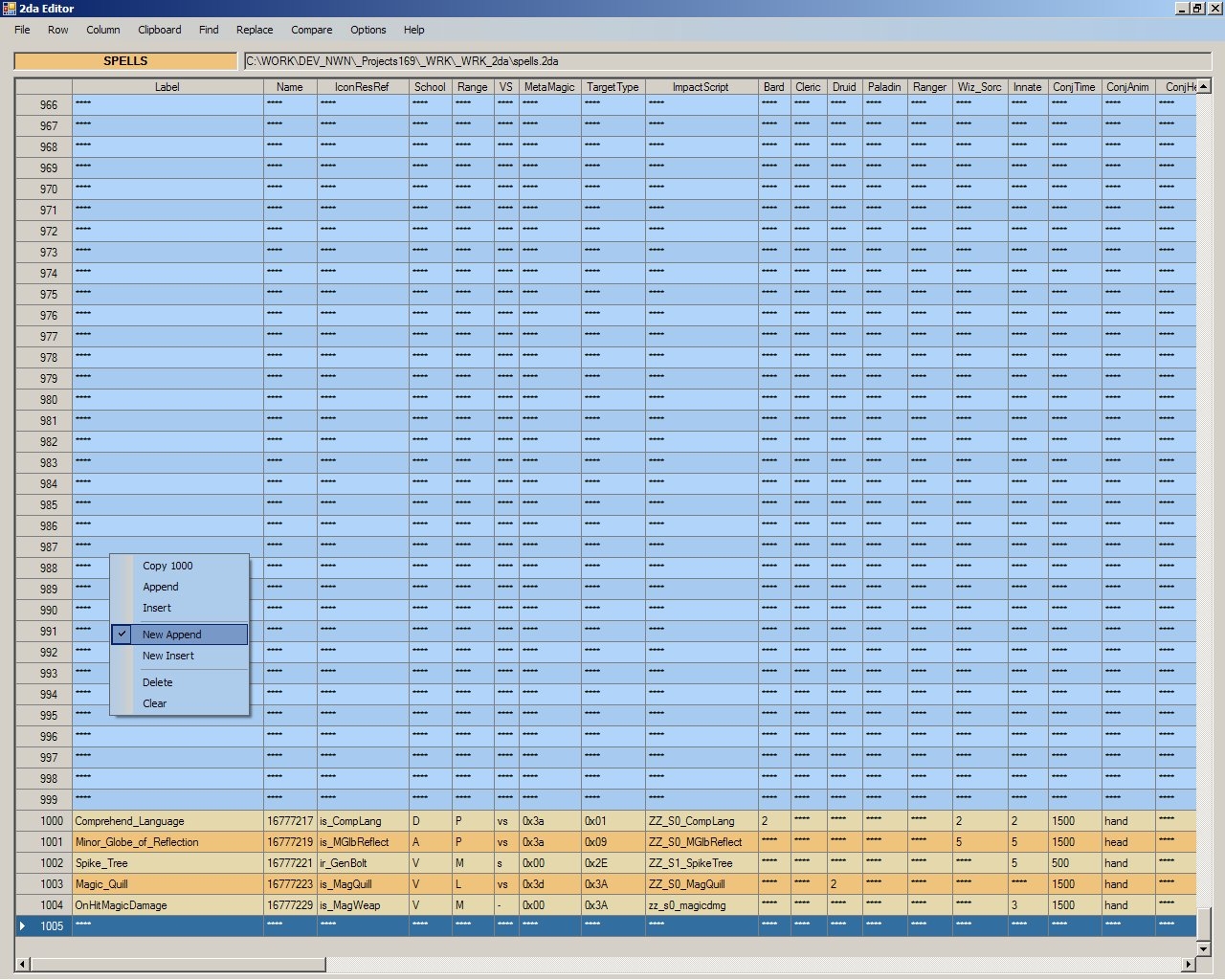
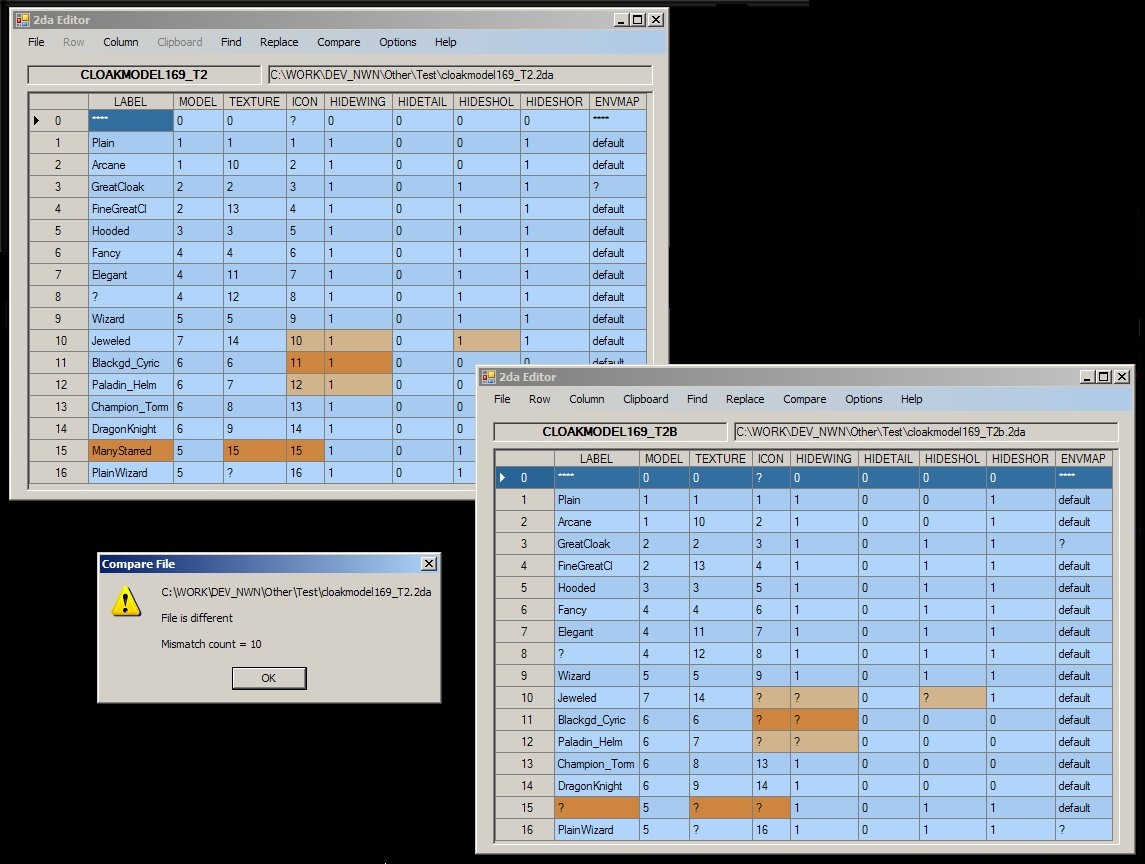
This is a C# program which displays 2da files in a grid format, allowing viewing and editing, (copy, insert, and delete). It requires the .Net 2.0 framework in order to run.
version 1.16
Corrected display of row numbers 10000+
Thanks for the tool. It works well enough, but I ran into a problem when I tried to pad the placeables.2da file to 15,500. All row numbers from 10,000 onwards were displayed as 10..., and there appeared to be no means to change the column width.
I concur, been using this app for some time, but always find myself going back to simple text editors because it lacks key functions like those mentioned previously.
It could be one of the essential NWN, builder apps, but needs a little work.
Posted by nwn_martin at 2008-02-02 15:45:42 Voted 8.75 on 02/02/08
alright, i still cant paste-insert values. please make it so that i can choose a cell with arrows and directly paste a value in a cell. thanx!
martin,
the save option opens a save dialog with the current 2da filename highlighted. Simply change the name before hitting the save key and you do Save As.
In regards to cloning values, I may eventually add a Replace function to the Find dialog.
Posted by nwn_martin at 2008-01-26 22:05:04 Voted 8.75 on 02/02/08
i can live without "undo". maybe when you feel like it, make a "save as" opton, that should do.. and im passing my vote right after that :P
Posted by nwn_martin at 2008-01-26 22:00:09 Voted 8.75 on 02/02/08
thanx :) i dont mean to force you to work on this app. but this editor just looks so cute and simple and i thought it might also be easy to work with when you focus on easy insertion function. like cloning a value throughout the whole column and such. its fot some potential. i think its got some calming effect on me..
martin and Bigfoot,
Version 1.04 will retain the column spacing. Check the Help menu option for all spacing choices. The spacing expand option will fix any 2da file where the fields don't align with the column headers.
I like this alot, but it needs one major adjustment (if its possable).
Might be just me but when you view a saved 2da in Notepad after being saved within your editor the column spacing is fubar'd quite a bit. While the 2da is fine, it makes it hard to edit later, or would make it hard to edit for someone using Notepad rather than the editor.
Any chance that it could be made to save the spacing between columns that the editor displays within the 2da so there nice and neatly aligned?.
opps just noticed the commentor bellow mentions the something along the same line. Would deffinatly make this little app go from being a curiosity to a must have NWN editing tool.
Posted by nwn_martin at 2008-01-23 19:10:37 Voted 8.75 on 02/02/08
alright, i see. i just thought you might allign the columns with the starting letters of parameters in the fourth row and also make it possible to paste a value from clipboard without the need to click in the cell with mouse. it would reduce the mouse clicks necesarry to insert a value in the cell.
martin,
I don't plan to add any new features to this program, just bug fixes if necessary. The primary intent was to create a replacement for Notepad to make basic editing of 2da files easier.
You can run concurrent copies of NWN_2daEditor and copy/paste individual cells between the windows, (using the standard window context menu or Ctrl C and Ctrl V), but you won't be able to copy rows between them.
Posted by nwn_martin at 2008-01-23 05:14:07 Voted 8.75 on 02/02/08
can you make it so that its able to edit multiple 2da at once and is able to remember the position when saved or exited, so that one can restore the state so one can start where he left off?
You must be Logged In to post comments in this section.






 Site
Site









 at 2010-12-30 21:43:26


