Fixes:
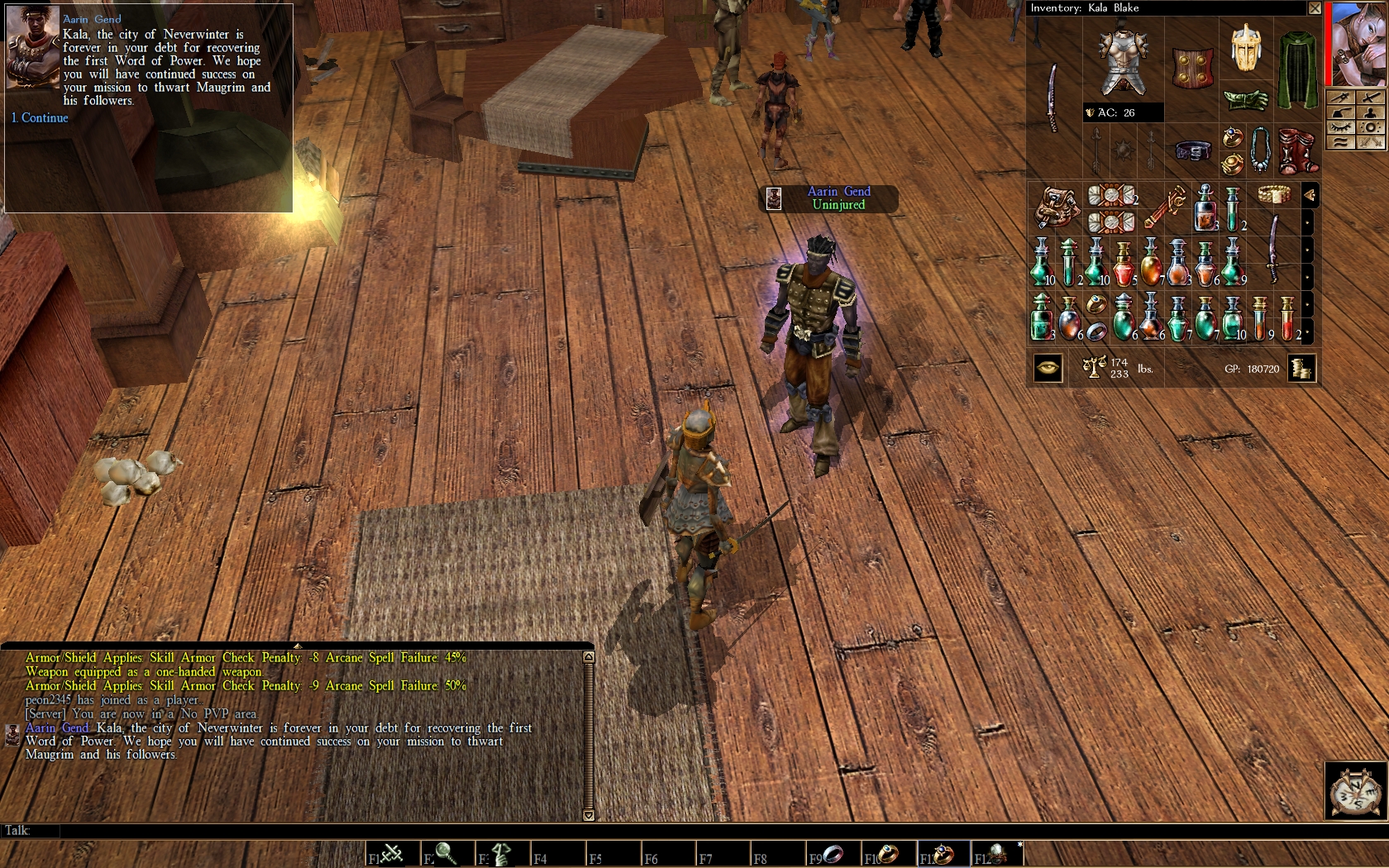
-made the font thinner to reduce the "Arial Black" effect
-reduced the spacing between words
-some character glyphs had random artifacts. fixed that.
-the lower parts of some characters were being cut off. fixed that.
Posted by evilsofa at 2010-02-17 01:24:45 Voted 10.00 on 02/17/10
This looks excellent. It's too bad it can't be made any bigger, but if you do so, important text gets cut off. For example, in the Character Record, the Alignment entry will get cut off to read "Alignment Lawful (85), Good (" and you won't be able to see the rest of the line. The NWN1 GUI sadly just doesn't allow it.
If you're curious about why that is, you can mess with just the font sizes yourself by using NWN Explorer Reborn 1.6.3, which is also available here in the Vault. Use NWN Explorer to navigate to NWN Main Data -> data\aurora_gui.bif -> Texture Information, and you will find most of the .txi font info files are there in filenames staring with "fnt_". Export the file you want to the override folder. Using a text editor like notepad or wordpad, increase the values for fontheight, baselineheight and texturewidth. Those three values need to increase by the same ratio; for example, if you double texturewidth, you will also need to double the other two. You will usually want to set the filter value to 1 to turn on filtering to make the text look better. Editing the font itself involves editing the .tga graphics files and that is something I will never know anything about.
I found that fnt_floaty_smal.txi is the info file for the damage numbers that float up during combat; tripling the three values I mentioned above and turning on the filter makes the numbers three times as large and does not seem to cause any GUI problems and looks okay.
The fnt_galahad14.txi file is the font that is used in most of the rest of the GUI, including the menus, window titles, other text in the inventory, the descriptions when examining items, and more. However, the GUI doesn't allow you to increase this at all without major consequences - one of the first things you'll lose is the AC value below the picture of the armor in the inventory window, and as you get bigger, all kinds of data gets lost as text is cut off.
It's pretty clear that to get any better than this for font mods is going to require a major overhaul of fundamental parts of the entire NWN1 GUI.
I was hoping to edit the widescreen font by editing fnt_dialog32x32.txi, fnt_dialog.txi, fnt_console.txi, or fnt_helvetica.txi but none of them did anything, so I don't know where that font is.
Posted by kalbaern at 2009-11-29 16:22:41 Voted 10.00 on 11/29/09
Thanks _________________________ The Savage Frontier and Surrounds - NWN PW based in the Forgotten Realms: Link
I too am having a difficulty downloading the .txi file. I right click on it and am lacking a "save as" choice...closest to that is a "save link as"...which doesnt seem appropriate. Is this an issue with firefox? Or something else...I am running windows xp.
thanks in advance
Posted by Tyndrel at 2009-06-29 07:30:46 Voted 10.00 on 06/29/09
I have voted a worthy 10 to both versions of this for services to the myopic community of which I am a fully paid up member. You guessed didn�t you, there�s a but coming, I am not a great fan of this type of type face (Times New Roman?) and prefer the simplicity of fonts such as Arial. Would you be so kind as to give me a hint as to how I may go about changing it?
Thanks,
Tyndrel. _________________________ All the thanks the designer gets is your vote, please use it.
Of Time and Death's Feast Link ~ Leybury Link ~ Shadow Mountain PW Link ~ CEP Skybox Reference Link ~ 1.69 Texture Reference Link
Posted by Inayity at 2009-06-26 18:51:51 Voted 10.00 on 06/26/09
Great improvement! I just finished kicking them around for about 10 minutes and I couldn't find anything wrong, they worked as advertised and they were a step up from the regular font. The only thing I find that was "different" was the cursor is represented as a square. I'm not marking any down for this because, for me, I like the more-visible cursor. Anyway, a 10! Thanks for sharing this work with the Community!






 Site
Site









 at 2010-02-17 01:24:45
 at 2009-06-29 07:30:46


