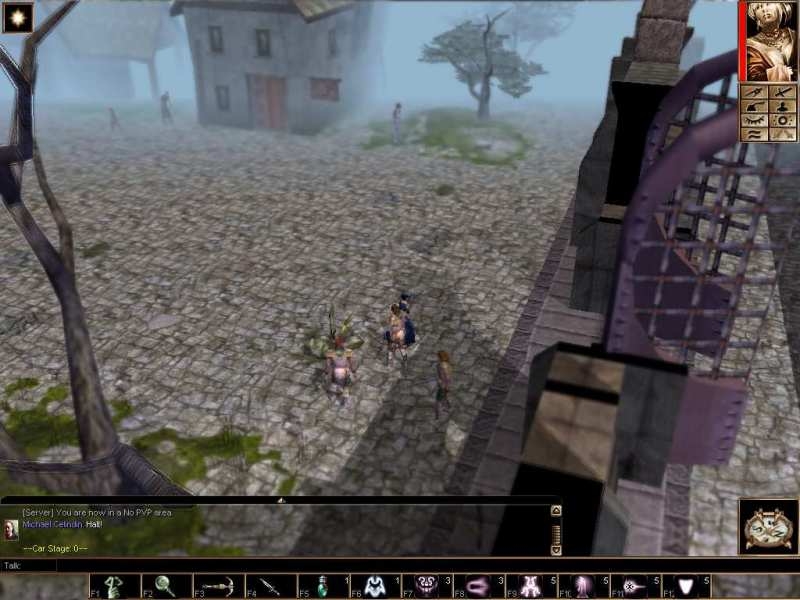
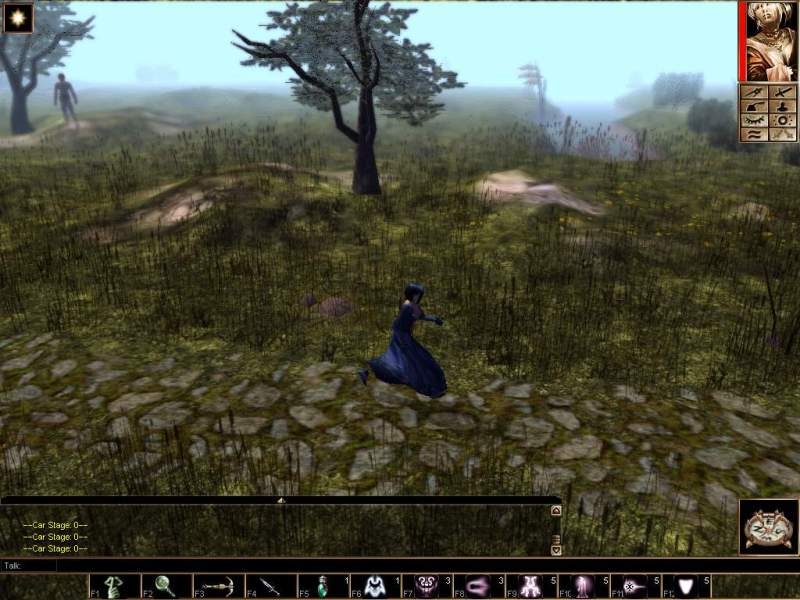
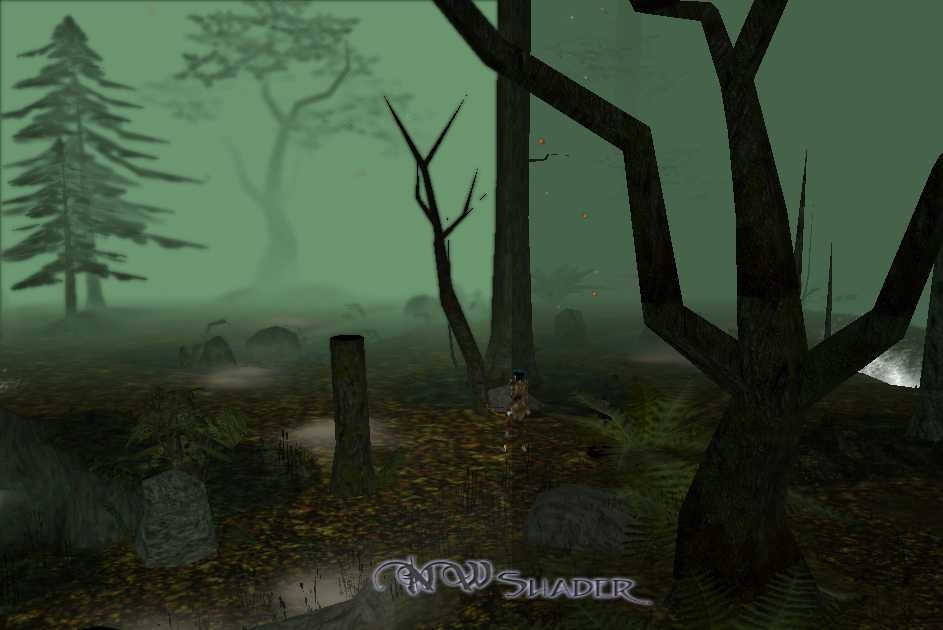
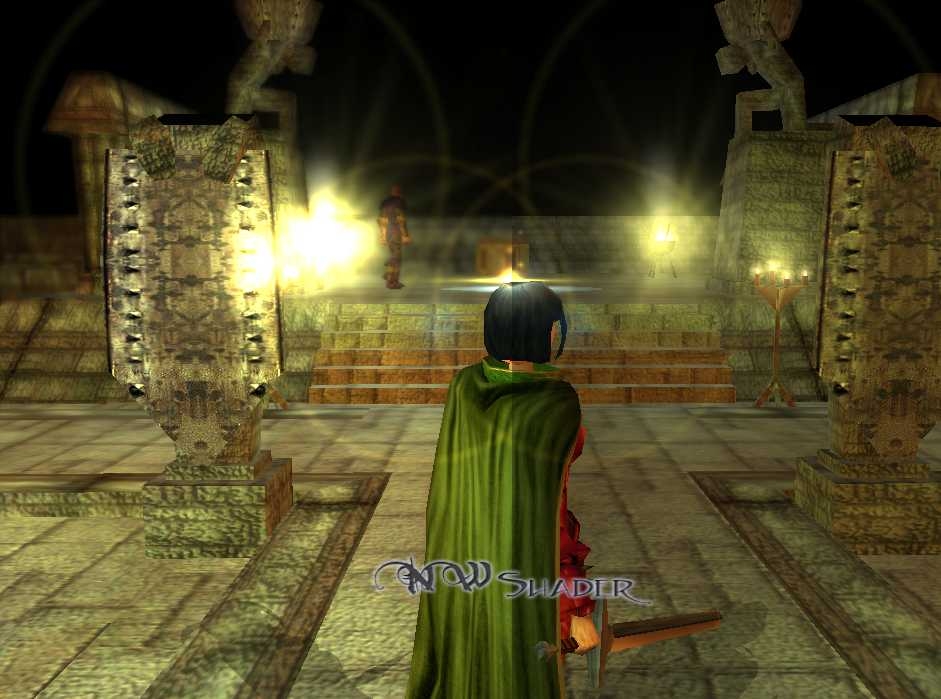
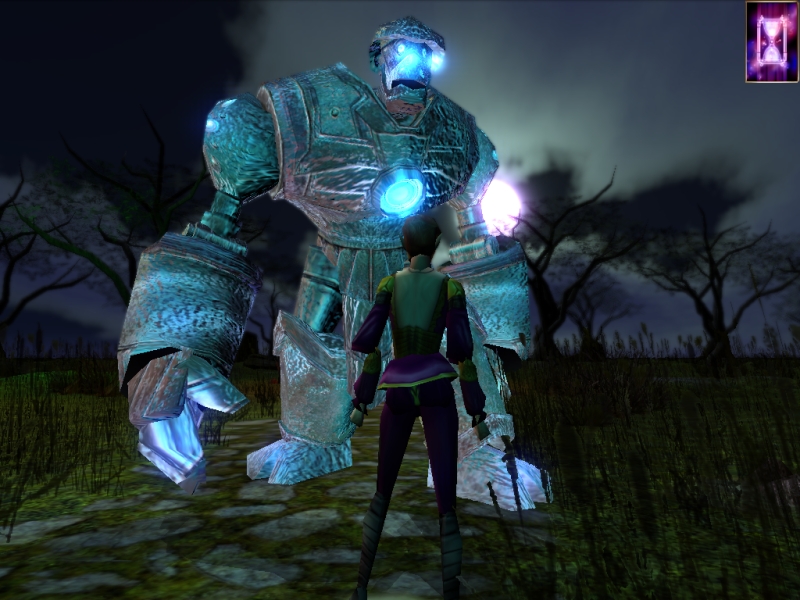
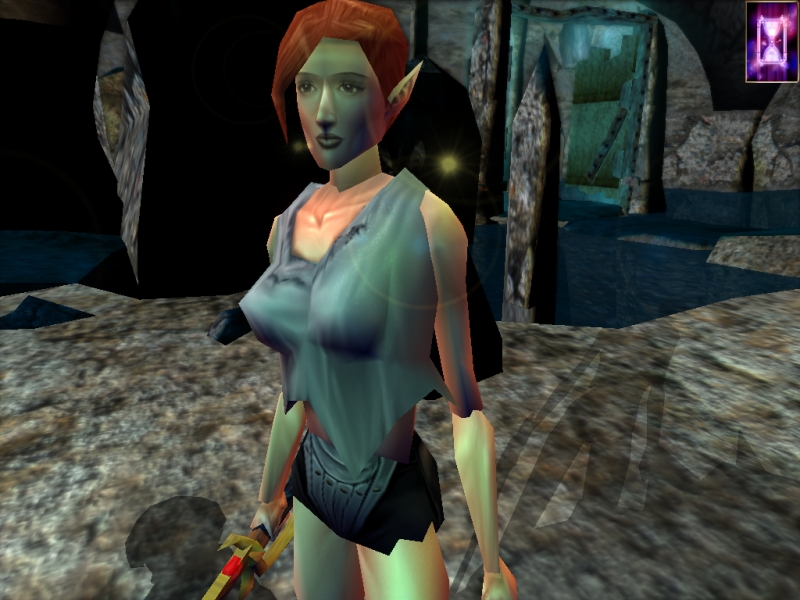
NWShader is a framework for using modern Cg shaders and effects within NWN.
In simple terms, NWShader lets NWN do fancy modern graphics. As everyone has noticed, NWN's graphics are a bit old. There are a few projects to help with this, especially chico400's awesome NWNCQ and Project Q, but those only go so far. NWShader picks up with going under the game and turning on a bunch more features.
Things like depth of field, bloom, and even Crysis-style SSAO are possible.
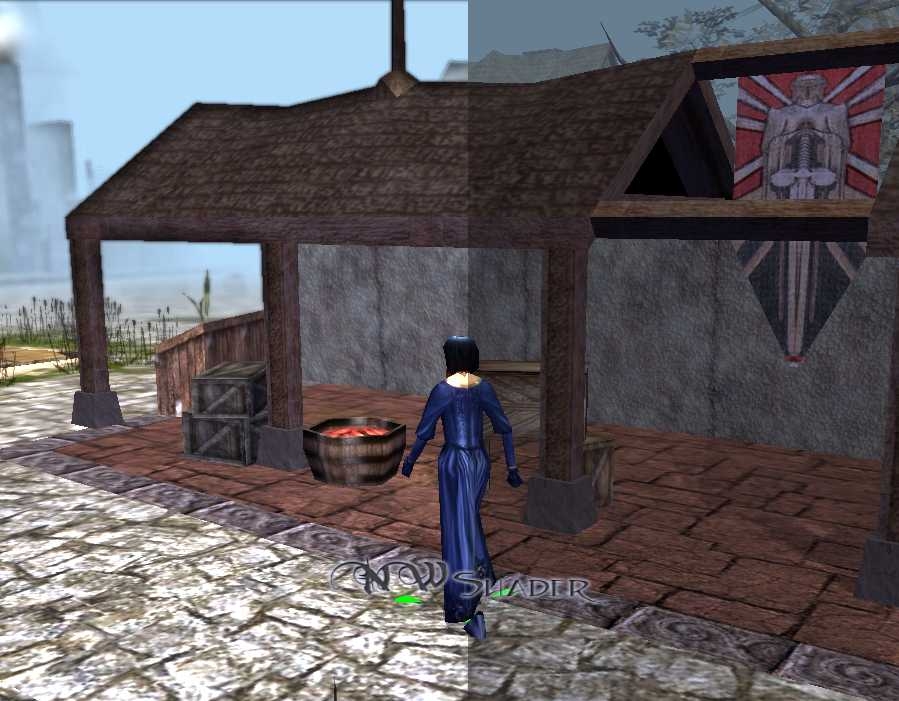
NWShader supports fullscreen and material shaders. Fullscreen shaders are special effects added to the whole scene after the game draws it, and are used for color changes and lens effects. Materials apply to a particular texture and change how an object is drawn. Special effects such as skin, velvet, edge glow, normal maps, parallax and glow mapping are all possible.
NWShader gives artists an unprecedented level of control over how their work is shown in the game. Using a simple, but powerful, XML-based material framework, artists can add material without ever touching shader code. Shader authors can control every step of the drawing process, from vertex location to texturing to lighting, and add custom methods for any object.
An experimental plugin system is also available. With a little bit of programming know-how, PW admins and anyone else interested can write new script commands for their world and interface with NWShader, Windows/Linux, the internet, or even other programs.
Need your elemental planes to use a shader? Need to log each player who enters your area? Want to "tweet" from in-game? Want your module to automatically check for, download, and notify the player of updates? Plugins are capable of anything code can do, and can be written in a variety of languages (they are just DLLs).
NWShader is under rapid development, and any effort to help test and report bugs would be greatly appreciated. All comments, questions, complaints, or anything else is welcome, just post, PM, or email.
07.13.2010: "Chronepsis" released!
More script functions, dynamic shaders and material system, HDR, soft focus, optimizations, partial localization support and 5 packaged languages: English, Francais, Espanol, Deutsch and Italiano.
Hiya - I have tried using NWShader for the first time (I already have NWNCQ installed) and I have noticed I can see inside all of the rooms before I have entered. Can you advise what may be going wrong here? Thanks in advance!
Posted by -MaxiM- at on03/16/11
I have the exact same issue as Balance of Power. This version doesn't show any effect whatsoever. It does slow the game down like there's something going on in the bacground, but nothing else but the usual NWN gfx are shown on the screen. I have also found 2 other issues: 1. setting for multiplayer to anything from 1.20 to 1.30 makes the companions portrait unclickable, effectively making micromanaging AI near impossible. Weird, because with any other settings it works as it should. 2. Can't make screenshots with this version. Graphic files are not being created at all. When I removed the "screenshots" folder completely it recreated it when I pressed PrtSc but nothing was inside. Bahamut version works like a charm. I'm on Win7 x64 and Radeon HD 4870, newest Catalyst installed (but I tried older versions to no avail). P.S. Would it be possible to make the shiny water work for us ATI users with your nifty hook?
Posted by pkpeachykeen at 2011-01-0722:18:19
Ah, I think the nVidia mentions are because of the Cg Toolkit. The shader compiler I use was made by them, and is one of the few to support both DirectX and OpenGL, as well as ATi and nVidia cards. It's the same compiler I'm using for my shader framework now, because of the same widespread support. As for Catalyst versions, I have (in my dev system) a VisionTek HD 2400 Pro AGP, so I actually use a version that VisionTek distributes for that particular card. I've used others before, but the latest Catalyst with the AGP hotfix was giving me hard freezes and BSoDs, so I rolled back and went with VisionTek's tweaked version.
Posted by Balance at 2011-01-0700:05:41
@pkpeachykeen Thank you for the prompt response. My apologies over the misconception over the ATI vs nVidia preference, it's just having looked over the forums and various postings, nVidia seems to get mentioned more. Thus I figured that was your platform of choice. My bad :D What catalyst drivers are you using? I'm on XP with 10.12 drivers. I also tried it in Vista with the latest Catalyst drivers with no success. I've given thought to rolling back to older drivers but unsure how far back to go. Thanks again and looking forward to future releases. NWShader is wonderful!
Posted by pkpeachykeen at 2011-01-0521:53:59
@ Jedijax and others: There's a bug with the latest version, which manifests as a missing or corrupt config, or shaders not loading. I've been working on correcting them for a while now, but have yet to break through the last few issues. At the moment, development focus is on shifting some of the backend to a highly enhanced system, which will hopefully sort out these problems. My goal is to fix these bugs and release a stable NWShader before shifting over entirely to the new core, if at all possible. As far as alt+tabbing, that was fixed in a later version, perhaps one of the broken ones. On ATi vs nVidia, I am certainly not focusing on nVidia. The only nVidia card in this house is gathering dust in a drawer. ;) All personal testing is on ATi, I have to rely on others to test on nvidia hardware, so things are a bit more likely to work with ATi cards. :P Anyway, I'll be cleaning up a bit of the docs with the next patch, if I can ever get those bugs sorted out. If they stick around, I'll be transitioning to the new core and that is much better documented, with some new features. Until then, Bahamut seems to function properly for most people, and supports a majority of the available shaders. If you need NWShader, you can use that until I sort things out. Sorry for any inconvenience. :)
Posted by Balance at 2011-01-0503:04:10
@pkpeachykeen I'm sorry to report that your latest version of NWShader (2.2.3/2.3.0) does not work for me at all. The game loads but absolutely none of the shaders appear to be working despite being enabled in the config file. The only version that I've managed to get working is Asgorath, where the bloom and depthoffield shaders work fine. It seems ever since you switched away from the hooker program that mods nwmain.exe that NWShader no longer works for me. It seems to me that your newer hooking mechanic isn't kicking in properly (a guess on my part). I'm using an ATI HD 4890. Based on your changelogs I gather you're focused on nVidia hardware, I would really appreciate it if you didn't overlook ATI if this turns out to be a compatibility issue. I'm looking forward to your next version!
Posted by MuneCaroon at 2010-11-2209:52:00
Forgot to mention: Reflective water looks weird and sometimes it's crashing the game. After ALT+TABbing (or ALT+ENTER) out, I always have the crash msg popup when going back to NWN When I hit F9, it does bypass NWShader, as in DoF, betterbloom and HDR not kicking in. Shiny Water is still looking fuzzy though.
Posted by MuneCaroon at 2010-11-2209:26:30
First off a high-5 to you and everyone involved in this fantastic project! I came across by chance when I entered NWN+Tileset in google. And that made me install NWN, 3DSMax etc again after like 3 years! :) Alright, I tried to make use of the per-pixel function. Made a material and added 2 sets of textures to the texture folder (confused if it needs TGAs or PNGs), the n texture formatted via the nvidia normalmap plugin for CS. The textures and the material file hold the same name as the ones used in my tileset. I can't see any changes in game though. My request (kindly!): Could you add a easy-to-follow walkthrough on the wiki how to get per-pixel/normal maps working? Formatting, naming, file dependencies and all that jazz ... Another thing is DoF. I'd like to have it static as a distance blur only, but would love to control the dist where it kicks in (basically what NWN Martin was talking about, it's too strong when you leave off the camera/focus function which I haven't tested yet). I find it more comfy to have it as a dist blur like in City of Heroes, doing the same what the old NWN fog does, just better! Anyway, please keep this going,if you need more testers, I'd be happy to help (XP 64-bit, 2xcore @3GHz, 4GB RAM, ATI HD5670)
Posted by Jedijax at 18:52:03 Voted10.00
Either the config file is magically created on the initial fire-up of NWShader, and shaders are accessible only at the second fire-up, or something very weird happened. Anyway, I see lots of options in the GUI, and I did read the wiki, but it's full of technicalities which say nothing to me. Is there a "recommended" setup of options I could check, instead of basically a "trial-by-error" approach to this?
Posted by Jedijax at 18:41:02 Voted10.00
I installed the thing, but it says it is unable to find the "config" file, which wasn't included. I read the installation guide and found it is not very precise in it's descriptions (Example: "Make sure the following files exist and are in the correct places" This before the installation instructions actually begin, so, what are the correct places then? What goes inside the NWShader and what goes outside?) There is no mention of a config file, and when I downloaded the thing, the "highlighted" newest upload wasn't even the NWShader tool, but a patch for the newest build, which also isn't identified by the "NWShader" title, but what appears to be the name for the build. Any help will be appreciated. I had to figure this out, which most probably everyone has to, but it shouldn't, that's what documentation should be for.






 Site
Site