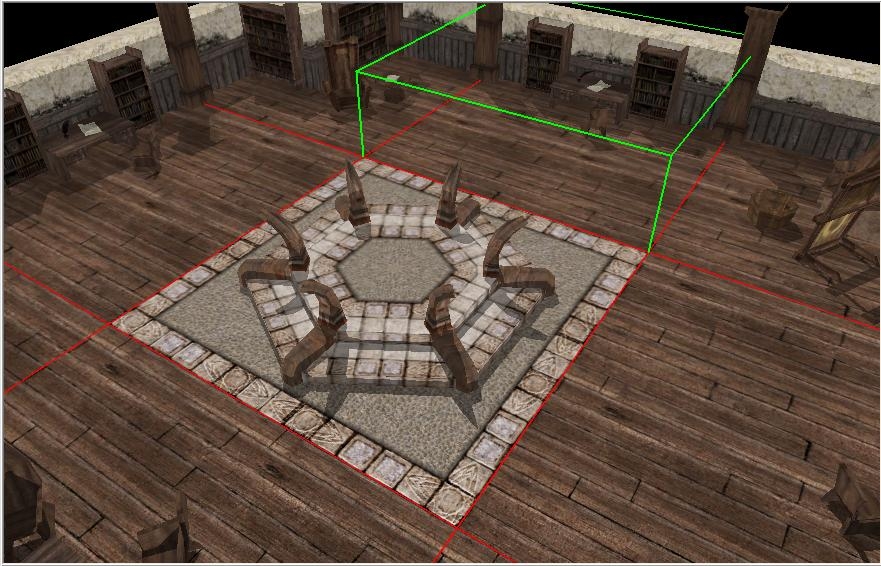
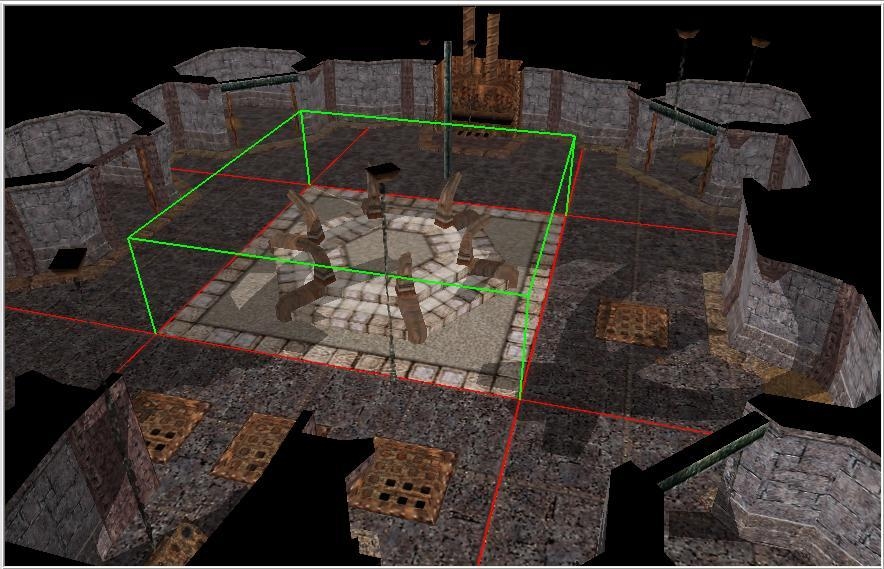
This "extension" will allow builder to place Portal and Chessboard tile into more than one type of terrain in tileset.
By default:
in City Interior 1,2
Portal tile will generate Inn tiles around
Chessboar tile will generate Livingroom tiles around
Caste Interiour 1,2
both Portal and Chessboard will generate Stone tiles around
But there is by default no way to use Portal tile in other terrain tiles these tilesets provide. In fact I consider using Inn tiles around a Portal tile as bug. Who would use portal in Inn? So I tried to change it, but even old trick with cuting tile (CTRL+X,CTRL+V) didn't worked. It always included Inn tiles around. So I went deeper and found this trick.
Technically speaking, no matter what tiles are stored in .SET file, if there are different tiles, BUT existing, the toolset and game is able to show/use them. They have to be set in area file however. And this extension will allow you choose different terrain for these tiles and store it into area.
How to use?
Its simple. You choose tileset folder, then terrain you want and put it in the override.
Then open your toolset and when you place Portal/Chessboar tile, tiles around will match "extender" your choice.
Then save module, exit toolset and remove chosen "extender".
Open toolset again and you are ready to go.
If desired I can provide this extension for another tiles with same issue.
Posted by Pstemarie at 2010-06-11 03:57:23 Voted 10.00 on 06/11/10
I stand corrected - been over a year since I've played with .SET files and .ITP files for tilesets.
.SET edits work fine, but the .ITP edit won't because I forgot that the .ITP use the tile model name and not the GROUP# from the .SET file.
That means that the mods I suggested require tile duplication - which is counterproductive for the purposes of this mod. Therefore, if you are intent of avoiding a HAK, USE THIS MOD. It's not pretty, but it works ;)
Raising my vote to 10. NWE - which is HAK dependant - will be including this modification, but implemented using my method.
Keep plugging away Shadow - you've got a lot of cool ideas and I enjoy our discussions/disputes. Anytime you learn or rediscover something its a worthwhile discussion. Cheers.... _________________________ --
Pstemarie - Project Q Team Artist
Posted by Pstemarie at 2010-06-11 02:40:53 Voted 10.00 on 06/11/10
Continuing with the example I used earlier (as Saduj kindly pointed out), I missed a step :)
2a) For each new [TILE] entry in the .SET file you need to add a corresponding [GROUP] entry that points to the new [TILE###].
You can do this by copying [GROUP28] and changing the TILE0=??? field to whatever number your new tile is. Also eliminate the STRREF= line in each new entry.
Now onto the palette (.ITP) change - you just need to add a new entry under the Features section of the palette that points to the new group.
Sure, its a little more work, but you don't have to add and remove files to swap out borders - as I understand your solution requires. You just put the two files in the override once.
I'm giving it a 9.50 because of the swapping out factor, but other than that an overall good concept and something Bioware should have done themselves with those tiles.
P.S. I apologize if my last post sounded a wee bit snarky at the end. _________________________ --
Pstemarie - Project Q Team Artist
Posted by Saduj at 2010-06-10 23:59:48 Voted 10.00 on 06/10/10
Im still not get it. From what I understand you suggesting me to modify tileset palette. OK but that seems like a problem, palete do not using tile ID but tile name, how the toolset recognize I want to place tall_b01_01 but not from ID 269 but from 296? _________________________ [Boost System] [Door System] [Devastating Critical Immunity] [HIPS remake] [Circle Kick Mode] [1.69 Full 2da Source]
Posted by Pstemarie at 2010-06-10 12:53:11 Voted 10.00 on 06/11/10
You misunderstand...
All I'm suggesting is (as an example)
1. Open the .SET file and duplicate the entries for the chessboard tile (tall_b01_01) - entry number [TILE171].
2. For each duplicated entry change the TopRight, TopLeft, BottomRight, and BottomLeft nodes to = whatever terrain border you want (stone, library, jail, etc.).
3. Open the .ITP file and add an entry to the [FEATURES] section for each new chessboard tile.
4. Drop both the new .SET and the .ITP file into the override.
As you can plainly see NO new tiles have been created. Since the specified resource (i.e. tall_b01_01 in the example above) already exists, there is no need for a HAK. Nor is there a need to go back and remove files from the override.
Furthermore, what's "ridiculous" is the way you seem to attack people whose ideas differ from yours. "You got it?" _________________________ --
Pstemarie - Project Q Team Artist
Pstemarie: That wont work, your way making new [TILE] in .SET file, you cant use new TILE without hak, once you remove override toolset will then say you got invalid tile in your location and remove it automatically.
Posted by Pstemarie at 2010-06-09 13:57:36 Voted 10.00 on 06/11/10
Why not just duplicate the tile entry in the set, change the border terrain, then update the itp file to include the alternate border types?
You could then drop the set and itp file into a hak and not have to mess around with swapping out set files in the override. _________________________ --
Pstemarie - Project Q Team Artist
You must be Logged In to post comments in this section.






 Site
Site










 at 2010-06-11 05:20:03


