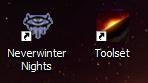
I realise this is a small and fairly pointless file but I really hate the desktop icon for NwN, I am sure there are other people out there as picky as me, so here is a 32x32 pixel icon which replaces it. Simply download the file then find the original NwN shortcut icon on your desktop, right click on it then go to properties (usually right at the bottom of the drop down menu) once in properties there should be a button labelled 'Change Icon...' at the bottom, in between the �Find Target�� and �Advanced�� buttons. Click this then browse to locate the icon you just downloaded, (You might need to extract it if you haven�t already) once you've found it make sure it is highlighted (simply click on it) and then click OK. This should replace the old NwN icon with a new one, the same thing works for the toolset icon. Note: These instructions were made using windows XP, if you use a lower version or Mac or Linux, they may not be correct.






 Site
Site