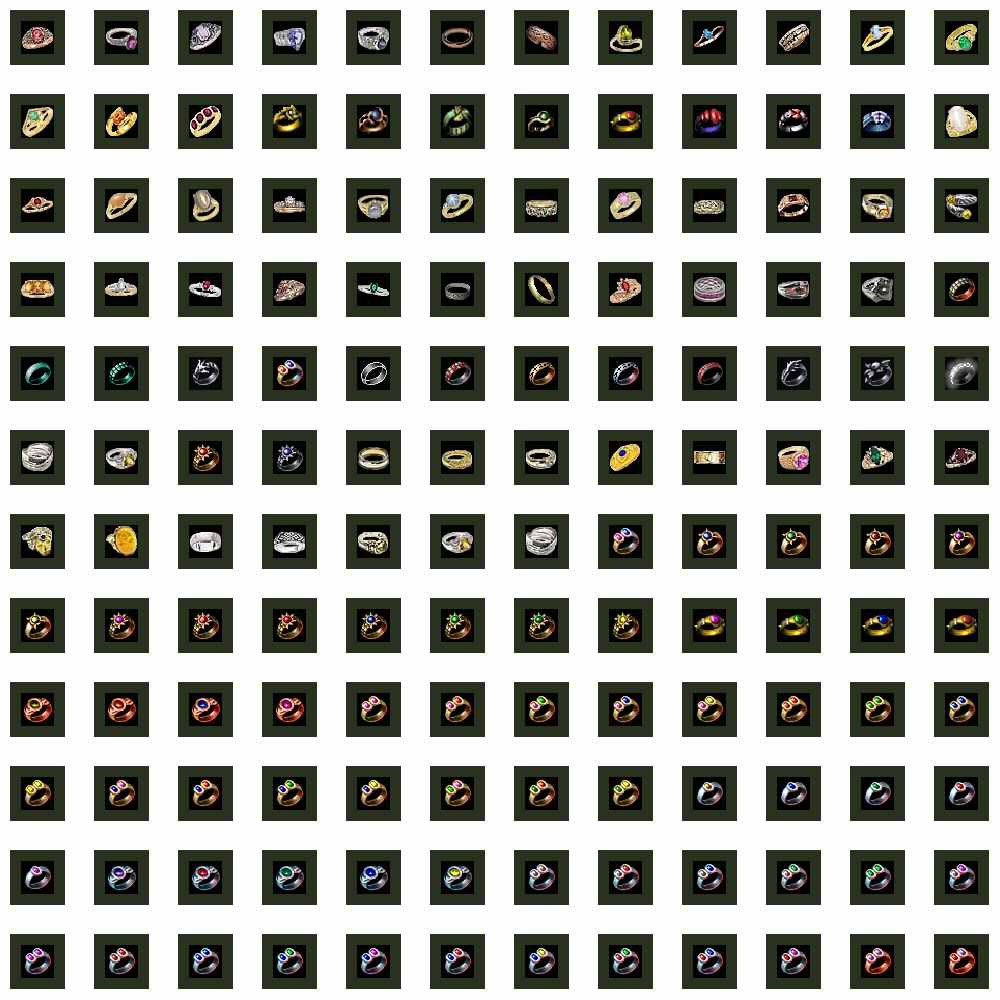
For SoU 1.31, but it might work with Original NWN 1.31. This hak pak contains 79 rings I found on NWVAULT and 82 my own rings. Unfortunatelly, they're not transparent (they have black background), but they look fine. If you have any idea to set black color to transparent, send me it via e-mail: [email protected]. For installation just copy my RingsV1.hak to your NWN/HAK directory. If you want to import my rings to your own hak pak, just don't forget to change your BASEITEMS.2DA if you have it there. Find the line of 'Rings' and column of 'MaxRange' and set up the variable to '255' (max. value).
This is a compilation of the old system into a single score. There were 3 that made this score of 9.67 then rounded to 10.
Posted by Nazrohn ( ..xxx.xxx ) at 2003-12-16 22:57:00
First thing to do is make sure the file is 32bit not 24bit in color depth. Do a 'save as' or 'save' in new location.
In Photoshop...
Use the selection wand - click (select) the area outside the ring (the black area) - then, under the menu "Select" - choose the "invert selection" option then "Save Selection" item. You can name it or not... This will create a Channel of what you have selected. Now from the Channels work-panel you should see an "Alpha 1", check that channel to make sure that where the item you want to show up is white and where you want transparent is black. That should do it - that's how I've done it with items and it works.
Posted by Or-Horo ( ..xxx.xxx ) at 2003-12-05 05:42:00
I tried a Photoshop to setting up of transparence color for my rings, but unfortunatelly without effect. Could somebody give me a gues step by step how to do it?
Thanx.
Posted by Or-Horo ( ..xxx.xxx ) at 2003-12-05 05:39:00
Yes, but I use them for a crafting, because I have rings with two different stones. Combination of two different stones can to have better properties.
I use CNR 3.05 now.
Posted by Uebermensch ( ..xxx.xxx ) at 2003-10-19 13:25:00
Most of them are cool. I dont like the ones with multicolor stones
Posted by Case_A ( ..xxx.xxx ) at 2003-09-28 01:44:00
Prstynky jsou perfektni. Zkusim se ti mrknout na tu transparetni barvu. Vic takovych veci.
Posted by Narnil ( ..xxx.xxx ) at 2003-09-23 12:59:00
Hi, Or-horo
Your rings are good. I'll use them in my PW module. When will be update with transparent version of rings?
Posted by Or-Horo ( ..xxx.xxx ) at 2003-09-19 11:49:00
Thank you for a tip. I'll try it.
Posted by City6 ( ..xxx.xxx ) at 2003-09-19 09:24:00
And in Photoshop7 you can do it incredibly simply using the Colour Table.
Posted by YellowLab ( ..xxx.xxx ) at 2003-09-19 08:40:00
To make them transparent you will need to select all of the black area and make it transparent using an alpha layer. This can be done in Photoshop and other image editing programs.
You must be Logged In to post comments in this section.






 Site
Site









 at 2004-02-20 10:30:28


