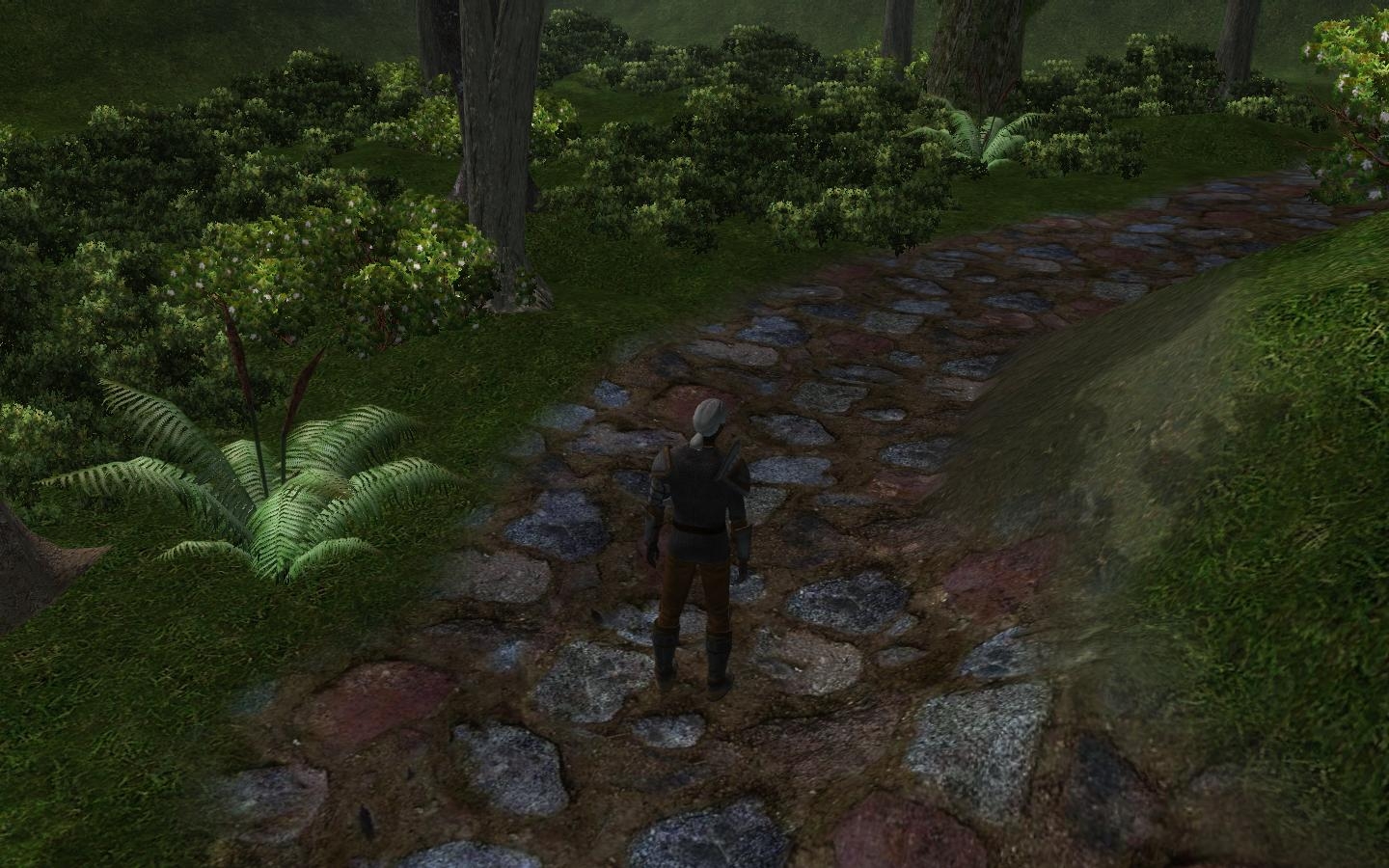
New Dirt/Rock Ground Texture in the Cobblestone Family
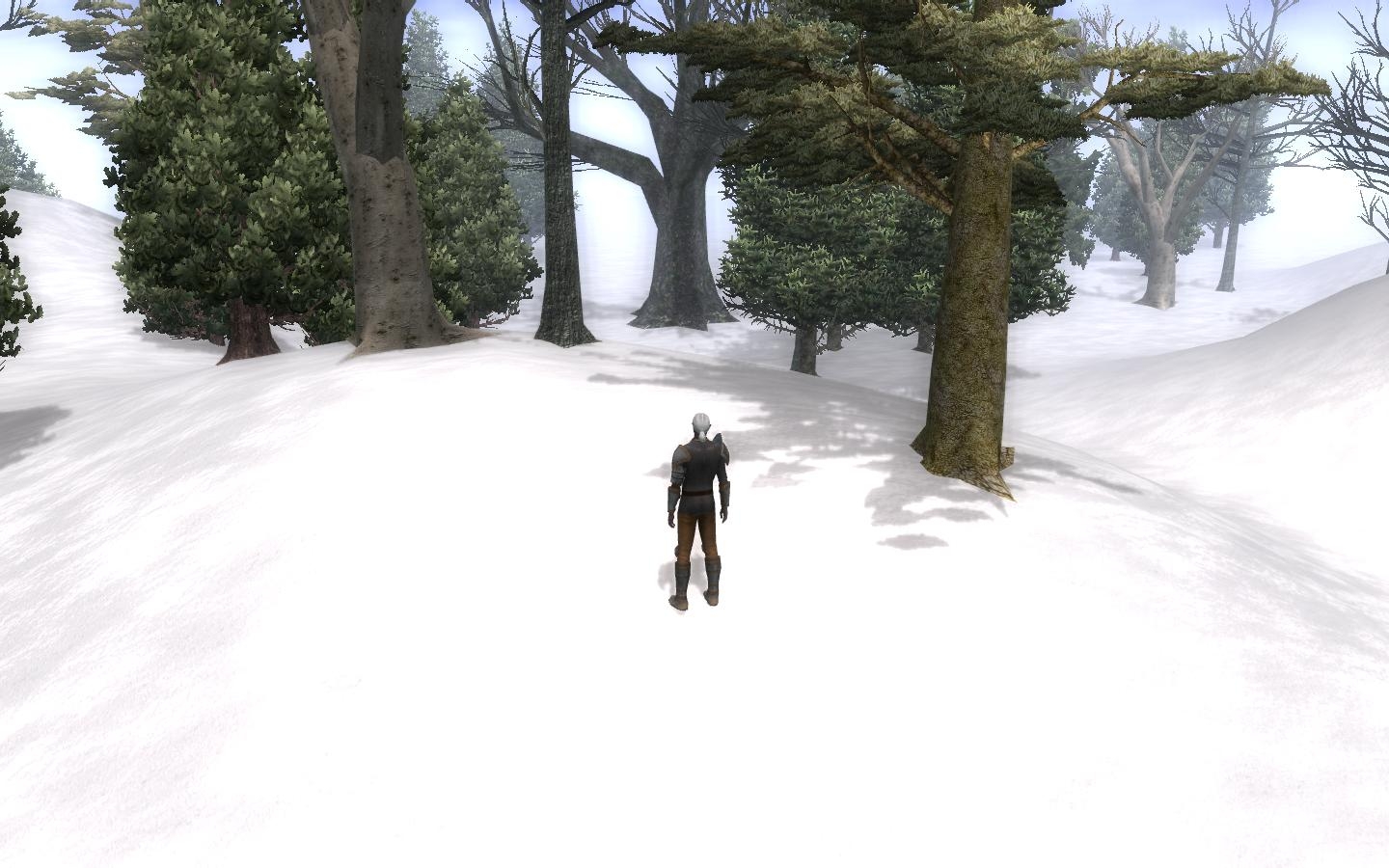
UPDATE: Added New Snow Texture + New Beach Sand Texture
UPDATE: Added another large/rock/cobblestone texture I created which is lighter. Works great alone and may well be tinted too.
[NOTE]: New ZIP File as been added since I couldn't seem to overwrite the first one, Sorry about that folks.
UPDATE: Works fine with Patch 1.05 since no changes were made of those resources. It's safe! ;)
UPDATE: 04/24/07 - Updated the 2DA file with the one from patch v1.05
UPDATE: 18/06/07 - Snow Texture FIXED! also ADDED 5 more Textures and updated the 2DA for v1.06. ENJOY!
Note: I have added modified Grass Texture that can be seen in the screenshots with Cliffs.
QUICK FIX UPDATE: 19/06/07
I have fixed the Snow texture for NO-NORMAL MAPPING as I use Normal Mapping and forgot to test the texture for None-normal map and it was not displaying correctly in this case. I've created a ZIP with just the texture fix for those who may have downloaded already and the PACK is also updated.
Update: Updated for v1.06 + added some new textures
---------------------------------------------------
In Addition: 19/06/07 UPDATED for no-normal mapping and/or low system Users
This the DDS that updates the No-Normal-Mapping texture for low end system users that already downloaded the latest updated pack.
NOTE: If you don't have the full package, this file is pretty useless ;)
Thanks to all of you noble community brothers and sisters for you votes and comments! :)
@lordofmidgard
If the snow texture does not display properly(i.e. its just all white at 100%), it's a NWN2Toolset and/or a Graphic Engine issue as of Patch v1.05
I created these textures while Patch v1.04 and the snow use to display correctly in v1.04. Just thought it was important to mention ;)
Right now I can't do anything about it because it's all up to Obisdian's devs to fix what they broke.
Done. But I must say that something else or some other reason is why your Toolset crashed because I tried both the old 2DA and this new one and nothing wrong happens and the toolset works just fine. When I compare both, the only thing Obsidian changed is the order of some of the textures(2-4 textures maybe), so no reason for a major disruption for of the toolset.
So anyhow, the updated 2DA is in the zip now ;)
Posted by Spajk at 2007-04-23 14:22:28 Voted 9.75 on 04/24/07
After having updated to 1.05 the 2DA file for your textures here crashes my toolset if I have it in my override when I try to load it. I looked over the 2DAs, and despite it not being listed in the patch info it appears that the terrainmaterials.2DA was changed in the recent patch. Will you update the one in your hak to go with the new changes?
You have to put the files included in the NWN2Toolset->Terrain folder in the ZIP file INTO the very same folder of your NWN2 install directory... not the override.
i.e. (Install Directory)Neverwinter Nights 2->NWN2Toolset->Terrain->(Add Files From the same folders from the ZIP here)
The 2DA and DDS file(s) go in the Mydocuments NWN2 Override folder
Ok I added a new ZIP with all the textures and the first Texture fix. I didn't know we couldn't overwrite a same file by uploading a new(Same file name) one?
Oh well, sorry folks!
Posted by Spajk at 2007-04-16 09:36:56 Voted 9.75 on 04/24/07
The zip file does not appear to be updated as the new textures aren't in it.
I'm only judging by the screen shots but I really like what I see there. the snow scene suggests an opportunity for somebody to do snow-laden trees and other features/architecture for winter scenes _________________________ You're the kid of some big almighty Kahuna out there.
Call Home!!
Yeah yur right... I made a few mistakes when I analized the NWN2 resource textures and now I see where I went wrong, thanks :)
Peeps, I will fix this texture to properly work with NWN2 but as far aa the texture itself, it will remain the same.
So check back for an update.
Posted by Spajk at 2007-04-13 12:27:31 Voted 9.75 on 04/24/07
Woohoo! I have been waiting for this :) This is going to be my new favourite texture for rural areas.
Posted by Ovocean at 2007-04-13 10:38:50 Voted 6.00 on 04/13/07
I'm sorry I'm a bit demanding, but :
1- There's an issue with your main texture files (the one with no suffix), they are copies of the normal map, while they should be color maps. To clarifiy this, here's a recap :
¤ ***.dds = Color map used when the "Terrain normal mapping" option is off. The alpha channel of this file is used as a specular map.
texture
¤ ***_c.dds = Color map used when "Terrain normal mapping" is on. It can be a copy of the main texture file but there's no alpha channel along with this one.
¤ ***_n.dds = Normal map, used when "Terrain normal mapping" is on, of course. The alpha channel of that one seems to be the specular map used when normal mapping is on.
2- Your color maps show heavy artifacts from a past compression. It's clearly visible in-game and it makes your texture looks less realistic.
3- Your normal maps are flat like herbarium dried plants. Technique in Photoshop :
Desaturate your color map.
If needed, increase the contrast and make use of the "density -" and "density +" brushes to correct and*bleep*genize your futur relief.
Apply the Nvidia normal map filter but try different height settings. Usually, I stay between 5 and 10 for small bumps (but it depends on the contrast of your base gray scale).
Save preferably in dds 4:4:4:4 (16bits), the file will be twice bigger than with DXT5 compression, but DXT5 adds visible artifacts (a little square pattern making your bumps look a little blocky in-game.) to normal maps.
Test in the toolset with a light dropped close to the ground (be aware of that there is a visual bug in the toolset : the normal map is reversed in one direction, so it could look like bumps are holes. It displays correctly in-game though.)
Tip : Never attempt to rotate or flip a normal map, as it will reverse the bumps... Unless you play with the RVB layers.
4- Like many of the original textures, your cobblestones are a bit to big proportionnaly with the rest of the environment and the characters. I'm sure that the real cobblestones the picture was taken of where two times smaller at least.
Well, thanks if you have the will and time to correct some of these issues. ;o)
Thanks people, I hope you enjoy it, create and upload some prefabs or screenshots of areas using it! :)
I can see many ways that it can be used i.e. A road, the ground of and old rural village or slum village or city and a dried up river bed or stream...
@Phoenixus, thanks for the vote ;) but I wouldn't have held you to it, just so you know.
Let me know if the is anything funky whith the texture.
Later
Posted by Myridian at 2007-04-13 01:18:43 Voted 9.00 on 04/13/07
10 - A Masterpiece, Genuinely Groundbreaking 9 - Outstanding, a Must Have 8 - Excellent, Recommended to Anyone 7 - Very Good, Deserves a Look 6 - Good, Qualified Recommendation 5 - Fair, Solid yet Unremarkable 4 - Some Merit, Requires Improvements 3 - Poor Execution, Potential Unrealized 2 - Very Little Appeal 1 - Not Recommended to Anyone






 Site
Site











 at 2011-09-18 21:11:27
 at 2007-06-28 10:41:52
 at 2007-05-08 17:05:05


