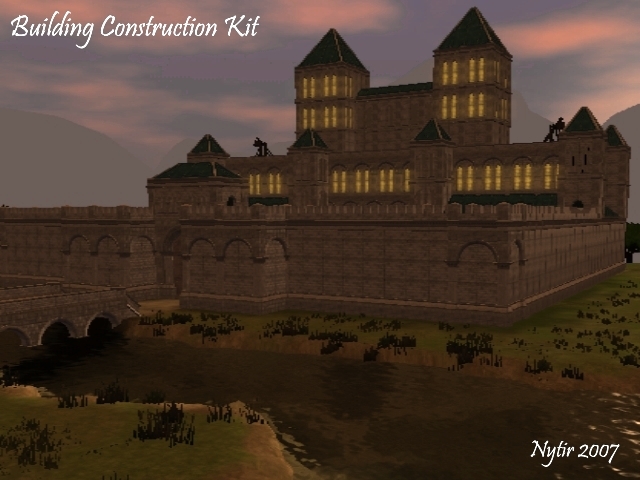
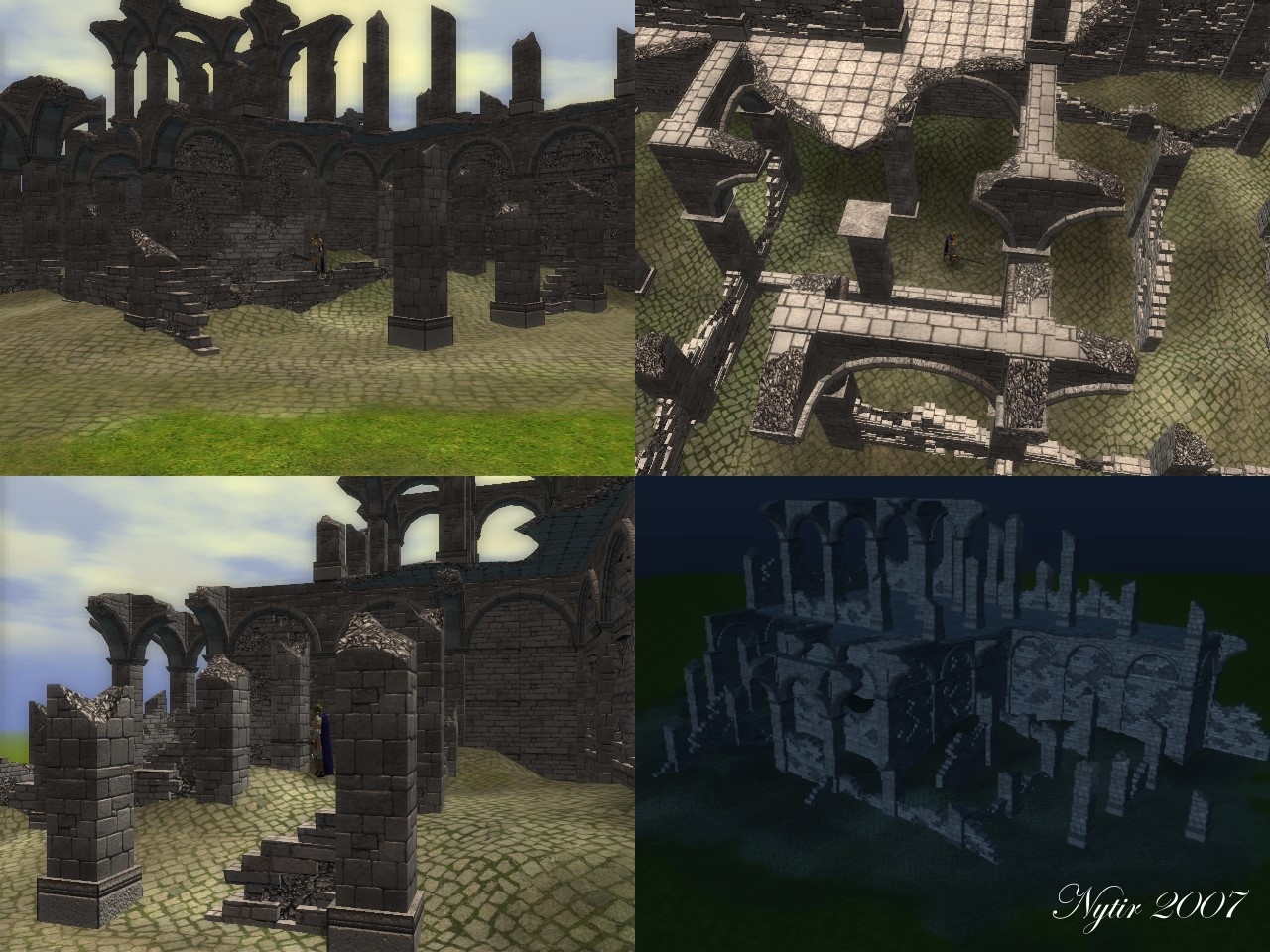
The package contains 218 building parts ranging from floorboards, staircases, walls, columns, beams, doorways, windows to rooftops. The aim of the Building Construction Kit is to provide an easy and flexible way to create large and complex structures in Neverwinter Nights 2. The dimensions of each individual part are all in integers and most of them have the same origin so that you can assemble them easily.
This package enables you to overcome limitations of the Neverwinter Nights 2 toolset. For eaxmple it allows you to create walkable platforms which can be used as ramparts, bridges and terraces. This is previously impossible.
It also enables you to create gigantic structure without scaling. Unlike scaling, you can assemble a structure of any size without worrying about overstretching the texture or scale the object out of proportion. You can scale specific parts of the building to get the proportion you like. For example if you want a steeper roof, you can scale the roof. You can build a wide range of structures with these parts such as castles, towers, ramparts, houses, bridges, churches, and labyrinths.
Version history
1.0 First Release
1.1 Added Round Parts and Ramp. Adjusted Tint so that the cracks will appear less black and more natural.
1.15 Added C4 Meshes (Walkmeshes) to round parts, they should produce a more accurate bake results than the C2 meshes currently in place.
1.2 Thank Tupoun for fixing the miscalculated tangents (Normal Map) occurred during import/export.
2.0 Soften the edge of round columns and round parts. They look smoother now.
Adjusted the geometry of round windows. They can blend in with straight parts now.
Adjusted UV (texture) to make some parts look better (make more sense).
Adjusted UV (texture) to make Camb and Tupoun's retexture more seamless.
Changed texture arrangement for Greek Style column. It no longer mirrors the texture in the bottom vertically to use as texture on the top.
Adopted some official and Tupoun 's textures. The texture should look less uniform and more realistic.
Adjusted borders to eliminate gaps between textures.
Improved the Tint Map. Parts will be more responsive to tint (closer to the colour inputted).
Added some damaged parts.
Added nightglow windows.
Adjusted some names in Blueprints and Models (more appropiate).
Shifted 2DA entries to 5000 and padded the gap with actual lines. This should improve compatibility with other custom placeables.
Included two transitional 2DAs to support module built with previously released 2DAs.
Improved documentation
2.1 Added more damaged parts
Added round doorways
Improved documentation
Alternate texture Here're some nice alternate textures to use if you think my texture is too "Clean". My textures are white so that you can tint it yourself.
Tupoun's retexture Camb's retexture
Full documenation You can view the full documentation from this link.
A comprehensive FAQ can be found here
Copyright issues and credits You may reproduce or derive from my work as long as you give proper credits to me and to the people who had contributed to it and do not charge people for it. If you have derived something from my work and want me to post it, send it to [email protected]. However please make sure it at least matches my quality.
More Building Demo including a tower, a Greek Classical building, an Aquaduct, a cloister and a dock
(Please use placeables_1.0_compatible.2da from the override package, don't forget to rename it placeables.2da)
A castle with a keep, a stable, a training area, rampart and a bridge
(Please use placeables_1.0_compatible.2da from the override package, don't forget to rename it placeables.2da)
Camb was successful in cloning the placeables, but I think he may have removed his cloned models. Here's how to clone the placeables: 1. Copy the files and rename them (It can be done easily with the ren command in command prompt) 2. Use Adino's tool to rename the texture and mesh name 3. Create new entries in the 2da 4. Done. Alternatively use BCKII. BCKII Generic supports up to 9 different texture for walls, 6 textures for floors. The models no longer share the same master texture, you can re-texture selective part. _________________________ Elen Sila Lumenn Omemtielvo Homepage | BCK | Oriental BCK | Aribeth's armor | Elemental Weapons | Battle Standard | Battle System | Building Construction Kit II
Posted by nyt333 at 2008-02-2816:53:09
Most of the problems I am aware of such as doors, amount of model variations, textures, walkmeshes, assembly issues and documentation are addressed in BCKII _________________________ Elen Sila Lumenn Omemtielvo Homepage | BCK | Oriental BCK | Aribeth's armor | Elemental Weapons | Battle Standard | Battle System | Building Construction Kit II
Posted by Almsy at on02/24/08
Thank you so much for giving me a tool I can use to let my imagination soar! _________________________ ~In the end fate, is the only real choice we have~
Posted by palafoxx at on02/06/08
Superb work, and more important, superb and well designed idea.
Posted by Lil at 2008-02-0411:11:52
Game version: 1.11 MotB Using this hak sends me errors/dosnt show anything when trying to use MotB placabels (X1). Need update? Or I mess up? _________________________ ?In a cruel and evil world, being cynical can allow you to get some entertainment out of it?
Posted by SHOK13 at on01/20/08
Using BCK (slot 0) and 3C, and the stairs I built don't show up ingame (preview pane shows some of the pieces as weapons or blank). Is there an easy fix for this?
Posted by steelmage at 2008-01-0512:07:07
Hello all, This is my first time using the NWN2 toolkit (i.e. I'm a newbie) and I'm trying to get the BCK toolkit to work. I downloaded all the files and put the .mdb files and the .tga files into the c:\My Documents...\override file and the hak file into the hak directory. I also imported the .erf file The placeables show up in the blueprints, but when I try and actually place something in an area, I just get a grey cross cursor and nothing actually appears. What am I missing? Do I have to edit a placeables.2da file? Thanks Steelmage
Posted by Awildawn at 2007-12-3102:57:38
Still amazed with what you can do using this hak @Morez : I had a good laugh when I watched your vid , this should become an official trap : "the bang in your face door". (Sadly I can't help you)
Posted by GrinningFool at on12/28/07
Can't believe I haven't voted for this yet. Some odd issues around roof textures (slight gap) but otherwise very well done. _________________________ The Grinning Fool The World of Khalidine, a unique RP PW. Help Wanted Please remember that I vote according to the published scale.
Posted by JasonNH at on12/28/07
I've repented from my slight vote deduction due to the override thing. This kit is pure genius and enabled me to do things I never dreamed of accomplishing without it. Bravo!
10 - A Masterpiece, Genuinely Groundbreaking 9 - Outstanding, a Must Have 8 - Excellent, Recommended to Anyone 7 - Very Good, Deserves a Look 6 - Good, Qualified Recommendation 5 - Fair, Solid yet Unremarkable 4 - Some Merit, Requires Improvements 3 - Poor Execution, Potential Unrealized 2 - Very Little Appeal 1 - Not Recommended to Anyone






 Site
Site