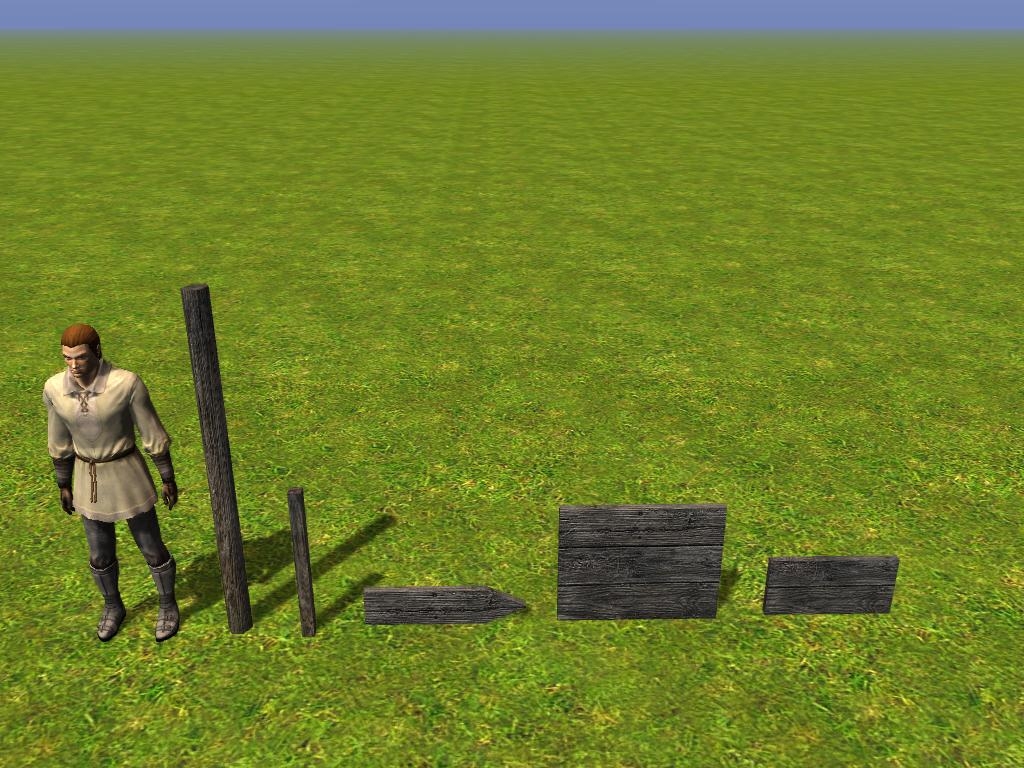
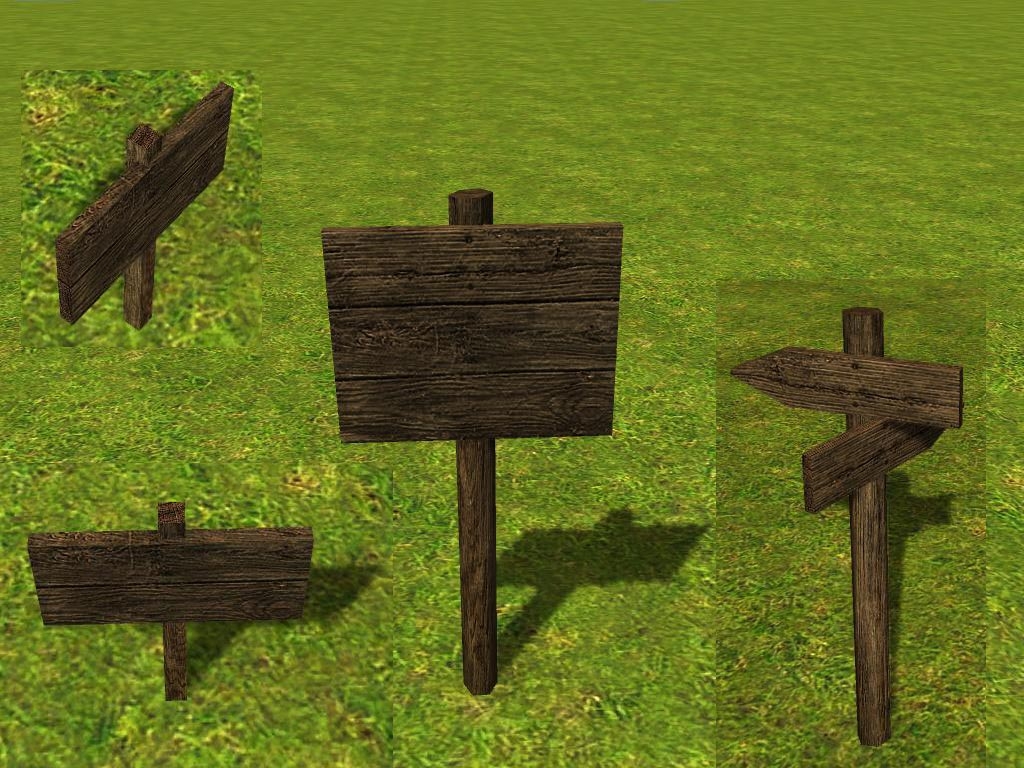
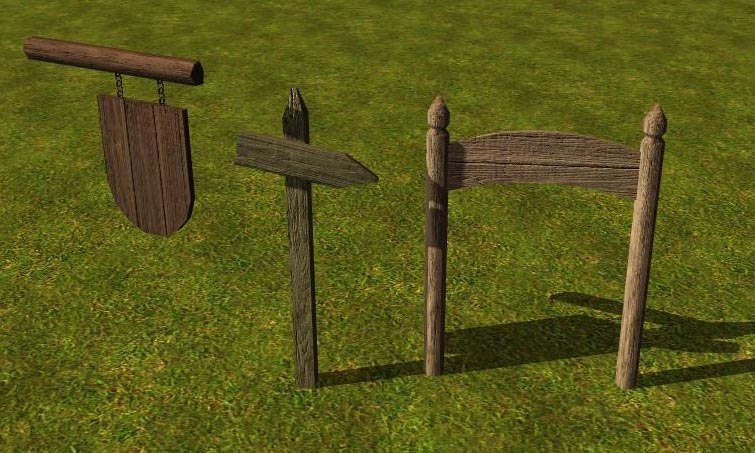
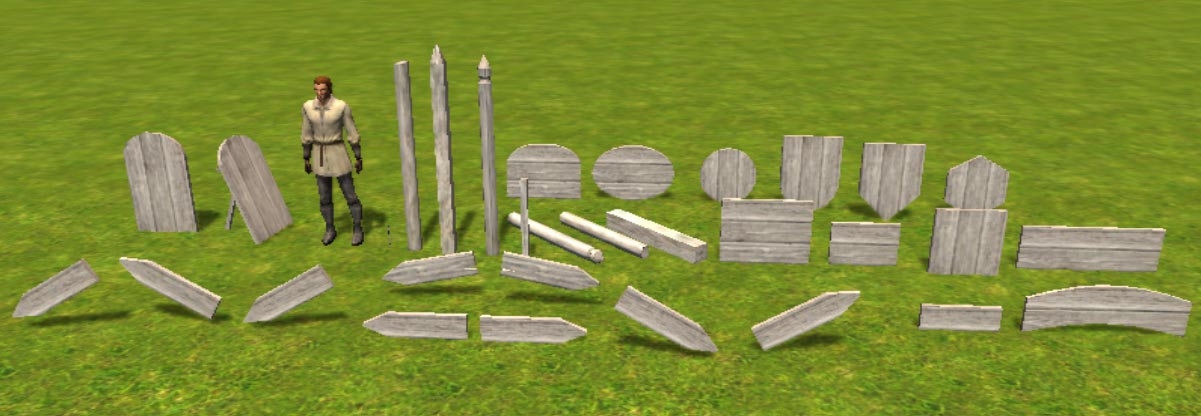
This hak now includes several wooden posts and short beams, as well as a short chain and 14 basic shapes of signboards. Of the arrow shape there are a few variations (pointing up/ down and a slightly lopsided version) and mirrored versions of each, to make retexturing easier.
I've also completely remade the textures, so they are now much lighter. And more importantly, the texture mapping of each sign now allowes retexuring by writing directly on the texture files. (front and back of the signs now use different texture space.)
The models have C2 and C3 meshes (except the chain) and are all tint-able (color 1).
Sorry the placeable.2da is so big - a lot of lines are already used/reserved by other people and I don't want my custom content to conflict with their's.
Installation:
-------------
HAK version:
The .hak file containing the model files, textures and placeable.2da should be saved to the "hak" folder in "my documents".
The .erf file containing the blueprints for the toolset is usually stored in the "modules" folder in "my documents".
To include this content into a new module you have to open the module properties and add the .hak file under "Hak Paks".
The blueprints can be added by importing the .erf file via "File"-"Import...".
OVERRIDE version:
This version is mainly meant for people who want to make changes to this custom content or need to combine content of various sources into one .hak file.
Put the "signposts" folder into the "Override" folder in "my documents".
Version History:
----------------
1.0 - Initial Realease, designed for v1.10 of NWN2
2.0 - Textures completely remade, added many models, designed for v1.11 of NWN2 + MotB
Posted by Amphibious Bagel at 2010-12-12 21:12:24 Voted 10.00 on 12/12/10
There is so much this hak is useful for. Love it. :)
Posted by j.o.g at 2009-10-24 01:57:28 Voted 9.50 on 10/24/09
Accidentally voted 9.00...
Posted by j.o.g at 2009-10-24 01:51:42 Voted 9.50 on 10/24/09
I abused these placeables happily in my WIP not only to build signposts but everywhere where I had use for a piece of wood, from filling gaps in tilesets to virtual carpentry.
Only a 9.50 because the models seem to miss some collision info: nothing happens when you try to activate them ingame, so for a useable/readable signyou need to add a collision box
Posted by GrinningFool at 2009-05-16 23:22:29 Voted 7.75 on 05/16/09
I noticed there is a problem with the UVmap not showing up in the UVripper. Sorry about that. I'll try to repair it in the next few days, so you might want to wait a bit before you start trying to retexture the signs.
Posted by _Argyl_ at 2008-03-14 07:04:35 Voted 8.50 on 03/14/08
Posted by The_Abbot at 2008-03-13 14:24:50 Voted 9.75 on 03/13/08
Brilliant Crystal - Thanks
Posted by gortan at 2007-11-14 12:16:00 Voted 10.00 on 11/02/07
I just posted version 1.1 of my sign VFXs. This includes the wood parquet effect that I mentioned above.
Posted by gortan at 2007-11-09 14:22:50 Voted 10.00 on 11/02/07
Right, the facing of the placeable controls the orientation of the VFX when using Source Object Orientation. So, you turn the sign and the image stays with it.
I'd love to have a way to fix the orientation of a projection to the source object (like you can do with billboards).
Most projections work OK if the ground is mostly flat. But any real angles turn into a problem. My Christmas wish list includes wanting a way to do projections which would automatically project orthogonally to the surface. You could then do that on the vertical side of a building and even have it walk around the edge.
There are a couple reasons for needing square signboards. In any case, the size of the display area for the image will be constrained by the minimum dimension. So if I have a surface area one unit wide and ten long, a square image can only be one unit wide and one unit long (leaving nine units of blank space). The only way around this is to redesign all the images to the new elongated shape, but the current set is 211 images (a lot of work) and many of them simply can't be made to look good when elongated. Much of my root art was square.
The most important reason for needing a square shape is that my newest effort (which you haven't seen yet) is a wood parquet effect. Each image appears to be formed of cut & fitted sections of rosewood, mahogany, oak and ash. This is therefore a texture which must completely cover the whole face of the model in order to keep the edges from hanging out and looking like they won't match. The back is covered with a blank polished rosewood section. With a perfectly square sign the whole thing ends up looking like a single piece. The only visible part of the original skin is a thin strip around the outside edges which turns out not to look too bad with the proper red tint.
Ultimately the important thing about a square is that all squares are the same, so you know the image can be made to fit perfectly. The same thing would work with a perfect circle.
A round shape would therefore be useful. As long as it was a perfect circle, rather than oblong, it would be relatively easy to do a set of round images. Obviously it would be a lot of work to re-work 211 images. But it would be do-able. Or, I could very easily just scale the existing square images to fit inside and make the placeable a bit larger to compensate for the reduced image area. I'd still have a problem with full-face covering textures but I could probably cheat with a special border section which I'd just stack.
Something which would be very useful would be a copy of the square model which was skinned with a texture designed to match the stone of the caves and the interior tilesets which have irregularly shaped or imperfectly flat walls. Then we could use the existing images to do cut stone effects on those irregular surfaces. In other words, we would really only be using the signboard model to create a perfectly flat spot on the wall (and which would otherwise blend in).
I am also thinking about a set of cut-stone mosaic images, which would benefit from a stone-skinned model base. But that is very iffy because the amount of work involved would be unimaginable and I'm still not certain that I can get a good looking mosaic effect with an acceptable 512x512 or even 1024x1024 resolution. It took major effort to get the wood parquet effect to look good at 256x256.
But in any case a stone skinned model would make the current images look like they had been carved into stone. So, it would be useful on Day One. A designer with both HAKs installed could just change the model by hand and it should work perfectly right out of the gate.
Forgot something:
Why is it so important for your effects that the signboard is square?
After seeing your examples I now think of adding a few more shapes (rounded ones), that would do better for tavern signs and such. (Originaly I just planned these signs as road labeling and blackboards)
So the effect gets it's orientation from the placeable? Sorry for asking dumb questions, I'm not actually using the toolset much, save for testing my models in game. I'll pass on your advise though, thanks. :)
Projected textures are a nice thing... a shame they can't be turned around horizontally either. They look badly distorted on pretty much anything but flat ground. :(
Or did they change that recently? I could really use some way to add additional texture to corners of buildings and such...
Posted by gortan at 2007-11-06 13:06:42 Voted 10.00 on 11/02/07
I used the billboard effect and set OrientationType = UserDefinedExplicitOrientation and OrientationExplicitMode = SourceObjectOrientation.
Why have others found that this didn't work? A while back it wouldn't work for me either. Then I updated the game to version 1.06 and suddenly it worked, along with a lot of other stuff. Apparently the bug which prevented SourceObjectOrientation from working properly was fixed by one of the recent patches.
Before I got it fixed I was thinking of doing them anyway and simply issuing full sets with each of four different orientations.
At the moment I am starting to work on ground versions and would like to use projection so that they will show on uneven surfaces. But that has the same orientation problem. I may be forced to do North, South, East and West versions if I can't come up with a sneakier idea.
@gortan
Your designs look very nice, too. I was hoping someone would come up with something like that, as I have no clua about VFXs myself.
One thing, could you tell me how you implemented your VFX? The people I designed these signes for originally have told me it would be impractical to add the writing by billboard effect because you can't turn them around once the blueprints are created. Did you solve that problem diffrently?
@dmguild
I'm happy you like my addition to the game.
I will probably release another version of this soon, in which the signboards will be textured in such a way that you can write any names on the textures directly without having the writing show up on both sides of the board. The reason for this is mentioned above. I figure that versions will be more usefull for PWs who want to place the same sign in multiple locations and directions.
Posted by gortan at 2007-11-02 11:43:31 Voted 10.00 on 11/02/07
I just posted a pack of signage expressed as VFXs attachable to your large square sign model (among other things). So, someone who wants a sign with a dragon on it can have that.
Your large square model was a perfect addition because it is so adaptable. The more complex something is the less universal it is. This is a paradigm example of how simplicity is power. I really can't say too much about how valuable this will be over time. It has already allowed me to start a project that otherwise would have been impractical to attempt (look for wood parquet style signage in the future).
If you'd like to see what the large square sign can look like with artwork attached, go look at the screen shots I posted with Gortan's Signs.
Posted by DeNevers at 2007-10-22 13:33:53 Voted 10.00 on 10/21/07
I presume there are only 5 lines to change for your placeables, so I don't mind doing it myself. It's been too long since I touched this, so I'll have to recompile my 2da from scratch anyway, using the expansion's just to be safe.
I'll be honored if you add it to 3C. Do you need another 2da for that? I didn't exactly care about line number conflicts. I don't have the expansion though, and I'm not getting it very soon...
Posted by DeNevers at 2007-10-21 10:20:06 Voted 10.00 on 10/21/07
This is simply amazing!
The best point is that all parts are separate, which allows for so much more flexibility!
An example to follow.
Mind if I add this to 3C, once I get the expansion?
Posted by Barry_The_Hatchet at 2007-10-19 02:50:04 Voted 9.00 on 10/19/07
Posted by Hohiro Kurita at 2007-10-17 13:23:39 Voted 9.00 on 10/17/07
As a builder, it amazed me something as simple as this was overlooked before. Thank you! _________________________ |<><><>The Tears of Ilmarid Campaign<><><>|
|<> Chapter 1 - Blood of the Fallen
|<> Chapter 2 - The Blood War
|<> Chapter 3 - Shadow And Light - Draft Revision 2
You must be Logged In to post comments in this section.
10 - A Masterpiece, Genuinely Groundbreaking 9 - Outstanding, a Must Have 8 - Excellent, Recommended to Anyone 7 - Very Good, Deserves a Look 6 - Good, Qualified Recommendation 5 - Fair, Solid yet Unremarkable 4 - Some Merit, Requires Improvements 3 - Poor Execution, Potential Unrealized 2 - Very Little Appeal 1 - Not Recommended to Anyone






 Site
Site









 at 2011-09-18 21:06:03
 at 2007-10-22 13:33:53



