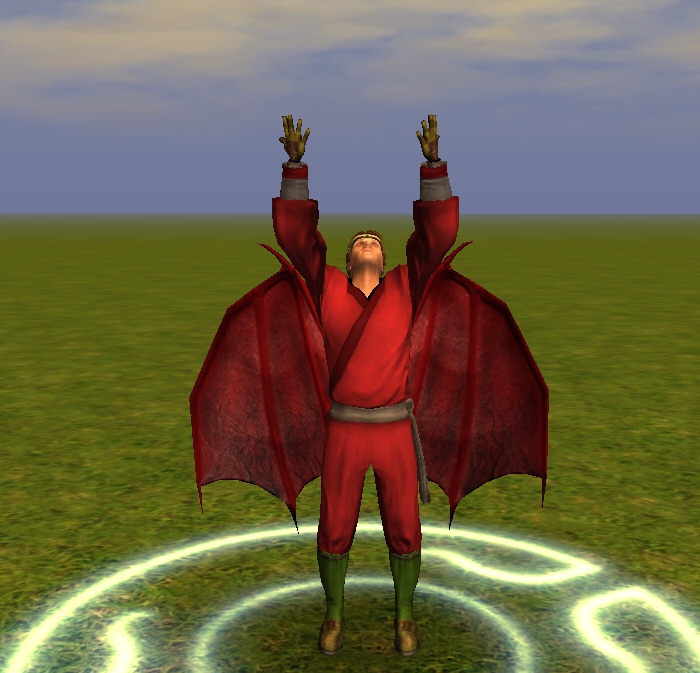
I had an epiphany after messing around with whatbrick's Wings Galore Pak and reading about conflicts between cloak/wing models on the same character.
I realized that they both use the same capewing_skel.I thought to myself why not combine the two?As a plus it also eliminates the need for editing bic files and the wingmodel 2da.
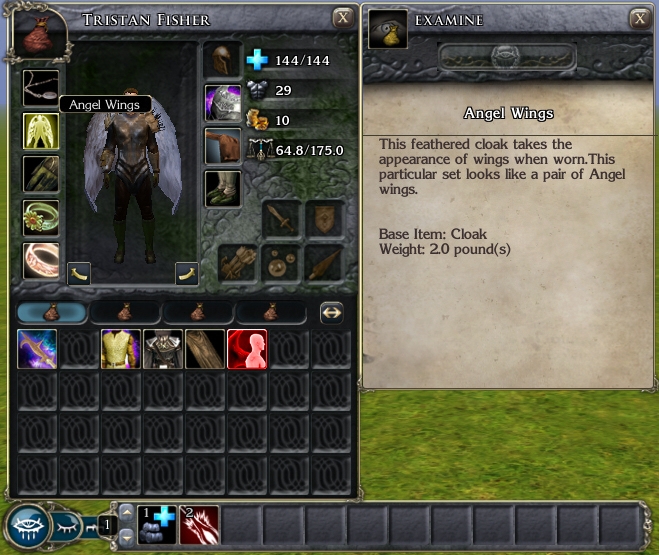
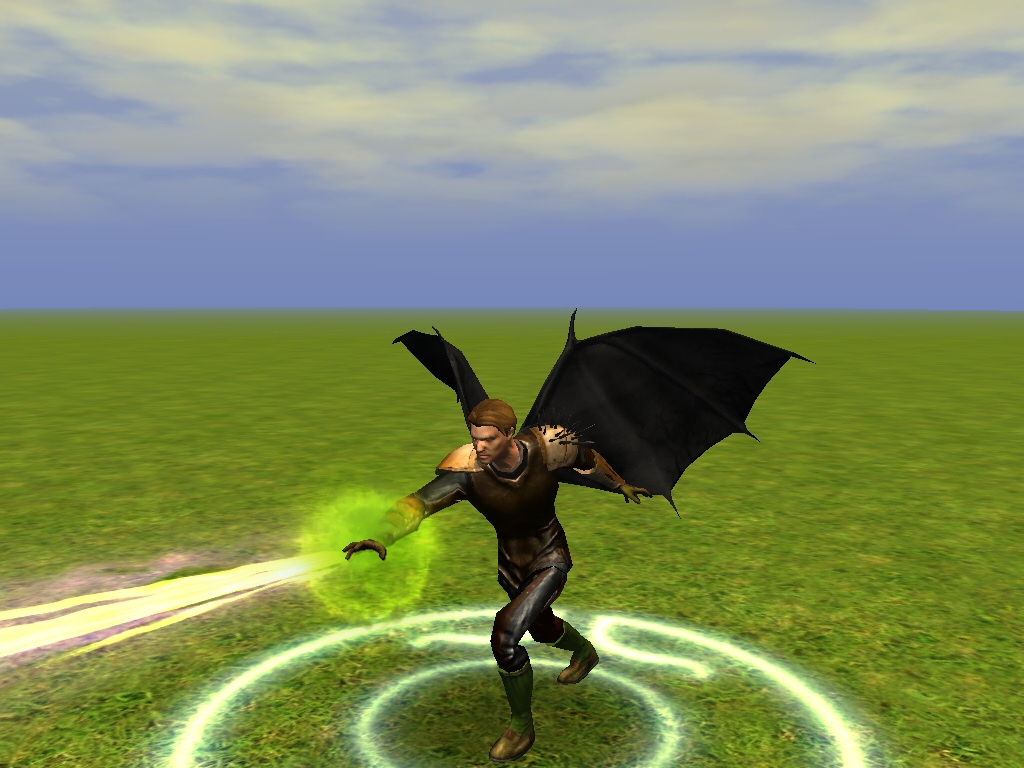
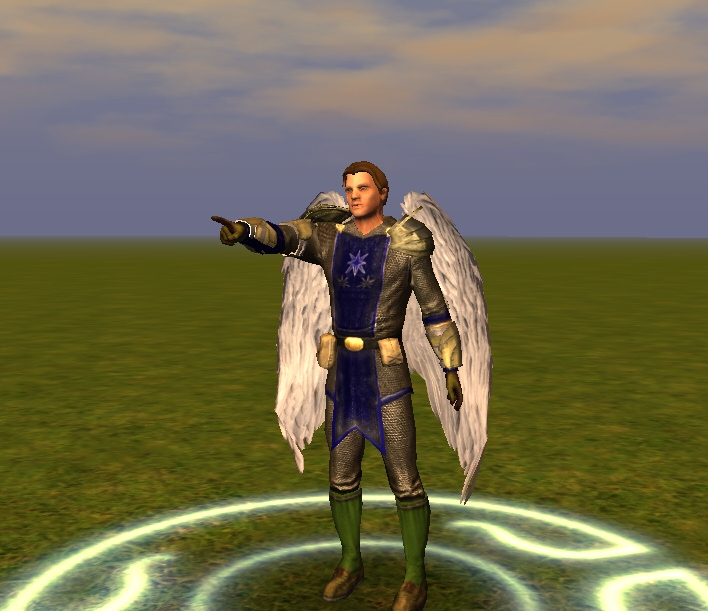
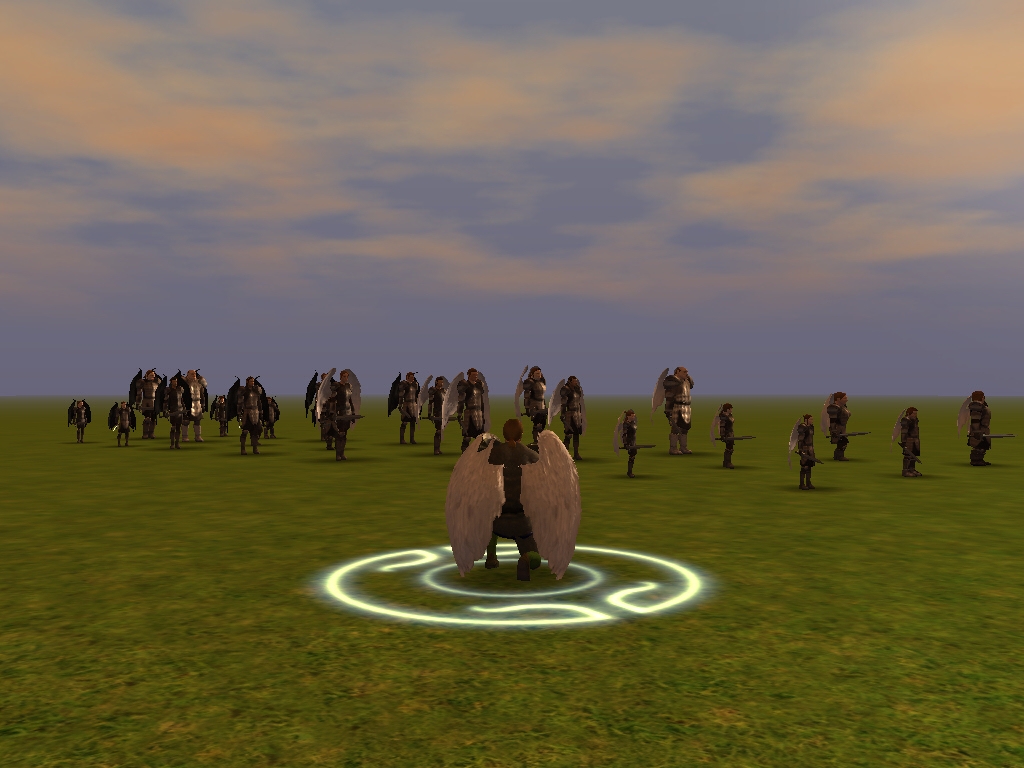
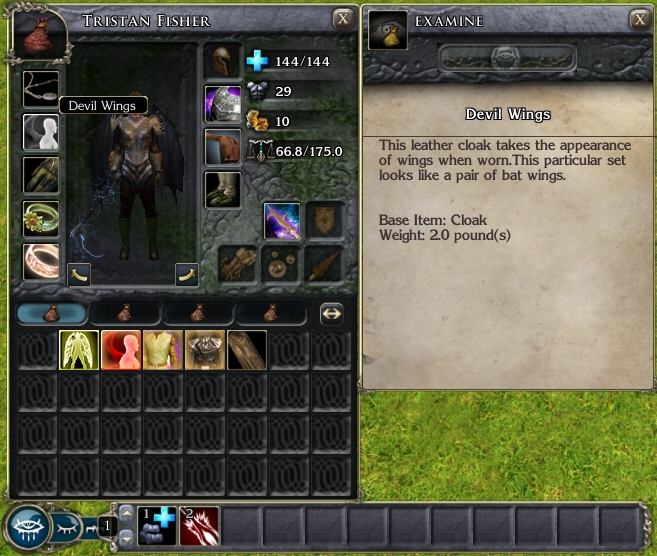
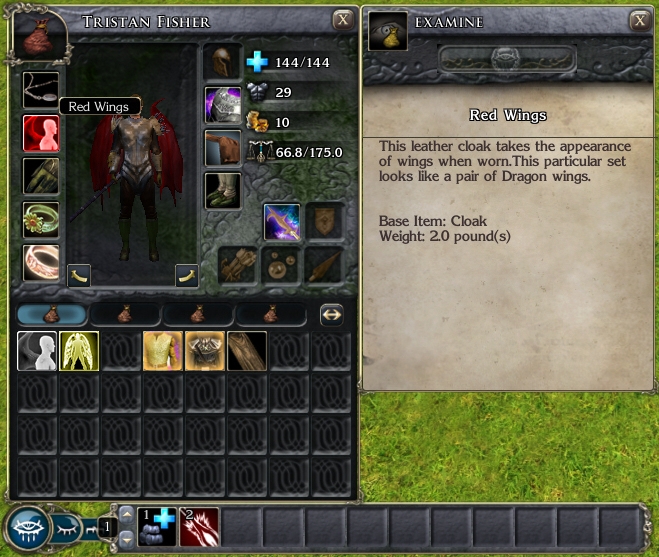
These are cloaks that use the Kaelyn,Solar and Succubus wing models.
They're usable by all player races, tintable and can be enchanted.
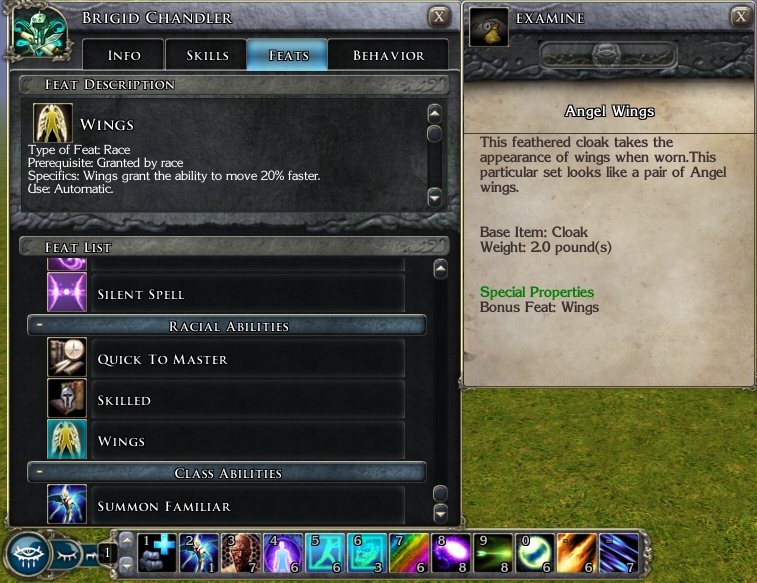
Cloak 17 Angel wings
Cloak 18 Devil wings
Included:
New icons for the cloaks.
Blueprints for both varieties of cloaks.
Favored Soul outfit with wings.
Red Dragon Disciple outfit with wings.
A module to demonstrate all the above.
Instructions:
Delete previous versions of Equipable Wings.
Put override version in your Documents\Neverwinter Nights 2 override folder.
Put hak version in your Documents\Neverwinter Nights 2 hak folder,erfs into the erfs folder.
Put modules in your Documents\Neverwinter Nights 2 modules folder.
*Equipable Wings_motb pack (for Mask of the Betrayer users only)
Kaelyn has Equipable wings to avoid conflicts with cloak/wing models.
Wing cloaks have the wings feat.
*To spawn the items in game*
While playing, select your character hit ~ to bring up the console. Then type in "DebugMode 1" without the quotes.
Then type the code for the item(s) you want.
"giveitem angelwings" (gives player Angel wings cloak)
"giveitem devilwings" (gives player Devil wings cloak)
"giveitem redwings" (gives player Red dragon wings cloak)
When you're finished bring up the console again ~ and type "DebugMode 0" without the quotes.
Credits:
Obsidian Entertainment for the original models and textures.
Patrick "whatbrick" Wilson for his Wings Galore pak.Which in part inspired me to make this.
Update:
3/31/08 Added Red Dragon wing cloak and item codes.
4/07/08 Added Wings feat to cloaks in the Equipable Wings_motb pack.added hak pack versions.
*Equipable Wings_motb hak pack (for Mask of the Betrayer users only) If you have Mask of the Betrayer download this instead of the regular Equipable Wings pack. Kaelyn has Equipable wings to avoid conflicts with cloak/wing models. Wing cloaks have the wings feat.
*Equipable Wings_motb override pack (for Mask of the Betrayer users only)
If you have Mask of the Betrayer download this instead of the regular Equipable Wings pack.
Kaelyn has Equipable wings to avoid conflicts with cloak/wing models.
Wing cloaks have the wings feat.
I changed the Kaelyn fix into the Equipable Wings_motb pack. If you have Mask of the Betrayer download this instead of the regular Equipable Wings pack. *Updates* Equipable Wings_motb pack (for Mask of the Betrayer users only) Kaelyn has Equipable wings to avoid conflicts with cloak/wing models. Wing cloaks have the wings feat.
Posted by helvagova at on04/08/08
Been waiting for wings for ages. Gave it a 10. Will be using this in my mod. Is it possible you could make a hakpak version of this?
Posted by D15C0RD at 11:35:40 Voted10.00
@Kunikos I'll be adding the wings feat to the cloaks for motb users soon.Thanks for the great idea.
Posted by Kunikos at on04/09/08
Discord: How hard would it be to add the feat "Winged" to the equipable wings items? It is on Kaelyn's character sheet in MotB (it's like Dash kinda but stacks).
Posted by D15C0RD at 10:59:27 Voted10.00
@SunWatcher I've tried to create equipable tails as a belt before,but it just doesn't work.Belts don't have a skeleton(gr2) file as far as I can see. Think of the skeleton(gr2) files as glue,I can't get the model pieces to stick together without it.
Posted by SunWatcher at on04/05/08
Excellent! But there's one more thing for you to create -- equippable tails as a belt! _________________________ Trust is for the foolish... And the dead.
Posted by marzy at 13:07:36 Voted9.25
Thankyou so much for the info. The toolset frightens me to death but I will have a go and follow your instructions. Cheers - Marie
Posted by D15C0RD at 11:47:56 Voted10.00
@marzy I suppose the easiest way to change the color would be through the toolset. Start the game,click on toolset. Go to blueprints,items,all custom,wings,Angel wings right click,copy blueprint module go to items,module,and click on your new item. Go to properties,appearance,tint,color2 and change the color to what you want (ivory rgb 255,255,240 or hex fffff0) On properties scroll down.Under basics change the localized name,resource name,tag,and template resref to what ever you want. ie: localized name Ivory wings resource name ivorywings tag ivorywings template resref ivorywings Go back to blueprints,right click on your item,save to file and save to your override folder. make sure the name is the same as your template resref ie: ivorywings exit the toolset. to spawn the item in game follow the instructions for spawning items but use the name of your new item instead. ie: "giveitem ivorywings" I hope that helps.
Posted by marzy at 05:29:47 Voted9.25
I love the angel wings and use them on my Aasimar Cleric. I would love for them to be a slightly different shade, ie Ivory or a pale cream. Is it difficult to change the colour and if so what product would I need to do this. I have absolutely no idea regarding this sort of thing. So if someone could point me in the right direction that would be fantastic. Thanks - Marie
Posted by D15C0RD at 19:44:49 Voted10.00
*To spawn the items in game* While playing, select your character hit ~ to bring up the console. Then type in "DebugMode 1" without the quotes. Then type the code for the item(s) you want. "giveitem angelwings" (gives player Angel wings cloak) "giveitem devilwings" (gives player Devil wings cloak) "giveitem redwings" (gives player Red dragon wings cloak) When you're finished bring up the console again ~ and type "DebugMode 0" without the quotes.
10 - A Masterpiece, Genuinely Groundbreaking 9 - Outstanding, a Must Have 8 - Excellent, Recommended to Anyone 7 - Very Good, Deserves a Look 6 - Good, Qualified Recommendation 5 - Fair, Solid yet Unremarkable 4 - Some Merit, Requires Improvements 3 - Poor Execution, Potential Unrealized 2 - Very Little Appeal 1 - Not Recommended to Anyone






 Site
Site