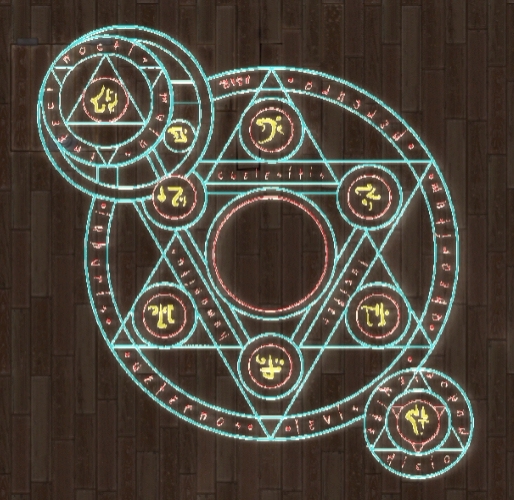
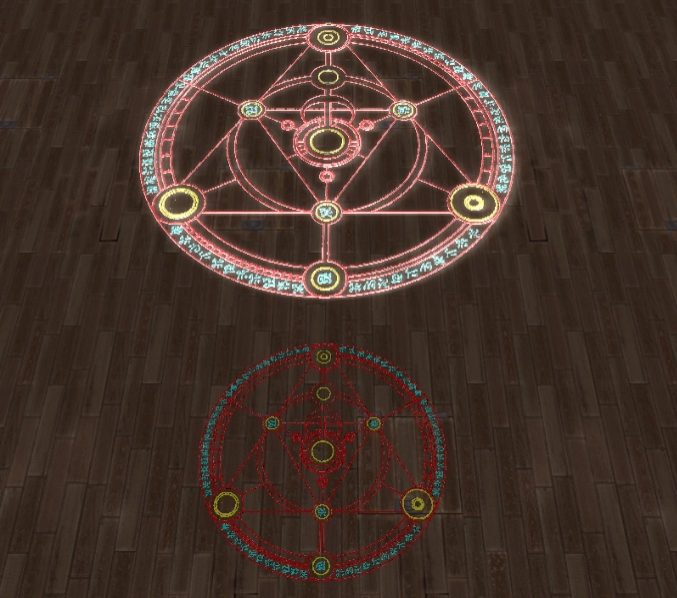
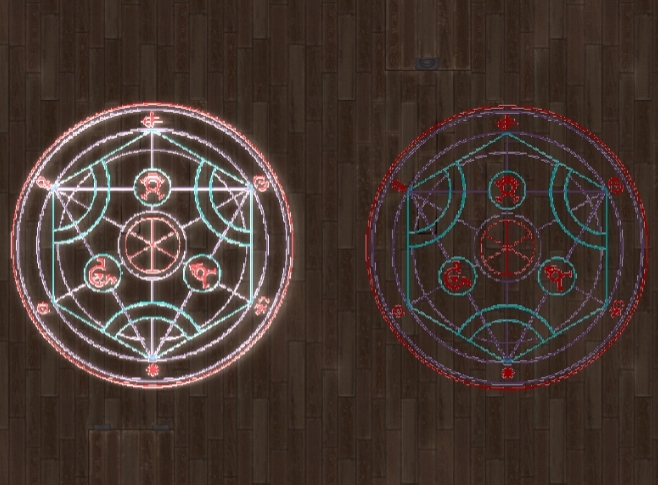
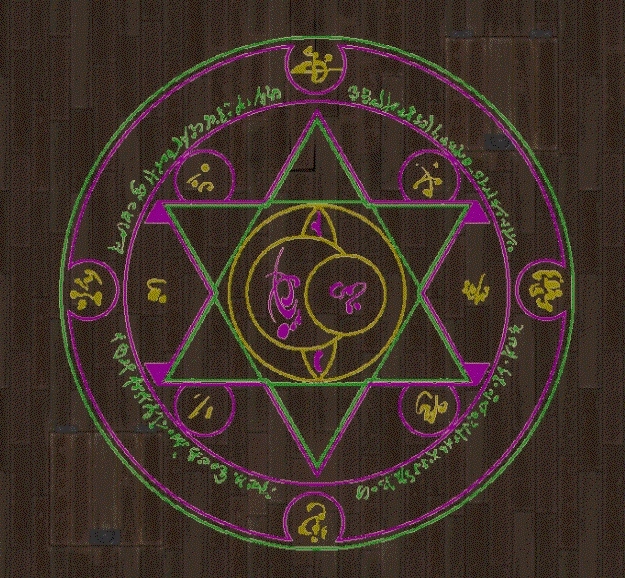
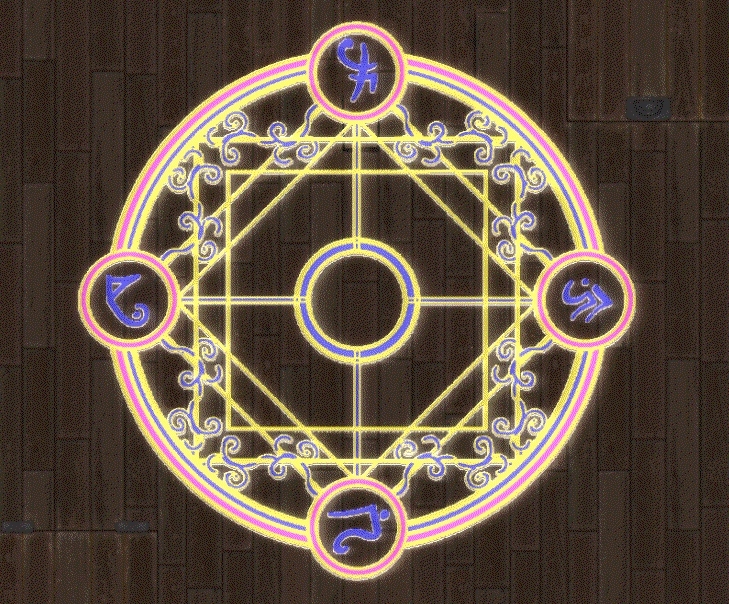
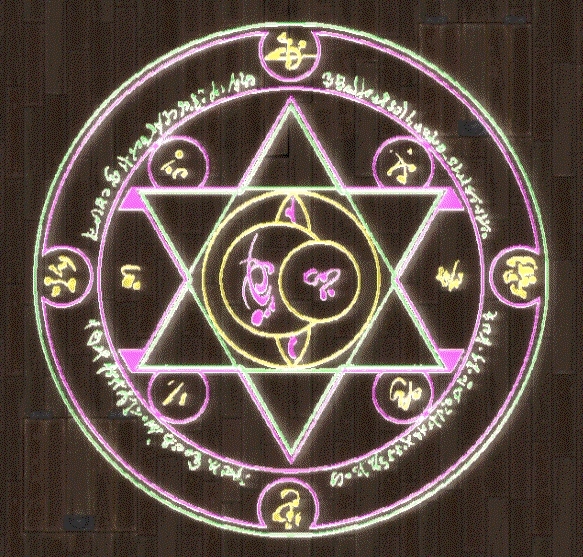
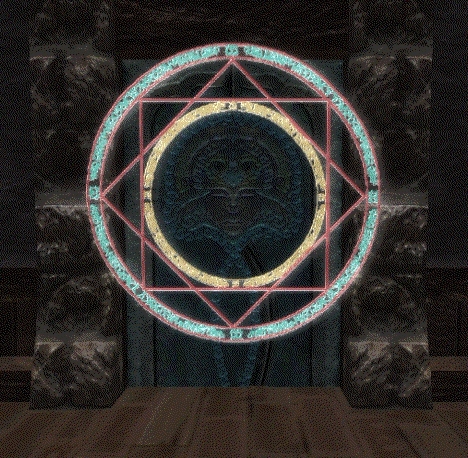
This is the new and IMPROVED Circle Pack Complete.
This pack is MUCH MUCH more economical as per file size.
**20 or so Arcane Circles - Tintable and with either Glow or Non-Glow
I have made improvements on the Glow channel - the glow circles should not be so washed out now.
**Verticle Circles
**Circle Kit - With Arcane Circles and Separate Runes to put in for added effect - for those who wish to be creative. The Kit is BOTH Verticle and Horizontal.
**If you used this set and incorporated it into your project all you will need to do is re-add the dds files to your hak or override.
Posted by Morbane_Unhinged at 2010-11-05 23:24:39 Voted 10.00 on 06/21/10
Eventually I will make a compact version with smaller DDS files. The Circle Pack Complete.7z will be the version that gets the smaller file sizes and it will have a name like Circle Pack Complete and Compressed. I hope to do this relatively soon. _________________________ |Morbane|
Thanks for that slightly confusing explanation :P ... but I get what you mean.
So it was just a low value grey scale glow map. Havent tried that myself because it does have the effect of washing out the Diffuse maps colors. Good to see its workable to a degree.
If only the Glow map was also effected by tint changes in the Tint map, although that would probably limit the tint maps application somewhat.
Also I was a little surprised when the 3meg download became a 200 meg hak pack :P (had no idea 7zip was that good)... looking at what you have in your hak, you dont need the normal map textures for objects like these a simple 64x64 texture filled with the middle purple color (128r, 128g, 255b color value) and no alpha channel is fine enough since your not gonna see the normal map on these at all anyway (from the looks of it your normal maps are black and white embosses which wont work anyway as a normal map).
Id also cut the size down of the 1024x1024 textures to 512x512... you wont get a huge difference in quality but the texture size will drop greatly (12+ megs of textures for a single environmental placeable is pretty damn steep), since youve made some of the symbols also modular and mix and match it means a group of symbol placeables could really start to eat into a graphic cards texture memory badly.
Also your glow maps shouldnt require an alpha since the glow strength can be controlled purely from the brightness of the primary channels colors... which would also mean you could export then as DXT1 DDS's which would really drop their file size, from multiple megs to just a few hundred kb for the large ones.
So yeah, resize/color the normal maps and glow maps and save them without an alpha as DXT1, and resize your diffuse/color maps to 512x512. That'll optimise em fairly well, good work all the same.
Posted by Morbane_Unhinged at 2010-06-12 00:35:01 Voted 10.00 on 06/21/10
BigfootNZ
I have been using two tools in GIMP to get the glow to glow.
The first is using an emboss filter on the blank white diffuse channel.
Second off, I use value invert to reduce the glow to where - I thought - would allow the tints to show through. They are a bit washed out and the glow *might* be reduced even more by using the diffuse dds in the glow channel - but that is untested.
The tint channel is a three value/channel map of 0000ff
00ff00
ff0000
or R/G/B _________________________ |Morbane|
Question, how are you getting them to tint?... by that I mean the glow map is seperate from the diffuse, and isnt affected by the tint map (from what ive seen). Or is the glow map just a middle grey which might explain the desaturation of the colors between the non glow and glow.
Or are you using the ghost effect option for the exported model itself?.. I havent played with that before although i thought it just stuck a white glow with mesh transparency on the model.
Posted by Morbane_Unhinged at 2010-06-08 04:14:15 Voted 10.00 on 06/21/10
If you have any problems with any of the updates - make sure that all of the MDBs are in your override or hak as well as the dds images and the latest placeables.2da _________________________ |Morbane|
Posted by Morbane_Unhinged at 2010-06-01 22:45:13 Voted 10.00 on 06/21/10
Thanks NTB!
MokahTGS
I think I will continue to modify the sets - just looking for a suitable model for making them vertical without any kind of border and transparent as well. _________________________ |Morbane|
Posted by MokahTGS at 2010-06-01 15:51:42 Voted 9.75 on 05/27/10
Thanks for the update!! I foresee puzzles coming...
So...I thought of another suggestion that would make these even more functional... :)
If you added vertical versions that can be placed on walls we could make doors that are mage locked with runes and ancient magic that kills the player into little piles of dust...muhahahah!
Posted by Morbane_Unhinged at 2010-05-27 18:15:56 Voted 10.00 on 06/21/10
Thanks Mokah! That is a cool idea - maybe the next update will have something like that. . . perhaps outer / inner / and rune parts - all glow and non glow I think :)
I used one that lights up when someone walks on it - makes for a cool effect. _________________________ |Morbane|
Posted by MokahTGS at 2010-05-27 14:31:25 Voted 9.75 on 05/27/10
These are really neat! If you are taking requests, I'd love to see a circle that has "parts" to it so that bits of the summoning circle could be set to glow on an individual basis.
Posted by Morbane_Unhinged at 2010-05-26 06:58:40 Voted 10.00 on 06/21/10
Thanks navyosteopath! As my methods for making better tintmaps improve, so does the tutorial. I am also going to put up a NEW and IMPROVED circle pack - it will be listed here as new hak and ovr versions which will basically be better dds files to replace the old ones - specifically the ones that are too choppy or generally not so good. _________________________ |Morbane|
Posted by navyosteopath at 2010-05-25 14:09:42 Voted 9.00 on 05/25/10
I can't wait for your tutorial! _________________________ My Sworn Word, My Own Sword.
Posted by Morbane_Unhinged at 2010-04-22 14:10:15 Voted 10.00 on 06/21/10
Just an update... I have been making progress on that tutorial on making tintable placeables. Any interest is welcomed in the form of comments and / or voting on this listing. _________________________ |Morbane|
Posted by Zedicius at 2010-04-07 10:17:10 Voted 10.00 on 04/07/10
Excellent!
Posted by Morbane_Unhinged at 2010-04-06 13:45:51 Voted 10.00 on 06/21/10
@NWN DM
Sure thing - I'll grab a few and post them.
Also - I will be adding an expanded version with the 'non-glow' circles for a full compliment of options in one hak and an override version as well. _________________________ |Morbane|
10 - A Masterpiece, Genuinely Groundbreaking 9 - Outstanding, a Must Have 8 - Excellent, Recommended to Anyone 7 - Very Good, Deserves a Look 6 - Good, Qualified Recommendation 5 - Fair, Solid yet Unremarkable 4 - Some Merit, Requires Improvements 3 - Poor Execution, Potential Unrealized 2 - Very Little Appeal 1 - Not Recommended to Anyone






 Site
Site