Unzip the file to your Neverwinter Nights 2 hak folder.
Load your module or create a new one in the toolset.
In the toolset, click the View menu and select Module Properties.
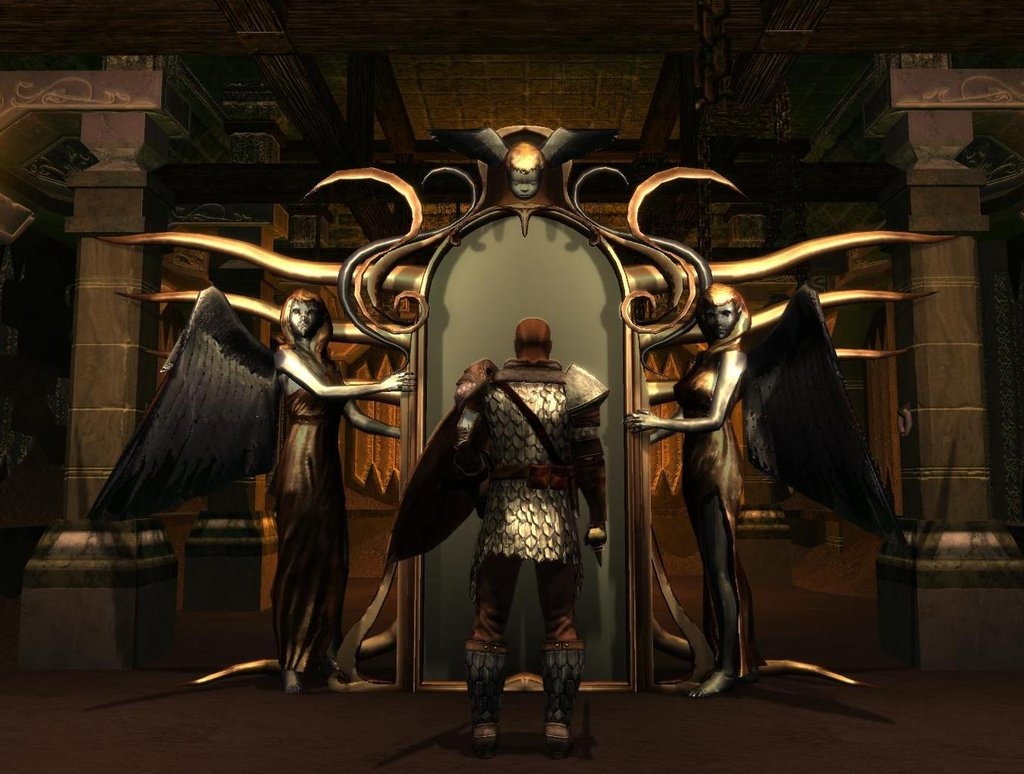
In the Module Properties tab, click the Hak Paks property and add the angelmirror.hak file, which should be in your hak folder.
Click the File menu and click Import.
Select angelmirror.erf in the Open dialog window then click the Open button.
To add the angel mirror to an area, click the Placeables button in the Blueprints window and expand the _SD list by clicking the "+" sign next to it then expanding the Mirrors and Pipes list under it. Add both the Angel Mirror and the Angel Statue to your area, making sure that they have the exact same values for Heading and Position No Snap, as shown in the Properties tab for both placeables.
Posted by Dragonsbane777 at 2011-02-24 12:15:48 Voted 10.00 on 02/24/11
Damn nice. Going in my PW. _________________________ Talernon3 - Age of Dragons Link
Talernon Team Submissions: Link
3C Music Compilation: Link
Posted by � i p h � r at 2011-02-04 20:58:23 Voted 10.00 on 02/04/11
I've always thought that there's not enough mirror models in the game. This definitely helps address that problem and it's beautiful as well. Very nicely done! Hope to see more of your work! _________________________ A Game Of Thrones - A Song of Ice and Fire NWN2 Persistent World
Posted by loki12345 at 2011-02-03 14:50:30 Voted 9.50 on 02/03/11
10 - A Masterpiece, Genuinely Groundbreaking 9 - Outstanding, a Must Have 8 - Excellent, Recommended to Anyone 7 - Very Good, Deserves a Look 6 - Good, Qualified Recommendation 5 - Fair, Solid yet Unremarkable 4 - Some Merit, Requires Improvements 3 - Poor Execution, Potential Unrealized 2 - Very Little Appeal 1 - Not Recommended to Anyone






 Site
Site