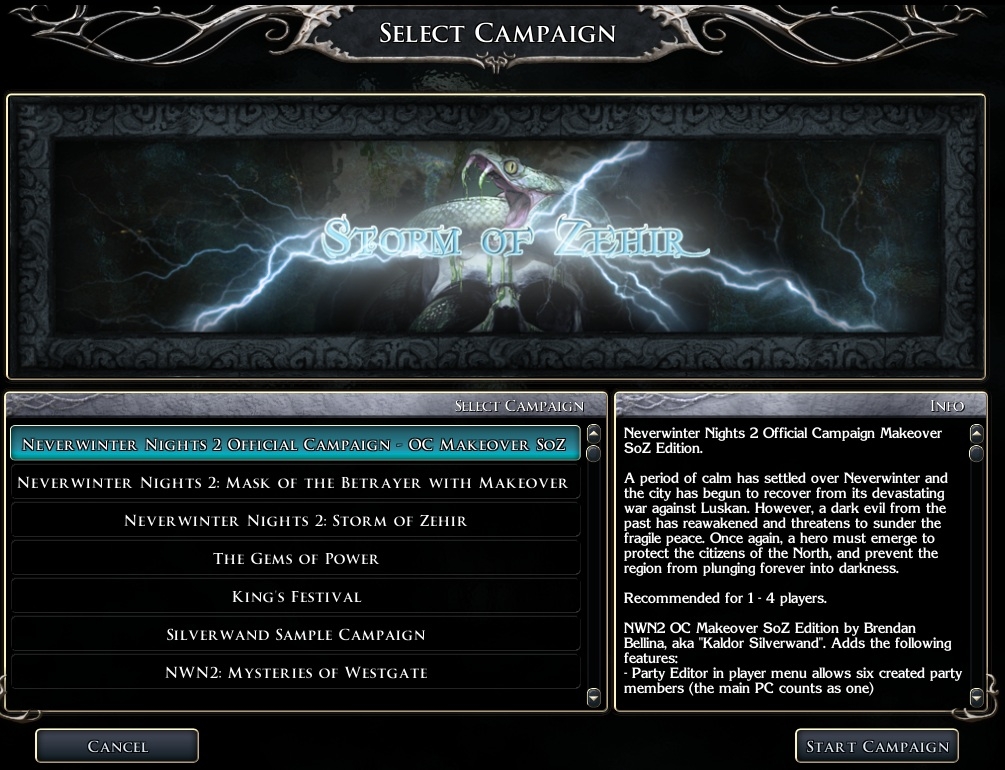
The NWN2 OC Makeover SoZ Edition is a collection of scripts, items, and UI modification that can be applied to the NWN2 Official Campaign in order to enable features of SoZ when playing the OC. This requires the NWN2 OC, MoTB expansion, and the SoZ expansion.
This collection is specifically designed for use with the NWN2 OC.
The author, Brendan Bellina (aka Kaldor Silverwand in the NWN2 forums and NWN2 Vault), is not in any way responsible for any use of the components in this collection. This collection is provided for free and without warranty. Grateful missives may be directed to [email protected].
The makeover can be applied either before beginning or after beginning the Neverwinter Nights 2 campaign. If applied after already beginning a campaign then the recipe books and Campaigner's Guide wlll not be available (these are not required anyway) and NPC's in already loaded modules will not be able to be spoken to except by the main PC.
Features:
Starting with version v20101126 many features can be customized by editing two 2da files included with the Makeover with a text editor such as Notepad (on Windows) or TextEdit (on Macintosh). There is no longer a need to use the Toolset to customize the features. See section "Customizing the Makeover Features" below to learn how to customize the features.
Additions to Player Menu:
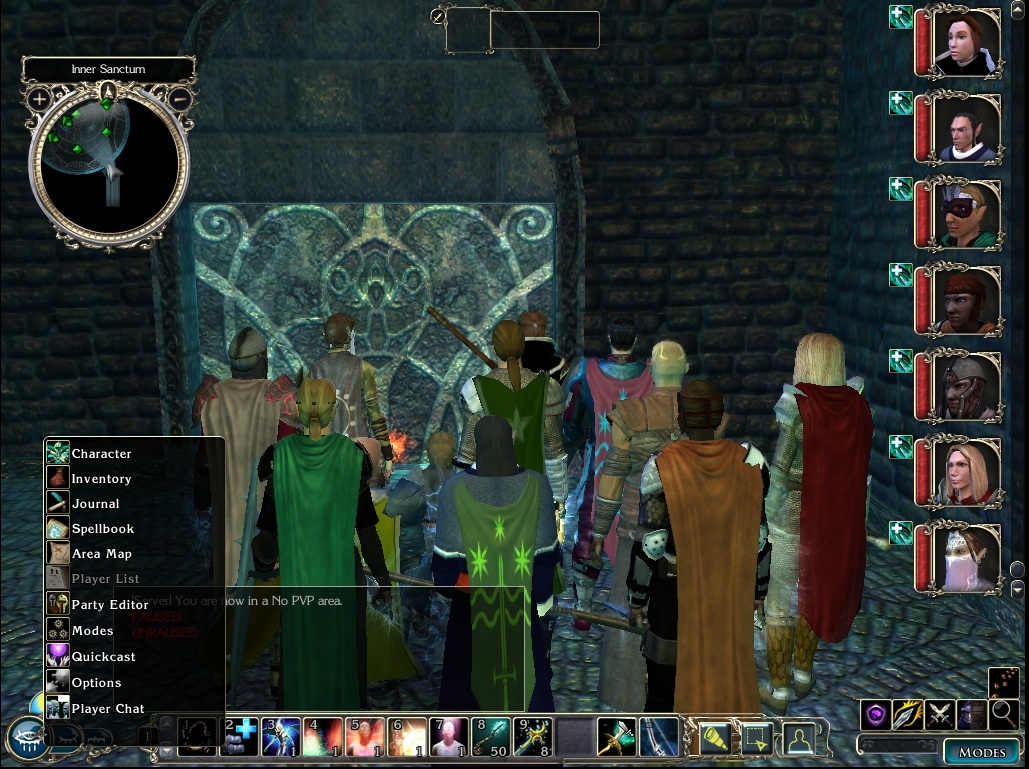
Options to open the Party Editor and the Player Chat are available in the Player Menu.
(The default player menu is condensed. If you prefer a slightly larger menu then navigate to the C:\Program Files\Atari\Neverwinter Nights 2\Campaigns\Neverwinter Nights 2 Campaign\UI folder and rename playermenu_popup.xml to playermenu_popup-small.xml, and rename playermenu_popup-large.xml to playermenu_popup.xml.)
Party Creation:
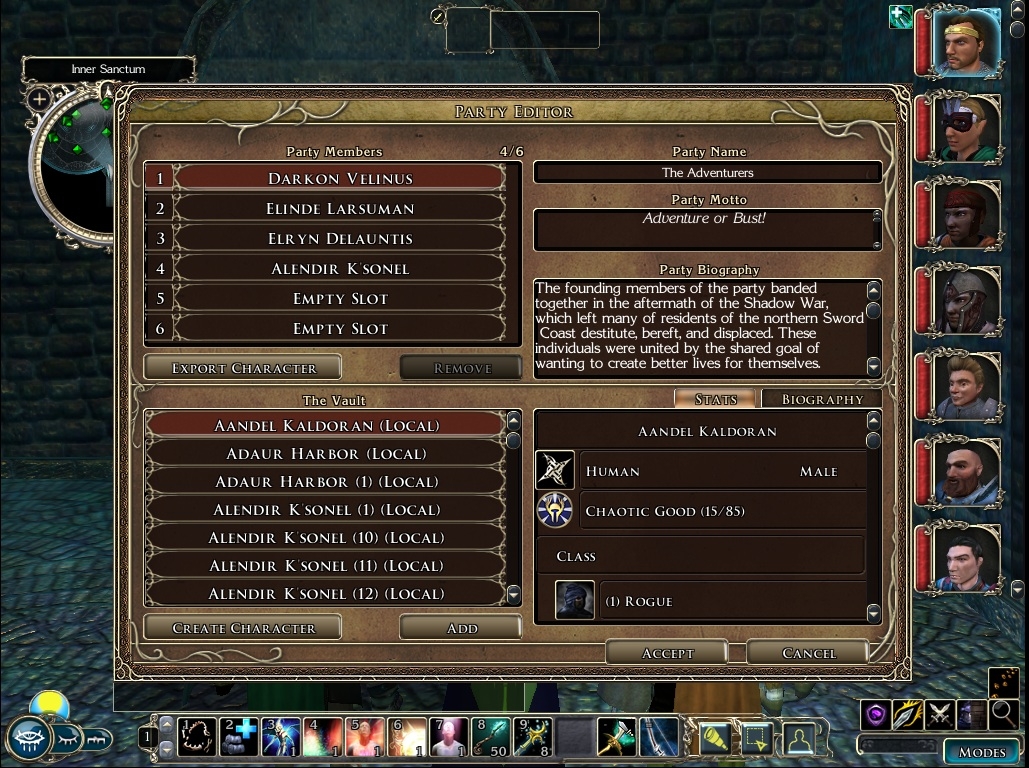
SoZ Party Creation is enabled. This allows up to 6 player created party members (one of which is the main PC) in addition to the standard OC companions. Party Members are created via the Party Editor option in the Player Menu. The Party Editor option can be accessed at any time. This is comparable to the guestbooks used in SoZ.
(The number of party members allowed can be altered by altering the Campaign properties using the toolset Campaign plug-in. Unfortunately this cannot be altered except by using the NWN2 Toolset.)
Enhancement of the initial provisioning chest:
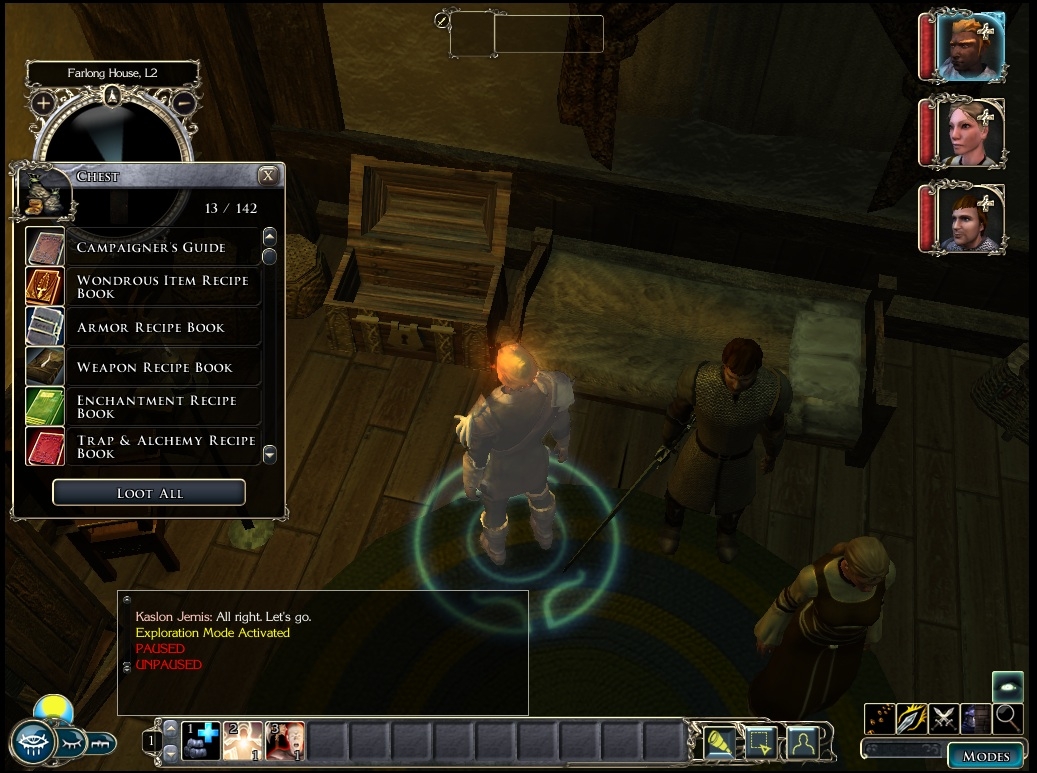
There is a chest for provisioning in the initial room at the start of Act I. The chest has been enhanced to include the recipe books, a Campaigners Guide that explains features of the Makeover, a few coins of life, and recognizes the player classes introduced in MoTB and SoZ. The chest will provide equipment when opened by the main PC and any created party members.
Multi-classing Companions:
Companions in the OC can be multi-classed when leveling up. It is not recommended that you do this with Khelgar since he has special issues in the OC.
NPC Conversation enhancement:
All NPC's that have the standard spawn script (most of them) can be conversed with by any member of the party rather than just the main PC. Because most conversations in the OC are designed to be with the main PC only there may be bugs introduced by using party members for important conversations.
Death and Bleeding System:
When the game is played on Normal or higher difficulty mode the SoZ Death system will be applied to the party members. In addition an XP penalty will be applied to characters when they are killed. Party members will remain dead when killed and will be valid targets for resurrection. One exception to this is Amie who because of her special role in the OC cannot be resurrected once killed. Because the OC requires companions to be alive often during transitions and conversations unexpected behavior may occur if an OC companion is dead at such a time. Death will cause a permanent experience point loss to the character. The Coins of Life used in the SoZ will be available to be used to resurrect dead characters.
Playing in Easy mode will cause the death system to behave as it does in the unmodified OC except that there will be an XP penalty applied when dying. This XP penalty will not be enough to cause de-leveling.
Rest System:
The rest system implemented causes the party to rest for 8 hours. When the game is played on Normal or higher difficulty mode resting is restricted to once in an 8 hour period and restricted to natural areas. The Makeover does not implement the rest and wandering monster system used by MotB or SoZ. (Note: Resting is allowed in the final area of the game even though it is a manmade area.)
Item Level Restriction:
Equippable enchanted weapons and armor can be restricted to use based on the level of enchantment and the level of the person attempting to equip the item. A person must have 2 levels of experience more than the level of enchantment. This is not a feature of SoZ but was added in the Makeover to attempt to keep the OC in balance.
Rechargeable staves, wands, and rods:
Standard staves, wands, and rods can be recharged by making them the target of arcane spells. This is not a feature available in SoZ. Nothing forces you to use this feature, but if you want to make it impossible to use then do not copy the folder Rechargeable Mage Items into the campaign folder.
Enhanced SoZ Crafting and Enchanting:
All items that can be crafted in SoZ can also be crafted in the OC using the existing workbenches in the OC. Items that require trade resources in SoZ to craft will require an equivalent wood or ingots found in the OC. Recipes are automatically placed in the Recipe Books, as in SoZ, however the recipe books are no longer cursed and can be given to any party member to carry. Also, unlike SoZ, recipes do not need to be in a recipe book in order to be used. Recipes and components will be randomly available in standard OC stores. The recipes and components are added to the store inventory only the first time a store is opened. Each store has a 66% chance of having recipes and components. There is no guarantee that all recipes and components will be available, but with the high number of stores in the OC it is likely that all recipes will be available somewhere. Items are normally limited to 3 enchantments unless the caster is an epic caster (> 20 levels) in which case 4 enchantments can be applied. Several item properties no longer count against the number of enchantments, including: light, visual effects, racial/class/alignment restrictions, and penalizing properties (curses). Masterwork items (identified by tag ending in _mast) are no longer penalized by having one fewer enchantment allowed. The inherent properties of items based on their material type will no longer count against the number of enchantments on the item (this is based on the standard tag names and is not guaranteed to work with non-standard items).
A few stores are guaranteed to have SoZ items:
- Branson's Shop in Highcliff will have low level recipes and common crafting components
- Simmy in Old Owl Well will have healing items, medium level recipes, and common crafting components
- Nya in Port Llast will have healing items, medium level recipes, and rare crafting components
- Mage's store in Blacklake will have healing items, high level recipes and rare crafting components
A number of additional items that were intended to be craftable in SoZ but were not due to bugs and/or missing recipes or items can also be crafted. These include:
- Acid Bomb
- Fire Bomb
- Bracers of Armor +4
- Gauntlets of Dexterity +2
- Adamantine Breastplate
- Poison Bolts
- Darksteel Darts
- Darksteel Shuriken
- Darksteel Throwing Axes
- Cold Iron Halberd
- Darksteel Halberd
All SoZ Enchantments are available. Only enchantments that are available in the OC are available in the Makeover.
Clock/time display in the Player Menu:
The sun/moon clock is displayed in the Player Menu.
Companion Conversations updated so that you can take their gear even when they are not currently in the party.
-----------------------
Customizing the Makeover Features:
The behavior of the rest system, death system, and Item Level Restriction system can be customized by editing the 2da file "C:\Program Files\Atari\Neverwinter Nights 2\Campaigns\Neverwinter Nights 2 Campaign\NWN2 OC Makeover SoZ Edition\mo_oc_options.2da".
The behavior of the crafting system can be customized by editing the 2da file "C:\Program Files\Atari\Neverwinter Nights 2\Campaigns\Neverwinter Nights 2 Campaign\NWN2 OC Makeover SoZ Edition\SoZCraftingPlus\SoZCraftingPlus_options.2da".
Each of these files can be edited using a standard text editor such as Windows Notepad (just start Notepad and drag the file to edit into the open Notepad window) or Mac OS X TextEdit (just drag the file to edit onto the TextEdit application icon in the Applications folder or Dock). These files are read when when a module is loaded, so it is recommended that you save your game before editing them and then reload your saved game after editing them. A 2da file is simply a spreadsheet-like text file containing rows and columns. Each row has an integer identifier, starting with value 0, and several columns of data. The columns are delimited by spaces. While they can be edited using the toolset, the author does not recommend that.
In each file the columns are:
- Row ID (For NWN2 2da's the ID column has no column header)
- LABEL - this is the name of the feature. These must not be edited.
- ENABLED - This indicates whether a feature is enabled ("1") or not ("0") or enablement is not relevant ("****").
- VALUE - An integer value that is relevant to the feature. If no value is relevant then the column will contain "****".
- DESCRIPTION - A complete explanation of the feature, its allowed range of values, and its effect on game play.
The rows in the default mo_oc_options.2da file are:
LABEL ENABLED VALUE DESCRIPTION
0 GAMEDIFF 0 0 "GAMEDIFF adjustment: 1 for knockout death and no death penalty and no rest restrictions; 2 for knockout death and no rest restrictions)"
1 MIN_HR_BETWEEN_REST 1 8 "Minimum number of hours required between resting (ignored in very easy or easy Game Difficulty Mode or when GAMEDIFF = 1 or 2)"
2 NATURAL_RESTING_ONLY 1 **** "Restrict resting to natural areas (ignored in very easy or easy Game Difficulty Mode or when GAMEDIFF = 1 or 2)"
3 KNOCKOUT_DEATH 0 **** "Use knockout death system (automatic when Game Difficulty Mode is set to very easy or easy or when GAMEDIFF = 1 or 2)"
4 XP_DEATHPENALTY 1 **** "Apply an xp death penalty when a party member dies (ignored in very easy or easy Game Difficulty Mode or when GAMEDIFF = 1)"
5 ILR_NWN 0 **** "Enforce Item Level Restriction for all equipped items based on NWN value table (which is based on item cost)"
6 ILR_NWN_ADJ **** 0 "Integer adjustment (positive or negative) to item value when using ILR_NWN"
7 ILR_NWN_DIV **** 0 "Divide the required level by this integer when using ILR_NWN (0 is treated as 1)"
8 ILR_ENHBONUS 1 **** "Use Item Level Restriction on Enhanced Weapons where minimum level required to use is Weapon Enhancement Bonus plus 2"
9 ILR_ENHBONUS_MULT2 0 **** "Require 2*Enh Bonus levels rather than 2+Enh Bonus levels when using ILR_ENHBONUS"
10 ILR_ACBONUS 1 **** "Use Item Level Restriction on Enhanced Armor where minimum level required to wear is Armor AC Bonus plus 2
11 ILR_ACBONUS_MULT2 0 **** "Require 2*AC Bonus rather than 2+AC Bonus when using ILR_ACBONUS"
The most common user requests have been to disable the SoZ death/dying system, disable the XP death penalty, disable the rest restrictions, and disable the Item Level Restriction feature. By default these features are all enabled. The rows in the 2da file allow control over each of these settings.
GAMEDIFF (row 0) if enabled (ENABLED set to 1) and set to value 1 will replace the SoZ Death/Dying sysem with the Knockout system used by the unmodified OC, eliminate the XP death penalty, and remove the rest restrictions. If enabled (ENABLED set to 1) and set to value 2 it will use the Knockout system and remove the rest restrictions but leave in place the XP death penalty. If ENABLED is 0 then any value is ignored.
MIN_HR_BETWEEN_REST (row 1) and NATURAL_RESTING_ONLY (row 2) allow specific control over the rest system. If you wish to only disable the rest restrictions then change the value in the enabled column of these rows to 0. These rows are ignored if GAMEDIFF is enabled and set to value 1 or 2.
KNOCKOUT_DEATH (row 3) and XP_DEATHPENALTY (row 4) allow specific control over the death system. To use the OC death system enable KNOCKOUT_DEATH (ignored if GAMEDIFF is enabled and set to value 1 or 2). To disable the XP Death Penalty set the ENABLED column of the XP_DEATHPENALTY row to 0 (ignored if GAMEDIFF is enabled and set to value 1).
The remaining rows (5-11) affect the Item Level Restriction feature. If ILR_NWN (row 5) is enabled then ILR_NWN_ADJ (row 6) and ILR_NWN_DIV (row 7) can optionally have values, otherwise they are ignored. To completely disable Item Level Restriction set the ENABLED column to 0 for ILR_NWN (row 5), ILR_ENHBONUS (row 8), and ILR_ACBONUS (row 10).
The rows in the default SoZCraftingPlus_options.2da file are:
LABEL ENABLED VALUE DESCRIPTION
0 CONVERT_GOODS 1 **** "Convert SoZ goods requirements to standard goods"
1 CONVERT_RARERES 1 **** "Convert SoZ rare resource requirements to standard resources"
2 ENCH_ALLOW_SATCHEL 0 **** "Allow satchel to be used for enchanting in place of mage bench"
3 CFT_ALLOW_SATCHEL 0 **** "Allow satchel to be used for crafting in place of mage bench"
4 CFT_ALLOW_MORTAR 0 **** "Allow Mortar and Pestle to be used for crafting in place of alchemist bench"
5 CFT_ALLOW_HAMMER 0 **** "Allow smith hammer to be used for crafting in place of craftsman/smith bench"
6 XP_CRAFT_PCT 0 10 "Reduce crafter's xp by specified percentage of gold cost when crafting"
7 XP_ENCH_PCT 0 25 "Reduce enchanter's xp by specified percentage of gold cost when enchanting"
8 DESTROY_RECIPES 0 **** "Allow the possibility of recipes being destroyed when used"
9 DESTROY_RECIPE_MIN **** 1 "Integer minimum percentage risk (0-99) of a recipe being destroyed when DESTROY_RECIPES enabled"
10 DESTROY_RECIPE_MULT **** 0 "Integer multiplier used in calculating risk of a recipe being destroyed. Higher numbers increase risk."
With these default settings:
- Soz recipes that require SoZ specific goods or rare resources will require appropriate bars and planks;
- mobile enchanting/crafting using the satchel, mortar and pestle, and smithhammer is not allowed;
- crafting/enchanting will not consume xp from the crafter/enchanter;
- and there is no possibility that a recipe will be consumed by its use.
-----------------------
Story alterations:
Ribsmasher can become a temporary henchman in several areas of Act II (Riverguard Keep, Temple of Seasons, the Gem Mines, and Shadow West Harbor).
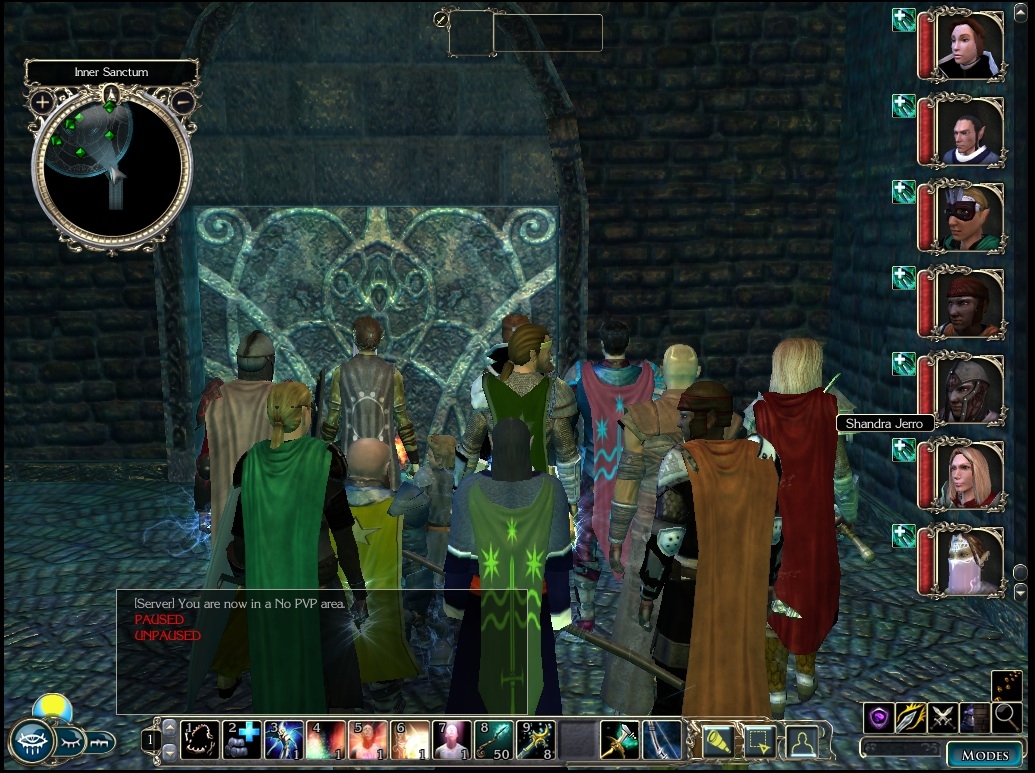
Option to restore Shandra to life following her sacrifice in the Haven.
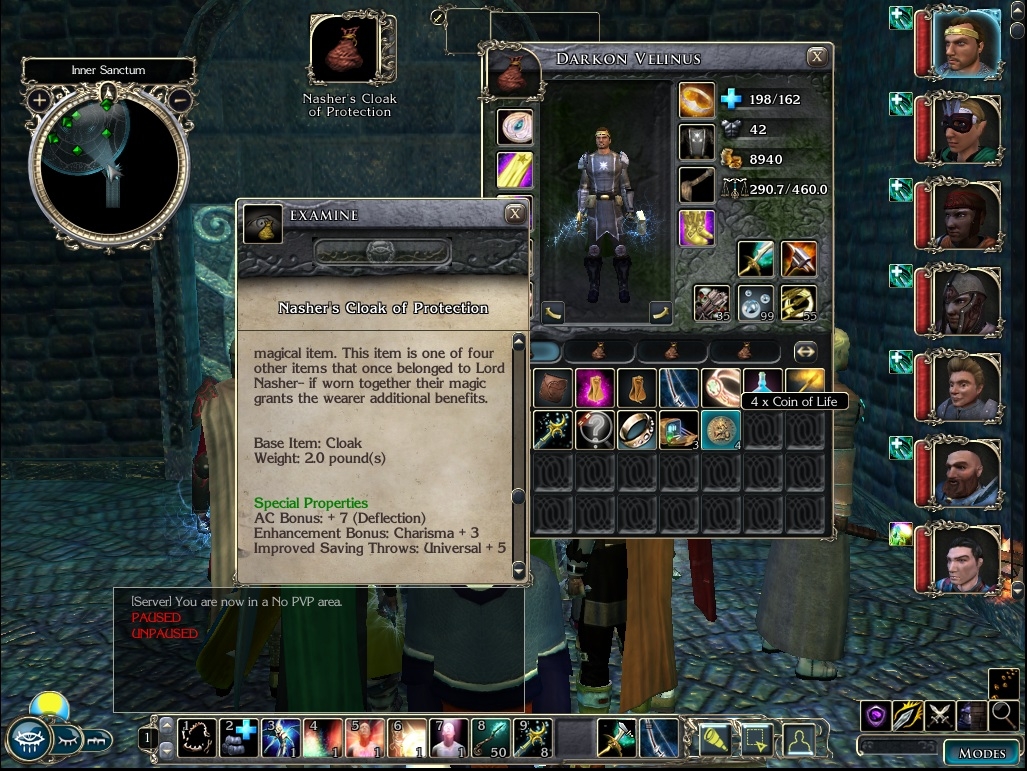
All four of Nasher's items may be found in the game, instead of just the boots (found in Highcliff) and ring (which can be purchased from Nya in Port Llast), and as indicated in their descriptions when all four are equipped additional enhancements are applied (both the cloak and gloves may be obtained in Act III: the cloak is in the dragon hoard and the gloves are given by as a reward by Kana for successfully trouncing the bugbears).
Rooms can be rented at the Alliance Arms Inn in Port Llast and the Moonstone Mask in Neverwinter.
-----------------------
Known limitations:
There is no Overland Map
There is no SoZ party conversation, although you may use any party member to speak to NPC's.
Party members should not be dropped when transitions occur, but just in case save often.
When new party companions are introduced to (or forced into) the party you may need to export player-created party members in order to add the companions to the party and then reimport the player-created companions. Exporting and importing player created party members can be done using the Party Editor.
Companions may pop back to life or stand when dead if they are involved in cutscenes. This may also affect player created characters. Save often.
You cannot resurrect Amie. Don't waste a coin of life on her. She's dead, Jim. If you want to play a campaign with Amie try the author's Harvest of Chaos: King's Festival campaign. The MotB Makeover SoZ Edition also allows the possibility of altering Amie's fate and playing her as a party companion.
Before changing to or from easy game difficulty, save the game. Reload after changing the difficulty setting.
-----------------------
SPECIAL NOTE FOR PREVIOUS USERS OF THE MAKEOVER:
If you have already installed a version of the Makeover prior to v20101126 then prior to installing v20101126 or later versions you should navigate to the folder "C:\Program Files\Atari\Neverwinter Nights 2\Campaigns\Neverwinter Nights 2 Campaign\UI" and delete the folder "Multiclass companions". Starting with v20101126 it is no longer needed with the Makeover.
-----------------------
Patch History:
All patches must be applied in the order they were released.
-----------------
20101126: Release Nov 26, 2010
- Correct inventory icon display problem when leveling up
- Correct display of appropriate clothing when leveling up
- Change party editor display so that created party members are listed rather than companions. This has the side-effect of reordering the party icons when the party editor is opened.
- Allow module variables controlling rest, death, ILR, and crafting to be modified in 2da files rather than requiring script changes
- Force campaign spawn script to be defined each time a module is loaded, instead of only once
- Updated Campaign Adventurers Guide text
- Added debug items bb_it_varsreport and bb_it_sozcraftingplusreport
- Changes to k_mod_load, k_mod_player_dying, and k_mod_player_death to support campaign options in the campaign options 2da (mo_oc_options.2da)
- Provided both condensed and large player menus. The condensed menu is used by default, but the large menu is also installed into the campaign UI folder and can be used by renaming it.
-----------------
Patch 2011-02-10 - This patch updates the crafting system
-----------------
Patch 2011-05-29 - This patch corrects a bug in the item crafting system that was blocking the crafting of items that have no spell requirements.
-----------------
Patch 2011-11-06 - This corrects the blueprints for crafted poison arrows and mild poison arrows.
-----------------
Patch 2012-04-13 - This patch allows crafting to be done by Warlocks who have the Imbue Item feat and a high enough UMD; changes the calculation of spell caster level when enchanting to use class levels and the Practiced Spellcaster feat; adds scythe recipes to the medium level recipe, and adds meditate, drop unequipped inventory, and character visibility options to the player context menu.
-----------------
Patch 2012-10-12 - Further enhancements to the crafting system:
No longer allows enchanting unidentified items
When specifying in a recipe that a bench is required a greater variety of text can be used as follows:
- Requirement for a mage bench can be indicated by nx2_mage_bench, PLC_MR_MWBench, PLC_MC_CBENCH03, magical_bench, magical, or any string with "mage_bench" in it.
- Requirement for an alchemy bench can be indicated by nx2_alch_bench, PLC_MR_AWBench, PLC_MC_CBENCH01, alchemy_bench, alchemy, or any string with "alch_bench" in it.
- Requirement for a smith bench can be indicated by nx2_smith_bench, PLC_MR_WWBench, PLC_MC_CBENCH02, PLC_MC_WBENCH01, workbench, blacksmith, or any string with "smith_bench" in it.
Note that this does not change the requirement that the actual placeable have a standard bench tag.
Credit to Marc Allard and The Complete Craftsman mod by ChainsawXIV for requesting and inspiring the following enhancements regarding enchantments:
- The CheckEnchantmentNumber function no longer counts Light, Visual effects, use limitation, inherent material bonuses, and penalizing properties against the maximum enchantment allowed number.
- Enchantments that do not count against the number of enchantments (light, VFX, use limitation, penalizing properties) can be applied even if an item has the maximum number of properties already.
- An item being a masterwork item no longer counts against the maximum enchantment allowed number. (masterwork items are determined by tag ending in _mast)
- Epic casters (> 20 levels) can now add 4 enhancements to an item rather than only 3. (The level check is against the crafter, not all party members.)
Special thanks to Marc Allard for significant help testing these modifications.
Replacement mo_oc_options.2da file that is configured for standard OC rest, death, and ILR. Party members will be restored to life as in the unmodified OC with no penalties. There are no resting restrictions and no ILR. Install in the override folder or NWN2 OC Makeover SoZ Edition folder.
This patch for v20101126 adds MotB essences to the Wizard Tower and monastery stores in Crossroad Keep so that some MotB style crafting can be done. This will only work if those stores have not yet been opened in your current game.
Patch 2012-04-13 - This patch allows crafting to be done by Warlocks who have the Imbue Item feat and a high enough UMD; changes the calculation of spell caster level when enchanting to use class levels and the Practiced Spellcaster feat; adds scythe recipes to the medium level recipe, and adds meditate, drop unequipped inventory, and character visibility options to the player context menu.
Patch 2012-10-12 - Enhancements to the crafting system. This patch changes the way enchantments are counted so that light, visual effects, inherent material properties, masterwork, use limitations, and penalizing properties no longer count against the maximum number of item properties. It also allows epic casters to enchant 4 properties rather than 3. Unidentified items must be identified before they can be enchanted.
@Shin_Okada: That was supposed to say "You'll probably have to resort to an earlier save". A bummer I know, but on the bright side you can put everything back in your override folder because that content likely didn't cause the problem.
@Shin_Okada: It sounds like your save file is corrupted. That usually happens if you overwrite save games a lot, but can happen even if you don't. You'll probably have to resort to an save. The Makeover doesn't actually touch the original module files themselves.
@Iliumin: You are welcome SO much!!!
Posted by Iliumin at 2013-03-11 15:47:31 Voted 10.00 on 03/11/13
Words cannot express my gratitude for this. Thank you SO much!!!
Posted by Shin_Okada at 2013-03-05 21:44:16 Voted 10.00 on 02/21/13
Additional note.
My game is v1.23.1765English. And I can go to other places such as Neverwinter Merchant District (hiring Deekin), Old Owl Well, West Harbor and such. But cannot go to Highcliff nor Fort Locke and thus cannot hire smiths.
Posted by Shin_Okada at 2013-03-05 21:27:59 Voted 10.00 on 02/21/13
Help needed!
Now I am playing this edition of OC for the second time. The last time it worked fine. But this time, after becoming the Captain of the Keep, I am meeting a serious problem.
I cannot go either Fort Locke or Highcliff. Every time I tries to go those places, the message says "Could not load module. Module file might be corrupt OR it was created using a newer version of the toolset and/or game resourcers." and stops.
I have already tried removing overrrides, re-copy the original OC folder and then re-applying your makeover again, but the situation is the same. Can you think of something I can do?
Posted by Shin_Okada at 2013-02-21 07:27:45 Voted 10.00 on 02/21/13
This is indeed a really good upgrade of OC. IIRC SoZ crafting system is more fun comparing to those of OC or MotB.
Also, enabling party-designing and allowing any companion to start conversation are really good improvement. I tend to play a PC with at least descent Int and Cha, because the conversation options are really limited otherwise.
Now, other type of PCs become much playable as long as there are some eloquent companions.
Posted by kayakbob75 at 2013-02-04 11:49:56 Voted 9.00 on 02/04/13
....
Posted by kayakbob75 at 2013-02-04 11:49:04 Voted 9.00 on 02/04/13
Hmmm i could have swore i voted..love the mod thanks agian
Posted by kayakbob75 at 2013-02-04 11:45:53 Voted 9.00 on 02/04/13
Just want to say that this is exactly what I've been looking for. My girlfriend and i have just started to play this again ( have before, she has never) and i wanted to make it more like the pnp we have been pplaying. Thanks for all the hard work.
Posted by Replacement at 2013-01-30 12:01:44 Voted 9.00 on 01/30/13
Got there in the end. Many thanks again to KS/BB for all the hard work in creating this makeover which has added some interesting new aspects to the game. I played the original OC only a few months ago and it was surprising how different this run through turned out to be.
Posted by Shin_Okada at 2013-01-24 03:48:11 Voted 10.00 on 02/21/13
Hello! This modification seems interesting, but
>All patches must be applied in the order they were released.
Does that mean I have to install the main file and then apply 5 other patch files one by one? Is there no plan for making a combined file?
Make sure you are controlling your main companion in that fight. If the fight ends and you are controlling someone else at the time it is possible that a conversation will not trigger because you aren't controlling the main PC. I don't know that that is what is happening in this case, but it is a possibility.
Posted by Replacement at 2013-01-19 12:10:06 Voted 9.00 on 01/30/13
@KS Thanks. I will vote when I get to the end! I'm not convinced my roadblock was makeover related either. But have never had like it in the vanilla OC.
Now I'm stuck in Highcliff itself with a similar problem. Everything works fine up until Batha arrives and wants to fight. But he never goes elemental and just gets killed. No-one speaks to me / no cutscene / no exits. Same result with various companions / dialogue options.
@Replacement, thanks for the comments. I'm not sure what you are describing was caused by the Makeover since the conversation is happening with your main character as designed. If I have a save game around that point I'll take a look at it though. Before starting the MotB Makeover make sure you apply all of my patches (the latest adds the ability to consume Spirit Essences which is cool). If you want to maximize your chances of encountering some of the OC companions in MotB then you may want to read my walkthrough as well. And please vote.
Posted by Replacement at 2013-01-18 14:05:17 Voted 9.00 on 01/30/13
OK - fixed my roadblock. Used console to give Skill Focus Bluff and eventually passed the Bluff check at the start of the encounter. So we scared off some lizardfolk and thus triggered the cutscene / dialogue / exit.
Apols if it wasn't to do with Makeover - never had this occur before in OC.
Onwards to the end of OC - and hopefully on through MOTB makeover after that.
Posted by Replacement at 2013-01-17 14:21:30 Voted 9.00 on 01/30/13
I've been enjoying replaying the OC with this makeover - many thanks for all the hard work. Though I haven't tried many of the new features - such as crafting or SOZ party. Apart from the new plot aspects the main difference has been dying - which is much trickier now - partly due to the dearth of Coins Of Life.
And there have been occasional inconveniences with extra companions being added to the party eg Grobnar whenever a Construct item was encountered.
However I have now reached a major roadblock. When I try to reach Highcliff in Act III I get stuck in the road encounter where Zachan and Gera are being attacked by lizardfolk. As I enter the action auto Pauses then the Z&G convo starts. At the end of their lines I get a dialogue to "Wait while Qara buffs me" (if Qara is in the party). Then I get 3 dialogue options (Bluff / Intimidate / Taunt) to stop the Lizard Men attack but unfortunately I rely on high Dip so my main character fails any of these choices (and there is no chance to change character). Then the travellers quickly get killed / we kill the lizardfolk / Z&G won't speak to us / we can't leave by either exit - "[]:You can't leave just now".
Can you suggest any fix for this please?
I have been trying to reach Highcliff from the start of Act III and am now running out of other quests to tackle. Thanks in advance
Posted by Avo at 2012-12-28 11:15:37 Voted 10.00 on 12/28/12
Full marks. Despite it's flaws the OC is not as bad as many players make it and this enhances it a great deal and polishes some of it's drawbacks. Great stuff.
@Akane, Glad it is working for you now. Not sure what the problem was. I was able to switch back and forth when testing, but there are still things in the standard scripts relating to the death system that I did not replace so maybe that was affecting your game. I've learned when helping people though that you cannot safely assume anything. Certainly not that they actually read the directions or the posted comments.
@Kaldor Silverwand:
Obviously I've read all previous comments and kept override folder empty and I have SoZ installed.
The interesting thing is that me and my buddy just started campaign again and problems solved itself.
It seems you can't really disable knockout system once it was enabled and companions had repeatedly been dead for some time.
@Akane: Try downloading the mo_oc_options.2da and replacing yours.
I assume you have SoZ installed and have nothing in your override folder. If not, then install SoZ and empty your override folder and see if that resolves the problem.
Need help. Companions stay dead regardless of knockout/gamediff/xploss options. While players do respawn, if knockout is enabled. What could be the problem?
Yah this is odd cause I have it install back home on the desktop and didn't have a problem. This is my travel work laptop it's on and I just emptyed the override and still no xp. Only the OC make over does this as the MoTB is fine. I'm thinking I goofed something by accident. Luckly this POS laptop is getting turned in and I"m getting a replacement when I get back in the states. So I'll do a fresh clean install of things with the new one and let you know if I have any probelms. I haven't installed the pack on my gameing laptop either so will test it. I might just have flook some where lol.
The Makeover doesn't change anything regarding gaining XP. If you have something in your override folder then that would take precedence over the Makeover. So try emptying your override folder and see if that resolves the problem.
10 - A Masterpiece, Genuinely Groundbreaking 9 - Outstanding, a Must Have 8 - Excellent, Recommended to Anyone 7 - Very Good, Deserves a Look 6 - Good, Qualified Recommendation 5 - Fair, Solid yet Unremarkable 4 - Some Merit, Requires Improvements 3 - Poor Execution, Potential Unrealized 2 - Very Little Appeal 1 - Not Recommended to Anyone






 Site
Site