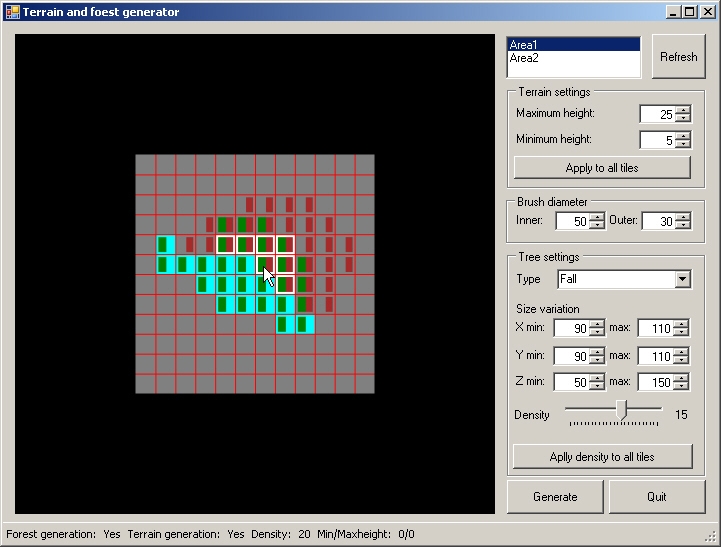
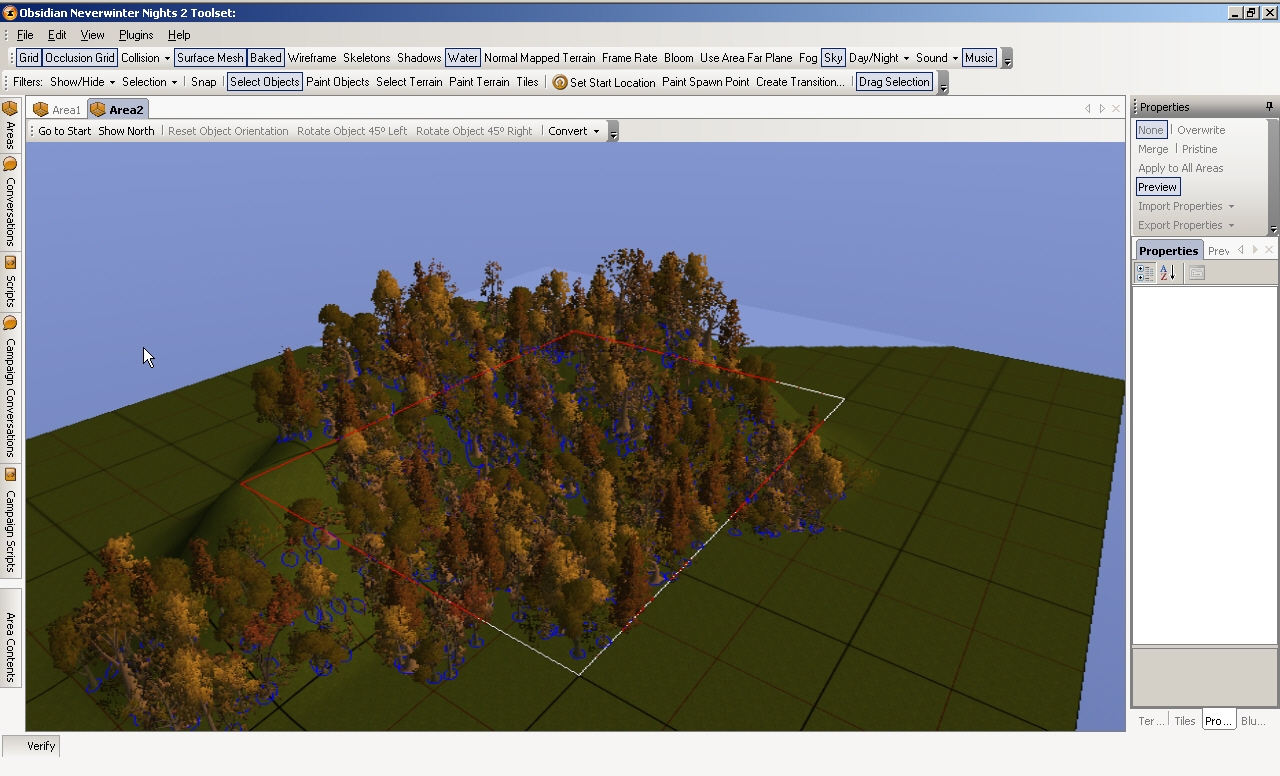
Yeah, I know, that there are some terrain/forest generator plugins already. So, why I've made this one? It's good to be able to randomize an area's terrain, but it's much more better, if you can choose, what tiles to randomize! The base idea is from Sir Patrick Goodman, the leader of Lost Dales PW. Thank you Patrick for it!
See README.txt for details!!
UPDATE(2006.10.24.)
- two spelling mistakes are eliminated (foest->forest, Aplly->Apply)
- now only exterior areas appear in the area list
Known issue:
If you generate terrain, than flatten that, you can't regenerate it. A workaround for the problem: after flatten the terrain, select any other brush type in the toolset...
sorry SLATE, but I really have no idea.. Alucelestria is having this problem too, and I don't know, what could be the problem :(
But I'm now working on a completely rewritten version.. I have now exams at school and other works to do, so I can't promise anything, but I really-really hope, it'll be ready this weak..
sorry SLATE, but I really have no idea.. Alucelestria is having this problem too, and I don't know, what could be the problem :(
But I'm now working on a completely rewritten version.. I have now exams at school and other works to do, so I can't promise anything, but I really-really hope, it'll be ready this weak..
"Apply to all tiles" button applies only the properties(density for trees, min/max height for terrain) for all tiles in the area. You still have to set for each tile, what you want to do with it.. I know, it isn't the most comfortable, but I'm now working on a more user-friendly version. I hope, it will be available tomorrow.
Posted by misty69x2 at 2006-10-29 14:25:38 Voted 10.00 on 10/29/06
This is great and will prove to be very usefull. The only question i have is, shouldn't the "apply to all tiles" buttons apply the terrain or the trees to all tiles or what exactly does that button do? It's great that you can select individual tiles but i would sometimes like to cover the entire area at once, is this possible?
Alucelestria:
Just to be sure: the directory, the two files should be copied is C:\Documents and Settings\[your username]\My Documents\Neverwinter Nights 2\Data. "C" should be replaced with your system disk's letter. If they are there, then I'm sorry, but I don't know, what could be the problem. Maybe a future build will solve your problem..
chris421:
When I've started to write the plugin, I didn't think about using the tool on non-flat terrain to generate only trees. I thought, that it will be used on flat terrains to generate the trees, and the land. Trees are generated first, and than the terrain in the plugin. This way I can set the Z coordinate to 0, and when the terrain is raised, the height will be increased. There are two problems with it:
- if you generate trees on an already elevated terrain, they height will be 0.
- if a terrain is lowered, trees will also stay on 0 height.
these are huge problems, so I have to find a solution.. such a shame, that I still don't know, how to get the height on a certain point :(
Including placeables and grass is a great idea!! As soon as I will have time, the feature will be added!
Posted by chris421 at 2006-10-25 20:43:59 Voted 10.00 on 10/25/06
This is my favorite tree gen plugin so far. Good idea about leaving the tree names up to the builder via the .dat files. One bug/feature I did notice...when the random trees 'land' on an elevated surface they tend to 'melt' through it as if they were trying to build up from altitude 0. Any way you could perform a 'get' of the altitude just prior to placing the random tree and stick it to the appropriate Z value? Remember it could be a negative value as well. Also, could placeable objects be referenced in the .dat files too??? OMG I would love to sprinkler grass and rocks in random proportions and orientations via this tool. GJ. Thanks!!!
"hmm.. trees.dat and the treetypes.dat are in the proper place?
oh, and when the toolset crashes? you can't even start the plugin, or it crashes when you want to do something with it?"
.dat files in Documents and settings. origanally I did not know where these went. But a menu popped up on my first attempt and told me thats where it was looking for it. Upon pressing exit the toolset shut down. the second attempt after placing the dat files in the data folder the plug in ran but seemed to have done nothing. A third attmpt dirrectly after the second resulted in a standard crash with a normal windows error dialog box asking if I wish to submit the information.
Great program have not had any problems with it at all so far. Its just slow to create the area but I kow that is a issue with the toolset. _________________________ Natakue
"It's all about the fur and feathers baby!"
Actually, I could embed .dat files in the dll, but I wanted them to be editable by the user (i.e.: "Custom" tree type).
The plugin doesn't have a try-catch construction. I know, it should have, but I've written relatively small applications for myself so far, and I am not used to use try-catch...
By embedding the .dat files in the dll problems with filelocations can be avoided. Does the plugin have a try-catch construction to generate debug information?
hmm.. trees.dat and the treetypes.dat are in the proper place?
oh, and when the toolset crashes? you can't even start the plugin, or it crashes when you want to do something with it?
10 - A Masterpiece, Genuinely Groundbreaking 9 - Outstanding, a Must Have 8 - Excellent, Recommended to Anyone 7 - Very Good, Deserves a Look 6 - Good, Qualified Recommendation 5 - Fair, Solid yet Unremarkable 4 - Some Merit, Requires Improvements 3 - Poor Execution, Potential Unrealized 2 - Very Little Appeal 1 - Not Recommended to Anyone






 Site
Site









 at 2007-01-02 20:53:42


