PowerBar adds over 20 powerful tools to the NWN2 toolset.
Cutscenes
- Create a new static camera from the toolset camera (WYSIWYG)
- Preview static camera angles defined in an area
- Create a cutsene script from toolset camera angle
Browsers
- Browse item icons and update item blueprints
- Browse sounds
- Browse voice sets and update creature blueprints
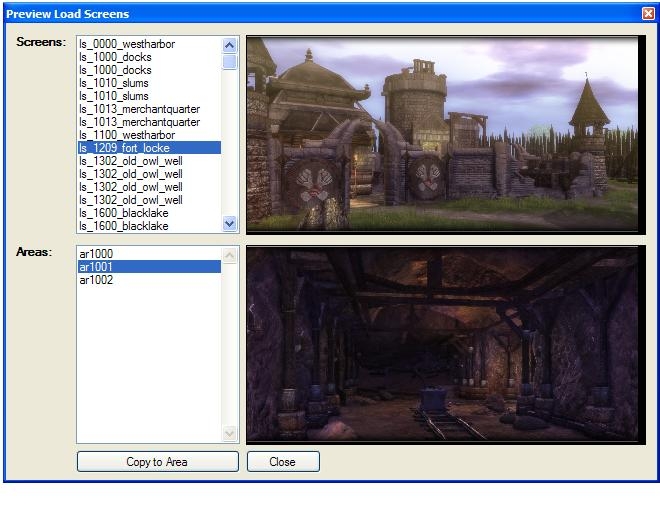
- Browse load screens and update areas
- Browse music and update areas
Objects
- Quickly tweak appearances: tint, scale, facing
- Easily add new variables to placed instances
- Display summary information about a placed instance
- Copy properties from one object to another (tint, variables, alignment)
- Play sounds attached to objects
- Cut the walkmesh around trees/placeables/environmentals
Blueprints
- Instantly create new blueprints from placed instances
- Edit NPC stats by package defaults
- Play sounds contained in blueprints
- Update all instances
Scripts
- Improved creation tools
- enter a name when a script is created
- create/delete campaign scripts
- customizable templates
- Improved search tools
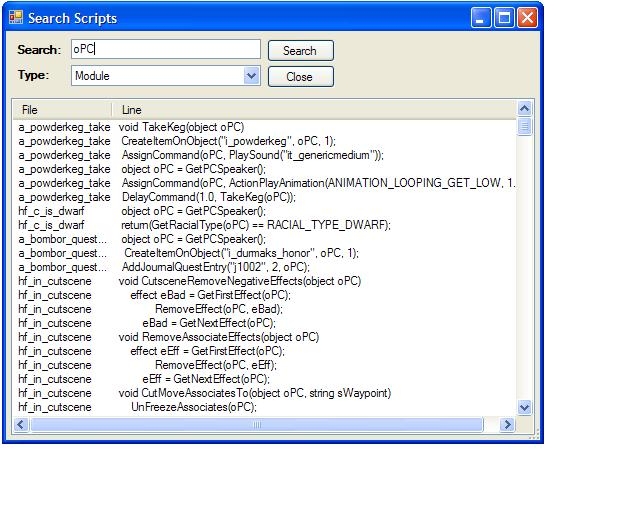
- summary of search results (like NWN1)
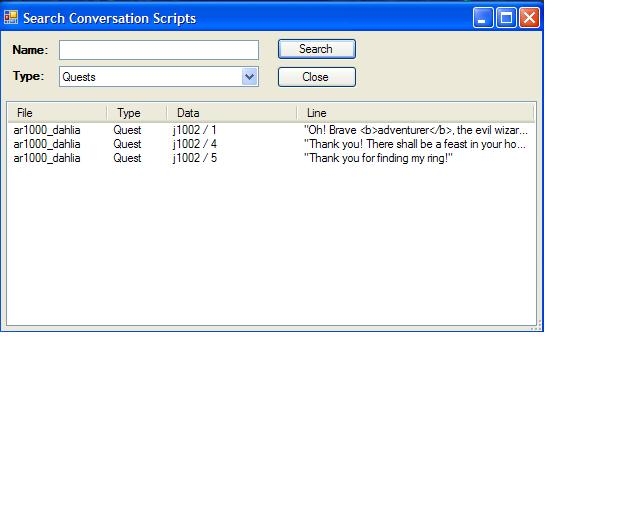
- search for scripts used in converstations
- search global scripts
- search campaign scripts
- Find include file dependencies and recompile
- compile all for campaign scripts
Script Editor Toolbar
- comment/uncomment blocks of code with a mouse click
- bookmarks for quick navigation in a file
- record and playback text macros
- open/new/save/delete buttons
Script Editor Properties
- hide line numbers
- show margin line
- mark modified lines on the fly
- fast autocomplete and API help
- double-click gets notes help
- syntax coloring in notes pane
Convos
- Improved creation tools
- enter a name when a convo is created
- Improved search tools
- search for quests in conversations
- Improved word count tools
- Voice Over query tools
- Refresh scripts automatically
Selection
- select all objects in an area by type or tag
- Select all objects in an area with inventory
- select all objects in an area marked plot
- select all objects in an area that are useable
Search
- search for instances by tag in the entire module
Verify
- verify your module or areas for common mistakes
Startup
- display list of recently opened files
Areas
- browse areas by name, tag, size
- adjust weather settings (rain)
- rotate interior areas 90 degrees
GUI
- quickly toggle between fullscreen and panel views
- hotkeys to open and create scripts
Not working with the 1.23 Hotfix for me. Have deleted it and downloaded it twice and it still errors on startup. I can get other plugins to work with the hotfix, just not Powerbar.
Posted by DancesWithShoggoths at on08/12/09
Thank you! _________________________ "Out here on the perimeter, there are no stars..." Jim Morrison
Posted by Saphhira at 01:16:42 Voted10.00
Thank you!!!
Posted by codepoetz at 2009-08-2513:55:50
updated for 1.23 hotfix.
Posted by DancesWithShoggoths at on08/12/09
Legendary!!!! _________________________ "Out here on the perimeter, there are no stars..." Jim Morrison
Posted by _SkullCleaver_ at on07/18/09
Ahhh... much better. Thank you for your efforts!
Posted by samcruise at on07/27/09
Fantastic, much used, thankyou!
Posted by SillyCrazy at 2009-07-2115:27:34
I'm getting a ding and a popup: "Powerbar. A codepoetz production..." But no bar. Vista64. Downloaded the 1.23 version. When the module opens up I get a new window for opening a module etc but I can't load the bar.
Posted by j.o.g at on07/17/09
Okay, got the right version now, by using right-click and "Save Target As" (Firefox)
Posted by j.o.g at on07/17/09
Nope, still keep getting 1.22. well, reactivating my NWN2ToolsetLauncher.exe.config, can't work without powerbar...
10 - A Masterpiece, Genuinely Groundbreaking 9 - Outstanding, a Must Have 8 - Excellent, Recommended to Anyone 7 - Very Good, Deserves a Look 6 - Good, Qualified Recommendation 5 - Fair, Solid yet Unremarkable 4 - Some Merit, Requires Improvements 3 - Poor Execution, Potential Unrealized 2 - Very Little Appeal 1 - Not Recommended to Anyone






 Site
Site