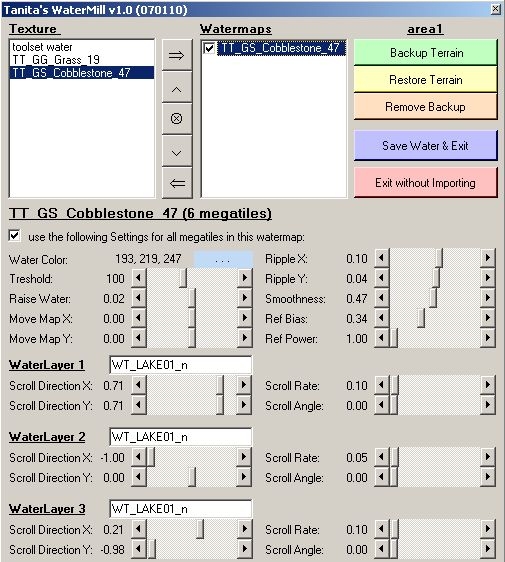
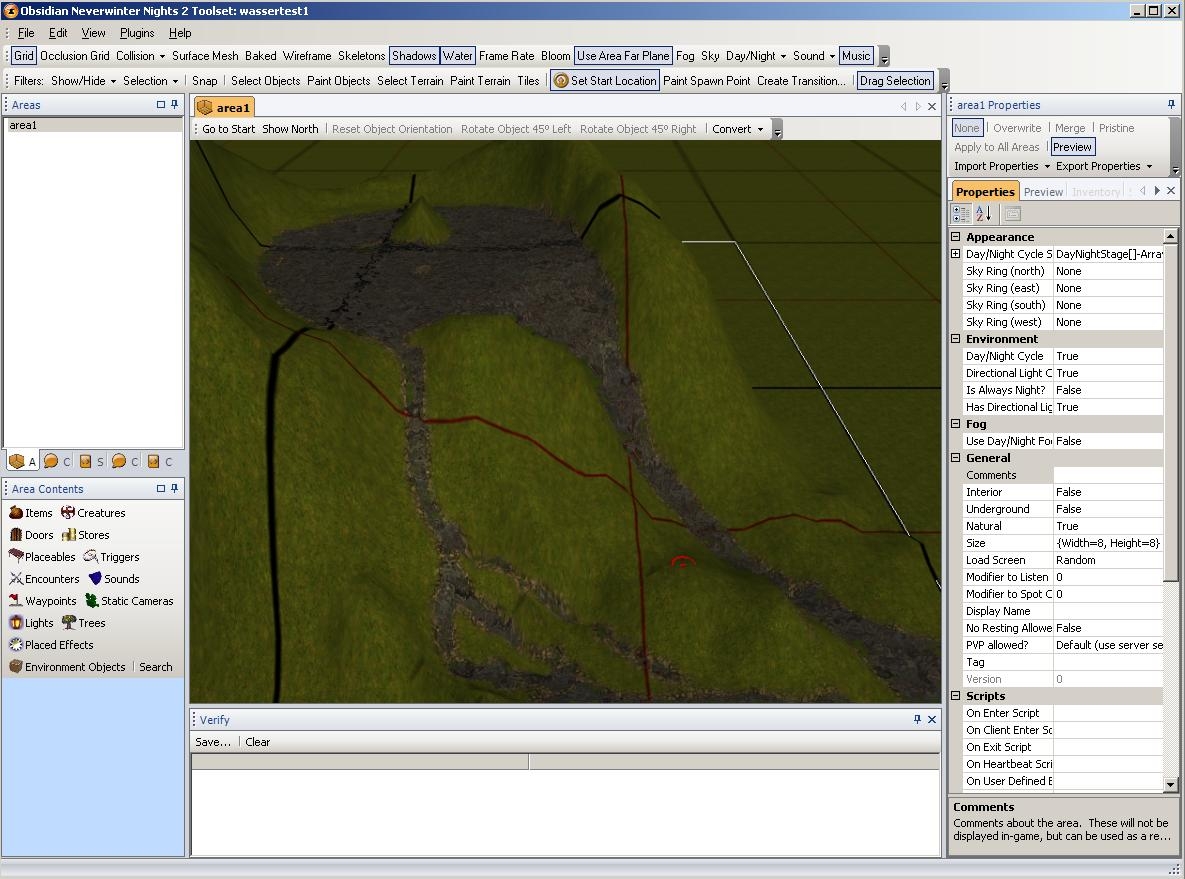
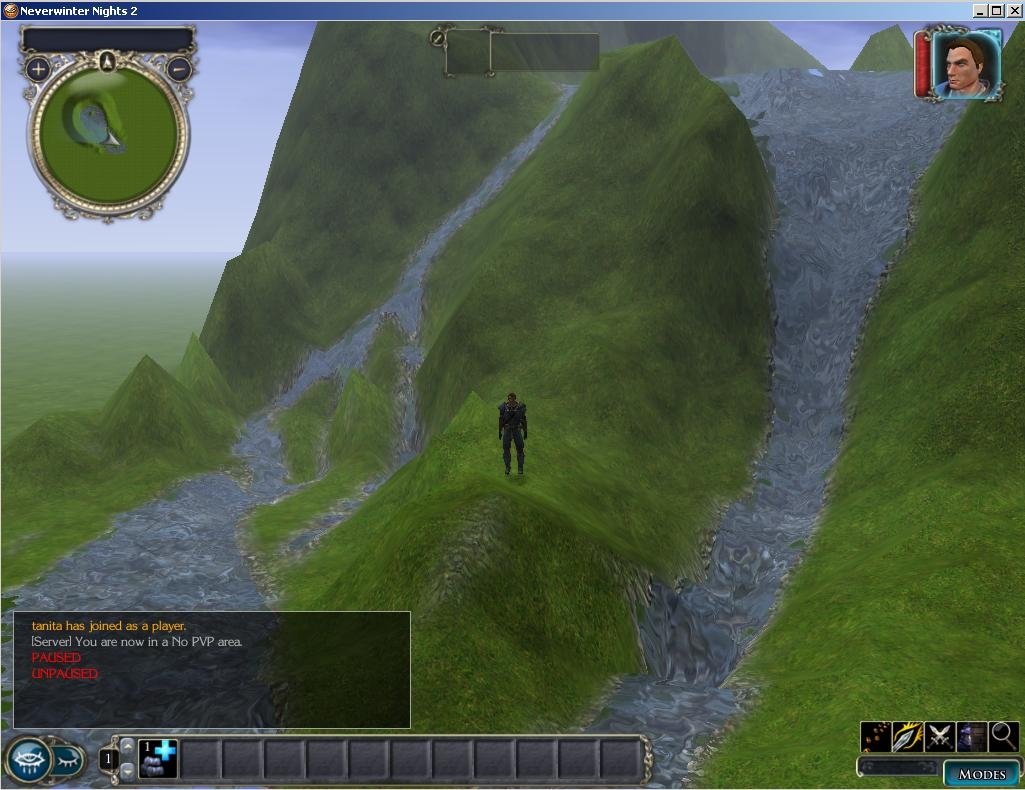
this plugin will help you overcome the toolsets current limitations on painting and editing water at exterior maps.
WaterMill lets you create rivers, running down hills, or terraced ponds at deliberate levels - on the same tile! you can even create multiple overlapping water-surfaces, giving each it's own set of color, flow rate and directions...
a 13 pages pdf readme file explains the usage and some of the technics.
#######################
latest versions can now be found here:
Link #######################
i try to understand the problem, but can't quite get a grasp of it. with watermill there can be unlimited "levels" of water on a map, it only adds height information to the water layer (a water layer is a 3d mesh surface, like the terrain layer, but toolset doesn't set the "height"-coordinates of the meshs vertices).
or did you mean having more than 16 "layers" of water on the same tile, like overlapping water surfaces? i don't see how one could achieve that with toolset, so i don't understand how one could verify the same limitation using "toolset water.
or did you mean "having water on more than 16 megatiles" in general? if so, that would be a limitation of your graphics hardware, i've tested all-water-maps of all sizes with watermill succesfully (even on my old geforce 6600 gt, with near to zero framerates of course...).
Posted by SGK73 at 2009-03-23 02:50:40 Voted 9.50 on 03/23/09
First, thanks for an excellent plugin.
Have been trying a few times to use this, but always the game engine crashes, so ignored making maps with it a while.
But I think I figured out why the game engine crashes.
After some experimenting it seems that if you have over 16 mega-tiles(the black bordered tiles) with different water heights the toolset works but the game crashes on loading the module.
This is not the fault Watermill as this happens on a "normal" map with more then 16 different water heights.
Hope this helps you plan your maps to make use of this good plugin.
*Note that I have not verified this on another computer so it might just be my setup*
Posted by issacjr at 2009-03-17 19:13:22 Voted 10.00 on 03/17/09
Although ive had some difficulty using it the tool has no problems with 90% of the functions it's used for, i am not a fan of the "bowed" appearance of the water but the plugin saves hours of time which is priceless.
Posted by NWCdunnite at 2008-12-28 11:36:45 Voted 9.75 on 12/28/08
Tani, I know this is late, but you made, to me, the single most useful plug-in to date when it comes to area building and making the most of what can be done. So thank you so very much for all you have done for the Community.
Sad to see you forking off on your own path, though I am sure you are doing the thing that is best for you. Happy trails and much gratitude from this Community Member.
regards,
dunniteowl _________________________ Be Excellent to Each Other!
.nwm is my very own file format, nothing special, but you can't just rename it to make it into a terrain file. it contains all watermaps and a backup copy of the terrain (if you used watermills backup/restore function). actually i included the backup/restore functionality because i usually want to backup a well done map before i start adding water, so i can get back to that exact version should i break something...
if toolset crashes after you ran watermill then most probably you don't have enough memory (physical!). watermill has to open your map, decode it, make its changes, code it again and store it; along the way there might be as much as four copies of that map in memory: the one open in toolset, the one watermill opened, watermills changed duplicate and the backup you might have created. and of course there is also a complete toolset running somewhere in the background...
although i didn't run into any memory shortcomings myself (running a decent 4gb quadcore machine) i had to deal with similar problems that users reported when running terracoppa on low-end machines.
of course there's also a certain possibility that your map was already corrupted (e.g. from previous toolset crashes) before you opened watermill and watermills additional data just made the corruption fatal? so far our own map builders didn't run into crashes they could reproducably link to watermill. _________________________ TerraCoppa, WaterMill, NWN2Packer & Packistani, WorldGate, RRN-Docs, RePlug... PW Weltentor (german)
i'm going to read your posting tonight in full length and try to understand first the problems you had, and then the solutions you found.
but just to clear some things a little:
you don't need to paint the later-to-become-water texture at 100%, just set the "threshold" in watermill lower. but remember that when you paint your texture with, say, 50% and later paint some other texture over it this _might_ lower the actual visibility of your texture!
some people think they must not touch the texture after the water was created... that's silly. you need that texture only at the moment when you create the watermap, after the watermap is stored inside watermill (and hence was saved into *.nwm) you could completely erase that texture, use it for other purposes, and of course you can lower or raise your terrain afterwards without changing the stored watermap. thus there is virtually no limit about how many watermaps you can create - the only limit beeing your physical memory and gpu's renderpower.
there are two ways to re-import watermaps that were dropped due to toolsets misbehaviour:
1. if you want to see the water inside toolset: run watermill and reactivate the water.
2. if you want to see the water inside the game: run nwn2packer and import the watermaps.
both ways will remove all other water, that is: you have to store _all_ water as watermaps, even the "normal" toolset water. (this is because there is no way to tell which chunks of water in a map where actually created by toolset or watermill) _________________________ TerraCoppa, WaterMill, NWN2Packer & Packistani, WorldGate, RRN-Docs, RePlug... PW Weltentor (german)
Posted by Carpot_Muncher at 2008-03-14 09:03:12 Voted 10.00 on 03/10/08
To clarify that post above, I just meant to say that I'd read (or mis-interpreted) that we should only paint the terrain that will be used to generate a water map at 100%. However, I found that if the same terrain is used in otehr locations at less than 30%, those areas would not get turned into water, the blend they were used in still looks great. Which saved my skin in that case because I'd already reached my 6 terrain limit in the tiles where I needed to paint 3- dimensional flowing water.
___________________________
A seperate issue,
I have a file in my directory, it has the same name as an external map, with a .nwm extension. Would this be the back up of the terrain file? If I need to use it, I assume I just:
remove (ExteriorMap.trn)
rename (ExteriorMap.nwm to ExteriorMap.trn)
Is this right?
Toolset crashed immediately after running watermill, and now crashes immediately upon opening that map each time.
Posted by Carpot_Muncher at 2008-03-10 09:55:26 Voted 10.00 on 03/10/08
10 - Ground breaking,
not only because its the only way to get water flowing in 3 dimensions, not only because Tani consistently provides prompt responses to any and all questions, not only because this plugin is very old yet still extremely useful and well maintained. This thing has even more versatility than advertised. I ran up to my 6 terrain limit on some metatiles. Had read not to blend the txture used to make a water map, but really had no other alternative but to try. It worked! Even though the texture was all over the map (at 0, 20, and 29%), the water map only generated on areas that were 100% (maybe this has something to do with the threashold setting). This is the second time one of her products saved the same map..
@draconianblue:
sorry i didn't answer back earlier - i'm drowning in job & family at the moment... but i'm glad you could solve your problem yourself, that's always the best way :-)
@carpot_muncher:
the videos have been encoded with windowsmedia codec v9 professional, so mediaplayer v10 _should_ support it. but maybe m$ is again not downward compatible to m$ ? wouldn't be the first time... still it should acquire the right codec via internet then, so i can't see why it would not play :-(
Posted by Carpot_Muncher at 2008-03-07 01:48:44 Voted 10.00 on 03/10/08
Hi Tanita,
I am trying to view the video you provided. I am using Windows Media Player version 10.0.0.3646. It plays but I can only see greenscreen. Do you know which codec I might be in need of in order to view it?
sorry about my earlier comments i fixed the problem, i had the wrong darn file. so problem solved. i will post with a vote after i have been able to play with this a bit.
having a problem getting this to work i installed the latest virsion but i get an error on load of the toolset the io file is wrong it says. are you still supporting this file?
10 - A Masterpiece, Genuinely Groundbreaking 9 - Outstanding, a Must Have 8 - Excellent, Recommended to Anyone 7 - Very Good, Deserves a Look 6 - Good, Qualified Recommendation 5 - Fair, Solid yet Unremarkable 4 - Some Merit, Requires Improvements 3 - Poor Execution, Potential Unrealized 2 - Very Little Appeal 1 - Not Recommended to Anyone






 Site
Site









 at 2010-05-11 23:42:31
 at 2008-08-12 15:20:52


