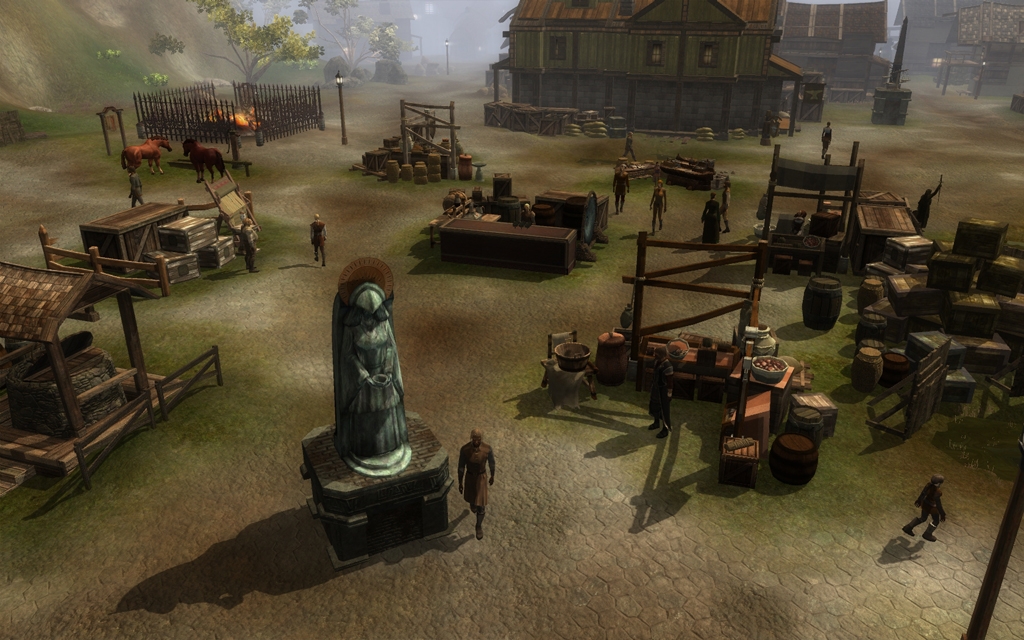
Creating a realistic population to bring your areas to life with activity has never been easier!
This package allows players to create a dynamic population that will roam around an area. I developed this system for use in Fate of a City, and it offers a realistic way to have a population enter and exit an area and also allows for a significant degree of customisation.
Capabilities:
+ Dynamic creation and destruction of an ambient population.
+ Ability to adjust population number during night and day.
+ Ability to increase base population size and have multiple variations of outfits on the same base population character model.
+ Ability to have specific waypointed "day walkers" with their own unique waypoint set.
Included in this package:
+ 1 Trigger blueprint
+ 3 scripts - 1 for the trigger and 2 for the ambient population
+ 23 creature blueprints
+ 115 outfit blueprints - 5 additional sets of clothing for each creature.
-----
Quick Usage Overview
I'll assume that you've created an area in the toolset, and that you've imported the .erf file that holds the DAPS scripts. The first step is to set up the area entrances/exits for the walkers.
To do this, use the DAPS trigger blueprint and draw a trigger an area where you want your population to enter and exit the area. In order to save yourself some time, only paint down a single trigger for now. Now select the trigger and look at its properties, and open up the variables window in the scripts section. The system is run according to the values of these variables.
Dynamic walkers are great if you want to have a background population, moving around, whereas waypointed walkers are good if you want to have named characters that leave an area at night. Waypointed walkers require use of the inbuilt WP_<tag> and WN_<tag> waypoint walking system, so if you're not familiar with that, I'd suggest reading up on that first.
Going back to the trigger variables, to set up dynamic walkers, make sure you set bUseDynamic to 1. Now you need to decide on a "base" tag for the dynamic walkers, which you will use as the value for "cDynTag". Each object has a tag name, and this is used to identify the creatures that are dynamic walkers, so that DAPS knows how to create and destroy the dynamic walkers as they "enter" and "exit" the area. Let's choose something relevant to the area, say "c_castleDyn" or "c_slumsDyn".
The next items is to choose a tag for the "points of interest" within the area, which will be the value for "wpDynDestBase". Dynamic walkers will randomly choose a "point of interest" (a waypoint you will place later on) within the area and walk to it. Once they reach it, they will pause briefly, then either decide to walk to another point of interest or leave the area. Again, let's pick something relevant to the area - "WP_castleDyn" or "WP_slumsDyn". We then have to define the number of points of interest in the area. So work out the number of points of interest in the area and enter that number as the value for "nDynDestNum".
The next value (sDynBpBase) is based on the blueprint names of the population that DAPS will use. I've included blueprints for use within the system, so they are possibly the easiest to use for your first time. I believe the string is "c_commoner", but double check the blueprint ResRef to make sure.
nDynBpNum is the number of blueprints available with the specified blueprint name. Each blueprint must have a unique name, so this number is used in conjunction with sDynBpBase to create creatures - i.e. "c_commoner1", "c_commoner2" and so on. I've included 23 blueprints within the DAPS package, covering commoners, nobles and peasants. This number should be equal to the number of creature blueprints you have, as the DAPS will pick a random number between 1 and nDynBpNum whenever it goes to create a new dynamic walker. So to use all the blueprints included with DAPS, enter 23 here.
nDynBpOffset can be used for more complex set ups with multiple areas. It's mainly there to allow you to use blueprints more efficiently. It simply adds this as an offset to the chosen blueprint number. What does this mean? Say you have 50 creature blueprints. The 1-10 are peasants, 11-20 and commoners, 21-30 are nobles, 31-40 are traders and 41-50 are guards. This would allow you to exclude peasants and commoners by using a value of 20 for nDynBpOffset and a value of 30 for nDynBpNum. For a first time, it's possibly best just to leave it at 0.
wpExitTagBase is going to be the tag of waypoints that the walkers will go to in order to leave the area. These waypoints must cause the walker to cross over a DAPS trigger - so normally you'll want to place them inside a trigger. This is a string that will be the base tag of the exits. Again, let's pick something like "WP_castleDynEx" or "WP_slumDynEx". The value of nExitTagNum is the number of exit waypoints, which will correspond to the exits and entrances that dynamic walkers will leave and enter the area by.
Lastly, nDynDayNum and nDynNightNum is the maximum number of walkers that should exist in the area during day and night, respectively. Thus you can have an area heavily populated during the day and empty during the night, or vice versa.
Having set all those variables, you can now select that trigger, and copy and paste it to the other entrances and exits of your area. This is why it's good to just paint a single trigger in an area, as this way you only have to enter those variables once. Use right-mouse button, repaint trigger, to redraw the trigger for other entrances/exits.
With the triggers placed, now you need to create the waypoints for the walkers. For this, you need to make sure you paint down the same number of waypoints that you specified in nDynDestNum with the tag wpDynDestBase. You can then select them are use the right-mouse button menu to create a waypoint set to automatically number them for you. If you picked "wp_castleDyn" and "5", you will need to have waypoints with tags, "wp_castleDyn1", "wp_castleDyn2", etc.
You also need to do the same for the exit waypoints, placing them inside the exit/entrance triggers, and naming them and numbering the according to the values of wpExitTagBase and nExitTagNum.
With that in place, you should have a working dynamic walker system!
I'm somewhat glad to see I'm not the only one who's had problems with this, as I assumed it was just my ineptitude that got me here. I've tried following the instructions (both sets) for the last 6 hours and come up with nothing. The closest thing to sucess I had was copy-pasting from the practice module, and even then they'd only come from one spawn point. Upon further editing, they stopped spawning all together, and now I'm stumped.
Is there any chance of an update with this mod for ease of acess, as it really will bring my city to life!
Can't get this to work. Even tried just taking the exact names and setup from the demo module and copying it into mine. The install guide is extremely confusing. _________________________ Admin, Legacy: Dark Age of Britain. Link
The module included really helped me alot about how it all comes together but thus far attempts to duplicate it in my own mod have been fruitless. I am not completely clueless when it comes to this type of thing but I seem to be missing something. Is there anyway you could contruct a do-it-yourself documentation file to help amateurs like me understand how to go out setting this up? I would appreciate it since you seemed to have done a great job with this and would like to incorporate it in my game.
Posted by lothyr at 2009-05-08 11:28:13 Voted 10.00 on 05/08/09
Amstrad,
Excellent work. The module is very helpful, but needs some documentation besides that which comes in the zip. could you perhaps provide an example set up with one of each type of walker? Thanks very much for your work.
I might try and tweak it a little more to reduce the set-up overhead, but by making it extremely flexible, it has to have a moderate overhead to work. It would depend on the kind of features that people wanted it to have, as then I could simplify the system and its setup. _________________________ AmstradHero Fate of a City Module Development Blog Fate of a City Blog
Posted by GandorMythos at 2009-01-28 17:20:16 Voted 5.00 on 01/28/09
I liked the idea for using this in a PW as it gives ambiance where many PWs seem to fail. It does take a bit to muddle through the comments and directions, especially when setting up a dynamic walker as opposed to a waypointed.one. _________________________ Remnants.
Posted by NWN DM at 2009-01-02 21:55:08 Voted 9.00 on 01/02/09
Looks very good. Probably need some "scripting noob" instructions for those of us who aren't very knowledgeable in these things.
[MD]Sephiroth: I just tested the zip file currently available - it's 5.3Mb in size and definitely includes a module. Please try downloading the zip file again. _________________________ AmstradHero Fate of a City Module Development Blog Fate of a City Blog
Sorry but there is no module inside ;)
thanks _________________________ Serveur Action/Rôle persistant : FR] Les Terres dechirees
Electro-pop Music : Shed
Please, could you add a module to try your system? _________________________ Serveur Action/Rôle persistant : FR] Les Terres dechirees
Electro-pop Music : Shed
10 - A Masterpiece, Genuinely Groundbreaking 9 - Outstanding, a Must Have 8 - Excellent, Recommended to Anyone 7 - Very Good, Deserves a Look 6 - Good, Qualified Recommendation 5 - Fair, Solid yet Unremarkable 4 - Some Merit, Requires Improvements 3 - Poor Execution, Potential Unrealized 2 - Very Little Appeal 1 - Not Recommended to Anyone






 Site
Site









 at 2010-07-08 19:38:17


