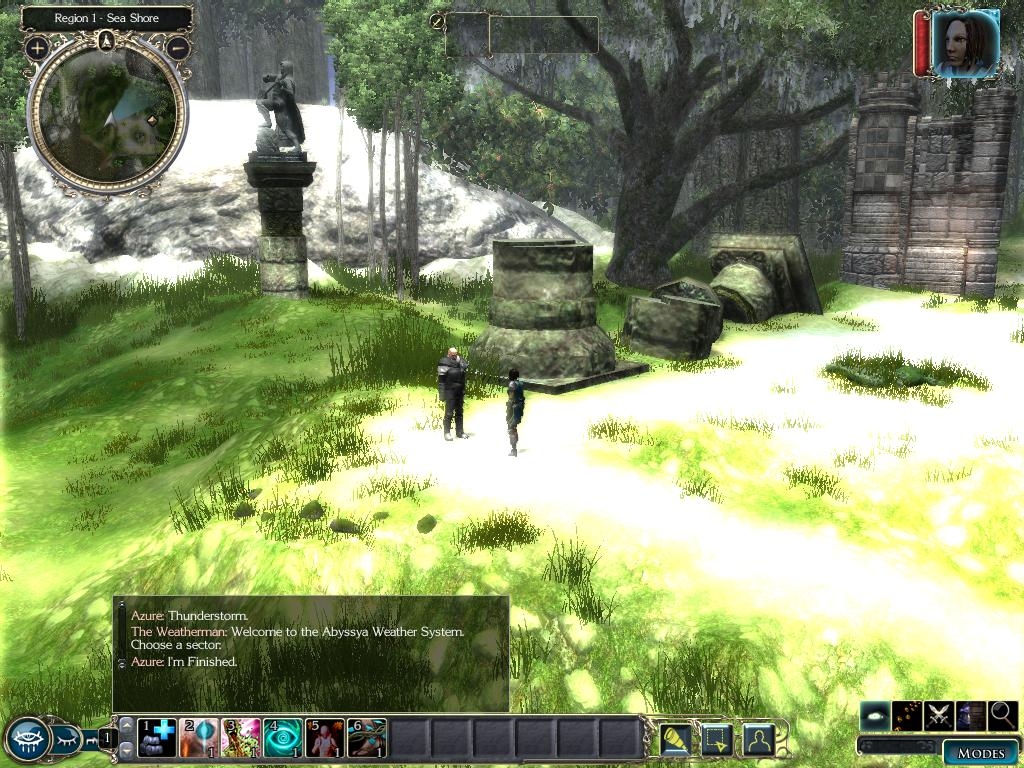
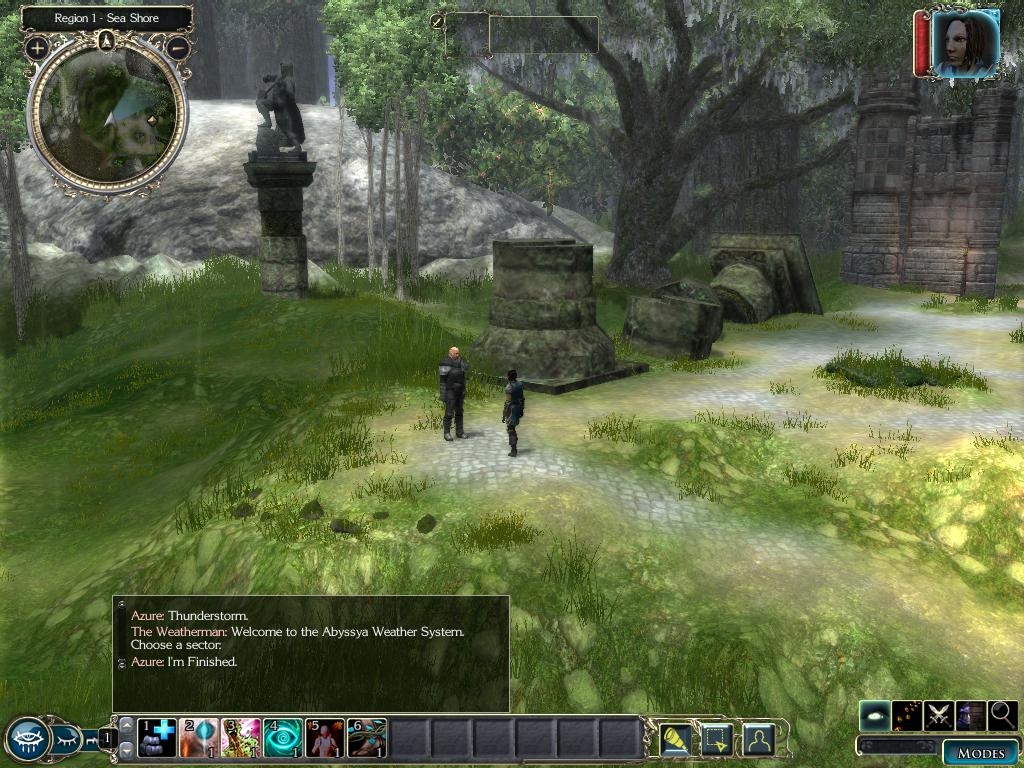
I've always wanted to sit down and create a dynamic weather system for our Persistent World, since there are very few out there (and NWN2 doesn't really have a decent system in place, like NWN1). This is the weather system in use on the Abyssya Campaign Persistent World and built completely from scratch, featuring sound effects, lightning effects, change of ambient noise, multi-regional weather (linking areas together), and three different intensity levels.
The test module includes the ability to automatically change weather at specific intervals (we use the HCR Timer system for this, part of which is included as an example).
The script can also be used in a conversation or executed from a widget (for DMs). An example conversation is included.
No haks required!
UPDATE 7/12/10 -- Added readme instructions for integrating the Abyssya Weather System into HCR2 1.05.
UPDATE 6/27/09 -- Added snow effects. This is experimental and may work better with a effects hak due to the wonky nature of the snowfall effect in NWN2.
UPDATE 6/18/09 -- Added AmbientSound.htm reference file. This can be used to match up the default ambient sound tracks of your areas so they can be properly reverted when the weather clears.
Use this HTML reference sheet to determine the proper default ambient sound tracks for the areas in which you use the Abyssya Weather System. These values are used to return the ambient sound to the proper track once the weather clears.
Posted by Lance Botelle at 2012-10-08 04:22:03 Voted 7.00 on 10/08/12
Thanks for posting this ... :) _________________________ World of Althéa Blog: Link
Posted by Lance Botelle at 2012-10-01 10:01:18 Voted 7.00 on 10/08/12
EDIT: I only changed the snow waypoints for collision boxes in my test.
Lance. _________________________ World of Althéa Blog: Link
Posted by Lance Botelle at 2012-10-01 09:50:27 Voted 7.00 on 10/08/12
Fixed it!
Here is what needed to be done to make the snow work dynamically (with script):
1) ab_weather_c: const string AB_SNOW_EFFECT = "fx_snowfall"; (NO .SEF)
2) ab_weather_exe and ab_weather_manual: ApplyEffectToObject(DURATION_TYPE_PERMANENT, eSnow, oSnow); (PERMANENT NOT INSTANT)
3) Change all the waypoints to invisible collision boxes. (Have not checked if this affected anything else, but should be easy to fix from here if need be.)
Now, I just need to pull the rest of the code apart to place what I need into my own campaign. :)
Cheers!
Lance. _________________________ World of Althéa Blog: Link
Posted by Lance Botelle at 2012-10-01 09:03:02 Voted 7.00 on 10/08/12
Hi Again,
I just tried doing what I suggested above and it still does not work in your module, so I will takea bit of time to track the problem down and get back to you.
Cheers, Lance. _________________________ World of Althéa Blog: Link
Posted by Lance Botelle at 2012-10-01 08:50:53 Voted 7.00 on 10/08/12
Hi Zweinder,
I just updated to a slightly lower score, as the NWN2 snow effect can be removed. (I just did a test on one of my own effects setup to do something else, and I managed to remove the snow effect without problem.)
So, while a slightly lower score, you may be pleased to know that the snow effect can be removed in code. I will have to look at what your code does different to my own, but at least you know it is possible. :) My own code applies to a placeable and not a waypoint, so that is probably the problem you are having. Therefore, simply replace your waypoints with either invisible placeables or (if possible) environmental objects that blend into the environment that can have the effects added/removed.
Cheers, Lance. _________________________ World of Althéa Blog: Link
Posted by Lance Botelle at 2012-10-01 07:39:39 Voted 7.00 on 10/08/12
Hi Zweiander,
This looks like the best of the weather systems I can find and is one I am going to work with to incorporate into my own campaign. Saves me having to do the work, although I may make a few changes to fit with my code. :)
Thanks for this.
Lance. _________________________ World of Althéa Blog: Link
Posted by Quilistan at 2010-07-13 08:56:50 Voted 9.50 on 10/27/09
Thank you Z _________________________ Quilistan
PW: Balarand, Frontiers of the Horde Lands Link
I've added some supplemental instructions on how to integrate the engine with HCR2 1.05. Check it out and let me know if you have any problems. I was able to get it to work in the HCR2 Core module using that method.
Posted by Quilistan at 2010-07-09 09:48:48 Voted 9.50 on 10/27/09
Any chance we can get a version of this system that is compatable with the new HCR2 v1.05 ? _________________________ Quilistan
PW: Balarand, Frontiers of the Horde Lands Link
Posted by alupinu at 2010-07-03 11:30:30 Voted 9.75 on 07/03/10
A very nice system, particularly liked the thunder and lightning. A must have for anybody building a PW. _________________________ Murder in Dunlop Fanglewood
My Class is Rogue ... "You look surprised to see me. If you'd been paying attention, you might still be alive."
The snow issue is caused by the default effect in NWN2 -- the NWN2 version doesn't have a fade option. If you replace the snow effect with a HAK version (there are several good ones), it shouldn't happen.
Posted by luckybastardo at 2010-03-13 05:45:00 Voted 10.00 on 03/13/10
Great indeed. Snow keeps falling, dont dissapear, have any idea how to fix it?
One of the best works¡
Posted by Quilistan at 2009-10-27 13:54:32 Voted 9.50 on 10/27/09
Very nice system! _________________________ Quilistan
PW: Balarand, Frontiers of the Horde Lands Link
Posted by loki12345 at 2009-07-28 06:52:14 Voted 9.00 on 06/18/09
I've added snow events. However, the default visual effect for snowfall in NWN2 is buggy and goes away when you leave an area and doesn't dissipate when the weather changes while you are in the area. This is most likely due to the nature of the effect -- it might work better with a hak visual effect, for which there is the ability to modify. Have fun!
Currently, it uses the SetWeather function carried over from NWN1. However, there is no weather effect for Snow in NWN2 -- snow is only available through placed effects in NWN2, which means you would have to physically place them around an area and activate them when the script runs. It wouldn't be hard to modify this system to do it, however.
Yes, you could add the ability to also change the light color of the area, depending on the phase of the day. You could revert the values using the engine already established, but it would take a lot of work for every single area. There's no built-in methods of gathering that information from the area properties in NWN2, unfortunately, so everything needs to be stored ahead of time.
Posted by loki12345 at 2009-06-18 17:28:24 Voted 9.00 on 06/18/09
Looks really cool. I made a system using Ashura's VFX pack, but it never linked areas and did not have sounds, I will tear this apart at once and vote ASAP. If it is easy to integrate you will get a 10! _________________________ Talernon3 - Age of Dragons Link
Talernon Team Submissions: Link
3C Music Compilation: Link
You must be Logged In to post comments in this section.
10 - A Masterpiece, Genuinely Groundbreaking 9 - Outstanding, a Must Have 8 - Excellent, Recommended to Anyone 7 - Very Good, Deserves a Look 6 - Good, Qualified Recommendation 5 - Fair, Solid yet Unremarkable 4 - Some Merit, Requires Improvements 3 - Poor Execution, Potential Unrealized 2 - Very Little Appeal 1 - Not Recommended to Anyone






 Site
Site









 at 2012-10-08 04:22:03
 at 2010-07-03 11:30:30


