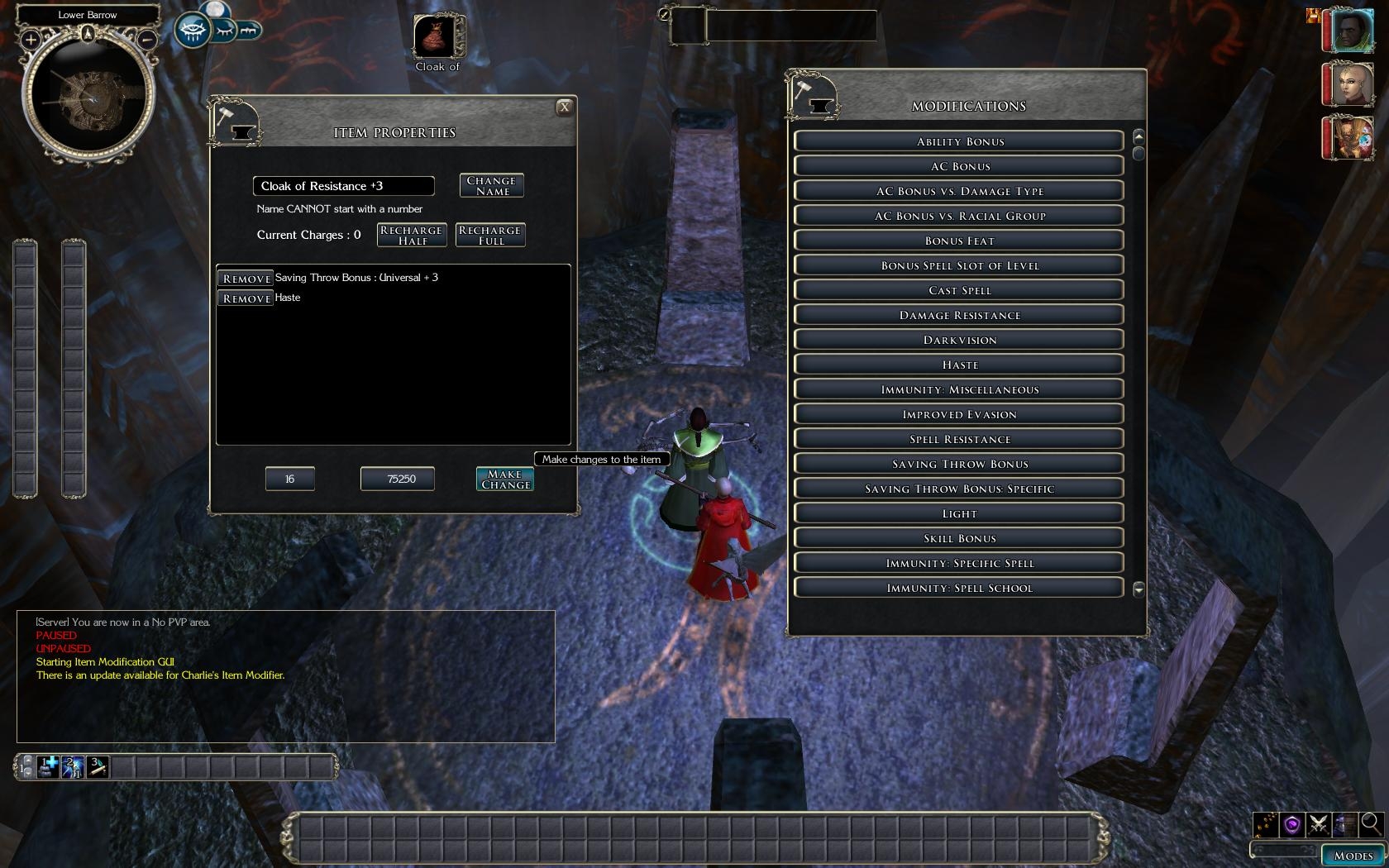
GUI driven item property modifier, allowing PCs to purchase custom designed items.
Description Normally if you want a special item in game you have to find a store that sells it. Chances are that unless you are after something fairly common you will have to settle for something that is only close to what you want. Module designers must specify every item that goes into a store, so making a mod that is suitable for the many classes (and races) can be daunting.
Instead of doing this, Charlie's Item Modifier gives you a dynamic approach to item design. The player can specify what properties she wants on an item. Much work is taken off the module builder and the player gets a wide choice of equipment, to suit any style of play. Charlie's Item Modifier uses a custom UI, which is much more powerful than other conversation based item modifiers. You can see what properties your proposed item has, the level required to use it, and how much it will cost to make. You can continue to make changes until you are happy with the result, before confirming any changes and committing your hard won gold.
Installation - Players * Delete any previous installation of Charlie's Item Property Modifier.
* Unzip the archive into your 'My Documents\Neverwinter Nights 2\override' folder.
* (Optional) If you want acess to all properties, delete the folder 'charlie-mdp - zRestrict'.
* (Optional) If you did the above, but do want to have to pay for your modifications, delete the folder 'charlie-mdp - zFree'.
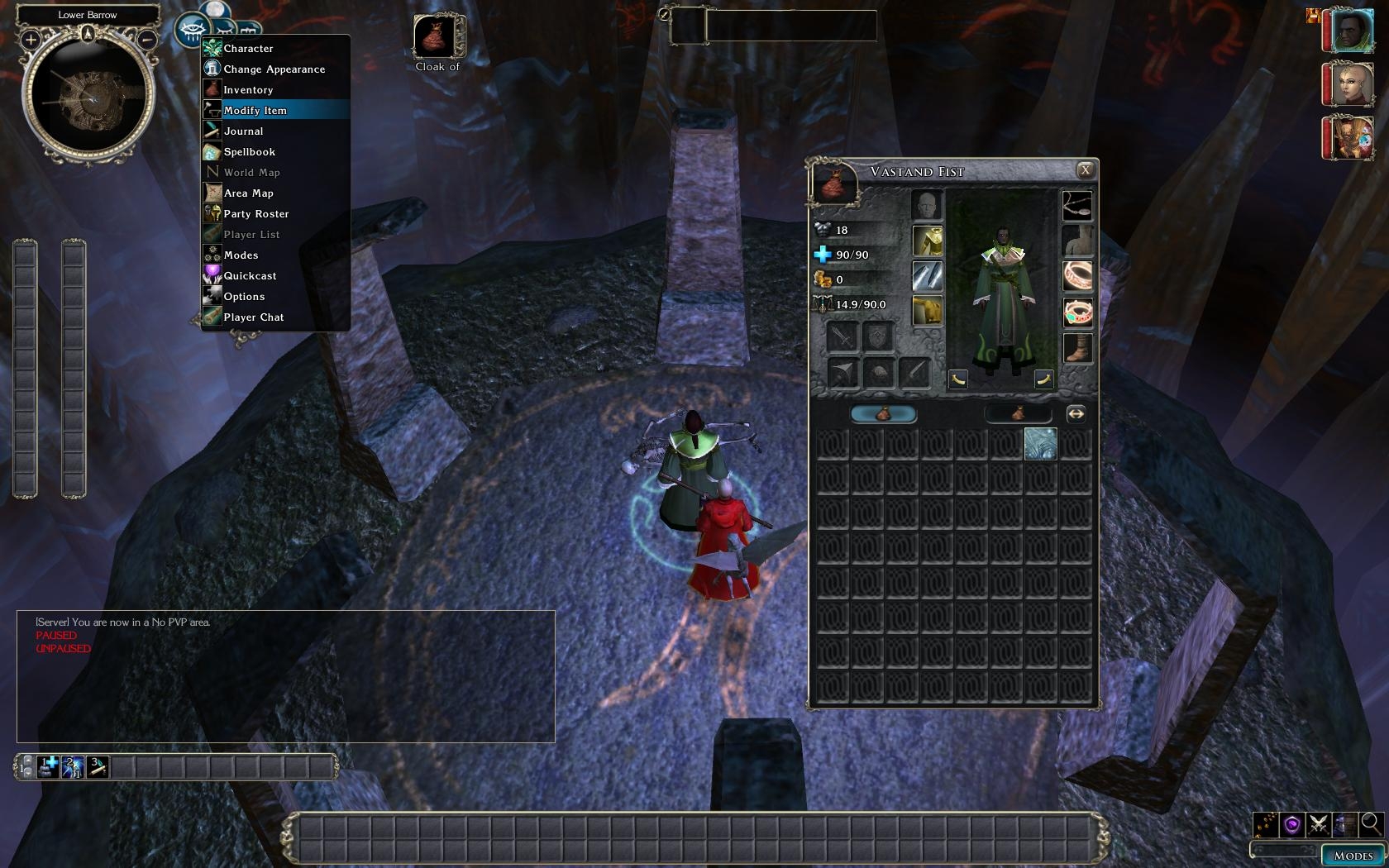
* In the Official Campaign, launch the Item Modifier from the player menu (the eye).
Installation - Module builders:
* Import the file charlie-mdp.erf
* Place the 'Placeable > valenet|special > Item Crafting Safe Chest' in an in-accessible area of your module.
* Place the 'Creatures > valenet|NPC > Item Crafter' where you want PCs to have access to him.
* Place the 'Stores > valenet > Base Item Store' near the crafter, so PCs can purchase base items.
For DMs When the item modifier is used from within the DM client, you will not be charged any gold. The gold cost of the modification will still be displayed for the purpose of balancing reward items. In an upcoming version of the DMFI it will be possible to launch the item modifier from the context menu.
Compatibility This package includes changes to the player menu. If you are using other systems that modify the player menu you will need a combined player menu. The Player Menu Pack includes combined menus for:
To install the combined menu, locate the folder containing the player menu that combines the systems you are using. For example to combine Charlie's UI, Charlie's Item Appearance Changer and Charlie's Item Modifier, use the folder "charliesui-mda-mdp". Copy this folder to your override directory and rename it z-override - "My Documents\Neverwinter Nights 2\override\z-override". This is to ensure it is loaded last and overrides any other version of the player menu.
This system makes extensive use of the item property .2da files. If you modify them, you will probably change the behaviour of the item modifier. If you follow the same format, this should automatically make your changes available through the item modifier. Some fixes to 2da files are included.
If you discover any compatibility issues, let me know.
Customization Charlie's Item Modifier can be customized for your module, though some scripting is required. Notes on customization are included with the download
Note that there are over 7000 properties that can be made from the combinations of property types and options. It goes without saying that we have not tested them all on the over 100 possible base items. If you find anything unusual let me know and I will take a look at it.
Q.Why is the right hand panel blank / missing buttons? A. Check you don't have the game paused as this won't work while the game is paused. Occasionally there will be a pause as the game caches 2da files, GUI files or does something else. This pause is interpreted by the script engine as a 'to many instructions' error (infinite loop), in the script that populates the buttons so it will be killed. Hence some or all of the buttons may be missing. Close the GUI and restart it (by talking to the item crafter) and it should be fine again.
Q. Why are the properties not in any order? A. The properties appear on the buttons in the same order they are in the .2da files. To sort them would take the script a significant amount of time, which for the cast spell properties will crash the script. There is a hard limit as to how long a script may take to execute, and for some of the properties this runs very close to that limit. I may end up hard-coding some of the properties instead of using the 2da's if this is a problem for a lot of people.
Q. Will you make a character levelup mod with this included? A. WhatIsSol has done this in JEGs Training Module.
Q. (PW builder) What happens if someone uses this on my PW. A. Only scripts that you install on your server will run. The module restrictions that you apply to the module on your server will be the ones that are used.
Change log * 1.15 - Updated to use new list box functionality from NwN2 1.13
* 1.14 - Fixed cancel button glitch that stopped properties being added. Optimised spell properties so they all get listed.
* 1.13 - Added Enhancement bonus for ranged weapons. Fixed an exploit that allowed players to bypass some property restrictions.
* 1.12 - Fixed mixed up saving throws.
* 1.11 - Added visual effects. Enabled magical damage.
* 1.10 - Added 2da fixes for cast spell and bonus hit points. Added 'zFree' and 'zRestrict' options.
* 1.09 - No longer duplicates items in the OC.
* 1.08 - Added the ability to use this as an override in the OC and third party modules.
* 1.07 - Improved customisability. Added more documentation for customising. Added a message to the UI which shows when a crafter cannot add any modifications to the selected item. Updated the base item store (builders should replace the store in their mods.)
* 1.06 - No longer requires ingamegui.ini changes (Fix).
* 1.05 - Can now access all item property feats in iprp_feats.2da.
* 1.04 - Fixed an exploit that would create items for free. Close button on second page. Name field auto populates. Changing properties confirms a name change.
* 1.03 - On hit properties only applied to weapons now. DMs get modifications for free (when using the DM client).
* 1.02 - Added self installer.
* 1.01 - Added UI files to download.
* 1.00 - Initial release (missing xml files).
This package provides alternative player menus (playermenu_popup.xml) for compatibility between Charlie's UI, Charlie's Item Appearance Changer, Charlie's Item Modifier and Alan's Universal Companion Database.
How do you get on hit cast spell. I do not see it in the On Hit section. Thanks
Posted by Bernissus at on10/28/09
Absolutely brilliant stuff.
Posted by darkbolt at 16:05:41 Voted10.00
I hope there is some one out there that can help me. Im having a hell of a time with this thing! First YES i know how to script very well (author of over 50 modules for nwn1). #1- Repeatedly followed the instructions on how to remove certain properties like immunes ect ect.... NOTHING and i mean NOTHING i do has any effect what so ever! FYI the updated instructions are still horribly WRONG there is NOTHING at line 467 regarding items properties they are located 100 lines away @ line -->567 const int MDP_RESTRICT_CRAFTER_IN_OVERRIDE = FALSE; TO:const int MDP_RESTRICT_CRAFTER_IN_OVERRIDE = TRUE; THEN:Open the script ?vn_mdp_check_custom_rules? in the toolset. Find the section that refers to the IP_CONST_HASTE (Item Property Constant for Haste), around line 467(not true its line **567**. It looks like: case IP_CONST_HASTE: ? return TRUE; ***NOTE*** There is nothing even close to this, case IP_CONST_HASTE: ? return TRUE; IT LOOKS LIKE THIS: case IP_CONST_HASTE (there is no "return TRUE;") only at the bottom of all the listed properties. By the way this is set to FALSE; per instructions given NO EFFECT WHAT SO EVER. Question is has anyone managed to remove lame propeties like immunes via these instructions? i follow these instructions TO THE LETTER and it simply does NOTHING i have re compiled,baked,removed overides,edited overide scripts via what instructions say TO THE LETTER!= NO EFFECT. Please if you have managed to acomplish removing certain item properties i would really like to hear how you did it because the instructions (even updated ones are totally and utterly USLESS). Or if anyone is willing to help me out and make the changes for me based on a provided list of unwanted properties that would be very much appreciated!! You can contact me via my teamspeak server i prefer this because typing is so slow and in efficiant. TS address is: powergamers.no-ip.biz
Posted by KaylaKaze at on04/27/09
It looks like she forgot to set MDP_FOR_FREE to FALSE before compiling the zRestrict folder. If you delete the zRestrict and the zFree folders, it'll subtract gold properly.
Posted by PhoenixG at 2009-04-2122:40:08
Is anyone else having problem with the item costs? The window shows how much I am going to be charged, however no gold is deducted from my total when I when I modify the item. Am I doing something wrong or does this conflict somehow with 1.22?
Posted by charlievale at 2009-02-2813:48:45
I have not had much time for NwN2 lately and I am starting uni studies this year. At this point I don't think I will be doing any further updates to my NwN2 Vault submissions. Thank you all for the suggestions and support you have given. cheers _________________________ Charlie's Pages | Fournoi Forum | Charlie's UI | Charlie's Item Modifier | Charlie's Item Appearance Changer
Posted by Artur at 2009-02-2203:06:18
Can you add spell level for Favored Soul ???
Posted by Vordan at on02/16/09
Excellent work! Thanks for creating this masterpiece!
Posted by Spidercat at on01/26/09
This is absolutely awesome! Thank you so much for this pearl =))))
Posted by jmcc at 2009-01-1616:04:42
I'm using this with MotB and it has OC limits on things (+5 enhancement rather than full +8 for weapons, for example.) Is this the usual behavior?
10 - A Masterpiece, Genuinely Groundbreaking 9 - Outstanding, a Must Have 8 - Excellent, Recommended to Anyone 7 - Very Good, Deserves a Look 6 - Good, Qualified Recommendation 5 - Fair, Solid yet Unremarkable 4 - Some Merit, Requires Improvements 3 - Poor Execution, Potential Unrealized 2 - Very Little Appeal 1 - Not Recommended to Anyone






 Site
Site