While this system is not unique to NWN, I didn't see it in the script section of the NWN2 files. Its very basic in nature, you can add your own stuff to it to make it your own. Hopefully, this will save a novice builder a few headaches concerning a working rest system. I've included a test module so you can get an idea for the resting system.
**Installing**
Simply place, gui_myrestscript_sa into the module properties event slot named; "On Player Rest Script" slot.
Add the Bedroll item into your stores, or client enter scripts. The item can be found in the category of items, "Rhydin Plot Items." I've set a base price for the bedroll to 50 gold and added 5 pounds to its weight. Those options are customizable. (Price and weight)
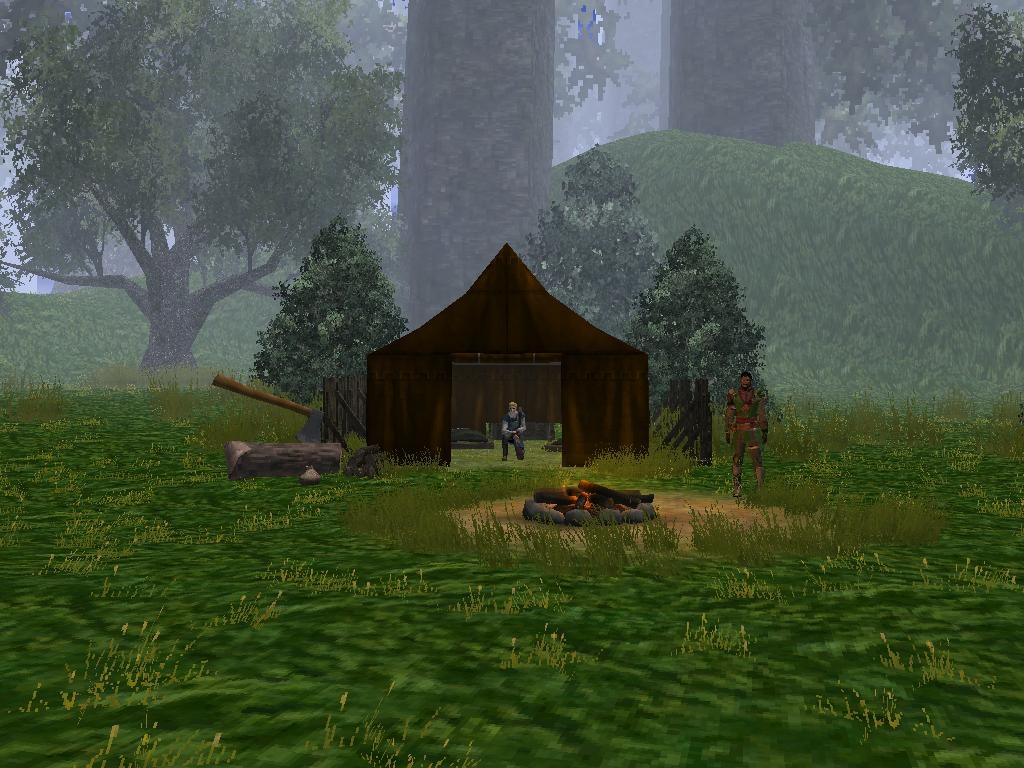
Look in your triggers, in the Empty section you'll find "Rest Trigger" there. Use that trigger to determine what spots in your area players can rest. Use it around campfires, or even Inn rooms. You�re all done.
Known Issues:
I know of the Rest canceled tip glitch, where it speaks the line twice. I've no idea why it does it,... it's not suppose too. If anyone can figure it out, I'd love to know. You can comment the line out ( 28 ) or remove it entirely out of the script. If it bothers you, it won�t affect anything. It�s just for show, really.
Q. Will it work in a PW?
A. I don't see why not, I have yet to test it.
In regards to your issue " but once you have a bedroll you can rest anywhere including inside."
Yes, that's correct. The system is designed to allow a PC who has the bedroll to rest. Which means he can lay that comfy bedroll down, and sleep anywhere he chooses. Becuase in truth, if you had a bedroll with you. You can rest comfortibly anywhere you like. That makes sense to me at least.
I mean if you still want to designate "rest areas" and allow PCs to rest at them with a bedroll, all you would need to do is take the if statement for the bedroll item, and copy it into the trigger that adds the rest value. That way it would check to see if they were in the area trigger, and then it would check for the bedroll in his/her inventory. If its true for both cases then the PC can rest. Get the idea? _________________________ AKA: GuardianofLore.
Was modifying your rest system a bit to include a survival skill check and found out how to avoid the @rest canceled glitch.
Wrap your rest code in this and it should go away.
int iRestEvent = GetLastRestEventType();
if (iRestEvent == REST_EVENTTYPE_REST_STARTED)
{
//your code here
}
Thanks for excellent contributions, your VFX pack is great.
Seems to work fine for me, and others. The scripts work as they are intended. It's a very basic system designed to allow others to fill in the gaps to whatever suits they're mods needs.
The basics of the system is the use of triggers. Paint it down on your map. On the On Enter script, it adds a value to the PC. Which is the same value of the "rest" value in gui_myrestscript_sa. Therefore allowing the PC to activate resting. Once the PC leaves the trigger, it then removes that value. Preventing the PC from resting outside that trigger. Allowing the builder to create Inn rooms, or campsites.
Make sure, that script "gui_myrestscript_sa" is in the On Player Rest Script Slot, of your module properties. Otherwise it wont work. Which is what I'm guessing is the reason why it wont work for you.
The bedroll is a persistent item in this system. Think about it, if you use a bedroll in real life, it'll still be there when you wake up won't it? ... Well that is unless you have a bedroll thief on the loose. ... But seriously, things shouldnt disappear realistically. The system is very customizable, you can set it up to remove the bedroll in the script gui_myrestscript_sa. That, I've left up to the builder. _________________________ AKA: GuardianofLore.
it doesnt seem to work. you cant rest without a bedroll anywhere which works, but once you have a bedroll you can rest anywhere including inside. also once youve rested it doesnt remove the bedroll :(
You must be Logged In to post comments in this section.
10 - A Masterpiece, Genuinely Groundbreaking 9 - Outstanding, a Must Have 8 - Excellent, Recommended to Anyone 7 - Very Good, Deserves a Look 6 - Good, Qualified Recommendation 5 - Fair, Solid yet Unremarkable 4 - Some Merit, Requires Improvements 3 - Poor Execution, Potential Unrealized 2 - Very Little Appeal 1 - Not Recommended to Anyone






 Site
Site









 at 2007-08-25 04:44:25
 at 2007-04-26 11:08:57


