Neverwinter Nights 2 Spell Manager - Version 1.2.1
(I apologize about the delay for the Linux and Mac users; to make up for it, I'm updating both versions at the same time.)
NOTICE: This program requires the Java Runtime Environment (JRE) v. 1.6 or higher. You can download it at: Link
The purpose of this program is to allow the user to more easily manage a character's spell selection,
without having to modify the "playerlist.ifo" file using gffeditor. I know there have been a few
times when I have been using custom classes that can increase the caster-level of a spell-casting
class, but cannot increase the player's actual known spells (like Mystic Theurge). So I created
this program to remedy the problem, and I thought I would share it with the rest of the community.
**** How to Use the NWN2 Spell Manager ****
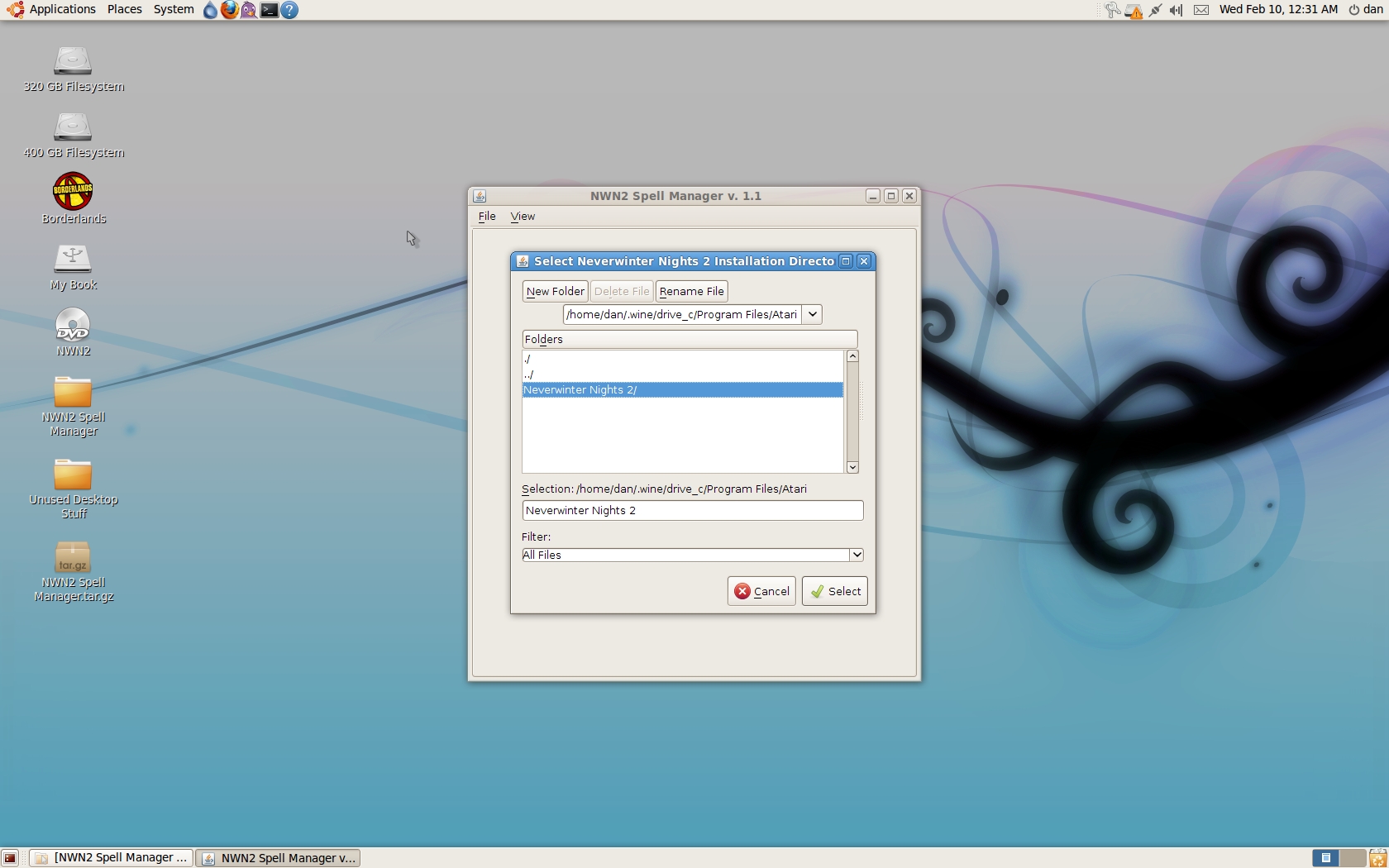
1) The program will automatically ask you to point to your Neverwinter Nights 2 installation directory.
By default, this will be "C:\Program Files\Atari\Neverwinter Nights 2". Once you select this directory,
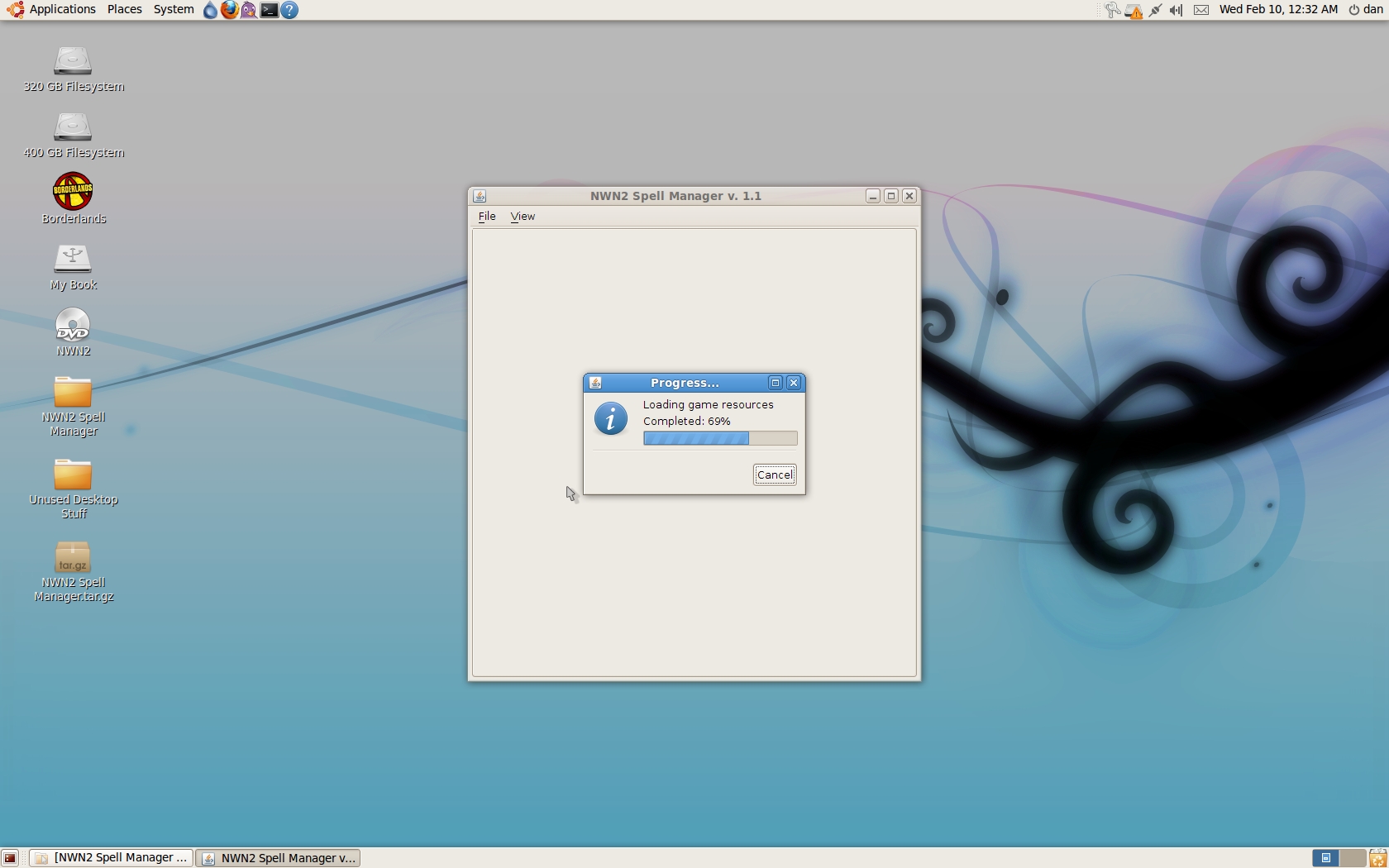
the program will begin loading all of the necessary files for the SPell Manager to run. It looks for
the "spells.2da" file and the "dialog.tlk" file. If there is a copy of "spells.2da" in the "override" folder
in your "My Documents" NWN2 directory, the program will load that version instead. If there is a "dialog.tlk"
file in the "My Documents" NWN2 directory, the program will load that version of the file instead.
2) Upon loading the necessary files, the Manager will now enter "Viewer Mode," as indicated in
the program's title bar. This means that you can view all spells and their reference numbers
by the class to which they belong. To view a spell list, click on "View" and high-light the
"Show Spell Lists" sub-menu. Click on a specific class to make that class tab appear in the
GUI. To hide a tab, click on "View" and high-light the "Show Spell Lists" sub-menu once more,
and click on the class tab that has a check-mark next to it.
When the program is in Viewer Mode, you will be unable to make any modifications to a
character's spell list. You must first load your character from a game save.
To view a level in the class spell list, click on one of the numbered buttons under the
"Spell Level" area. A table should populate the space below, with three columns:
Spell Reference Number, Spell Name and N/A. The "N/A" column will change later.
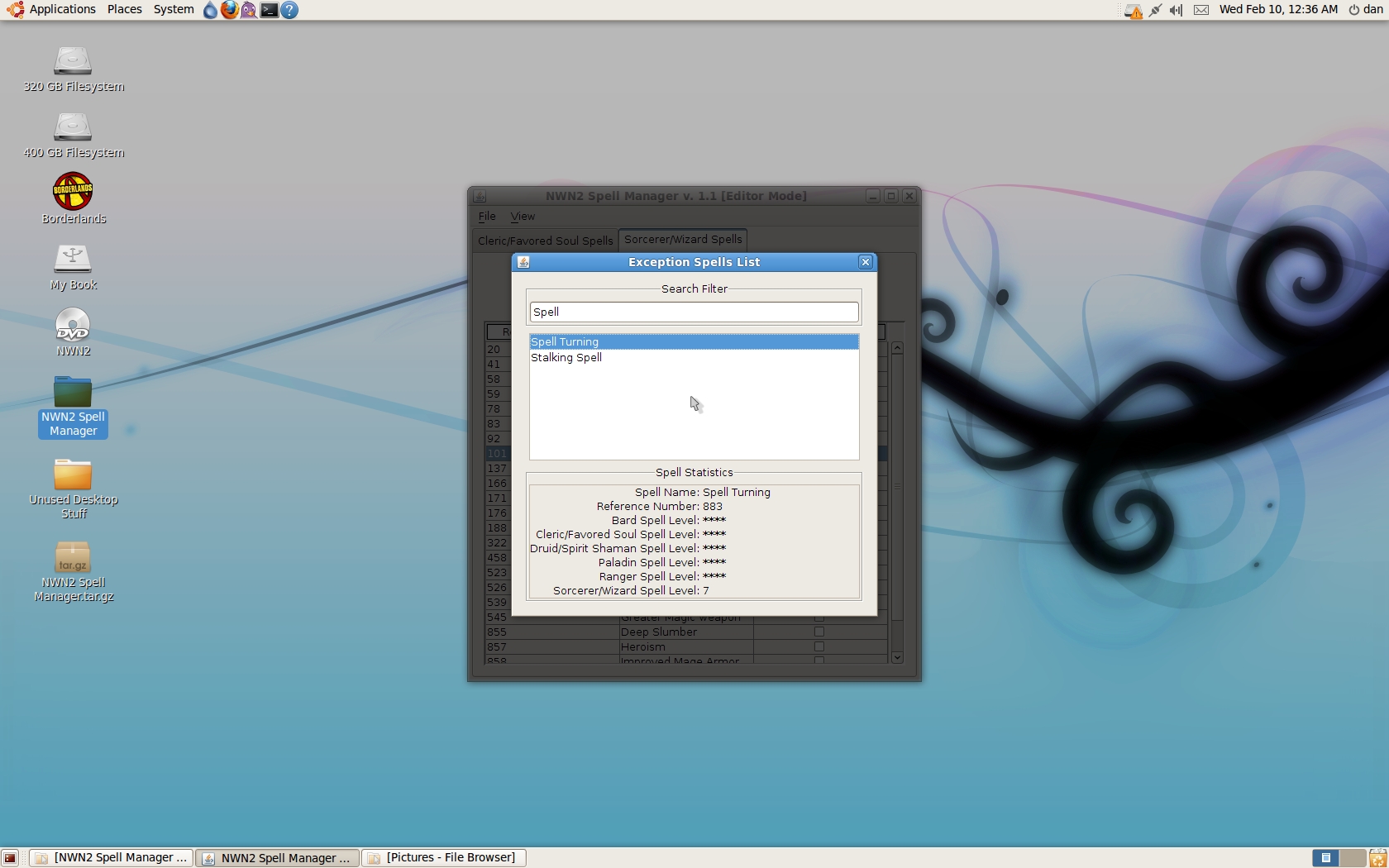
The "View->Show Exception Spells List" is to allow the player to view what invalid
spells were taken off of the class spell lists, as those spells are usually part of some
special circumstance. For example, the Spell Polymorph_Self_Mindflayer cannot be added
to a character, and would not show up properly. The spell you actually want is plain ol'
Polymorph Self, which does show up in the proper class lists.
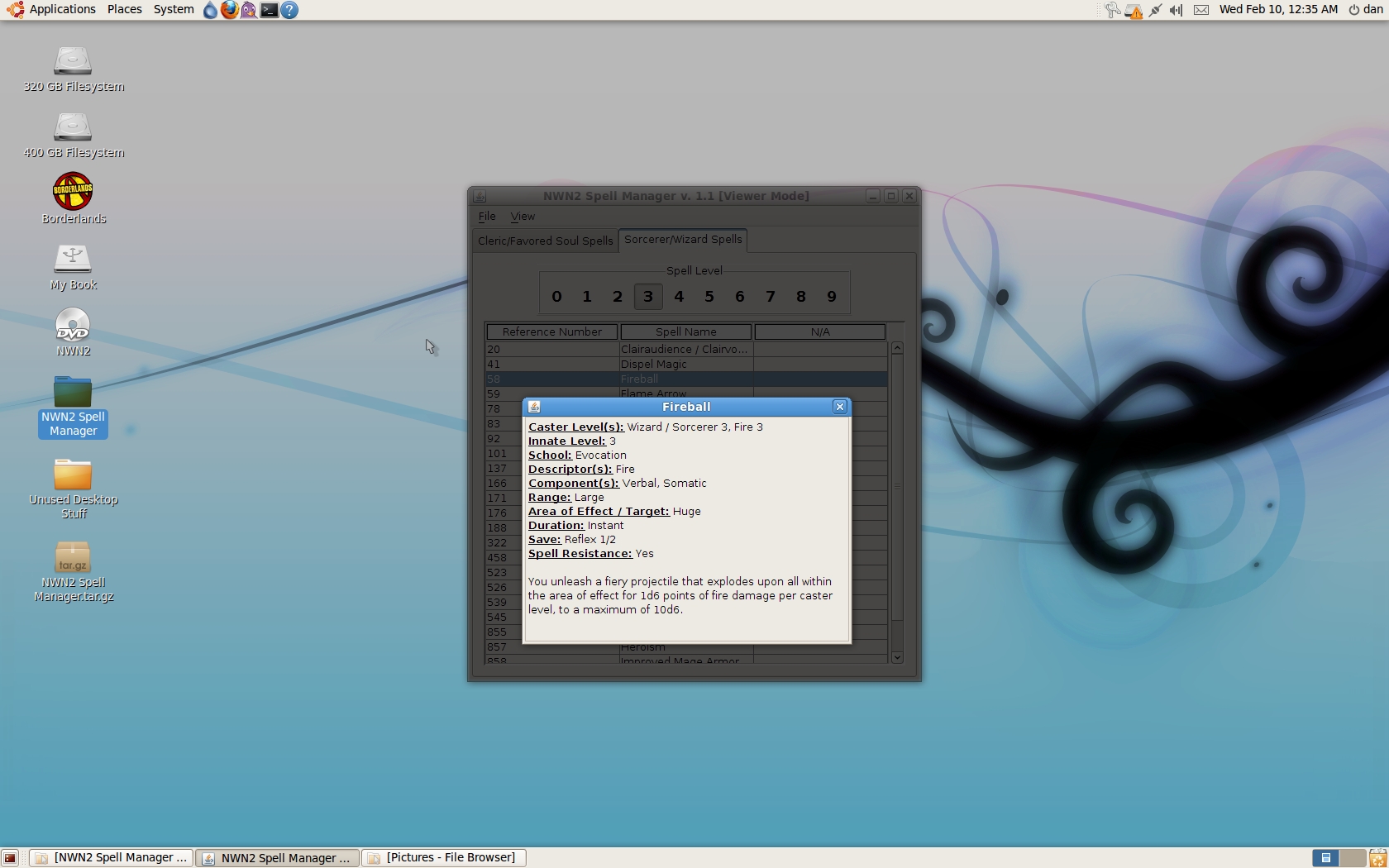
Double click on any spell name in the "Spell Name" column to bring up its statistics.
This can be very helpful when selecting which spells you want!
3) To load a character file, select "File->Open Character File," which is now enabled since
the program has successfully loaded the game's spell list from the "spells.2da" file.
Alternately, you can use the Alt+O keyboard short-cut. The program will now prompt you to
select the proper "playerlist.ifo" file from one of the folders in Neverwinter Nights 2's
save game directory. This should be located in your "My Documents" (Win XP) or "Documents"
(Vista,Win 7) folder under the "Neverwinter Nights 2->Saves" folders.
Once you select the appropriate character, the program will attempt to load your character.
If there is an error loading the character file, the GUI should notify you.
4) After the character has been successfully loaded, the GUI will shift to "Editor Mode,"
as indicated in the program's title bar. Under the "View->Show Spell Lists,"some classes will
be disabled; this is because the program did not detect the character as possessing them when
reading in the character file. If this is a bug, please submit it via the instructions at the
end of this tutorial.
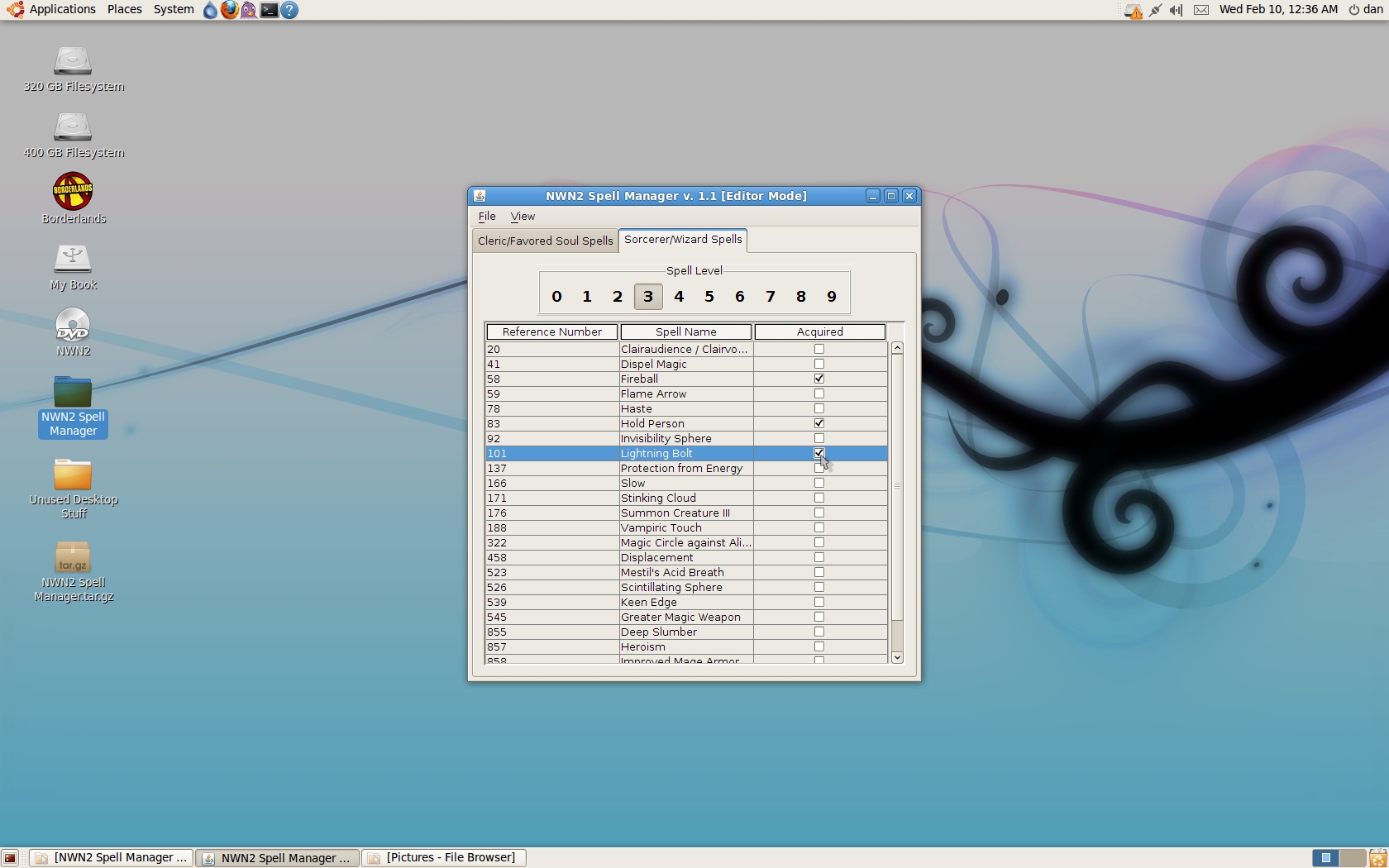
The class spell tab has changed now that the program is in editor mode: the last table of the
spell table has shifted from "N/A" to "Acquired." You can now click on the check-box in this
column; doing so adds the spell to your class list for the specified class. All spells the
character knows have already been check-marked.
PLEASE NOTE that the game will calculate your caster level upon loading your save file. Thus,
if you try to add a few 7th level spells to your Level 4 Sorcerer, the game will ignore those
spells you added, because they are beyond how many the game is expecting to find. You can
freely add such spells to a Wizard's spell book, however, but you will be unable to cast them
until you are the proper level.
5) When you have selected the spells you desire, you can select "File->Save", keyboard
short-cut Ctrl+S, to save directly to the file you opened. Please be aware
that you should ALWAYS back up your file, just in case of a mishap. Alternatively, you
can select "File->Save As", keyboard short-cut Alt+S, to save to a different file.
After the file is saved, you can close the program! Or, you can close the character file
by selecting "File->Close Character File", keyboard short-cut Ctrl+C, to stop editing that
file. The program will change from "Editor Mode" to "Viewer Mode" once again, as indicated
in the program's title bar. From here, you can open a different character file.
Enjoy!
To submit a bug: please review the "Read Me.txt" file included in the zip archive.
****Version 1.1 Change-log****
1.) The program will now ask you to point to your NWN2 installation directory when you start it up. It will automatically try to find and load the necessary files for the program to run. If there are different versions of the files needed (dialog.tlk, spells.2da) in the "My Documents" NWN2 folder, those will be used instead.
2.) Double-clicking on the spell name in the "Spell Name" column will now bring up the spell's statistics from the game. This can come in handy when deciding which spell to pick!
****Version 1.2 Changelog****
1.) Fixed a bug where, upon loading game resources, the program would only spot the spells.2da file in the Data/2DA.zip file, and not in the expansion zip files if they were installed (2DA_X1.zip and 2DA_X2.zip).
2.) Fixed a bug with the spell descriptions where the spacing was incorrect on a few descriptions.
3.) Added a current file label that will show the user which save file they are working on.
4.) The program no longer automatically prompts the user for the NWN2 install directory.
****Version 1.2.1 Changelog****
1.) Sped up the progress at which the game resources are loaded.
10 - A Masterpiece, Genuinely Groundbreaking 9 - Outstanding, a Must Have 8 - Excellent, Recommended to Anyone 7 - Very Good, Deserves a Look 6 - Good, Qualified Recommendation 5 - Fair, Solid yet Unremarkable 4 - Some Merit, Requires Improvements 3 - Poor Execution, Potential Unrealized 2 - Very Little Appeal 1 - Not Recommended to Anyone






 Site
Site









 at 2012-01-17 15:32:59


