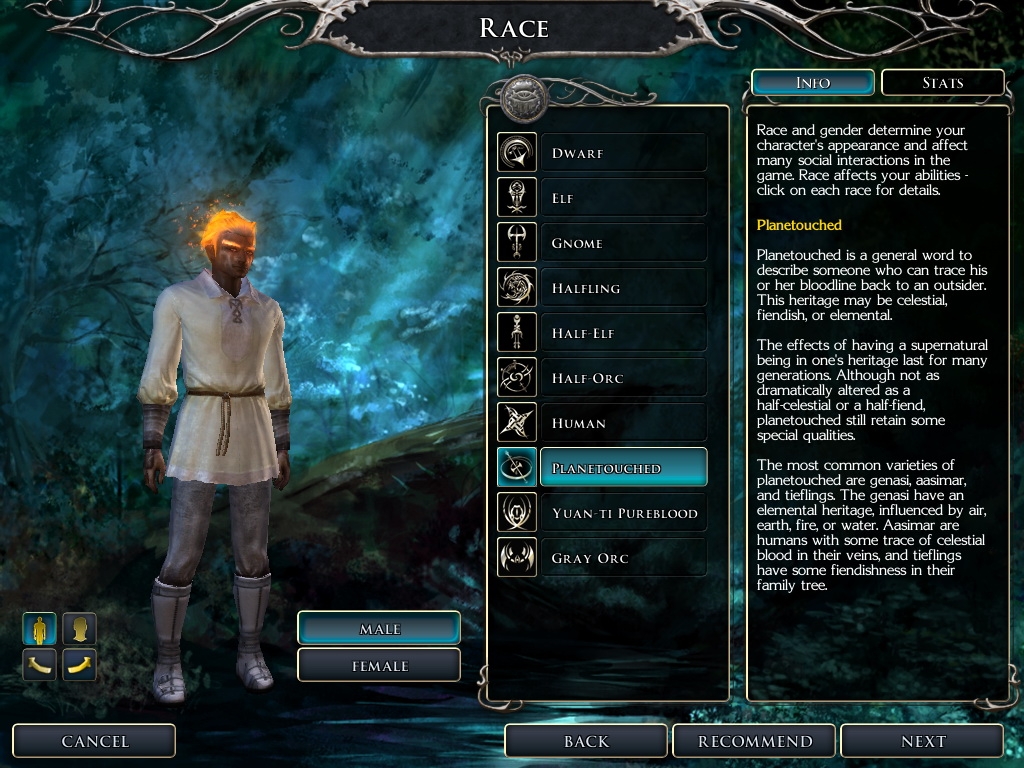
I see from your DarkRed UI that you have done this stuff before, I think the expression is "great minds think alike" ;) I find getting some feedback always makes me think of ways to improve something, it was on the suggestion of another member that I hunted around to find and replace the menu music as well. I like your solution for making it work with all three games, a bigger download but no messing around with renaming. I use the same method with my NWN2 mod so it works with MotB and SoZ - great minds...
Posted by darthsabe at on01/31/10
Nice idea, nice job! Thanks
Posted by wes471 at 2009-03-1707:00:48
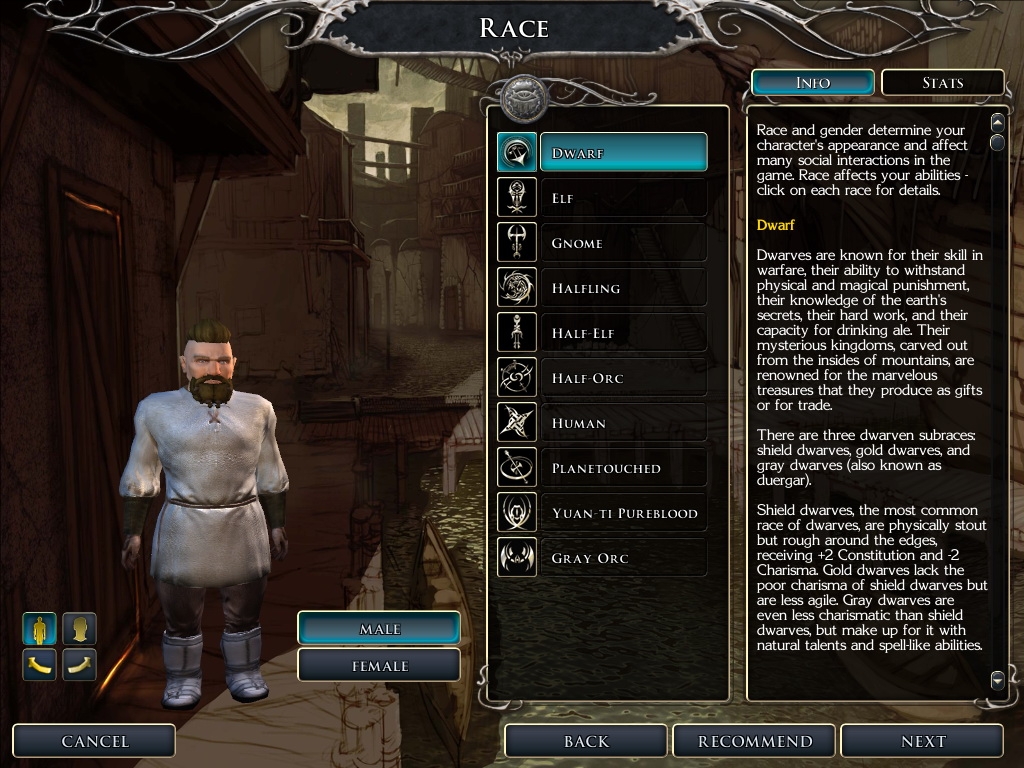
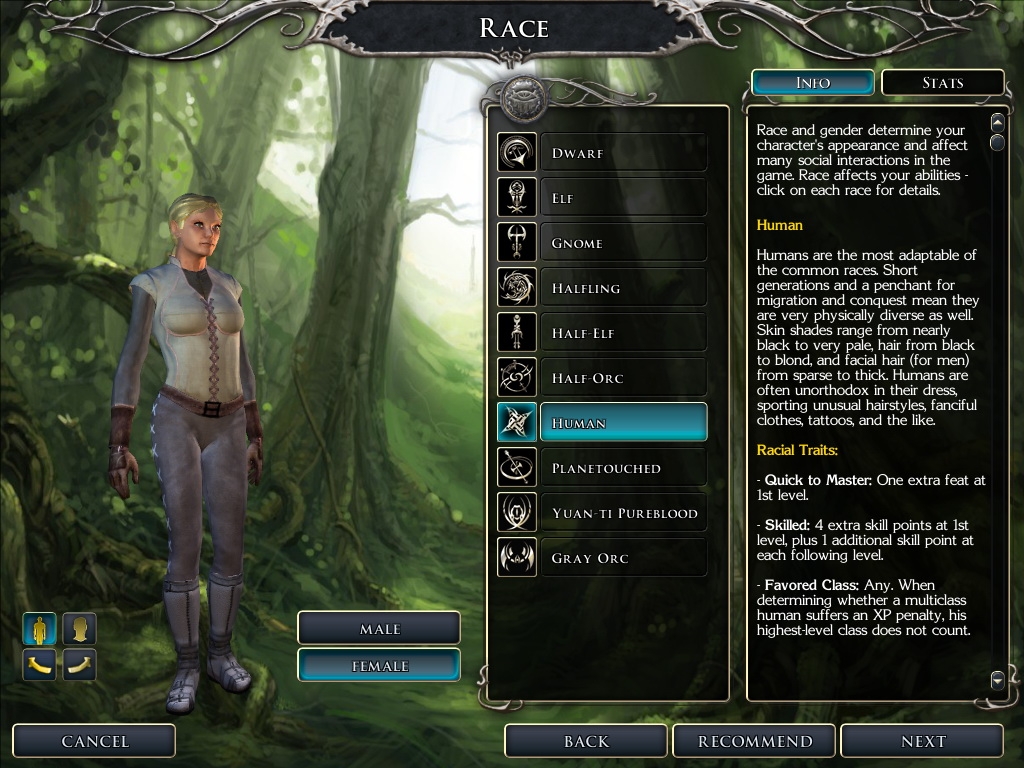
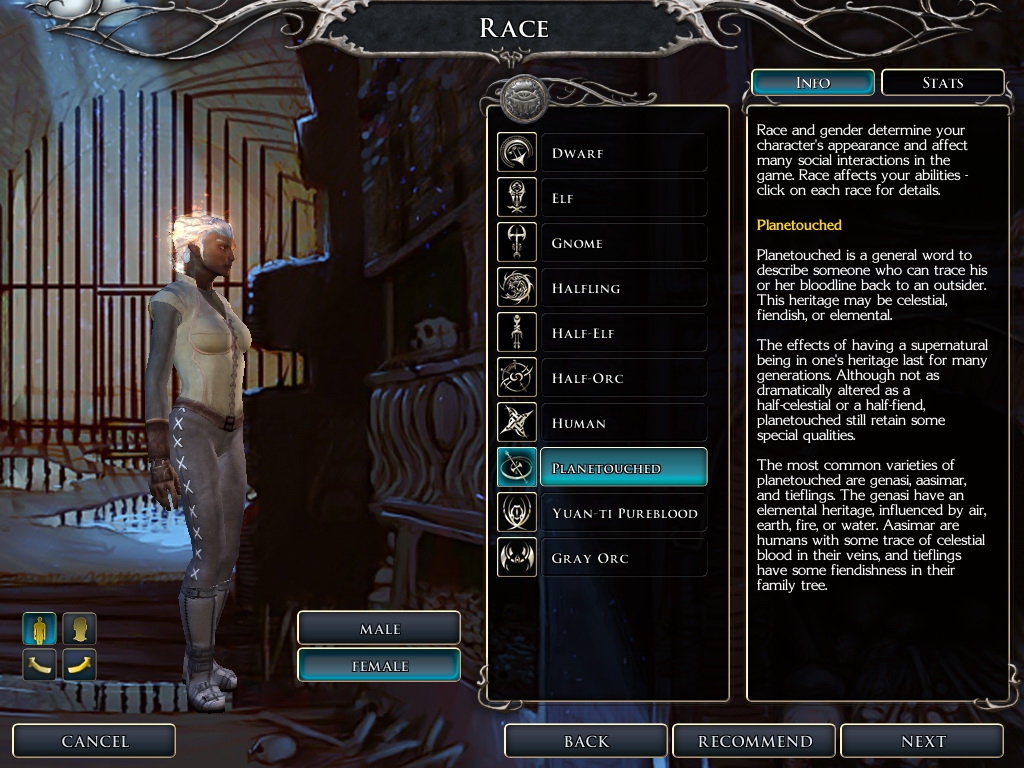
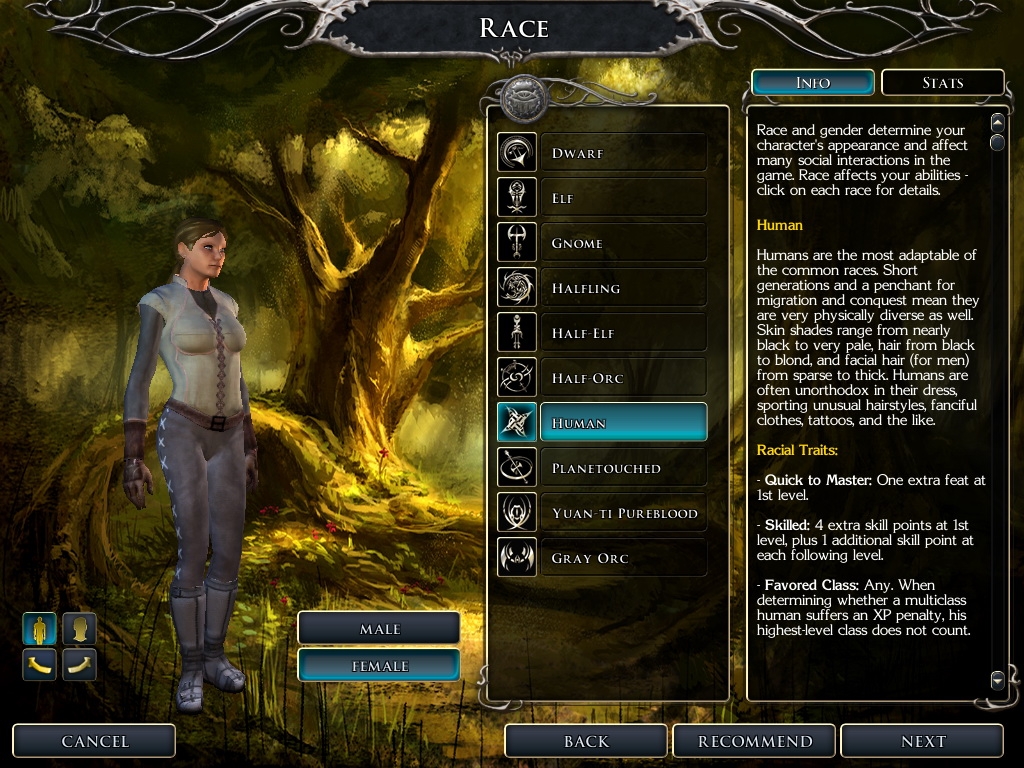
I've updated the mod, so now you wont have to rename anything for it to work without SoZ or MotB. 2naranekangmar: I've seen your restoration of original menu images and maybe it gave me the push to do this mod, but I had this idea to change backgrounds for a long time, but only recently decided to look for good replacement art for backgrounds, found the first one and thought it was really cool, so I edited it to fit character creation screen better, the other two I made myself from screenshots, not as good as the first one, but still better than original.
Posted by Estelindis at on03/17/09
*Very* pretty on number one, especially! :-) _________________________ KotOR Heads FR Deity and Faction Cloaks Fall-from-Grace Soundset
Posted by nicethugbert at on03/17/09
NEAT! _________________________ NTB's Hills and Valleys Vol. 00
Posted by Ovocean at on03/17/09
Vote
Posted by Ovocean at on03/17/09
I've always felt that the dark blurry background was a bit depressing, especially the character creation screen. Thanks to you, I can change this right away instead of having to wait for me take the time to drill inside the UI matter. So, thank you ! You should add the recommendations of narenek below. I would add that people also need to remove "_X2" / "_X1" from the "generic" folder. Maybe the next step would be to change the lighting on the characters to something more daylight style, but it's certainly fairly more complicated, and even probably hardcoded, so...
Posted by naranekangmar at on03/17/09
Sorry, just re-read your install instructions, putting it anywhere in MY DOCUMENTS\Neverwinter Nights 2 does of course mean it is easy to remove. If you only have NWN2 and want this to work, rename main_sub_bg_nx2.tga to main_sub_bg.tga If you have NWN2+MotB rename main_sub_bg_nx2.tga to main_sub_bg_nx1.tga
Posted by naranekangmar at on03/17/09
Interesting this should come out days after I released the files to restore the original NWN menus. If it was based on that then I am pleased to see this creativity coming from my work, I especially like the way background 1 looks on the character creation screen. I will point out this only works if you have SoZ (so you should probably change the NWN2Game: All to SoZ) and that if you copy the file main_sub_bg_nx2.tga from the archive into your override folder instead you can easily restore the original SoZ background by removing the file from your override folder.
Posted by ryakage at on03/16/09
Great trick, never seen this one before. Good job!
10 - A Masterpiece, Genuinely Groundbreaking 9 - Outstanding, a Must Have 8 - Excellent, Recommended to Anyone 7 - Very Good, Deserves a Look 6 - Good, Qualified Recommendation 5 - Fair, Solid yet Unremarkable 4 - Some Merit, Requires Improvements 3 - Poor Execution, Potential Unrealized 2 - Very Little Appeal 1 - Not Recommended to Anyone






 Site
Site