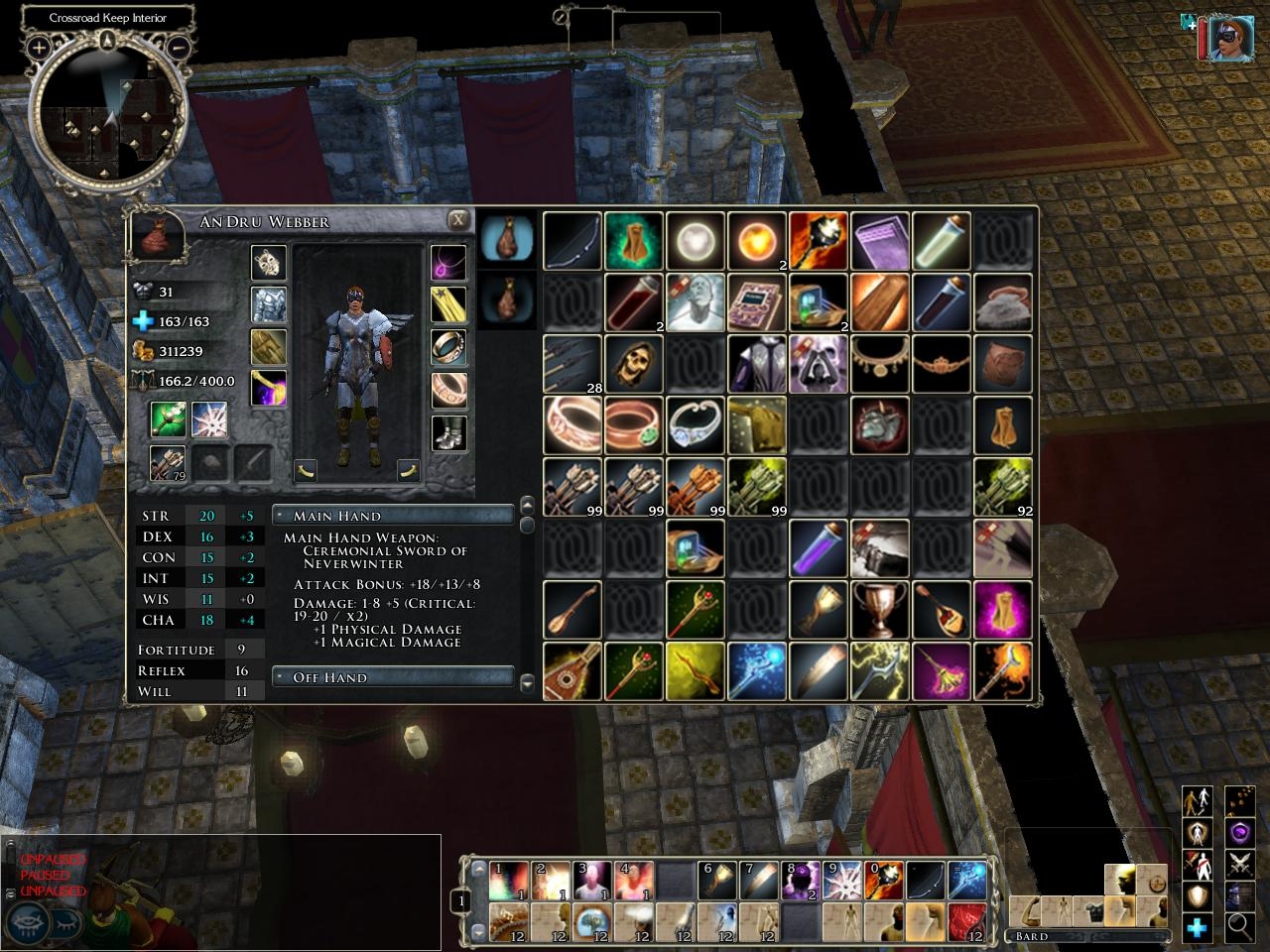
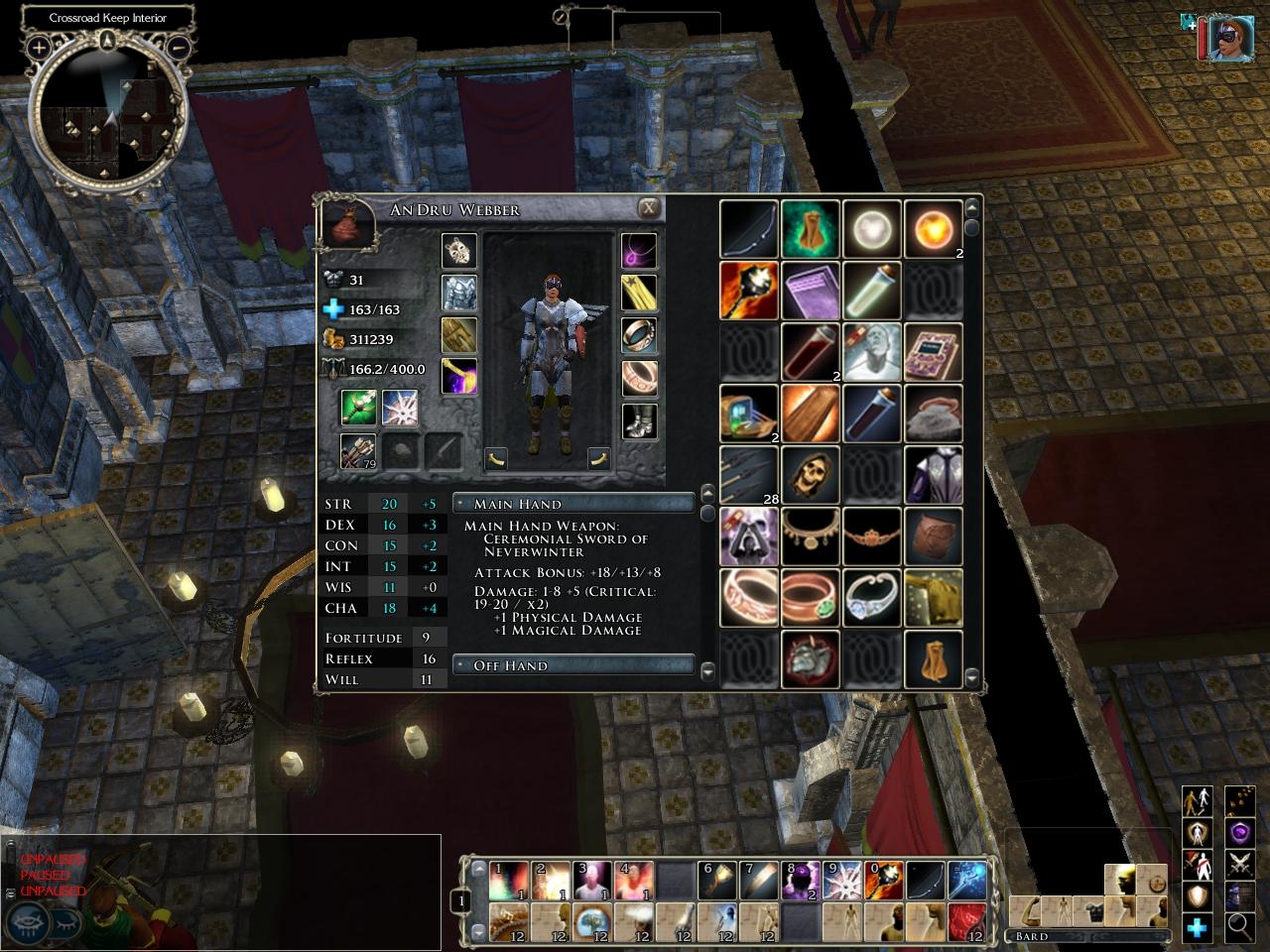
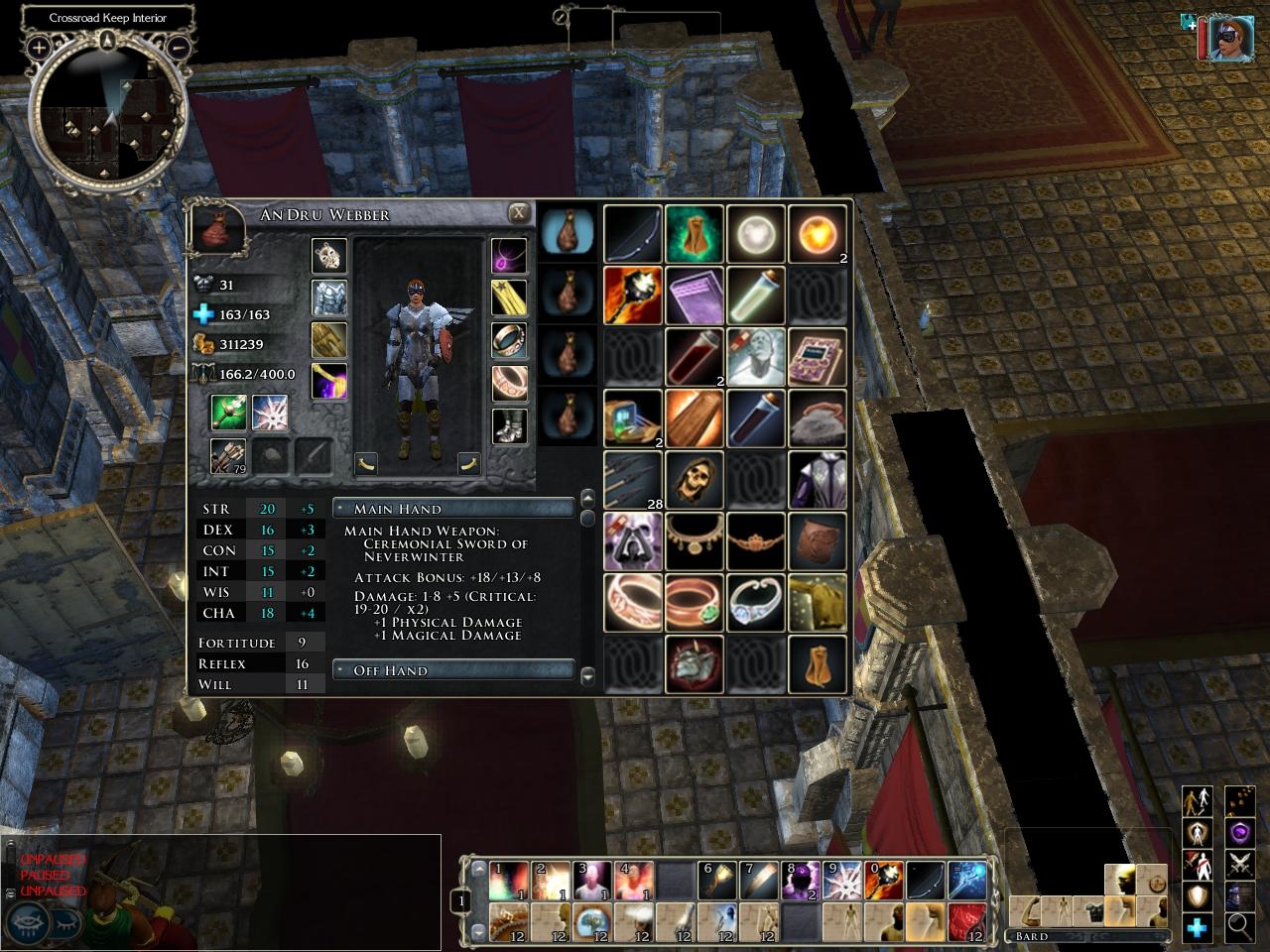
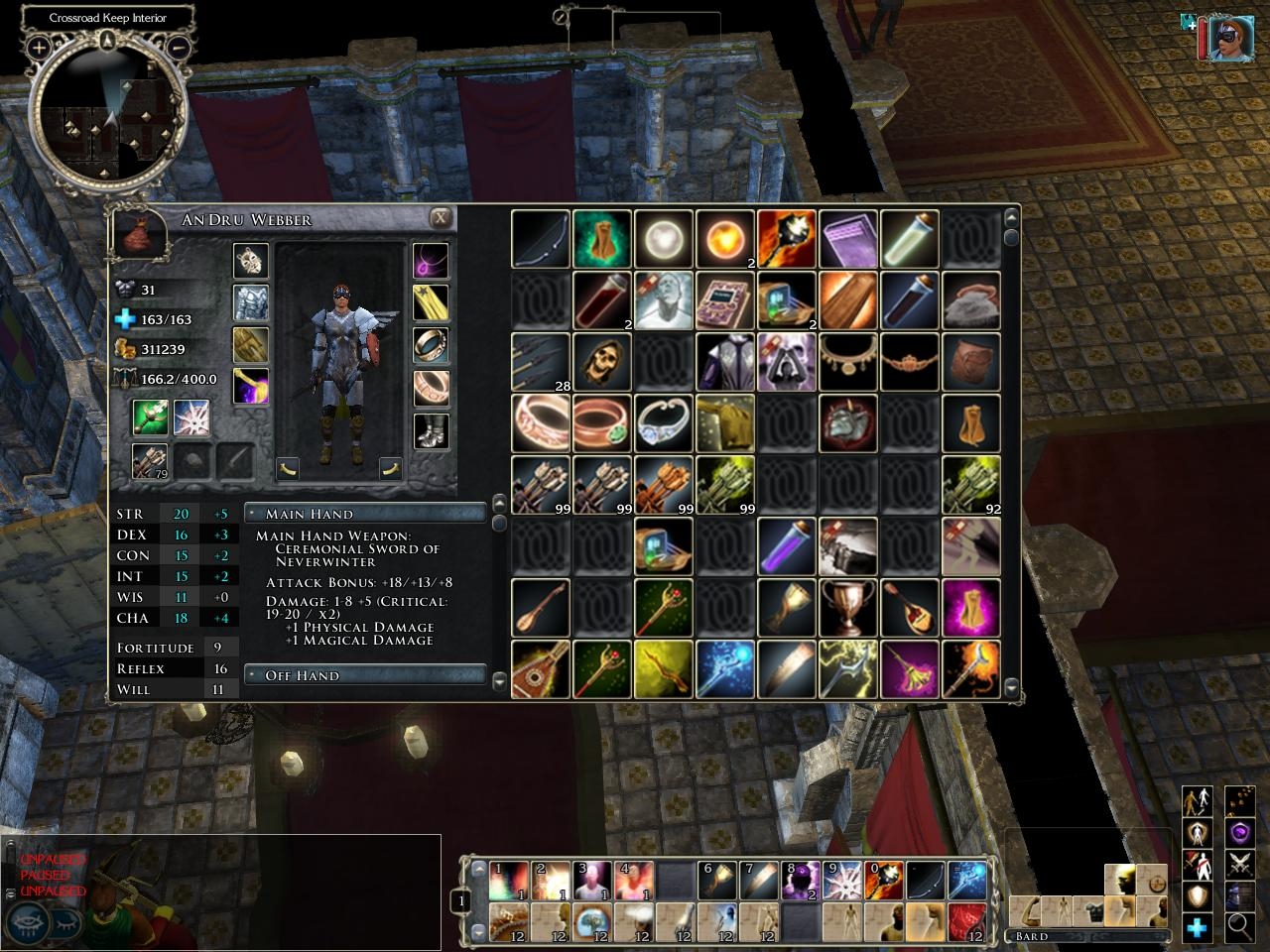
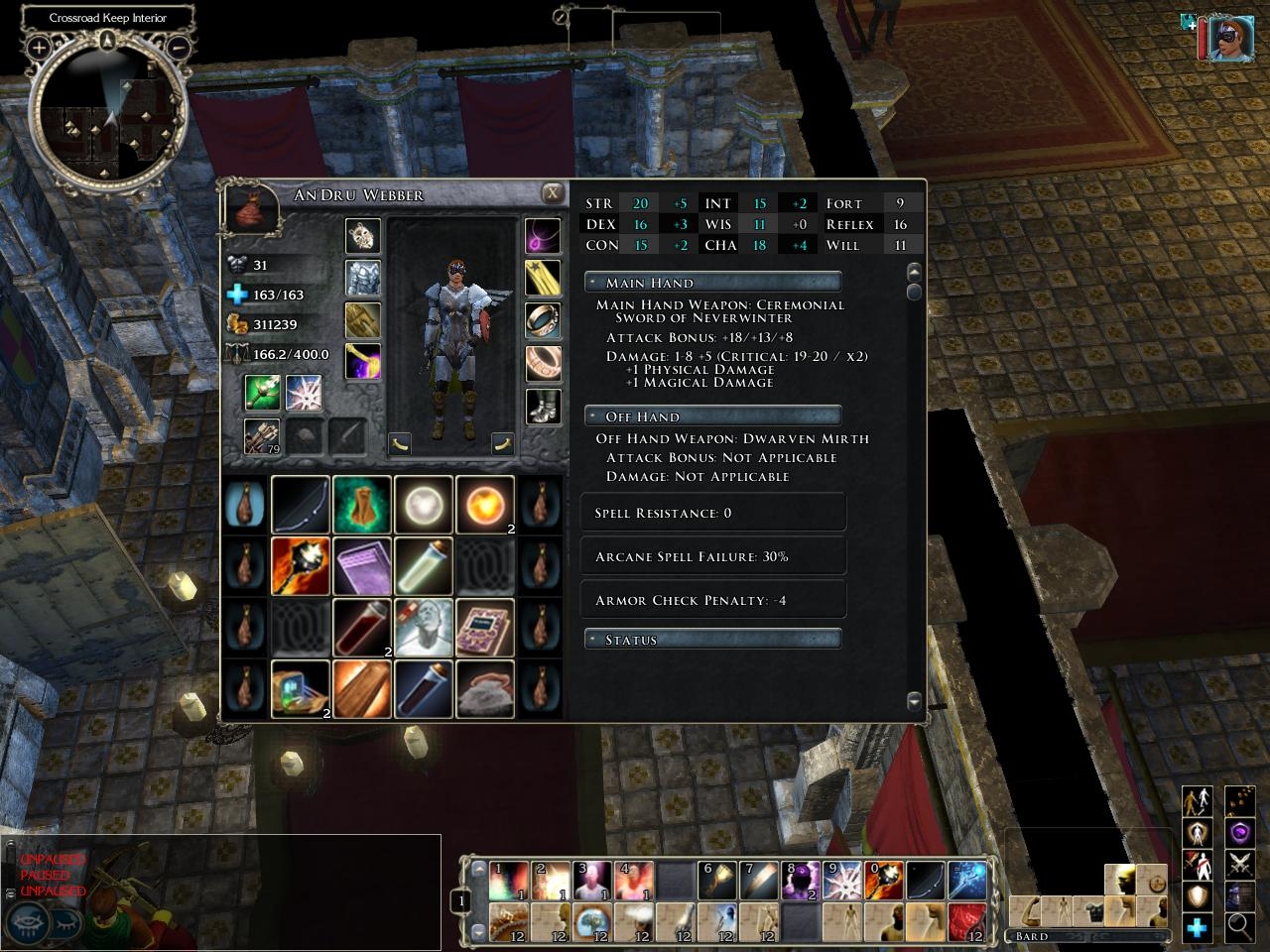
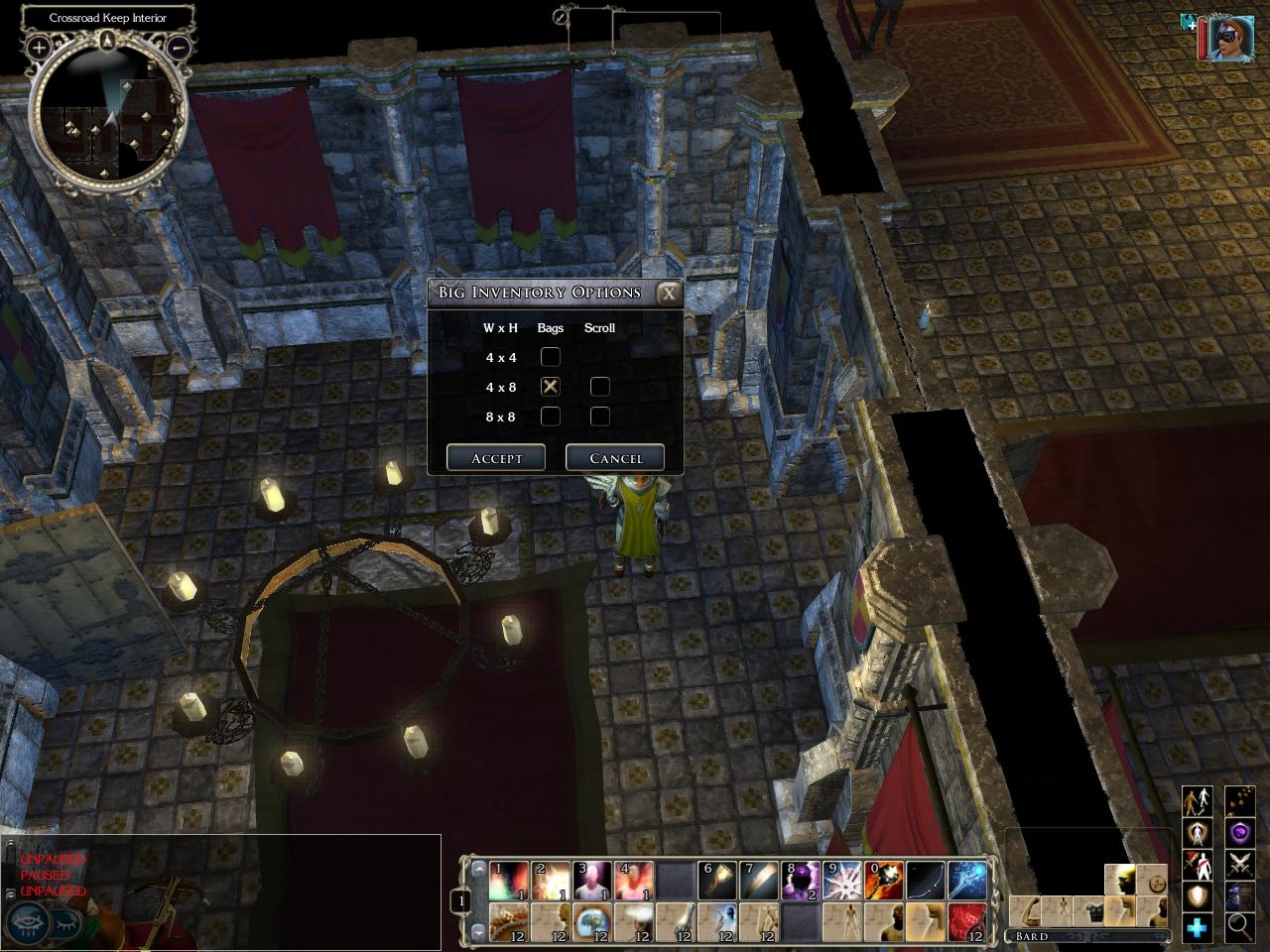
This makes the inventory icons 50% bigger in each direction, so you don't have to squint.
Below the paper doll is an excerpt of the information available from the Character screen. This way, you can immediately see the effect on your statistics of equipping or unequipping an item.
Version 1.03 update: There are now five versions of the screen available, including a new 4x4x8 one. They are now all bundled into a single download, and you can now switch between them in-game, a la xUI.
Version 1.041 update: Fixed problem in which Inventory screen would disappear if you switched characters while browsing a merchant's wares.
Version 1.05 update: Made compatible with NWN2 1.04. XML files moved into custom directory.
Version 1.06 update: Made compatible with NWN2 1.10. Added inventory sort button. Fixed minor bug in noscripts version.
A new atlas file for patch 1.10. If you are using the resized and resampled inventory icons, then unzip this into My Documents\Neverwinter Nights 2\ui\default\images.
Optional - Resized and resampled inventory icons. Unzip this into your My Documents\Neverwinter Nights 2\ui\default directory. May slightly increase loading times.
TiaMaster: There are two things to try. Since I don't have MoTB, I can't do the experiments myself. I would really appreciate the feedback if you could let me know how these work out. 1. Make a copy of ingameguix1.ini into My Documents\NeverwinterNights 2\ui\default. Then add the following lines under the [MandatoryGUI] section: SCREEN_INVENTORY_4X8X4=inventoryscreen_4x8x4.xml SCREEN_INVENTORY_4X8XSCROLL=inventoryscreen_4xscroll.xml SCREEN_INVENTORY_8X8X2=inventoryscreen_8x8x2.xml SCREEN_INVENTORY_8X8XSCROLL=inventoryscreen_8xscroll.xml SCREEN_INVENTORY_4X4X8=inventoryscreen_4x4x8.xml SCREEN_SETUPINV=setup_inv.xml SCREEN_INV_OPEN_UPD=invopen_updates.xml SCREEN_INV_CLOSE_UPD1=invclose_updates1.xml SCREEN_INV_CLOSE_UPD2=invclose_updates2.xml 2. Try the noscripts version, according to the instructions in the readme file. I think that one or both of these approaches should work. If the first one works, then let me know where I can get a copy of that ini file, and I'll add the lines myself and include it in the zip file. _________________________ Big Inventory Icons and Character Info Link Readable Books Link Less Obtrusive Spell Buffs Link
Posted by TiaMaster at 2007-11-0406:36:42
I have updated NWN2 w/MotB to its latest build, and installed Big Inv just like I did before one time when it was working. This time, there is no option to configure Big Inv inthe options menu, AND my inventory will not come up at all -ever.
Posted by clubok at 18:50:22 Voted10.00
Protamar: That's the way to uninstall this, along with any other custom UI mods. But did you try version 1.061? _________________________ Big Inventory Icons and Character Info Link Readable Books Link Less Obtrusive Spell Buffs Link
Posted by Protamar at 2007-10-1703:14:50
I read a posting on the Bioware forums, and it said to delete everything in the "ui" directory totally, then it will work. I tried it and it did. I'm now playing happily! Unfortunately, won't be using this mod for a while.
Posted by clubok at 20:02:19 Voted10.00
OK - I just uploaded version 1.061. Please try that and let me know if you still have problems. _________________________ Big Inventory Icons and Character Info Link Readable Books Link Less Obtrusive Spell Buffs Link
Posted by clubok at 18:38:59 Voted10.00
I see the problem. I didn't put the zip file together correctly. I'll repost it shortly. _________________________ Big Inventory Icons and Character Info Link Readable Books Link Less Obtrusive Spell Buffs Link
Posted by clubok at 15:57:19 Voted10.00
Protamar and katiecubed: Unfortunately, I don't have MoTB yet, which may make troubleshooting more difficult. Please try using the noscripts version, and let me know if that helps. _________________________ Big Inventory Icons and Character Info Link Readable Books Link Less Obtrusive Spell Buffs Link
Posted by katiecubed at 2007-10-1523:45:09
I have the same problem, once your mod is installed per your instructions I am unable to access my inventory ingame.
Posted by Protamar at 2007-10-1519:45:35
I really enjoyed using your ui before buying MoTB. However, now I have started playing the expansion and nothing happens when I press the "Inventory" button. I had to uninstall xGui to get the expansion to work, so I suppose it's somewhere between that and yours. Can you tell me what to do? Or how to completely uninstall yours? I really want to play, but need some inventory! I updated to your latest version, but still nothing happens.
Posted by clubok at 20:37:09 Voted10.00
OK, I've just posted the new version that works with patch 1.10. It also includes the Inventory Sort button, except in the 4x4x8 version. Apart from the difficulty in finding space for the button on that screen, I figure that anybody who wants that many bags is a micromanager who wouldn't use the sort button anyway. Also, the noscripts version will now correctly show all stat updates when you equip and unequip items. _________________________ Big Inventory Icons and Character Info Link Readable Books Link Less Obtrusive Spell Buffs Link
10 - A Masterpiece, Genuinely Groundbreaking 9 - Outstanding, a Must Have 8 - Excellent, Recommended to Anyone 7 - Very Good, Deserves a Look 6 - Good, Qualified Recommendation 5 - Fair, Solid yet Unremarkable 4 - Some Merit, Requires Improvements 3 - Poor Execution, Potential Unrealized 2 - Very Little Appeal 1 - Not Recommended to Anyone






 Site
Site