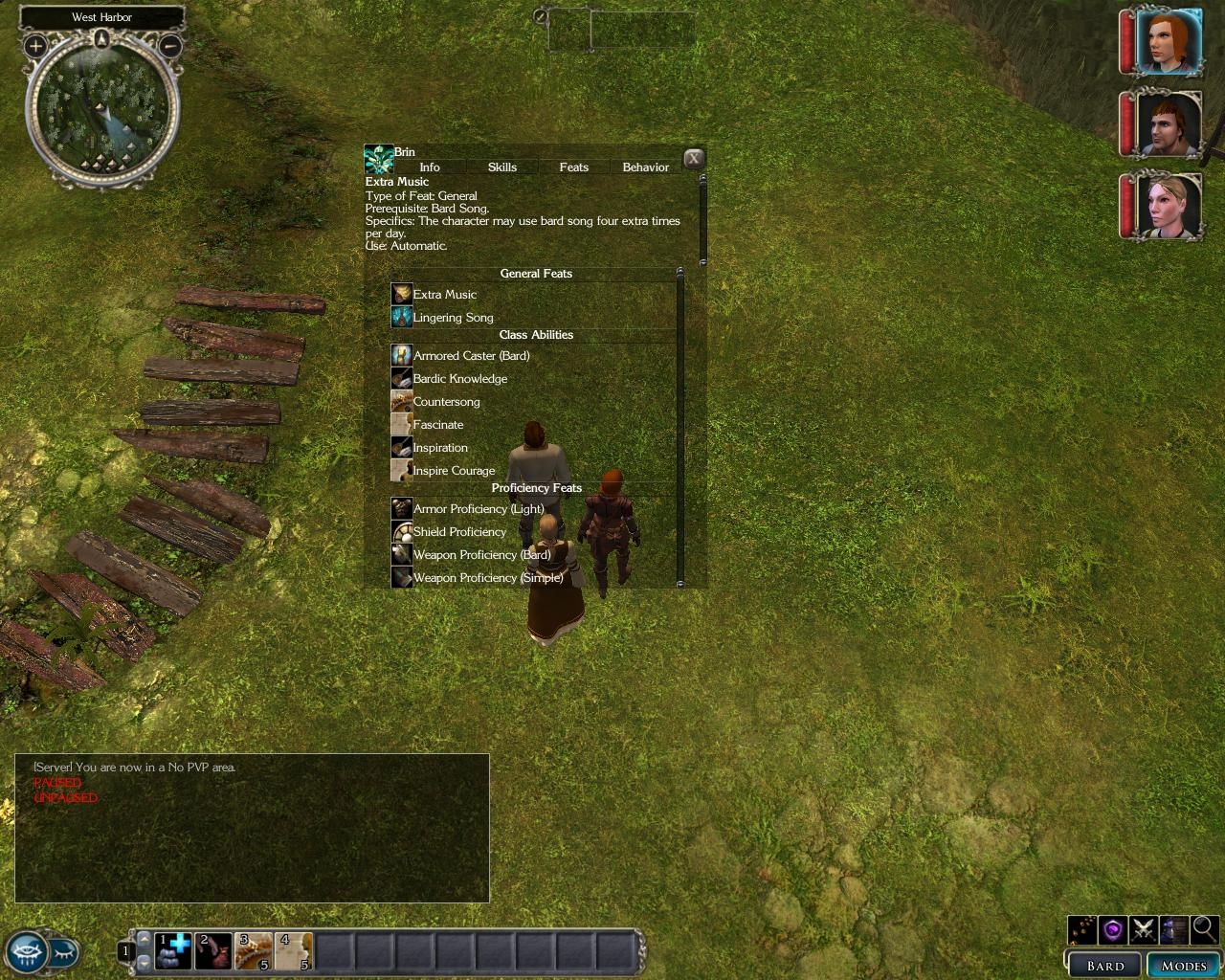
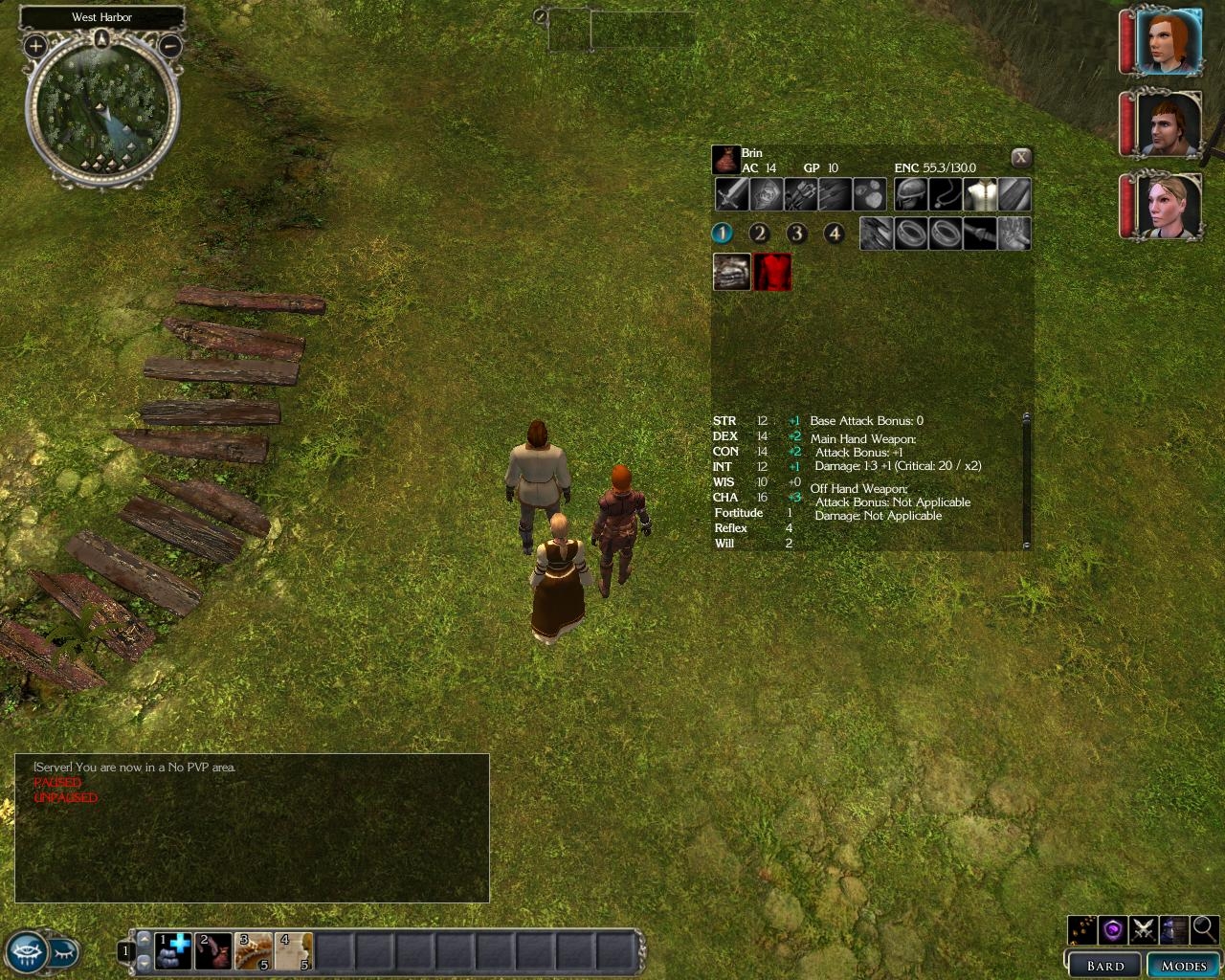
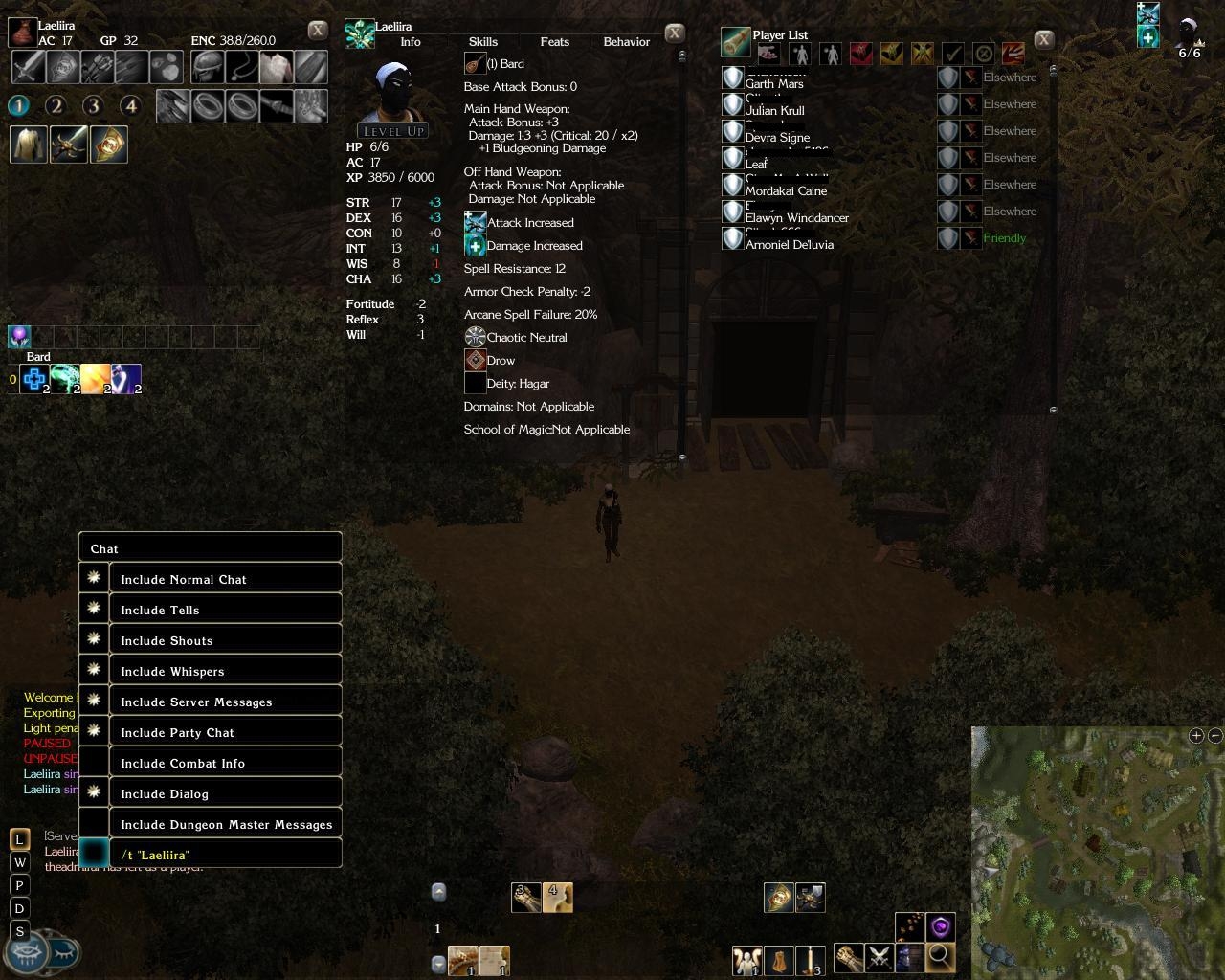
Removes the paper doll and reduces the amount of space taken up by the inventory menu while making it transparent. The numbers beneath the encumbrance value replaces the bag icons (inventory tabs).
STC Char Sheet v011
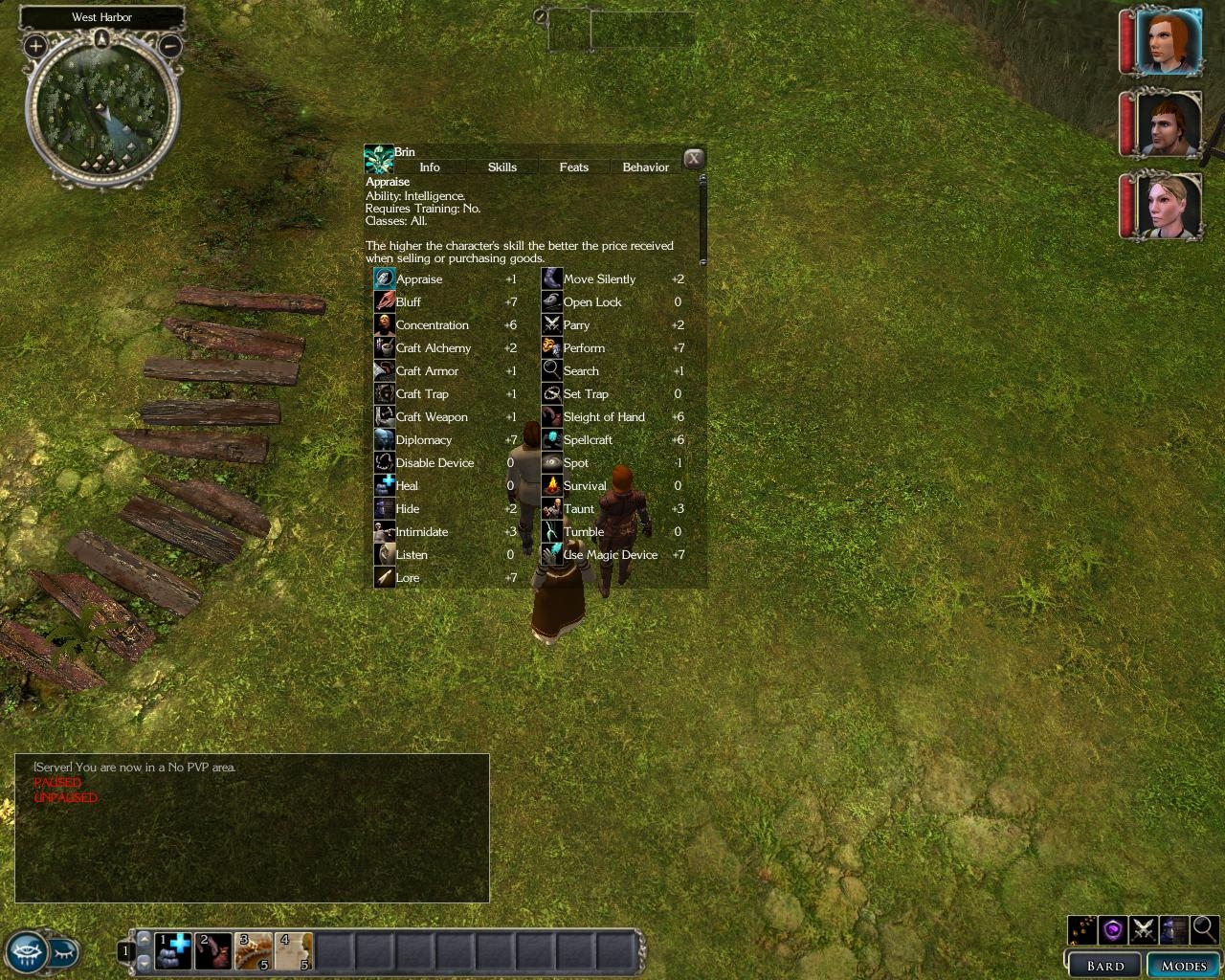
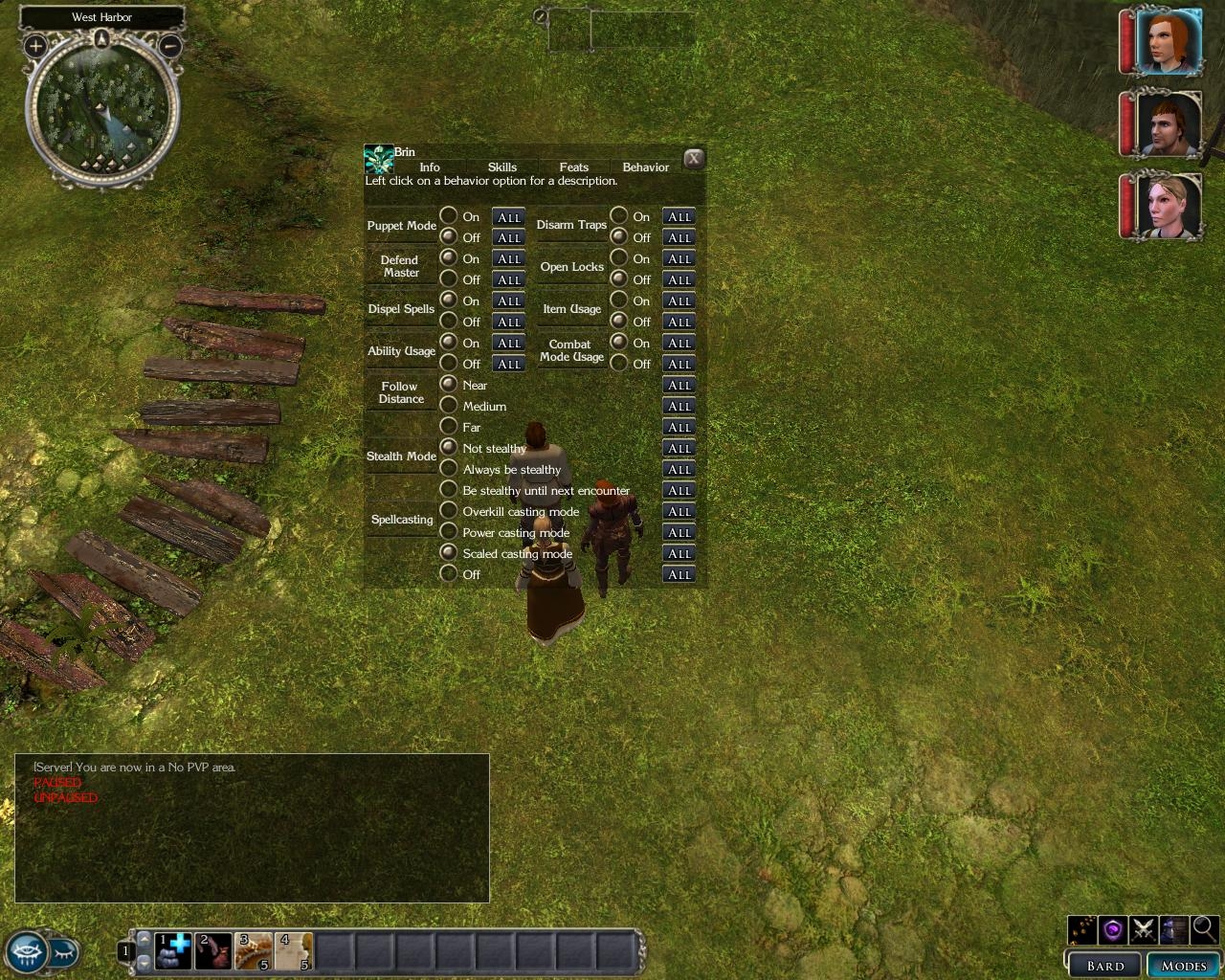
Similar style to above, made more compact (slimmer and shorter). Uses default font (easier on the eyes IMO), skills/behavior pane require no scrolling. Separate download for pets.
Minor update 1/30
- Added a transparent quickspell menu. (quickspell.xml)
- Added semi-transparent player list because I grew tired of scrolling whenever 5+ players would show up. The account names are crossed out for privacy reasons. (playerlist.xml)
- Being exceptionally lazy, I tweaked the context menu so that whenever you right click on a target's name in the chatbox to whisper to them, the /t Name would appear at the bottom where your cursor is instead of a few inches away.
Let me know if you run into any problems and/or have suggestions.
i have a problem..i can't download the file because this error:
the file cannot be copy.is not possible to read the file or origin disk.
if somebody know the problem e-mail me [email protected]
Posted by jmidd at 2007-02-07 21:17:46 Voted 9.00 on 02/07/07
Very nice. Huge improvement on the standard character sheet. Only improvement I can think of is the scrollbars (where necessary) could be a little easier to use.
Posted by Mea_Culpa at 2006-12-22 09:29:38 Voted 9.00 on 12/22/06
Nice work, make life in the (loot) bag a lot easier, but due to the Max inventory mod I have some items Like books with extr long names are completely clipped until hovered over then the tool tip shows the name, so not a game stopper but a little information that might help to further improve your fantastic effort ;) _________________________ Mea Culpa's Demesne
Old Elven Saying: "Never say Never if you're gonna live forever!!!"
"I didn't do it, it wasn't my fault"
Posted by Oldtimer at 2006-12-21 11:48:44 Voted 9.00 on 12/21/06
When combined with EpikurCicero's Cleaned UI this makes the perfect 'clean' interface, IMO.
Essential!
Posted by The Ridge at 2006-12-14 18:46:56 Voted 9.25 on 12/14/06
This is some really really great stuff!
The saying = "Less is More" says it all for this GUI. :)
My only suggestions, would be to make the transparencies for the inv and char sheets darker and possibly add a grid for the inventory slots. Those were the first things I did after trying this out. Other then that I love it!
-R _________________________ NWN2 Voting Standards
10 - A Masterpiece, Genuinely Groundbreaking
9 - Outstanding, a Must Have
8 - Excellent, Recommended to Anyone
7 - Very Good, Deserves a Look
6 - Good, Qualified Recommendation
5 - Fair, Solid yet Unremarkable
4 - Some Merit, Requires Improvements
3 - Poor Execution, Potential Unrealized
2 - Very Little Appeal
1 - Not Recommended to Anyone
Thanks Shoujo! I did as you said and everything`s working perfectly now. Your changes to the UI are brilliant; it`s much easier to get the information you need at a glance now since it`s all there with one press of a key. The default UI was aggravating as it required too much scrolling (then you had to hunt for the info you wanted). Thanks for this.
Ylurien, did you by any chance put the xmls in your Programs/Atari/NWN2 directory instead of the one in your My Documents folder? It's confusing, but the modified xmls are supposed to go into the My Documents/Neverwinter Nights 2/UI/default directory. An images/generic folder won't be there by default so you'll have to make em by the way.
You shouldn't have to back up anything unless you already have a separate, modified inventory and char sheet.xml file there. If you have any problems or don't like the changes, you can just delete the modified xml files and your original configuration'll be restored.
What's the Pet_Char_Sheet.zip? Does it let you view the stats of an animal companion on examine? (Can't play atm which is why I'm asking, or I'd check it out : )
Posted by Serene, The Ark at 2006-12-07 15:10:26 Voted 9.00 on 12/07/06
Ok, been using this for some time now and I really do love this mod! Goes great with Charlie's Shop modification. Because it's transparent and includes features not in most UIs of the day, I give it a 9!
Posted by Serene, The Ark at 2006-12-07 07:22:29 Voted 9.00 on 12/07/06
Fight? lol, I mean "mod". What in the world am I talking about? XD
Posted by Serene, The Ark at 2006-12-07 07:21:36 Voted 9.00 on 12/07/06
Well, in this case if you have 2 inventory.xml you'll have to update one of them and delete the other. Obviously you can't have 2 inventory mods, for the same reason you can't have 2 charactersheet mods. Any fight that modifies the stylesheet.xml can simply be updated, but like I said you can't have 2 of the same modifications.
Shouldn't be a problem to update changes to a specific XML so they support both modifications, in this case.
Any idea what UI takes priority if different UIs modify the same XML?
Posted by Serene, The Ark at 2006-12-06 21:47:02 Voted 9.00 on 12/07/06
Gonna try it right now, but as I was installing it I already ran into something you could work on. Personalized folders:
Now, I'm going to tell you something I've told all UI makers. When you make settings like these, have them extracted to UI/"modification name"/. You *do not* need to place *any* modifications to the UI *in* the ui/default folder.
Anything you put in the UI folder will take effect, regardless of where it is located. So, why use personalized folders? Because 1.) you don't have the risk of overwriting files and breaking other UIs and 2. ) it makes it a billion times easier to uninstall if complications happen.
Sure thing. Working on something else right now, but I'll have it ready in a day or two.
Posted by KansasDark at 2006-12-04 09:46:46 Voted 10.00 on 12/09/06
I use a custom inventory screen that displays...
- Main & Offhand Weapon info
- Character Attributes
- Saving Throw info
- Base Attack Bonus
Your concept of no paper doll and transparent is something I would use. Any chance you can merge the above data to your concept for a future release? The best of both worlds.
Posted by uthar_le_preux at 2006-12-04 07:03:13 Voted 9.25 on 12/08/06
10 - A Masterpiece, Genuinely Groundbreaking 9 - Outstanding, a Must Have 8 - Excellent, Recommended to Anyone 7 - Very Good, Deserves a Look 6 - Good, Qualified Recommendation 5 - Fair, Solid yet Unremarkable 4 - Some Merit, Requires Improvements 3 - Poor Execution, Potential Unrealized 2 - Very Little Appeal 1 - Not Recommended to Anyone






 Site
Site









 at 2007-02-14 11:08:02
 at 2006-12-07 15:10:26


