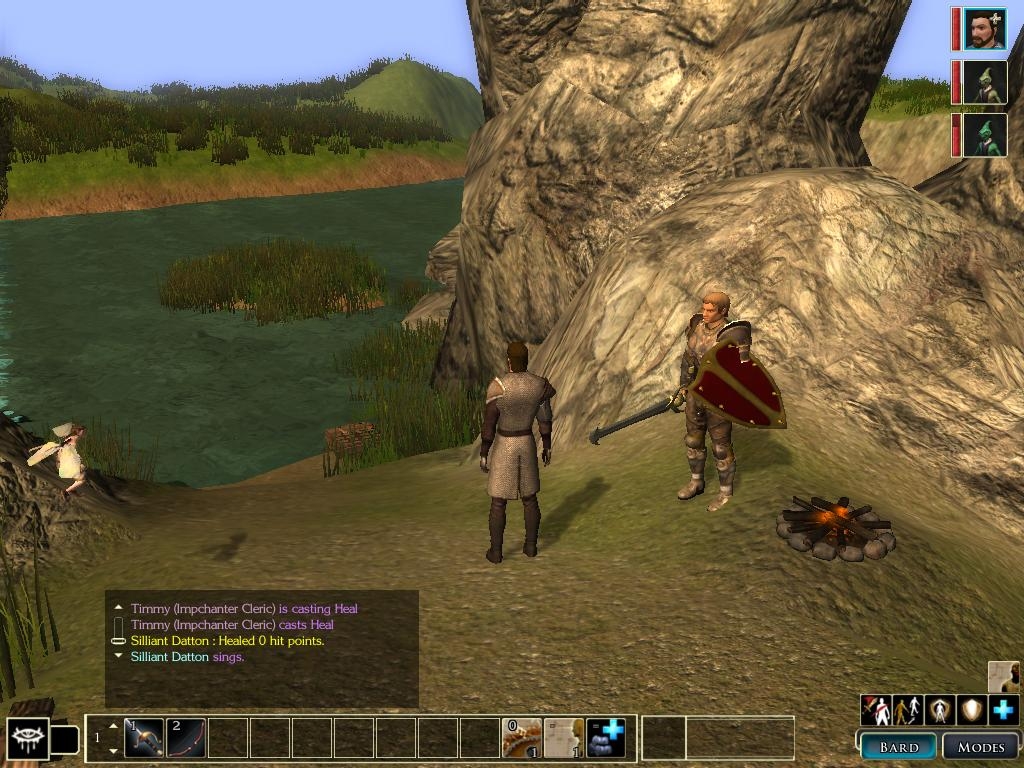
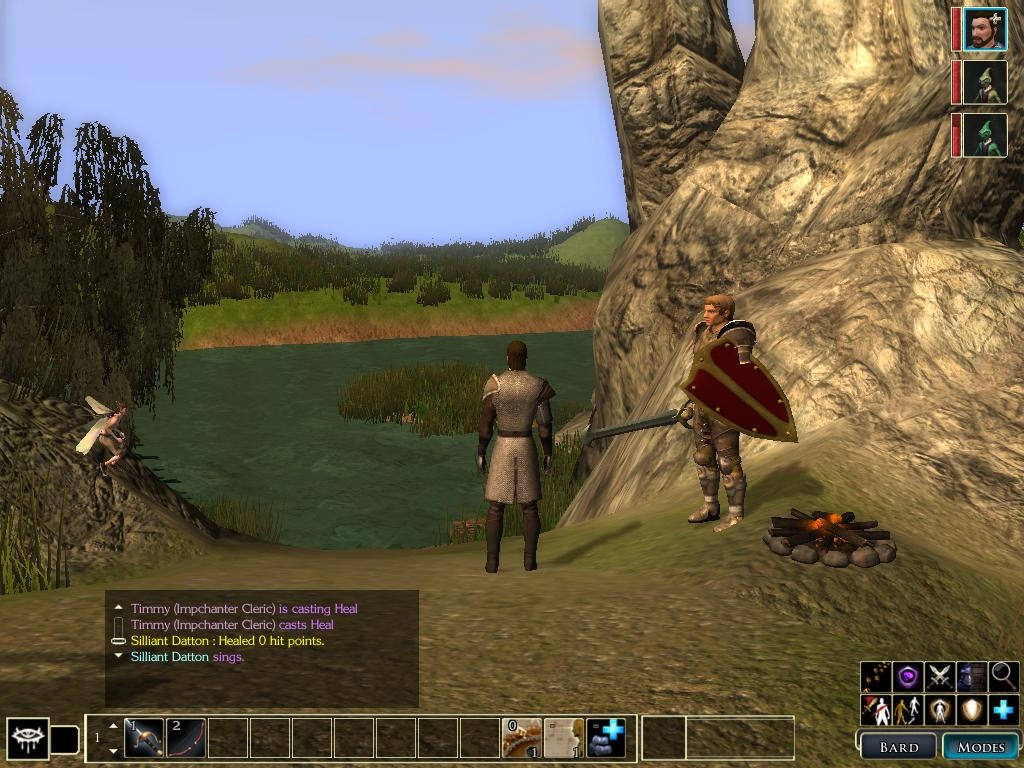
I always liked and used the separate command bar in xUI package , but i always wanted it to be in the mode bar menu... So I added it to the mode bar at the bottom. I reordered the buttons a bit different than the radial menu or the XiDragon's version - attack, follow, stand, guard, heal (It made more sense to me, and I am used to it from NWN1).
Posted by bass400 at 2009-04-04 18:56:45 Voted 9.50 on 04/04/09
Just what I was looking for. I'm so sick and tired of dragging those commands out of the chat/emote menu for every character, and I didn't want a complete UI make-over. Works well (once you make the adjustment suggested by the builder) - I'm running on 1650x1050, so the "ypos" figure I used was =880. My only wish is for it to be expanded to the party stealth and search buttons. But you've made my day!
It seems that after installing MotB and starting the game (thus creating guisettings.ini with the default ui), and after that applying my gui changes the mods bar can't be moved and the mods buttons can't be seen (not a problem unless you are a bard). To fix this go to
My Documents\Neverwinter Nights 2\ui\default\ and open guisettings.ini in notepad. Go to line
[modebar]
xpos-1024=855
ypos-768=636
and lower the end value of ypos by 32 so it looks like this
[modebar]
xpos-1024=855
ypos-768=604
(1024x768 is my screen resolution and 855x604 are X and Y coordinates of the top-left corner of the modebar)
Save and exit.
Posted by Ruaha at 2007-09-13 10:29:23 Voted 8.75 on 09/13/07
Very good and usefull.
You must be Logged In to post comments in this section.
10 - A Masterpiece, Genuinely Groundbreaking 9 - Outstanding, a Must Have 8 - Excellent, Recommended to Anyone 7 - Very Good, Deserves a Look 6 - Good, Qualified Recommendation 5 - Fair, Solid yet Unremarkable 4 - Some Merit, Requires Improvements 3 - Poor Execution, Potential Unrealized 2 - Very Little Appeal 1 - Not Recommended to Anyone






 Site
Site









 at 2009-04-04 18:56:45
 at 2007-10-25 15:54:51


