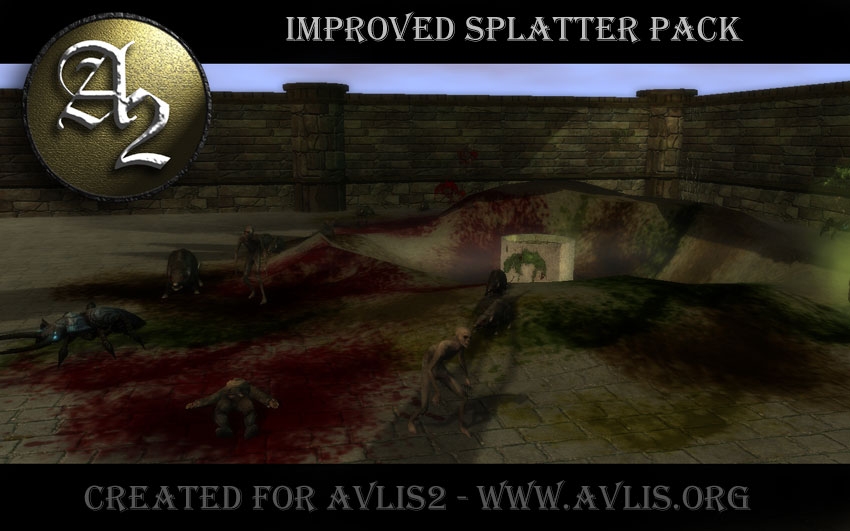
A "factory-sized" submission of professional-quality Placed Effects including the placeable splatter pack, small animated creatures, vines, light beams and more! There are multiple packages of which you, the end-user, can pick and choose from (just one, some or all of them). Please read below for the installation instructions. Detailed notes of each package are below that, and then the FAQ. I hope you enjoy this contribution, and please do vote as you try the packages out!
Install Instructions - BUILDERS USING THE HAK or PLAYERS DIRECTED HERE FOR DOWNLOAD
1: Extract the desired ".hak" file(s) into your "hak" directory (.../My Documents/Neverwinter Nights 2/hak). If you are a player directed here for download of a particular hak, you are done.
2: For Builders Using the HAK with the ERF: simply assign the hak to your module (via the standard method found in Module Properties) and save your module. Import the ERF file to the module. Save and close your module, then reopen it. Your list will appear under Placed Effects.
Install Instructions - OVERRIDE DEVELOPERS
1: Extract the contents of the rar into a place on your drive where you can find them easily.
2: Copy the entire "OVERRIDE" folder into your Override Folder (the one within your My Documents/Neverwinter Nights 2/Override)
3: THIS IS INTENDED FOR DEVELOPERS ONLY (Folks who wish to add to/modify the FX or to put the loose files into their module's custom haks).
PACKAGE DETAILS AND VERSIONS
Camb's Placed Splatter FX v2.0 This package that started this spiral into FX madness includes all sorts of blood, grime and gook, as well as footprints, handprints, claw marks and ground debris textures.
----------------------
Version History:
1.0 - Initial Release
1.1 - Figured out how to use pure alpha channel for Billboard types instead of using black for transparancy - billboards look better (if you have version 1.0, just replace all files with these in your override folder).
1.2 - Added all different color splatter (brown, green, yellow).
1.3 - Added both HAK and BUILDER OVERRIDE functionalities.
1.3.1 - Added ERF which imports blueprints to toolset without the need for override version (thanks for the assistance, GrinningFool!).
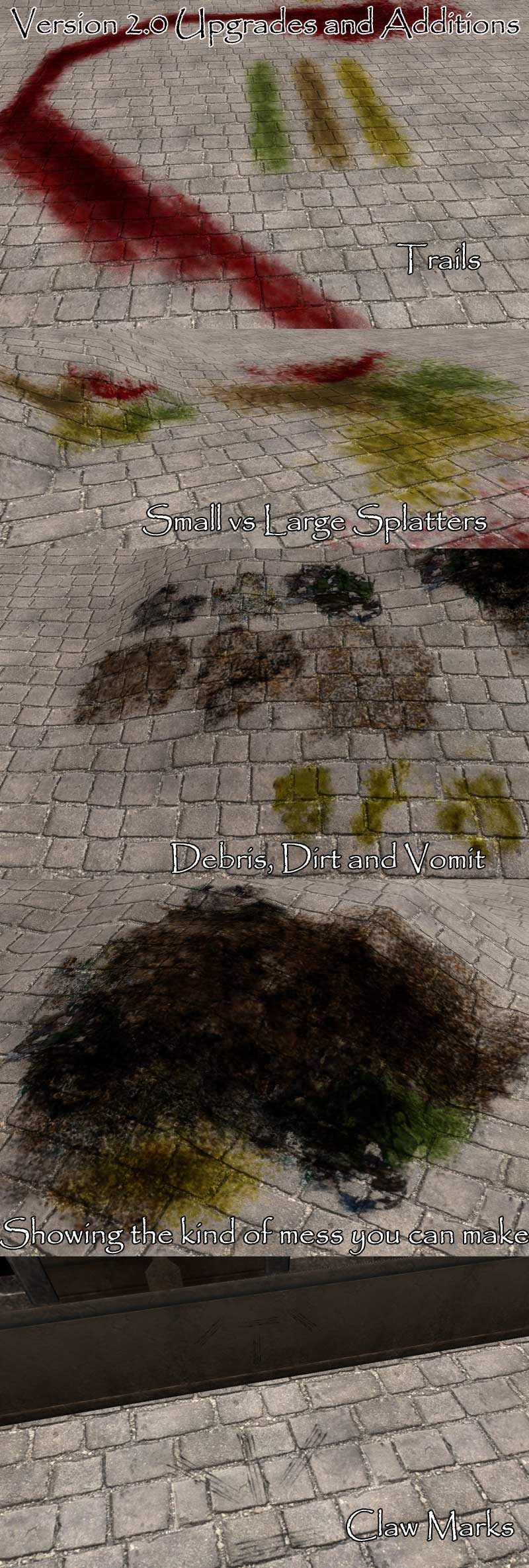
2.0 - Added: blood trails (of all four color as the splat), claw marks (wall and floor), vomit (yum!), debris, dirt and smaller standard splat options.
----------------------
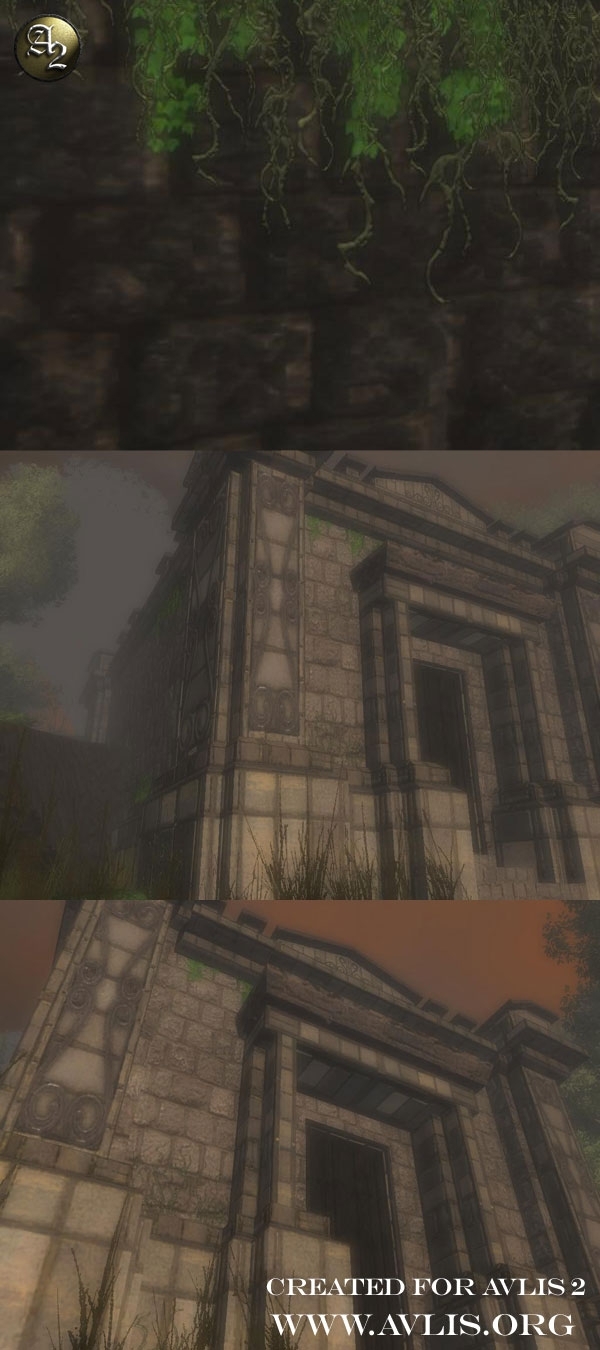
Camb's Vines FX v1.2.1 This package includes 3 different styles of vines (living, dead and mossy), of small, medium, large and extra large size. Each type/size has a "hanging" or "climbing" version.
----------------------
Version History:
1.0 - Initial Release
1.1 - Added "extra large" sized vines that can more easily stretch the height of most walls.
1.2 - Added both HAK and BUILDER OVERRIDE functionalities.
1.2.1 - Added ERF which imports vine blueprints to toolset without the need for override version (thanks for the assistance, GrinningFool!).
----------------------
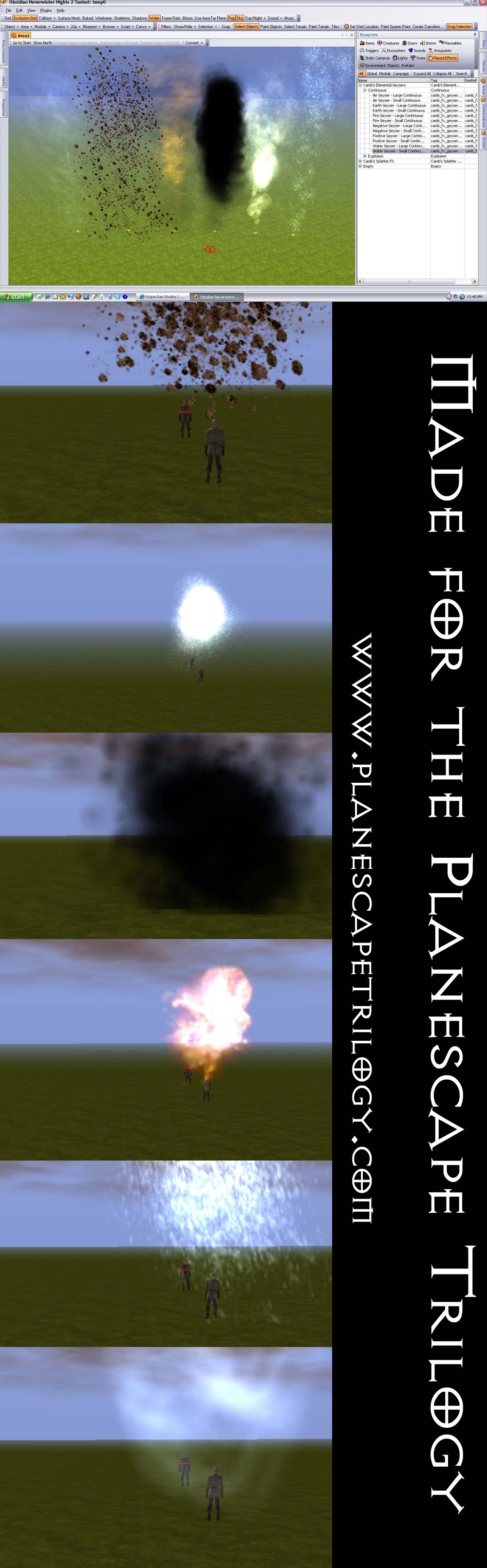
Camb's Elemental FX v1.0 This package includes elemental geysers and explosions of all four elements plus positive and negative. Code to explode with the "explosion" versions, already equipped with pre-synched sound effects! Also included are any miscellaneous "elemental" FX, like the Jacob's Ladder electricity arc.
----------------------
Version History:
1.0 - Initial Release
----------------------
Camb's Light FX v1.0 This package includes any light or light-based FX I have come up with to date. As of the intial release the major feature is the "forest beams of light" designed to add a natural touch of "through the trees" light to your forest, or any area where a soft beam of light would look good.
----------------------
Version History:
1.0 - Initial Release
----------------------
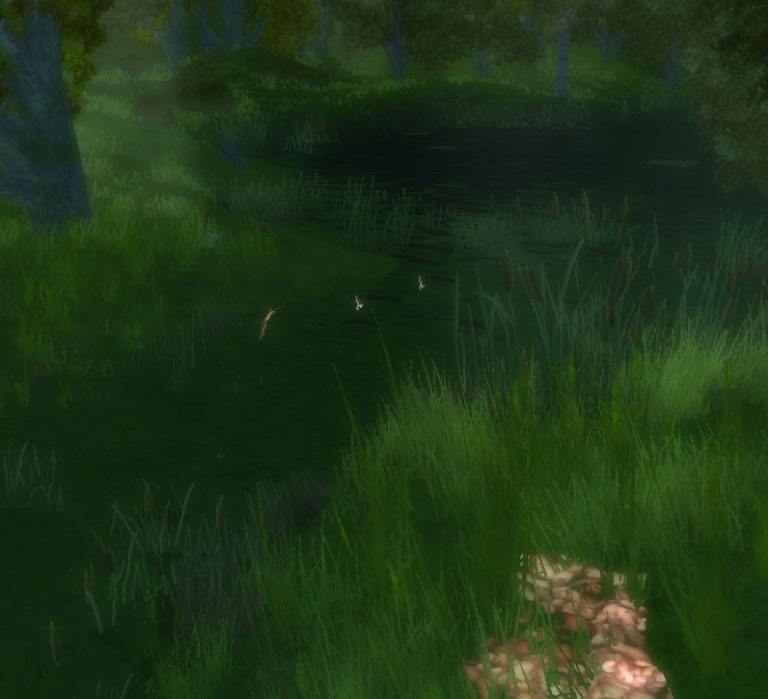
Camb's Creature FX v1.0 This package includes little creatures like bugs and fish animated to be doing something they....well, should be doing. Adds more life to any environment.
----------------------
Version History:
1.0 - Initial Release
----------------------
!!!NOTES ON PROJECTIONS AND BILLBOARDS!!!
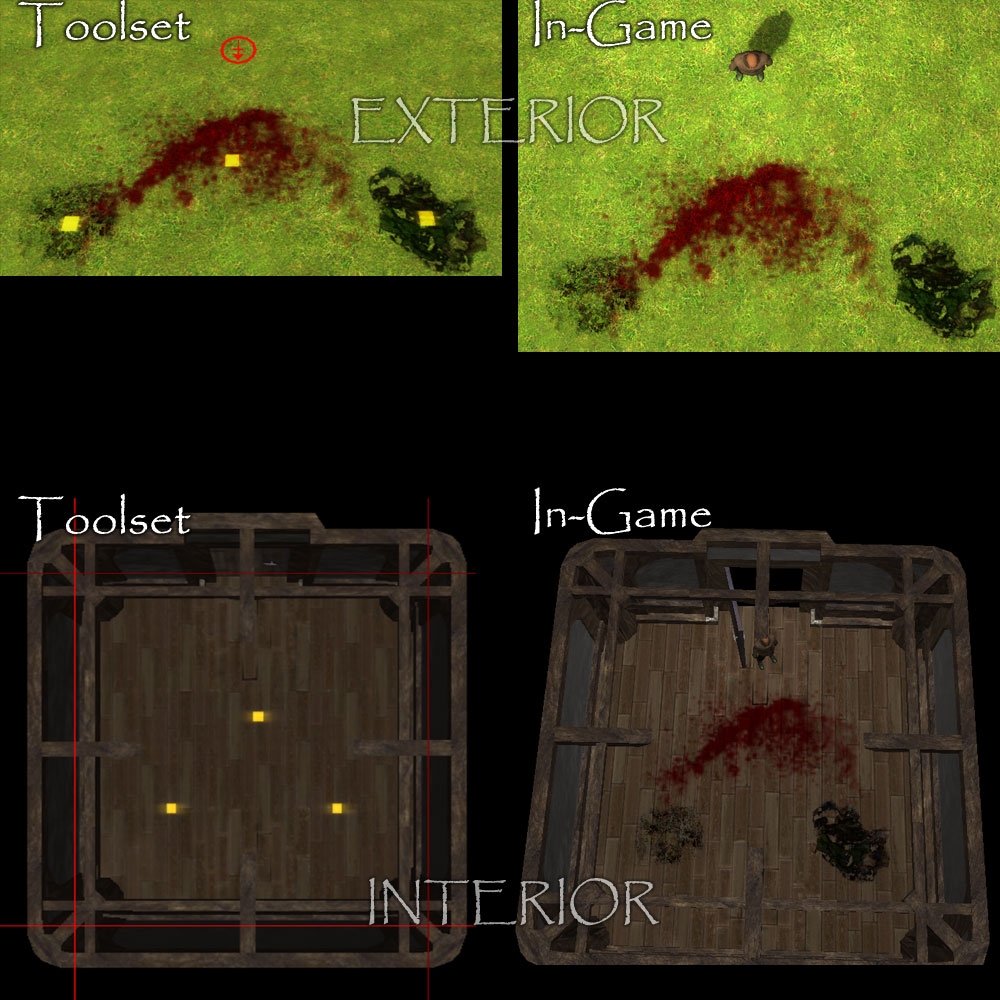
PROJECTION TYPES of FX will cast along the ground, and roll with it no matter the shape of the terrain. You can see them in the toolset when building exterior areas, but NOT in interior areas (see screenshots!). Placing them in interior areas is more guesswork than anything, and learning what the textures look like when playing with them in an exterior area. Combining different projections in clumps generally looks good, and adds to the variety/randomness. You cannot rotate projection types of FX (without using the FX editor to create a new FX).
BILLBOARD TYPES of FX will cast along a wall, and you can see them in the toolset in all types of areas. They can also be rotated to face any direction, which is nice. Placing these blood FX over each other will make them darker, but brighter with bloom, if that is the look you are going for.
SOME GROUND TEXTURES (like the grubby worms) ARE BILLBOARDS. This was only done for animated 2D textures (animated textures do not function when assigned to a projection). If you can rotate an FX placed on the ground, it is a billboard. Be aware that these will NOT roll with the ground on exteriors, but will instead remain flat at whatever level you raise them to.
FAQ
Q: What exactly is a HAK, ERF and OVERRIDE? A: HAKs are just a collection of files that are called upon by the game when stored and assigned correctly. They need to be placed in your HAK directory (.../My Documents/Neverwinter Nights 2/hak) and assigned to a module to work. Once they are assigned to the module (via the Module Properties; this is for module builders to do) you can use the HAKs in both the toolset (after a reload of your module) and playing the game. HAKs don't interfere with any module or game that does not have a particular HAK assigned to it.
ERFs are another collection of files, but these are blueprint files. By importing them into a module (File -> Import) you acquire the blueprints of items content developers like myself have made. The type of blueprints in the ERF determine where they land (blueprints for FX, for example, appear under Placed Effects). Note that you must either A) have the HAK assigned to your module or B) have the files for a particular package in your OVERRIDE directory for blueprints to work correctly. It is always recommended that after importing an ERF you take note of what has been imported, save your module, close it, and then reload it. Otherwise you may not see all the blueprints show up, or they may not call upon the correct things. Also note that there are two options for blueprints: one is the ERF method, which many people prefer because after importing blueprints the blueprint files are editable OR you can also put the actual blueprint files in your override directory and reload the toolset (but will not be able to edit those blueprints).
The OVERRIDE folder is what is used by developers, usually before they are ready to compile the hak or haks for their particular module. If you are experienced in it, the override folder is a wonderful asset. Be forewarned that items in your override folder can disrupt your game by loading things into modules they shouldn't be loaded into, by interrupting the patching process, and some careless overriding can even damage your entire installed game. Only use the override folder if you have taken the time to educate yourself on how it works and what to avoid doing (which is beyond the scope of this Q&A I'm afraid).
Q: Where are the HAK, ERF and OVERRIDE options for each FX? There used to be a seperate file for each type. A: Because of the nature of this submission (multiple FX packages under one "roof") each .RAR file has all three options. Each option is in it's own labeled folder. The download time for FX is not too heavy, so I viewed this method as the least "cluttered" option.
Q: I came here looking for <FX previously in it's own submission>. Where can I find it? A: Each entry in the Files section is an entire FX package, labeled accordingly.
Q: What changes should I be expecting if I have an FX package downloaded prior to the "Factory"? A: Unless the file has changed versions since you last downloaded it, it should be the same setup for the HAK and ERF. I didn't reorganize or rename anything. All your currently placed FX will work without a hiccup, and the blueprint trees are the same. The OVERRIDE folder might have a slightly different setup due to "standardization", but all the same files are within the main folder. Just take out the old override and replace it with the new. Note: the blueprints are now easily removed from all override versions, so that you can import via ERF and tweak the blueprints while using the override if you so desire.
Q: I really like <FX name> but I think <idea> would be great. Do you take requests? A: Yes, I certainly do! Just be aware that the answer is not automatically a "yes", but many of the current FX packages are already requests granted :)
Q: Why isn't the Combat Splatter Pack included in this submission? A: The Placed FX Factory is for placed FX files only - those that can be seen and used within the toolset. FX like the Combat Splatter are game improvements not seen as actual placed FX, so deserve their own category.
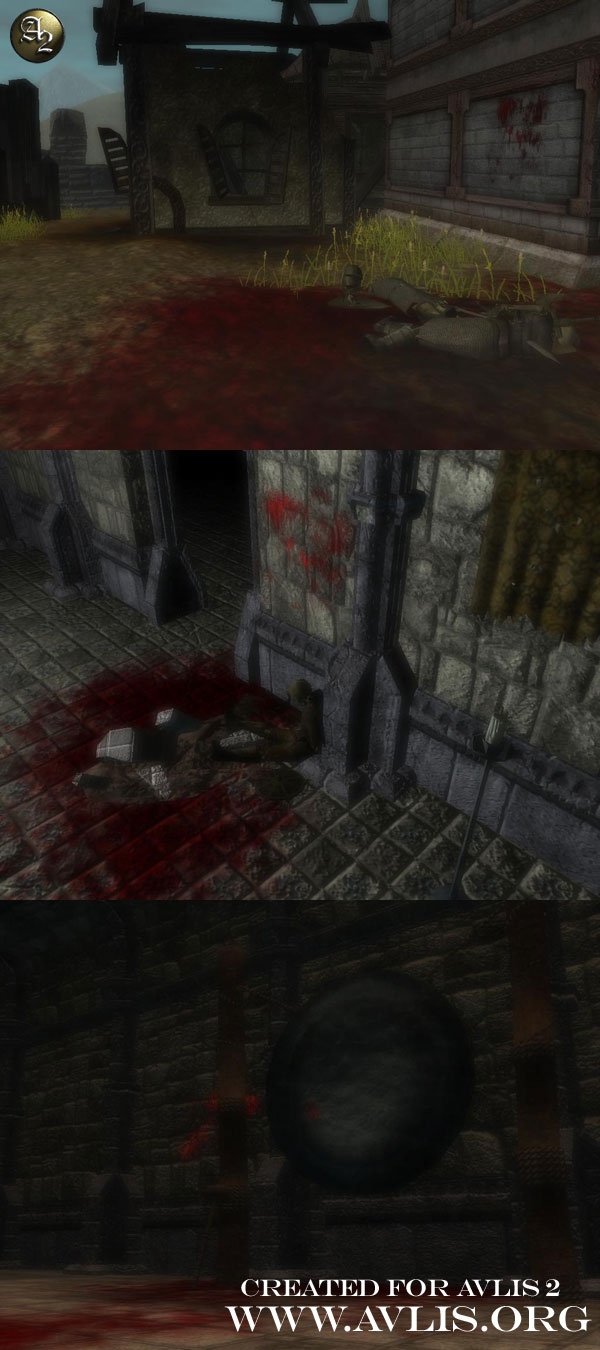
Some better screenshots than before, showing better looking wall splatters.
SPLAT-tastic!
Version 2.0 Upgrades and Additions
Splat projections do work on interiors, you just can't see them render in the toolset. They will show up in your module just fine. This is a blackbox issue...nothing I can do about it :)
10 - A Masterpiece, Genuinely Groundbreaking 9 - Outstanding, a Must Have 8 - Excellent, Recommended to Anyone 7 - Very Good, Deserves a Look 6 - Good, Qualified Recommendation 5 - Fair, Solid yet Unremarkable 4 - Some Merit, Requires Improvements 3 - Poor Execution, Potential Unrealized 2 - Very Little Appeal 1 - Not Recommended to Anyone






 Site
Site