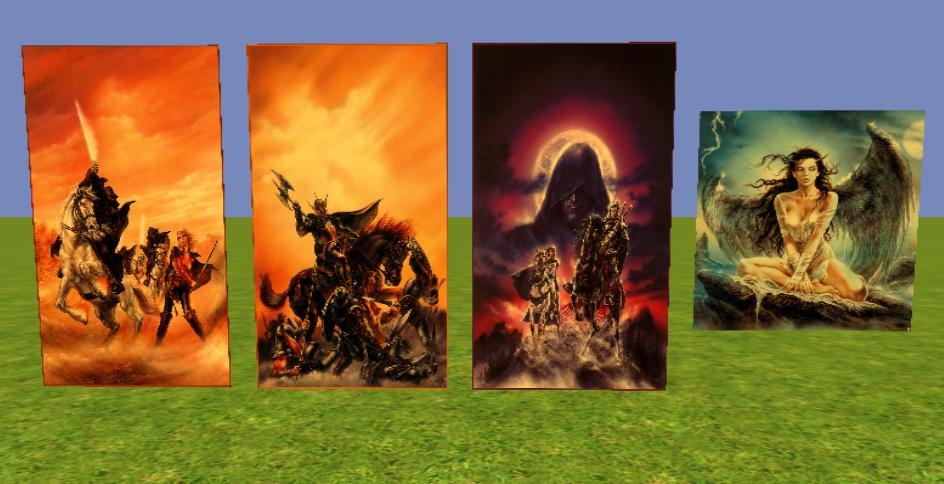
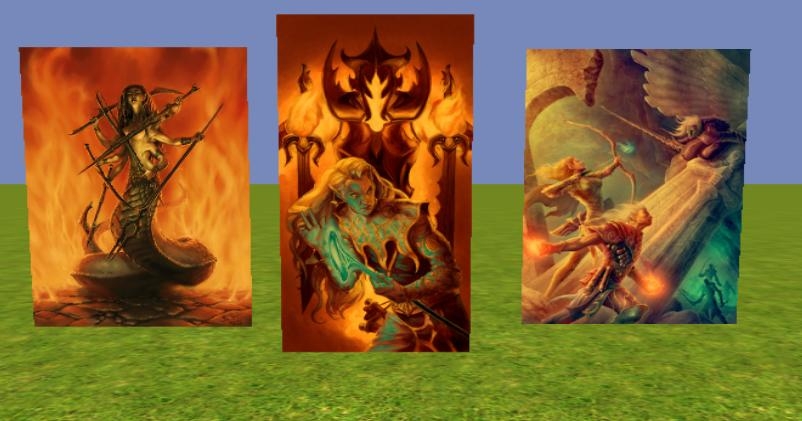
These are batches of Billboard VFX files that can be used to add pictures to your module. Each batch has 10 different pictures on both the X and Y directions (for a total of 20 files). I will be adding more in the future as time and my willpower permits. Please note that I did not create any of the artwork itself and credit is due to the original artists, I just turned them into VFX for the game. Also, these are the VFX only, you will need to provide your own picture frames for them. There are many existing placeables that should work just fine for this.
These were created with the install of OC + MotB + SoZ, version 1.21. However, they should be independent of any install combo or version and should work for anyone.
Packs with "cr" in the file names have various creatures as the main focus of the pictures.
Packs with "ls" in the file names have various landscapes as the main focus of the pictures.
Packs with "hu" in the file names have various humans/PC races as the main focus of the pictures.
Packs with "sp" in the file names have posters that might be found in various shops.
Packs with "ca" in the file names can be used as a coat-of-arms or some similar insignia.
=======================================
Install Instructions:
Please pay attention here as they need to be installed in a certain order to be functional.
1. Unzip the file km_vfx_**_##.rar (where ** is a letter code while ## is a number code) and then Import it into your module. These are just RARed .erf files created with Tanita's NWN2Packer and contain the needed files.
2. Import the file km_vfx_**_##_blueprints.erf, these are premade blueprints. They will appear under Placed Effects in the toolset.
3. Have fun.
=======================================
Usage Permissions:
Feel free to use them in your personal modules or PW if credit is given and also to resize them as you wish. A Comment/Vote would be appreciated. Please send request before adding to compilation haks for redistribution.
=======================================
Short Tutorial on How To Resize:
For those who don't know how -
1. Import the files as described above.
2. Keeping your module open, open the Visual Effects Editor (under Plug-ins along top).
3. In the VFX Editor, select File -> Open, which should open a window listing your Modules (if not, navigate there), open the folder that is named after your module. Inside here should be a bunch of files ending in .BBX and .SEF
4. Open the .BBX file of the picture you want to resize. This will open another window with a viewpane and properties pane in it. If you see no picture in the viewpane, turn your camera as you might be looking at the "knife-edge" of the VFX.
5. Under the properties, find the entry named Begin Size. Edit the numbers in this row. Obviously, entering larger numbers will increase the picture's size while lower numbers will reduce it.
6. Save the VFX (File -> Save) and close the VFX Editor.
7. You're all done, even the prefab blueprints should be altered in size for immediate use.
8. Save your module often!
Morbane - contact me through a PM on the Bio Social forums. I can turn these into placeables pretty quickly. At the time I originally made these I didn't know how to reskin placeables but have since learned.
Posted by Morbane_Unhinged at 2010-12-20 00:25:45 Voted 9.75 on 12/20/10
I would like to know how you made these effects - i am putting out a gallery of paintings soon but they are placeables which require 2da editing. _________________________ |Morbane|
I find the author's comments about about a compilation pack ironic. The artwork is from other authors compiled in a pack. Aren't you doing the same thing that you don't want others to do? _________________________ Blackstone Keep PW
@ Chass - I don't want it in some huge compilation pack that others put together such as 3C. I have nothing aginst 3C (some of my icons are already in there), this is so that I may add/change things as needed. Also I'd like to keep the votes/comments right here instead of (potentially) spread through many packs.
10 - A Masterpiece, Genuinely Groundbreaking 9 - Outstanding, a Must Have 8 - Excellent, Recommended to Anyone 7 - Very Good, Deserves a Look 6 - Good, Qualified Recommendation 5 - Fair, Solid yet Unremarkable 4 - Some Merit, Requires Improvements 3 - Poor Execution, Potential Unrealized 2 - Very Little Appeal 1 - Not Recommended to Anyone






 Site
Site











 at 2011-01-18 06:51:30
 at 2010-12-20 00:25:45


