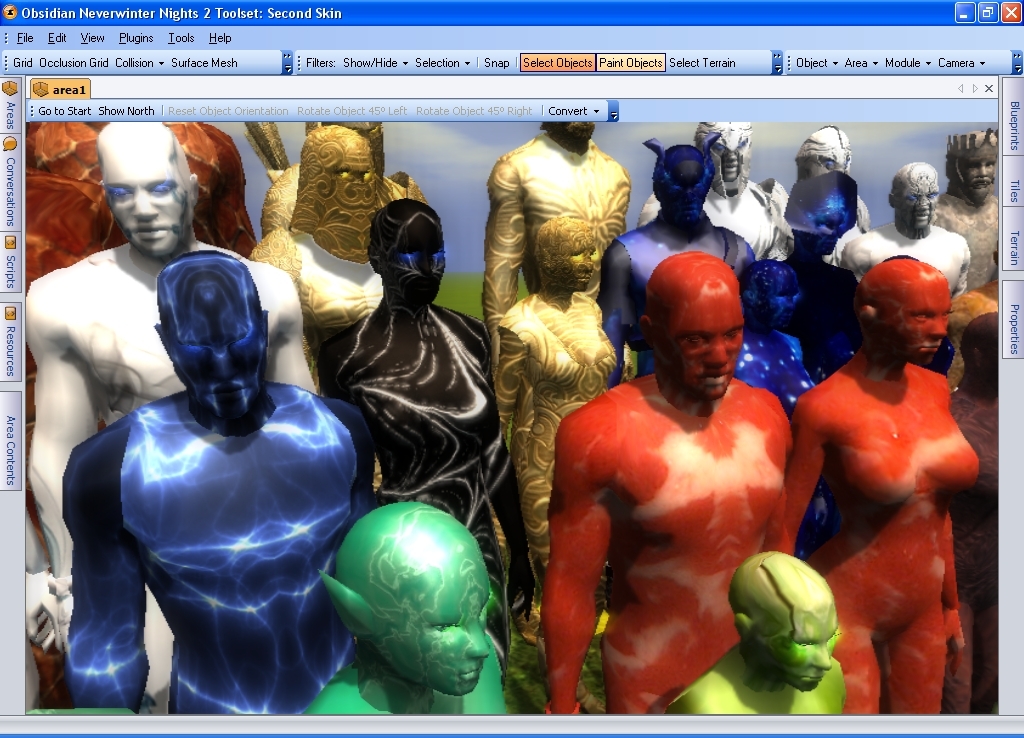
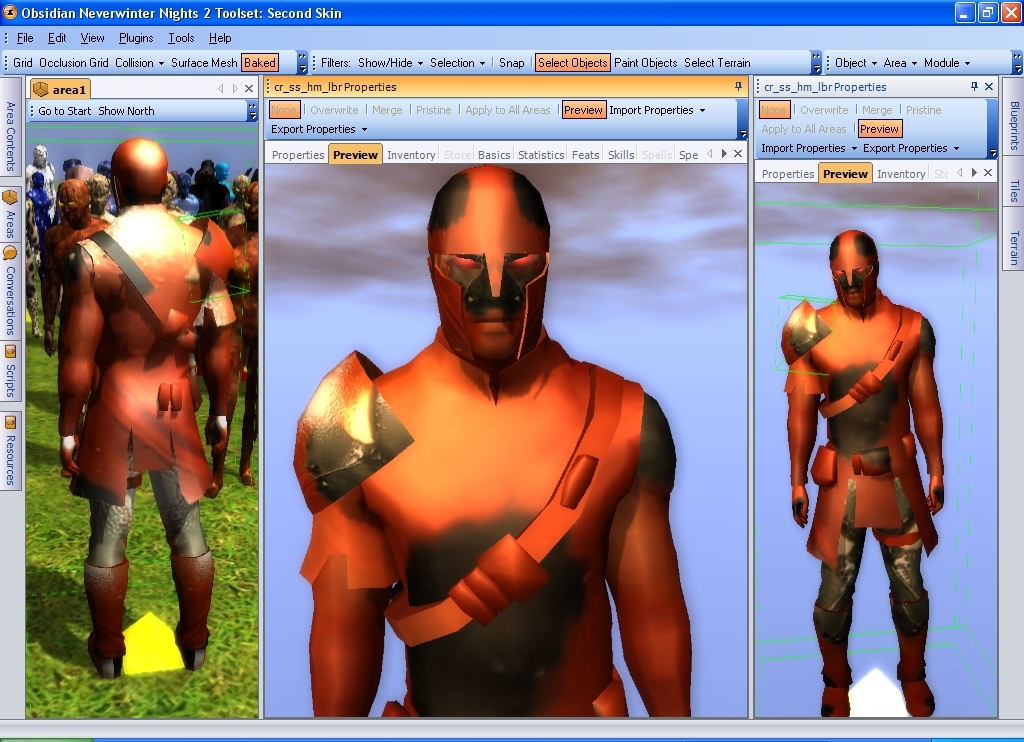
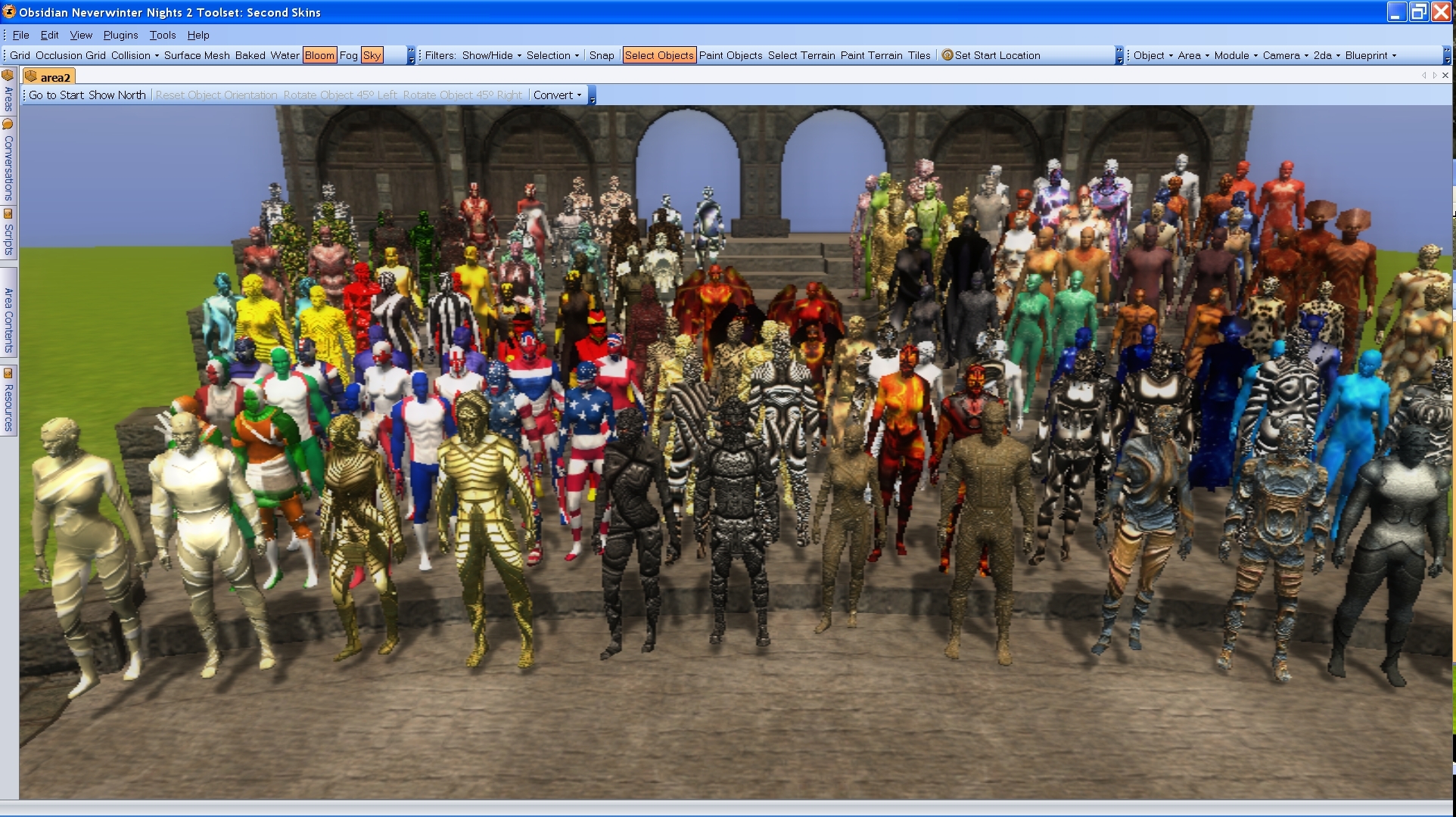
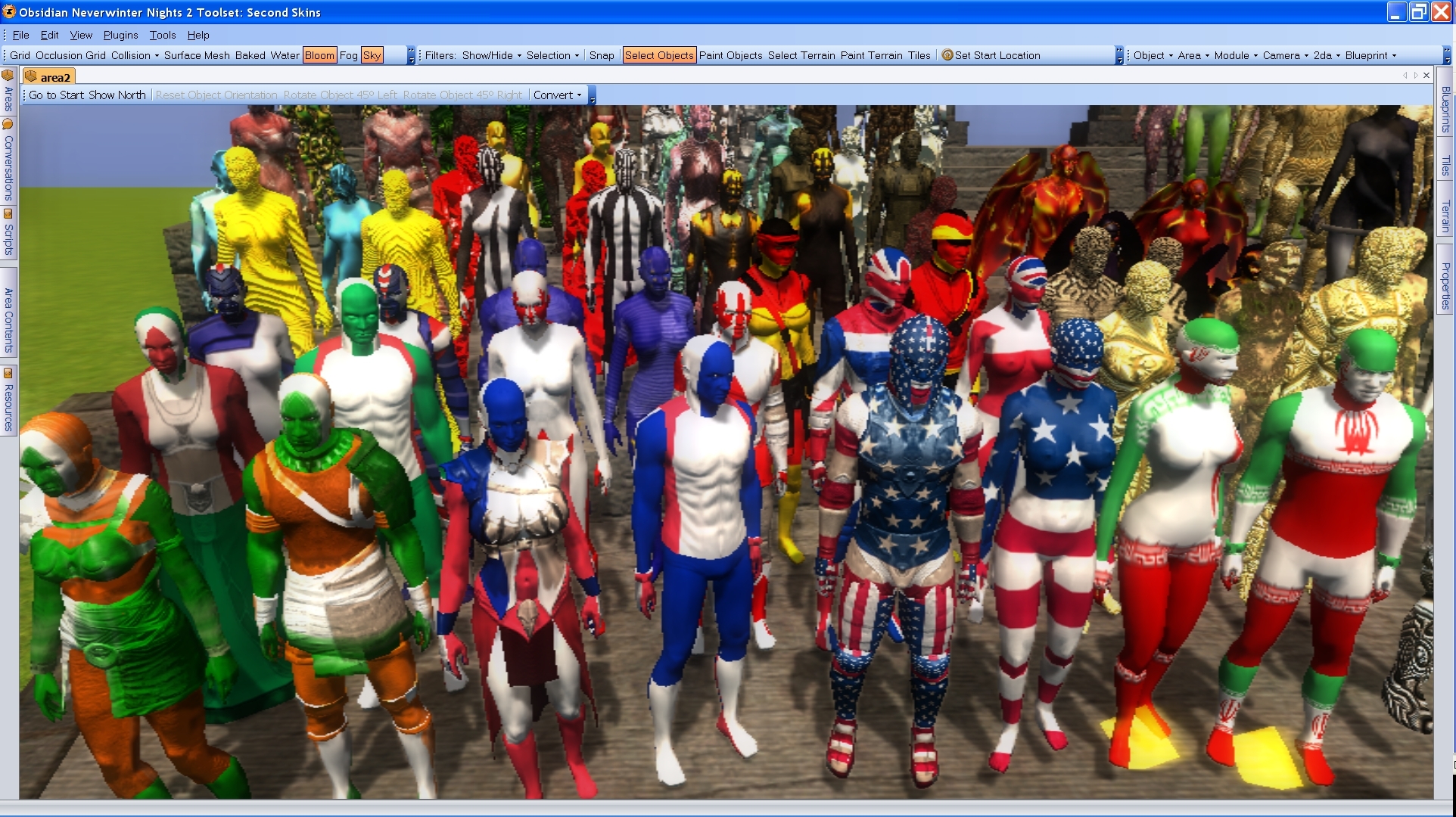
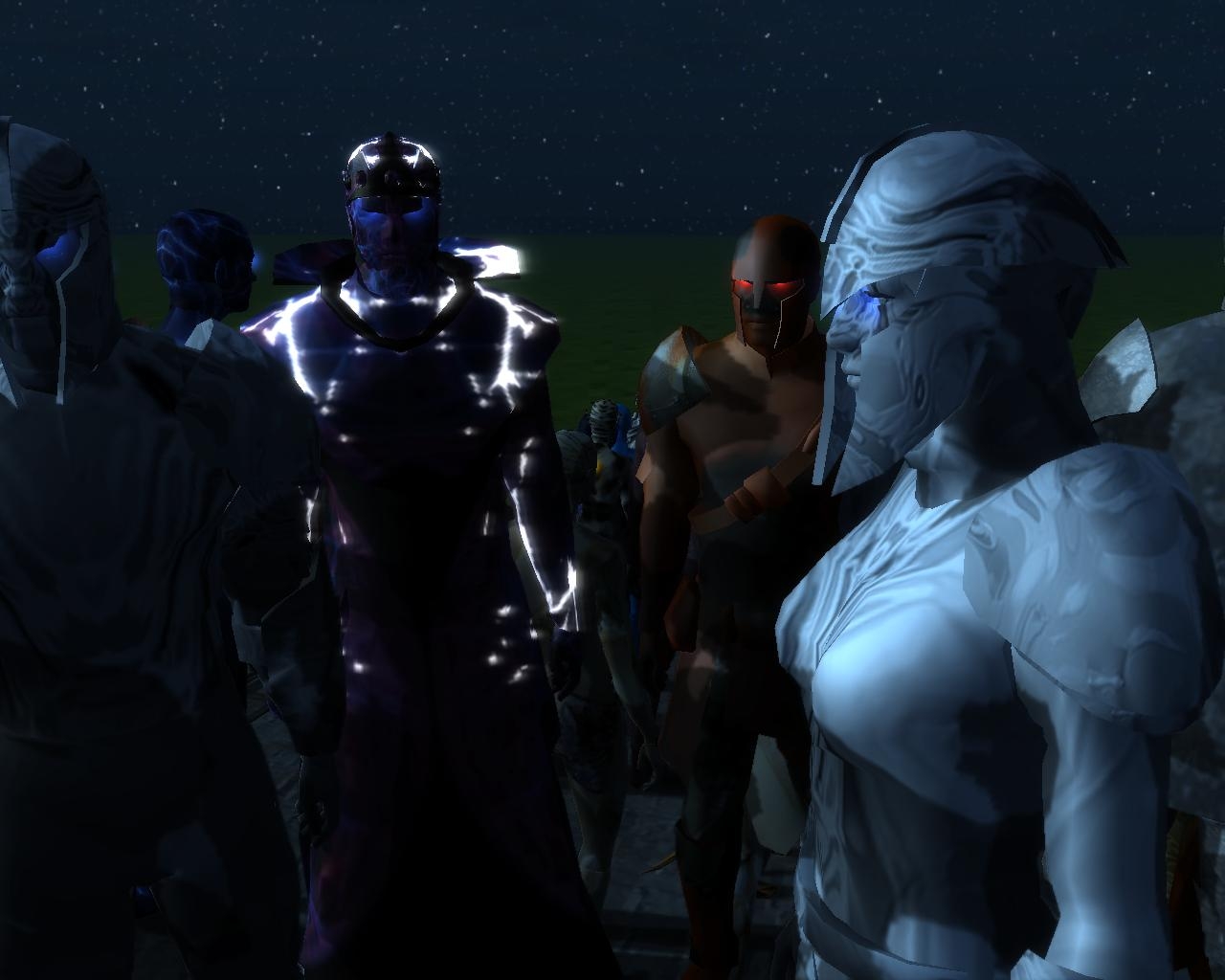
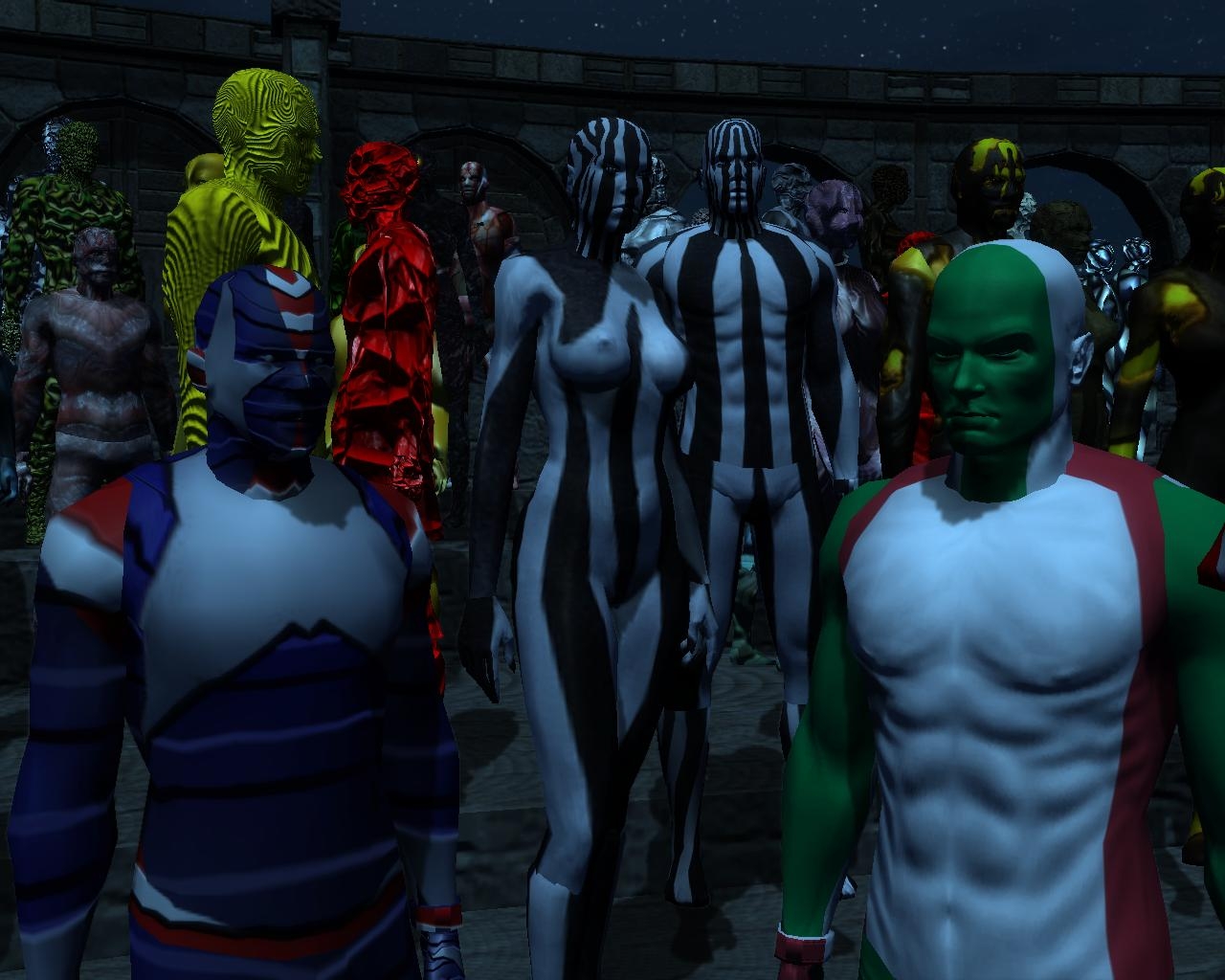
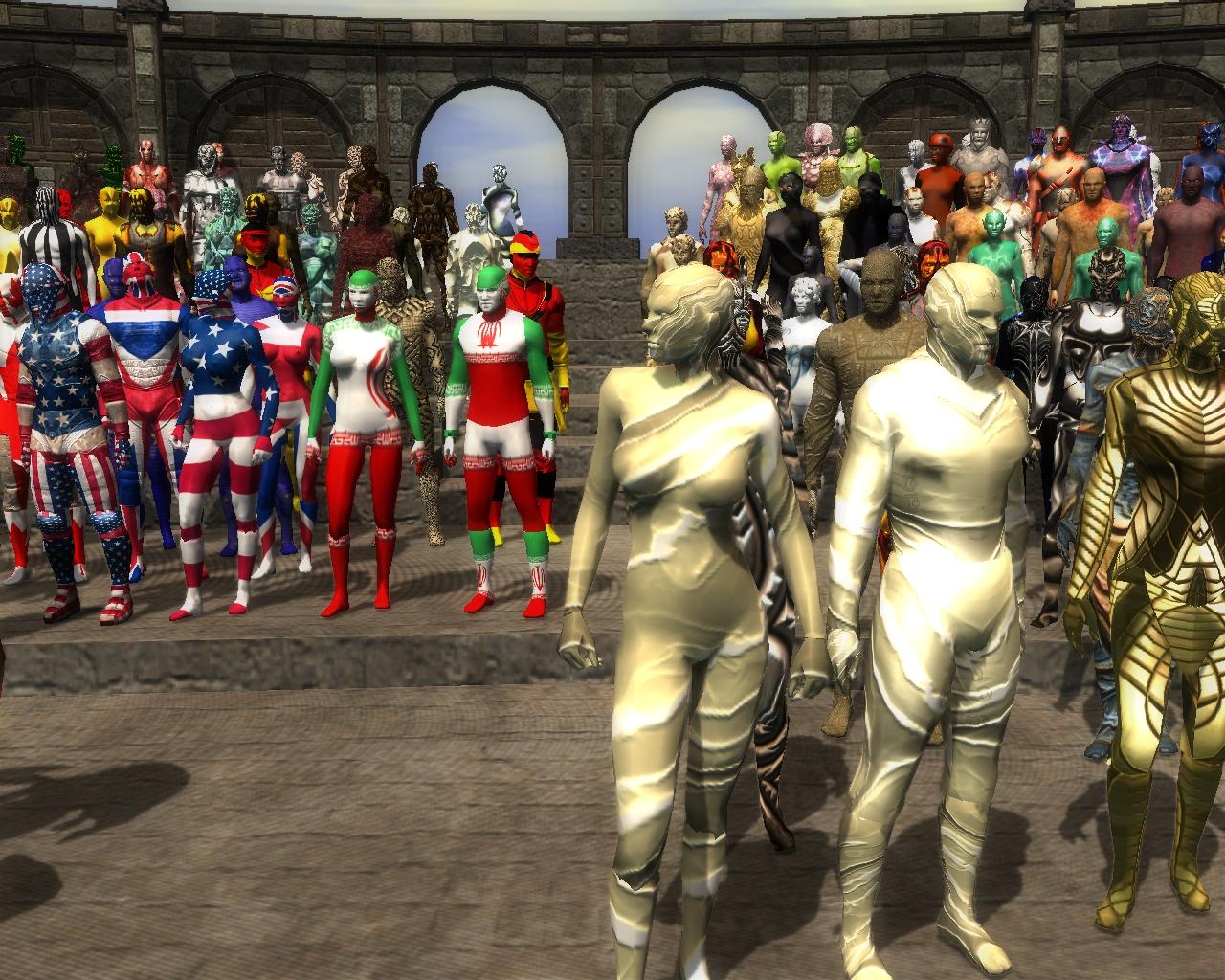
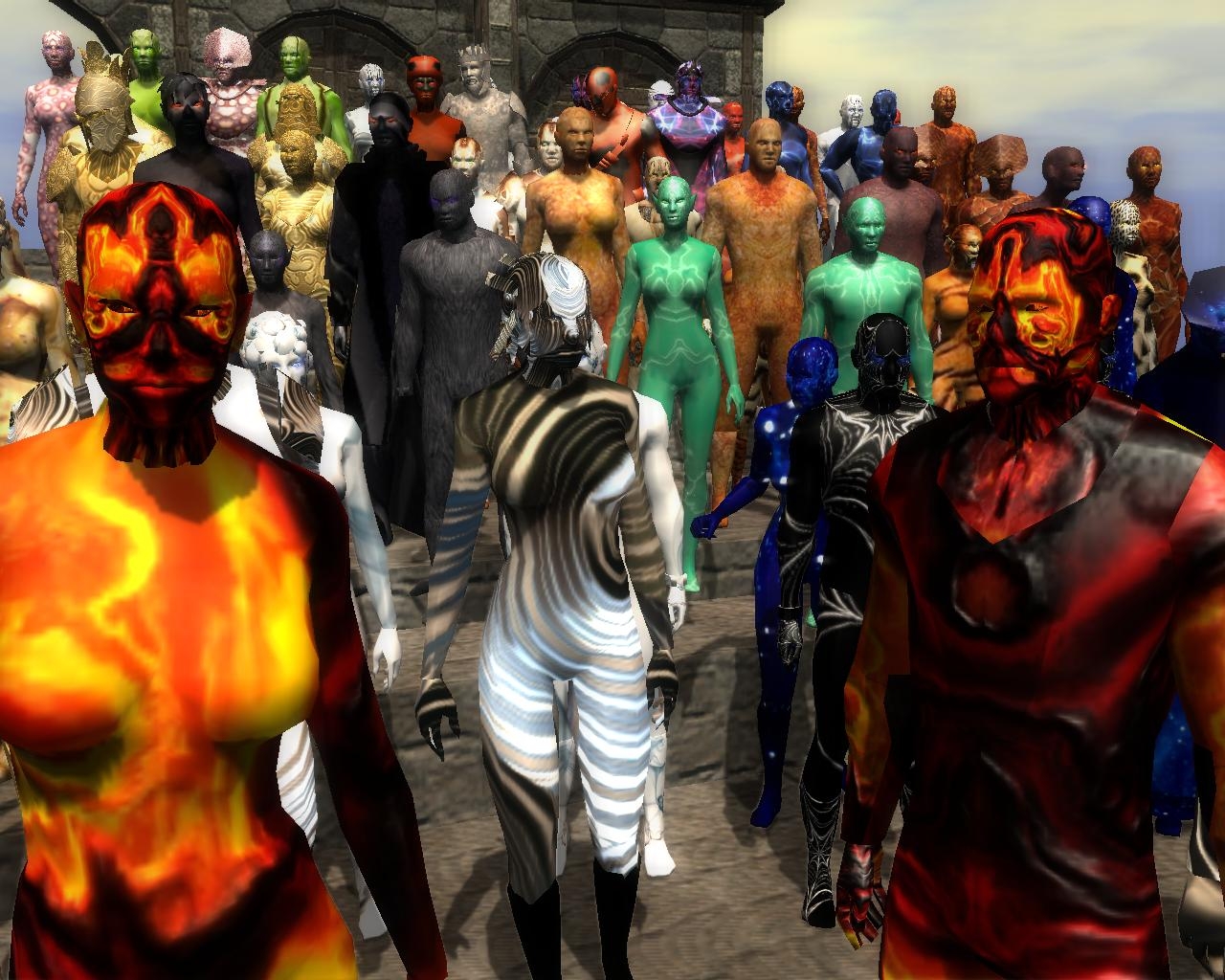
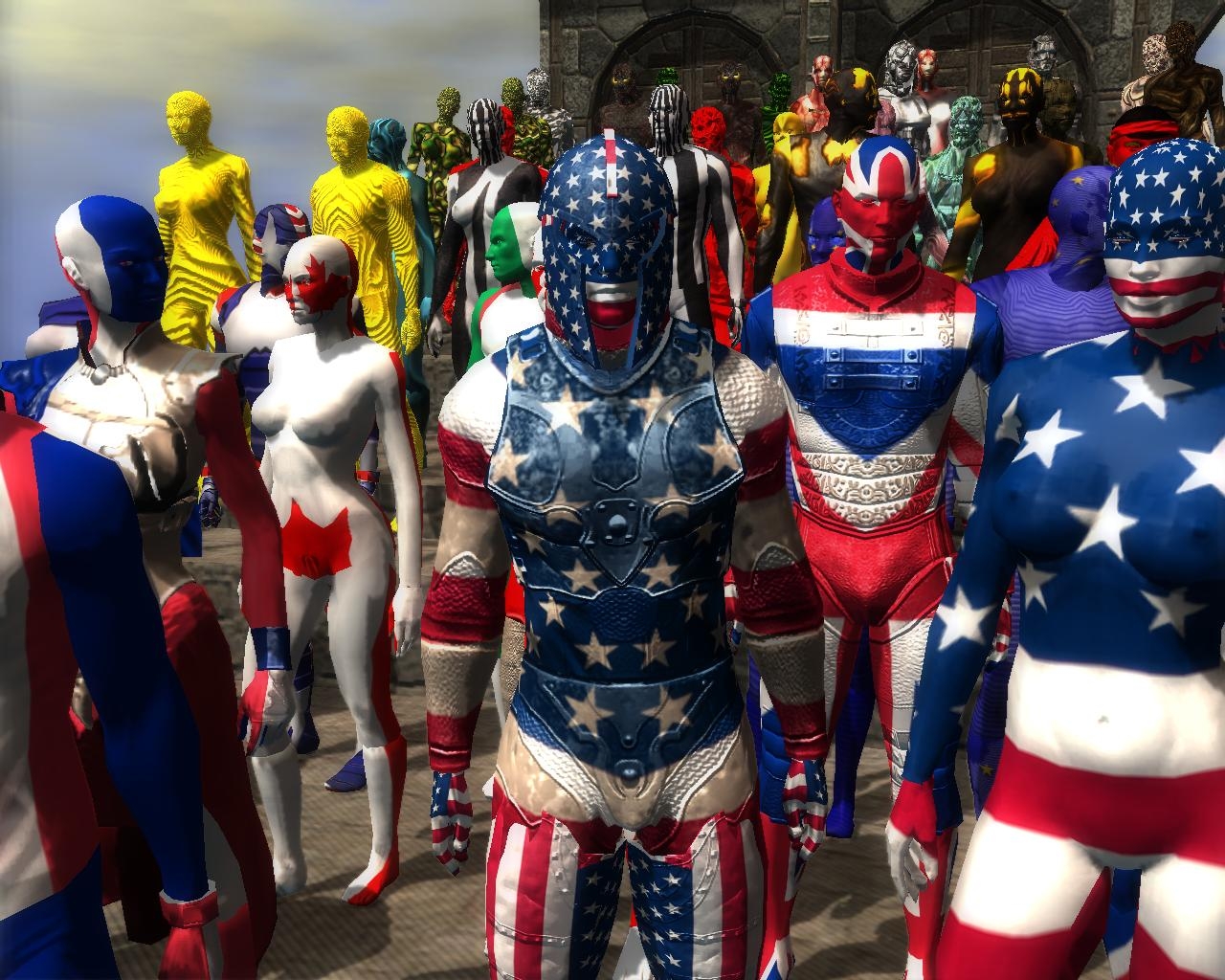
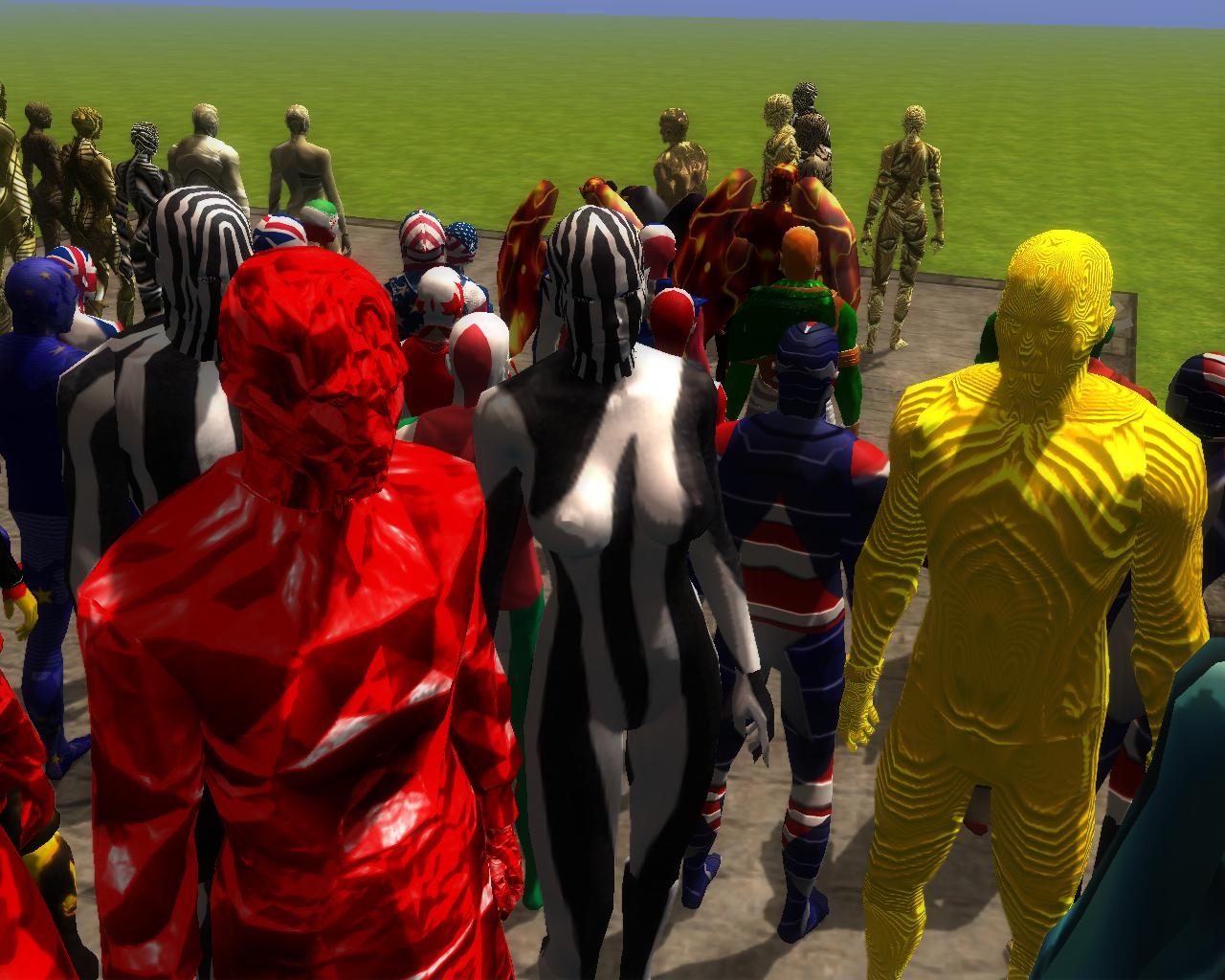
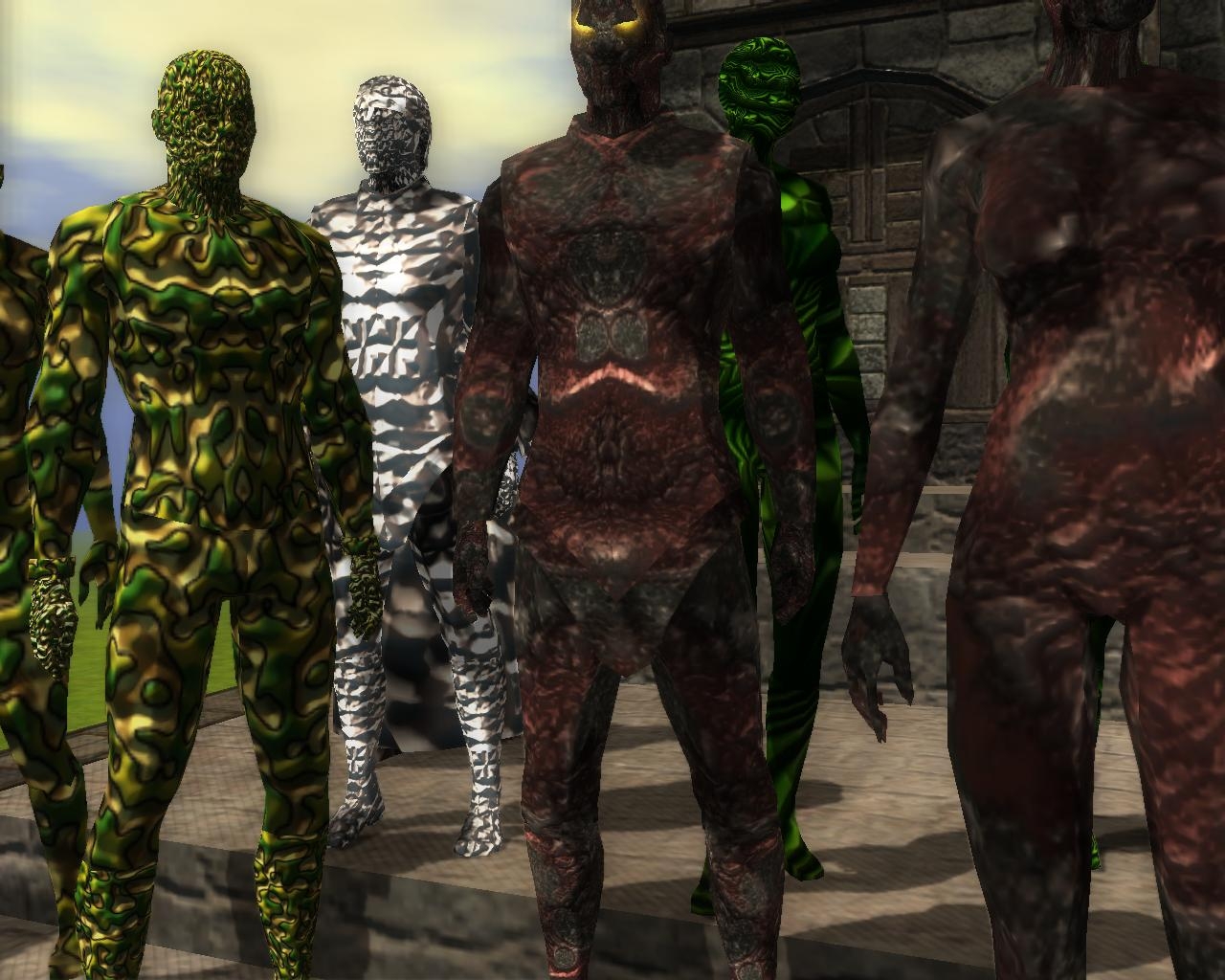
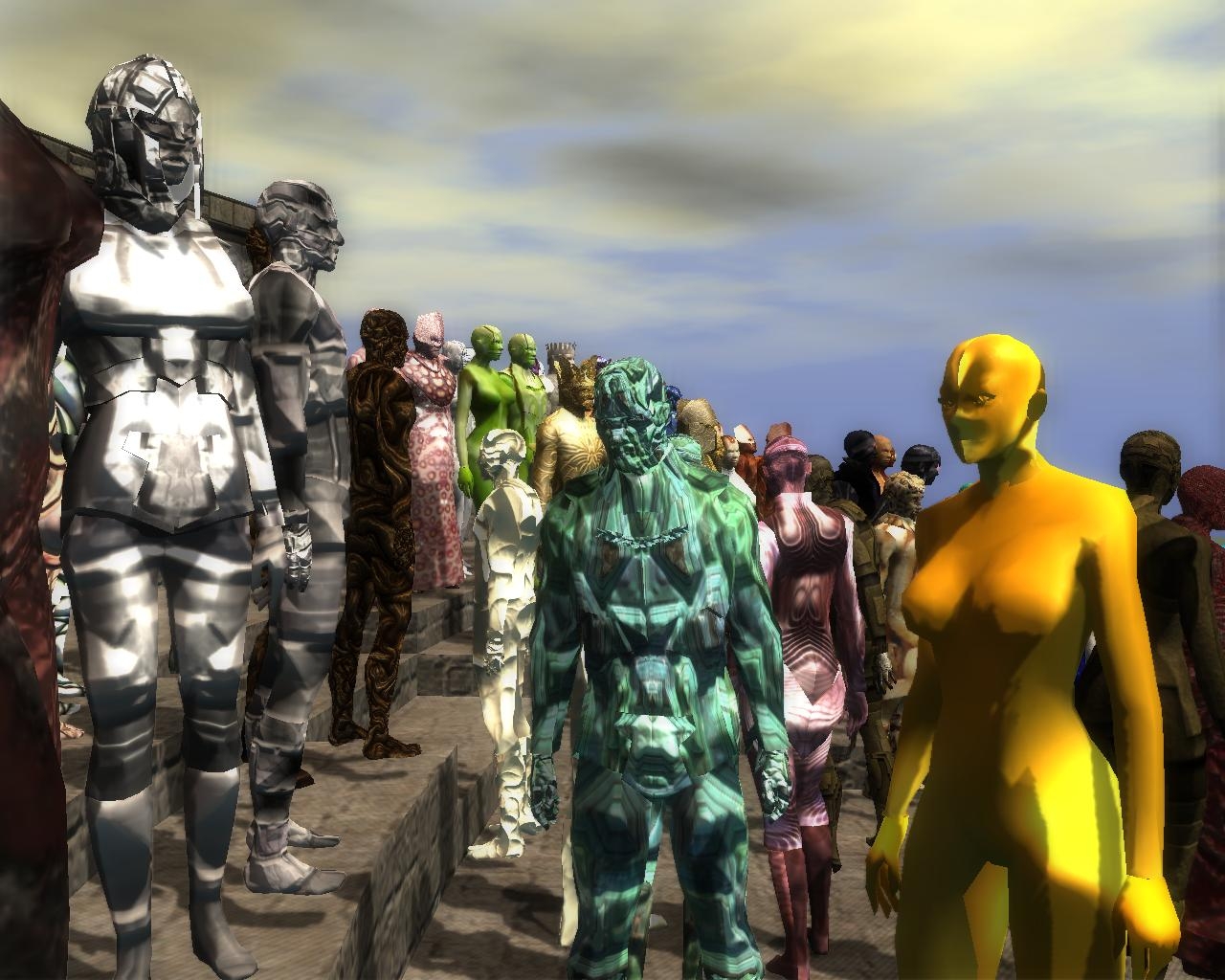
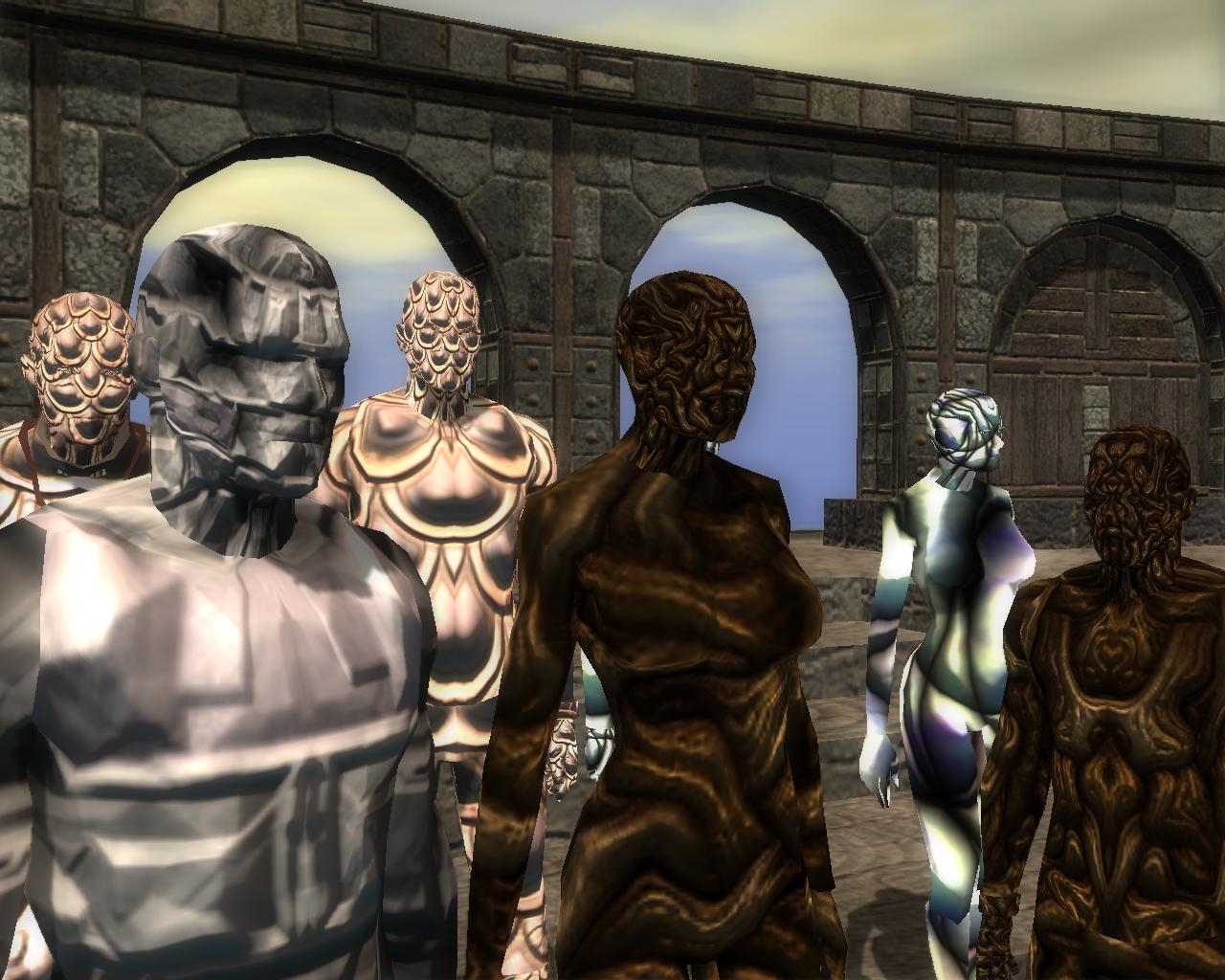
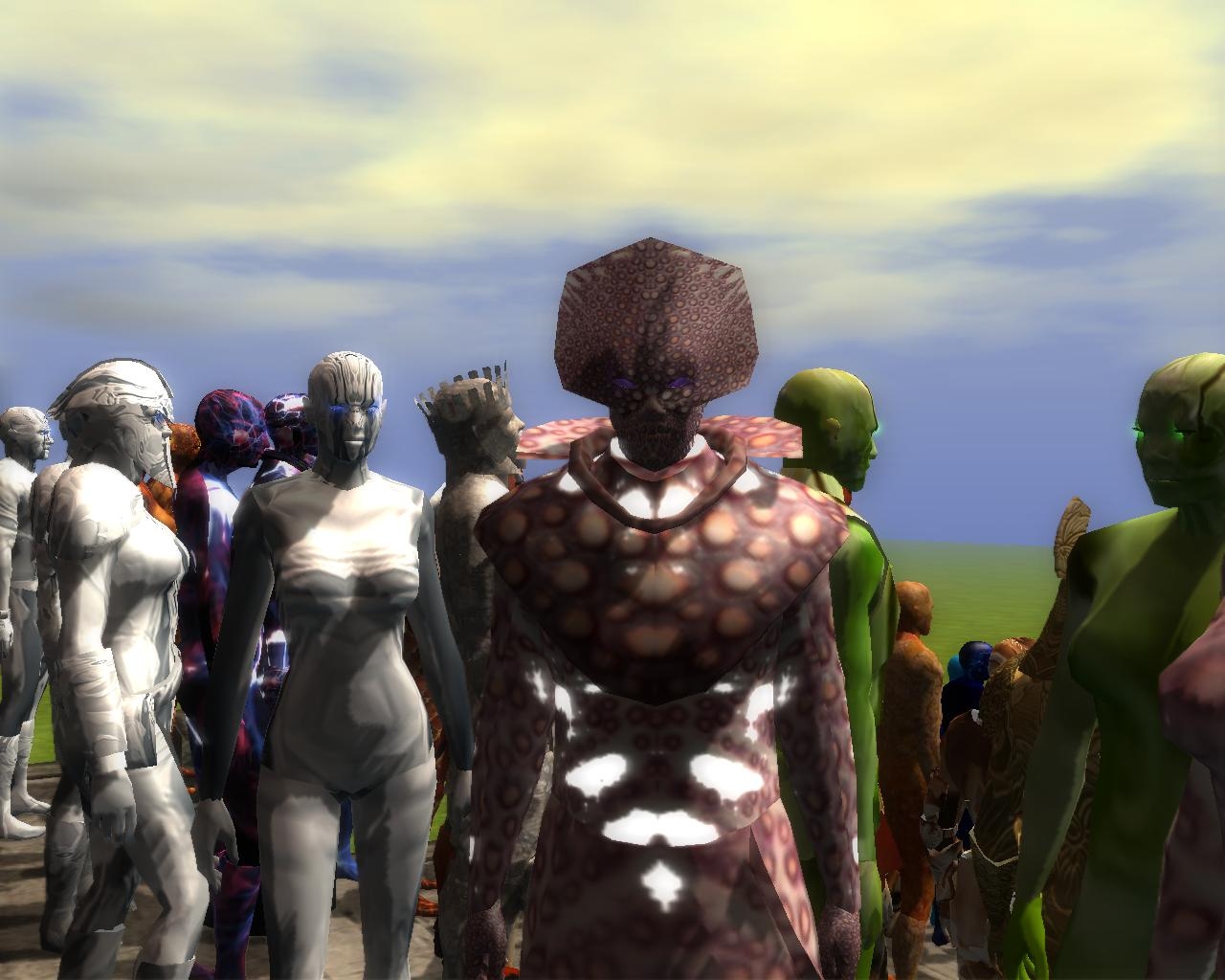
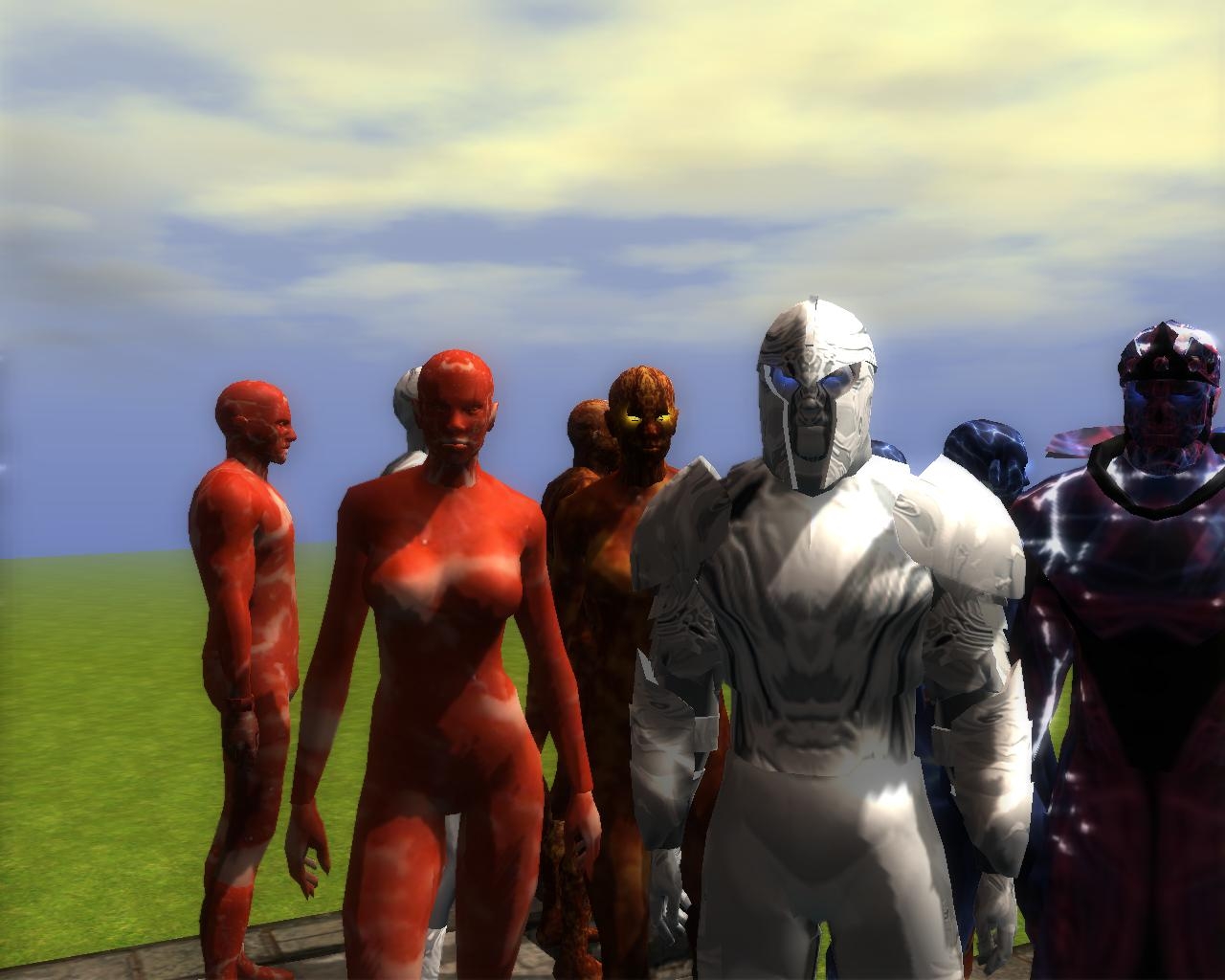
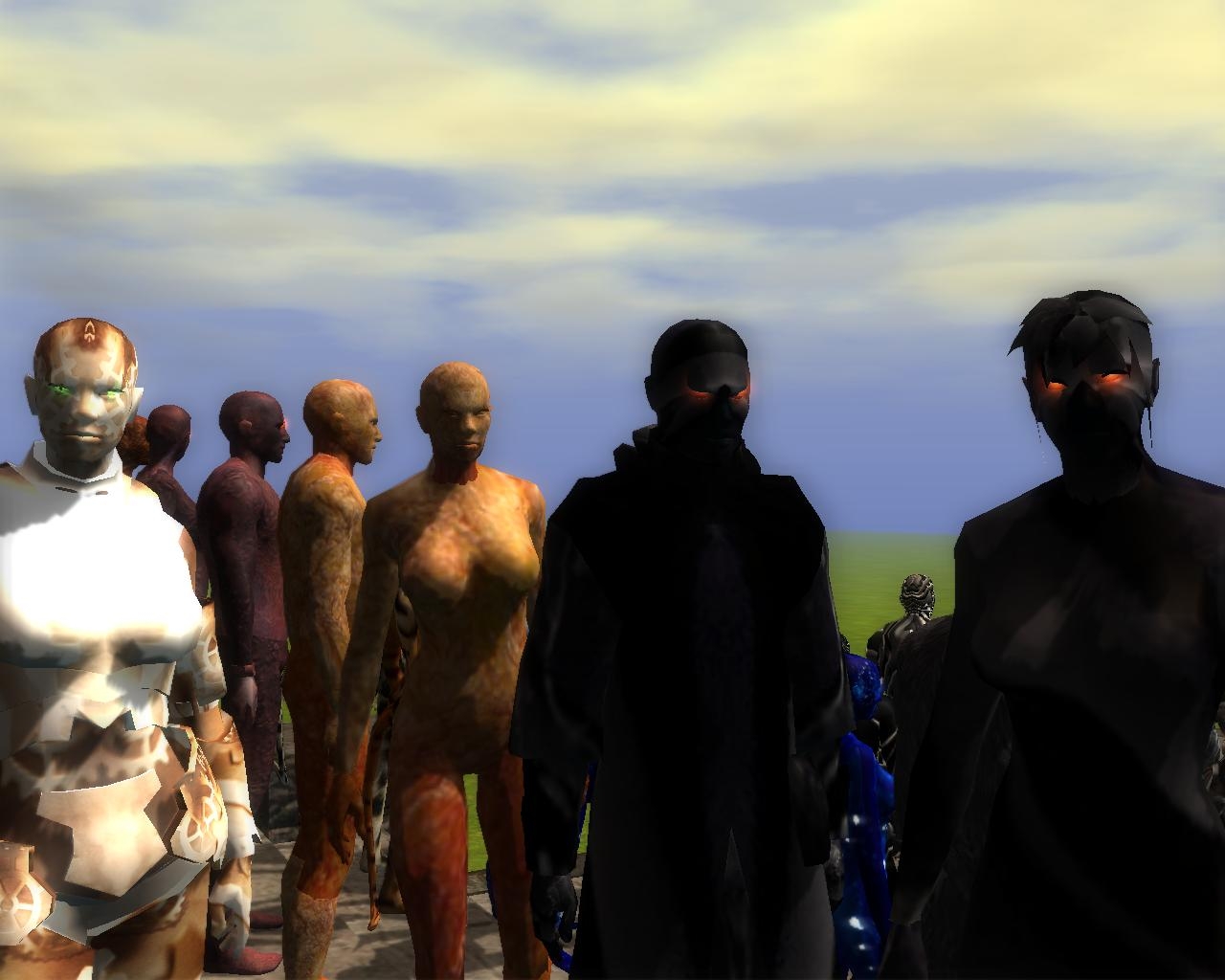
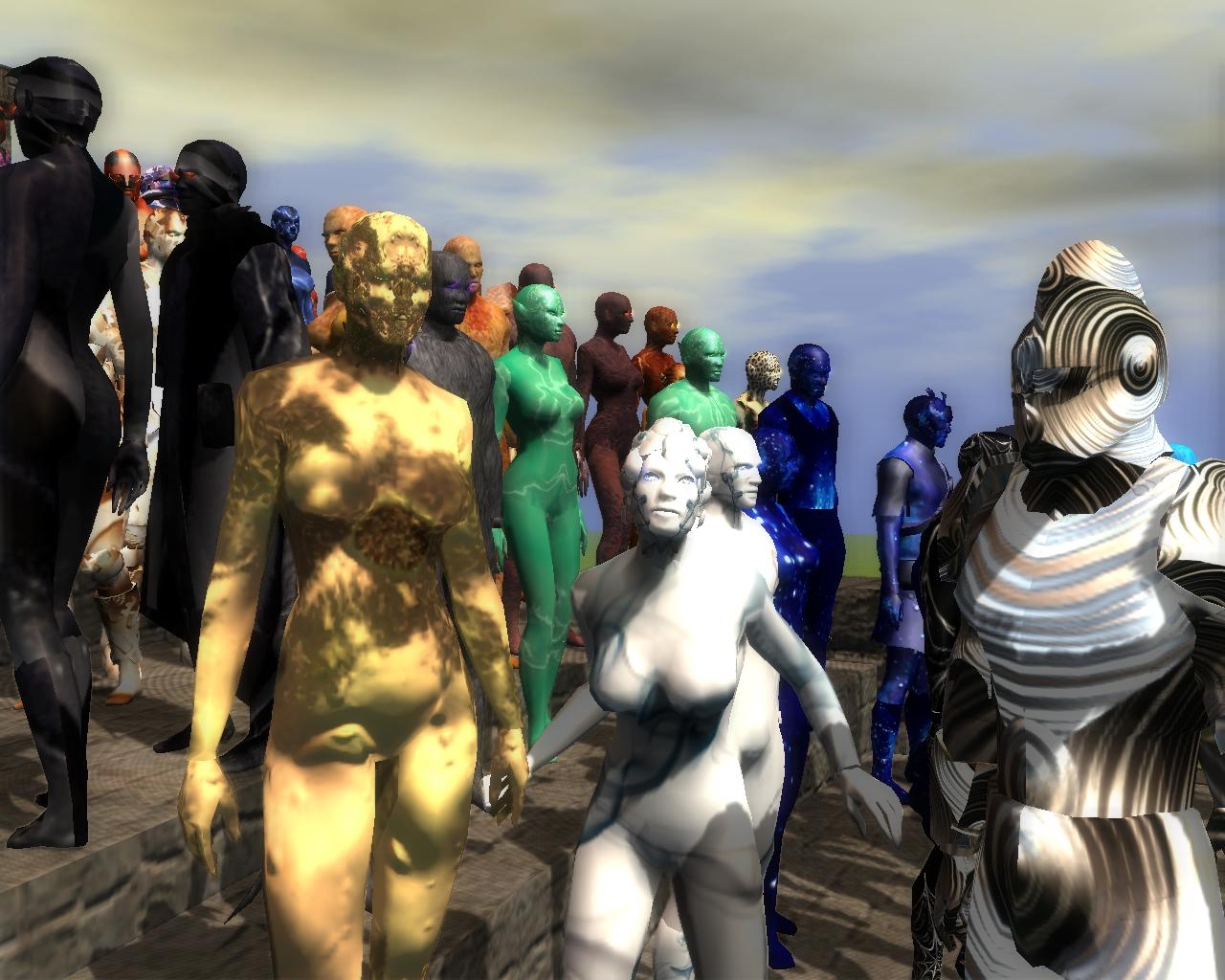
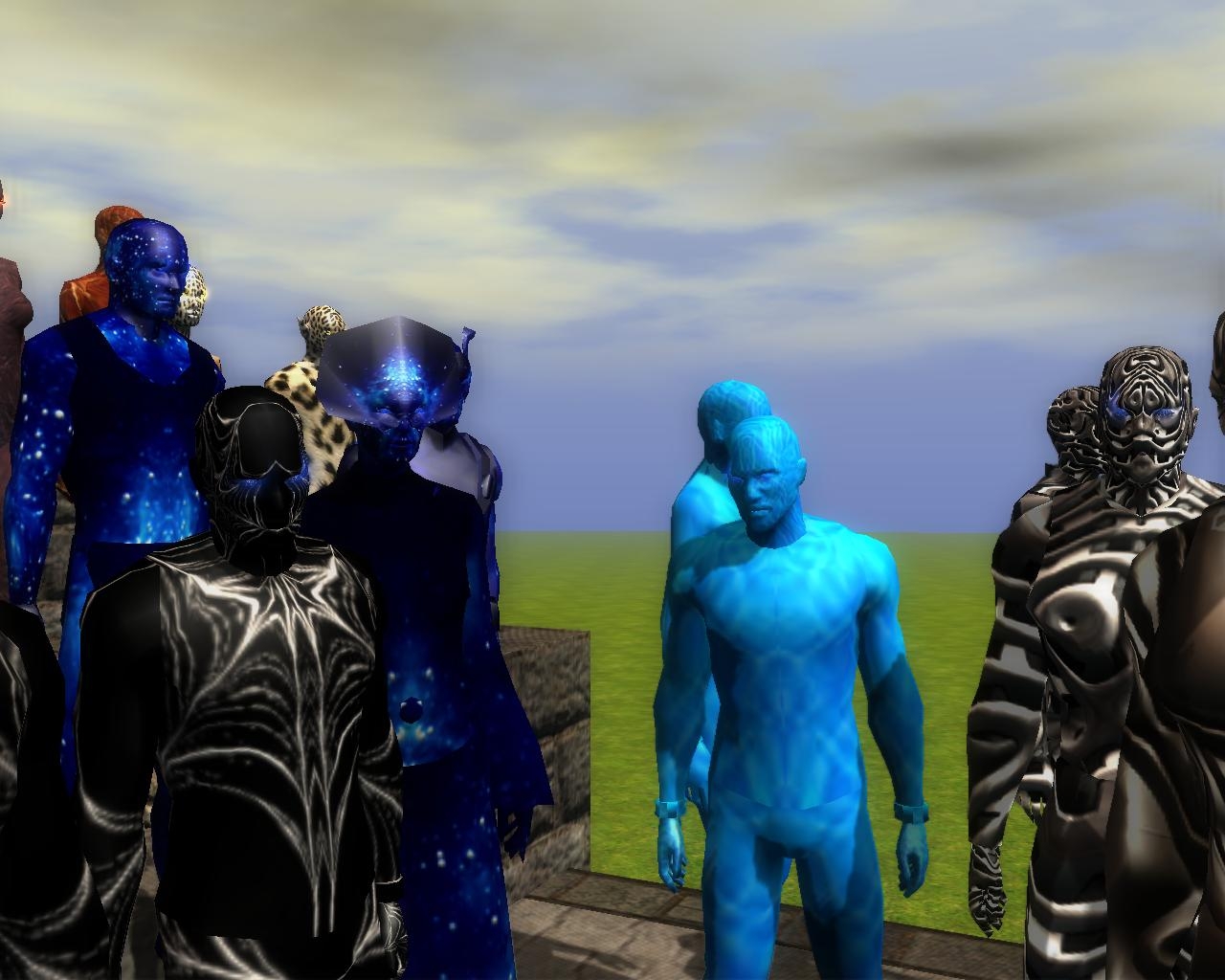
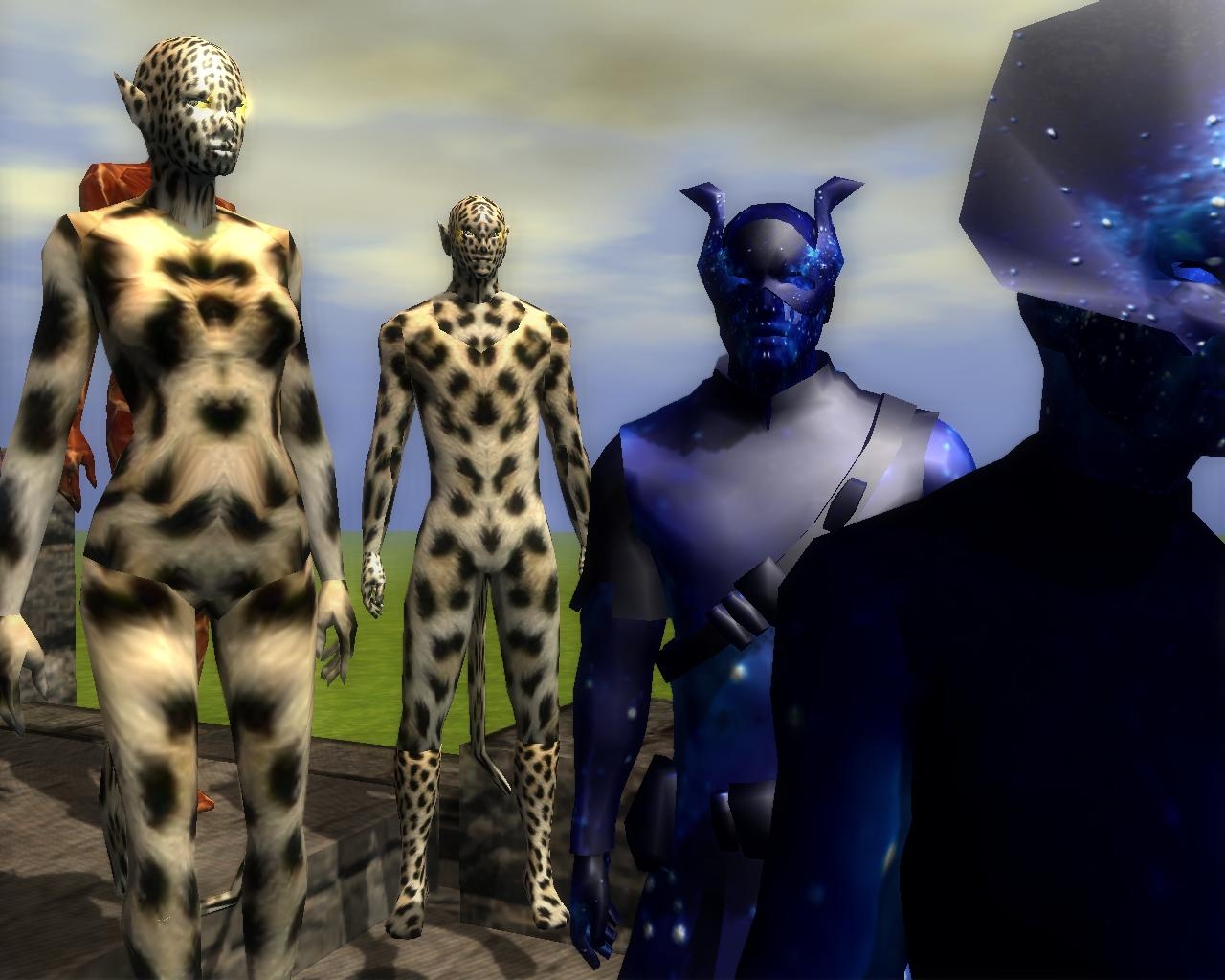
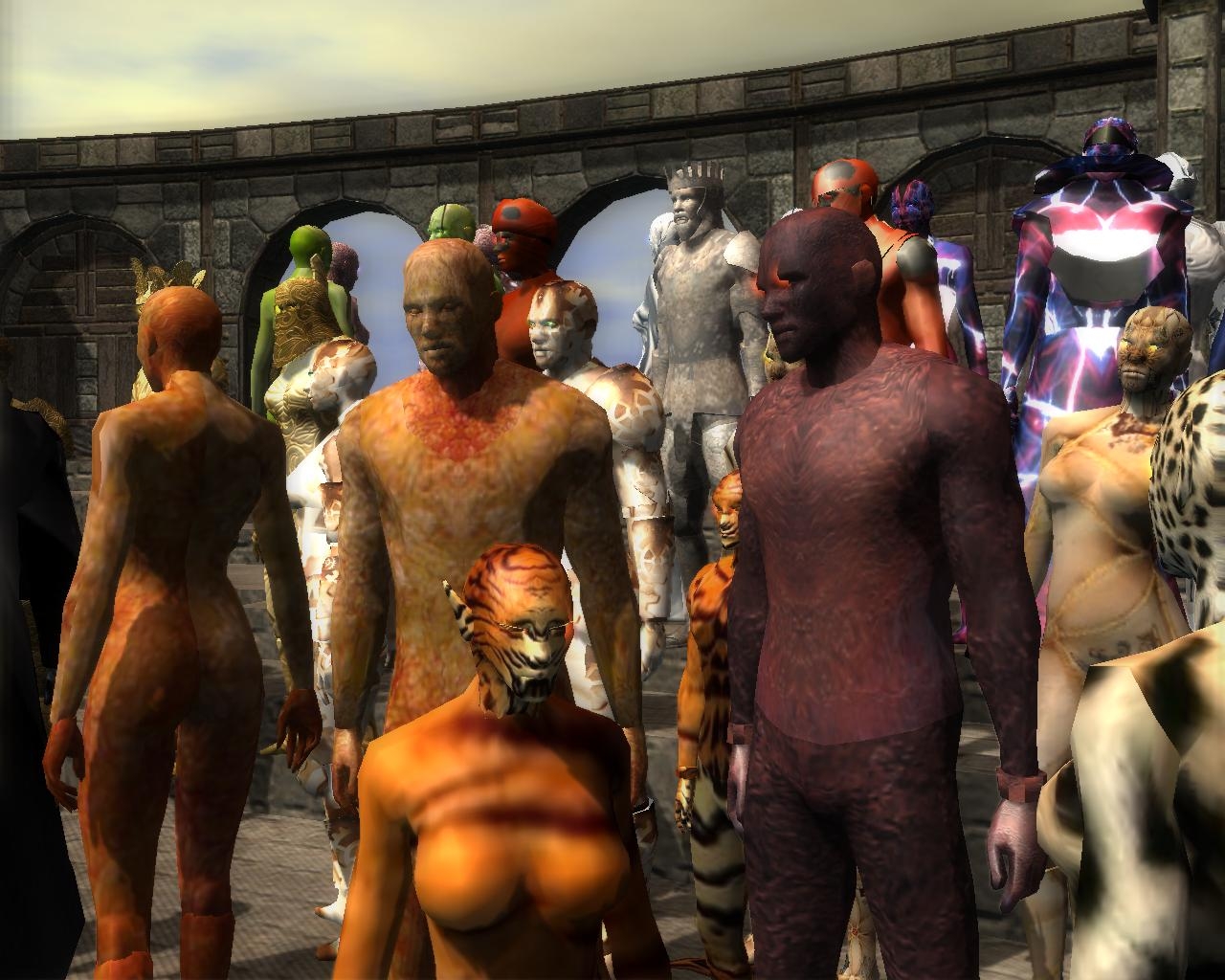
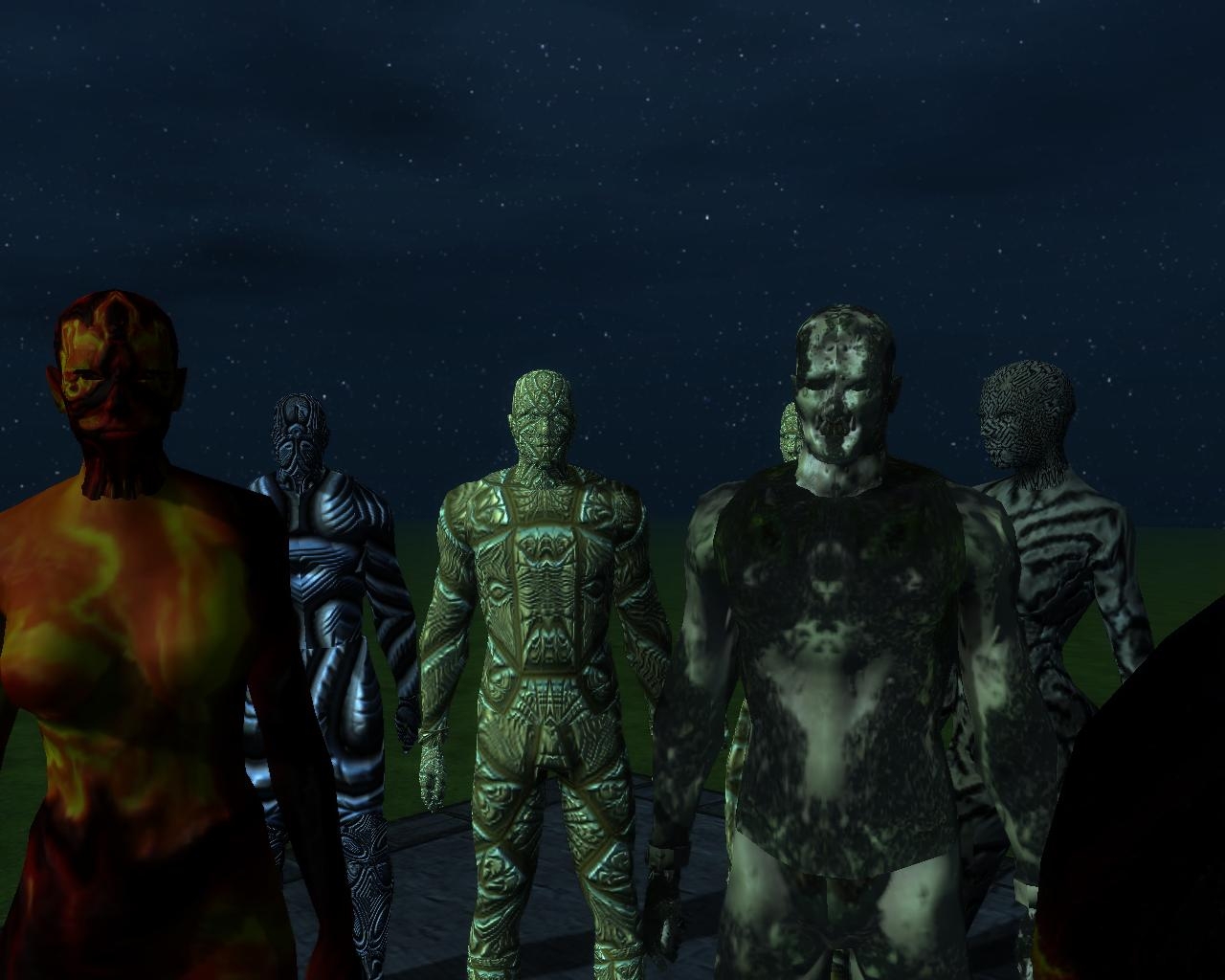
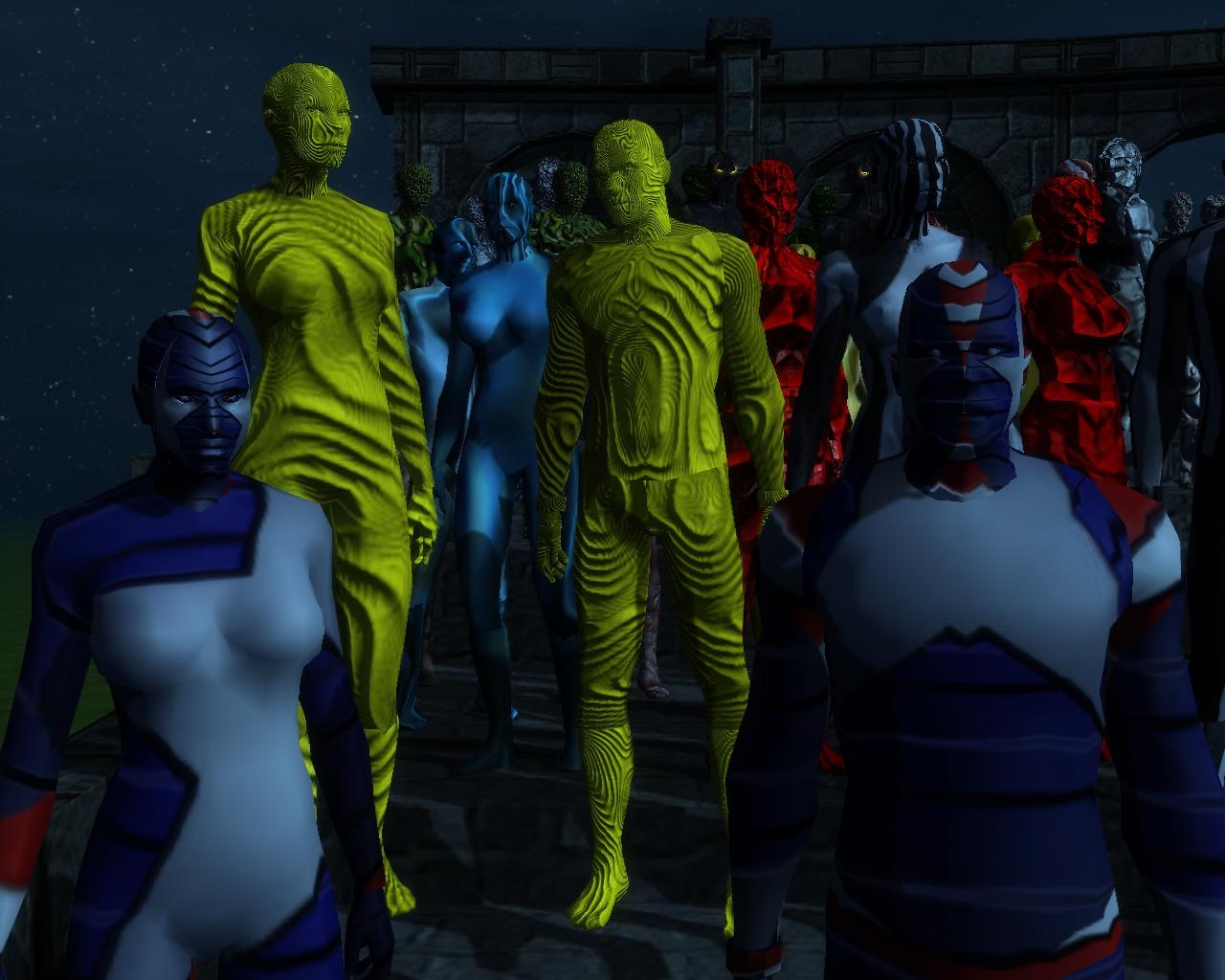
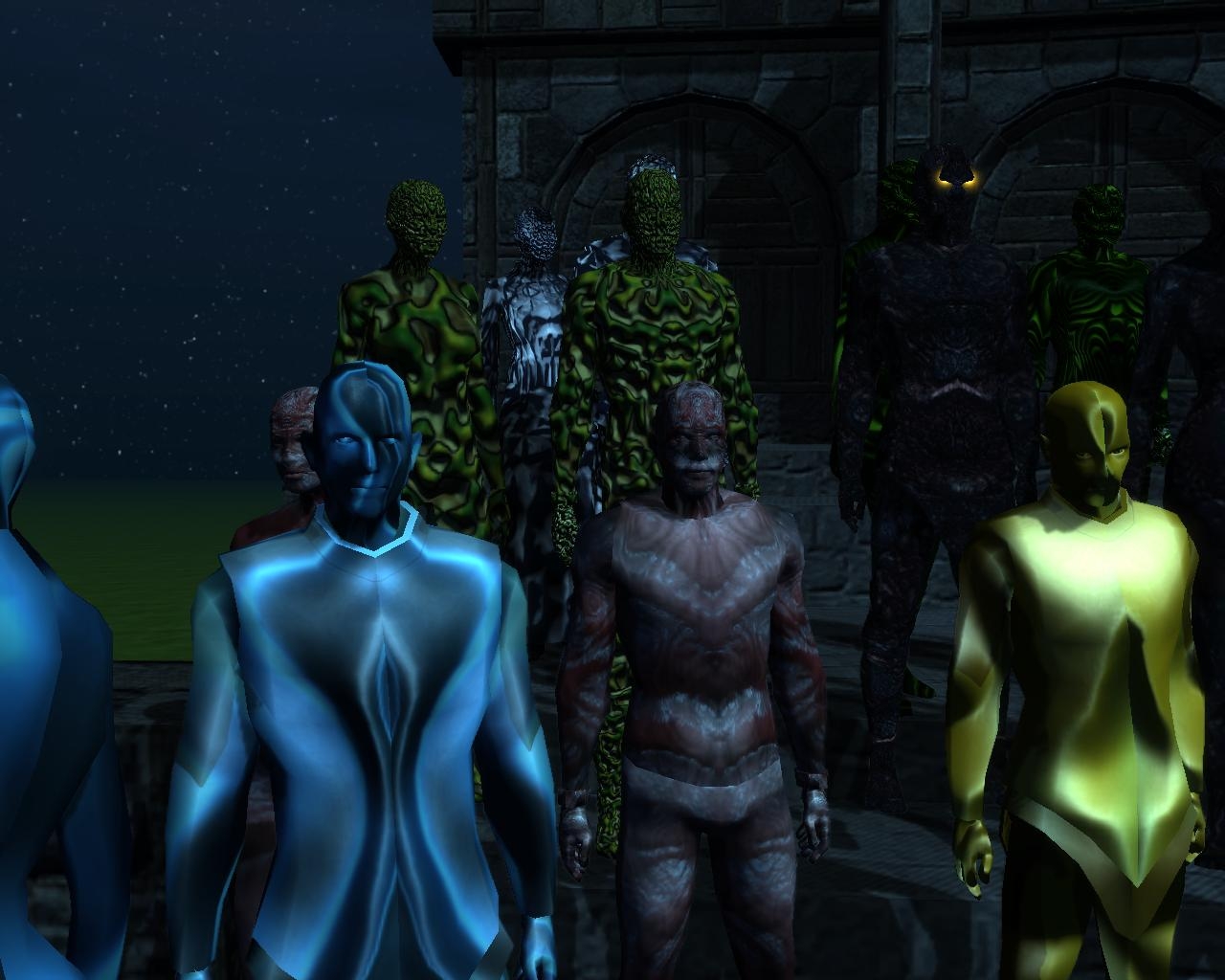
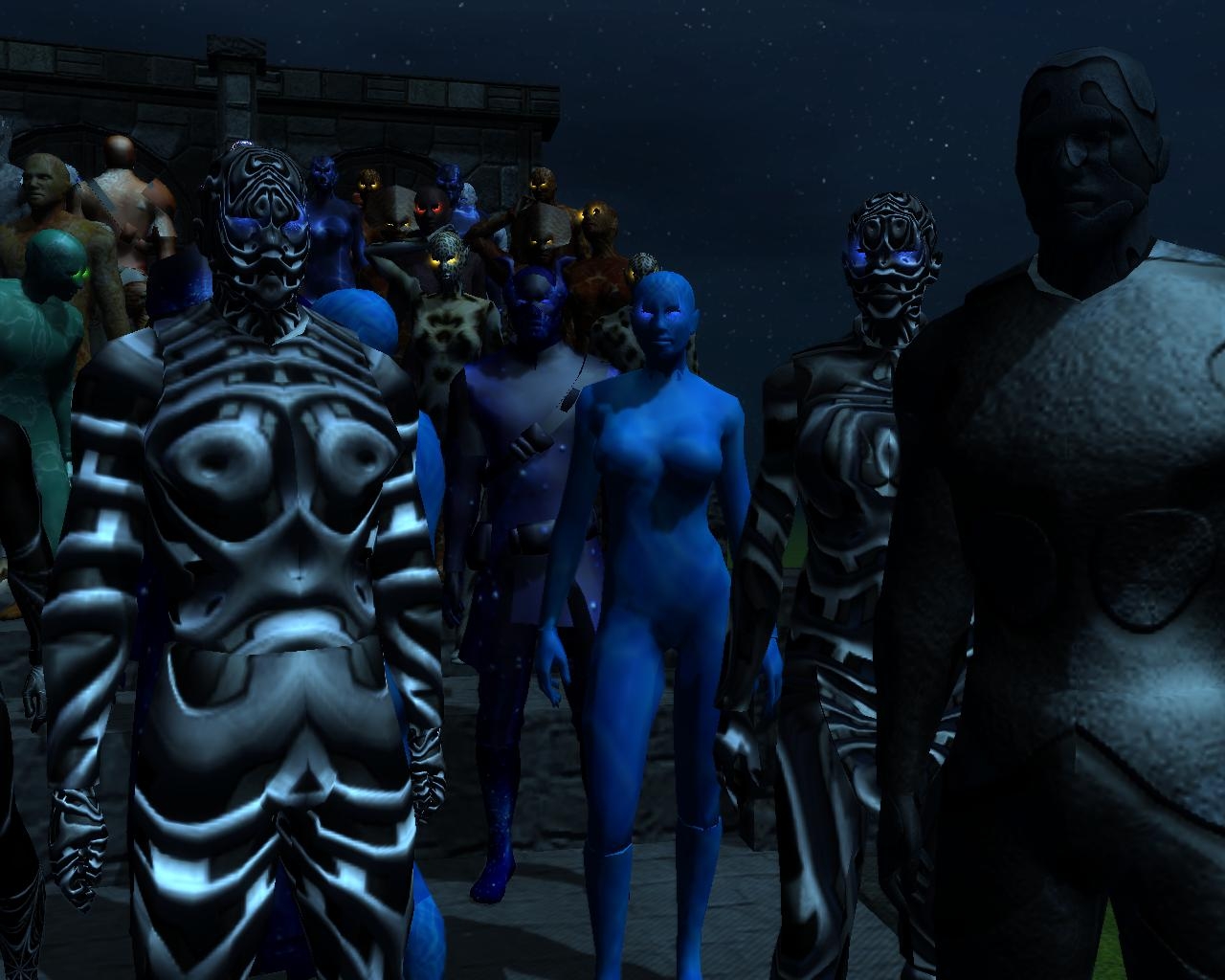
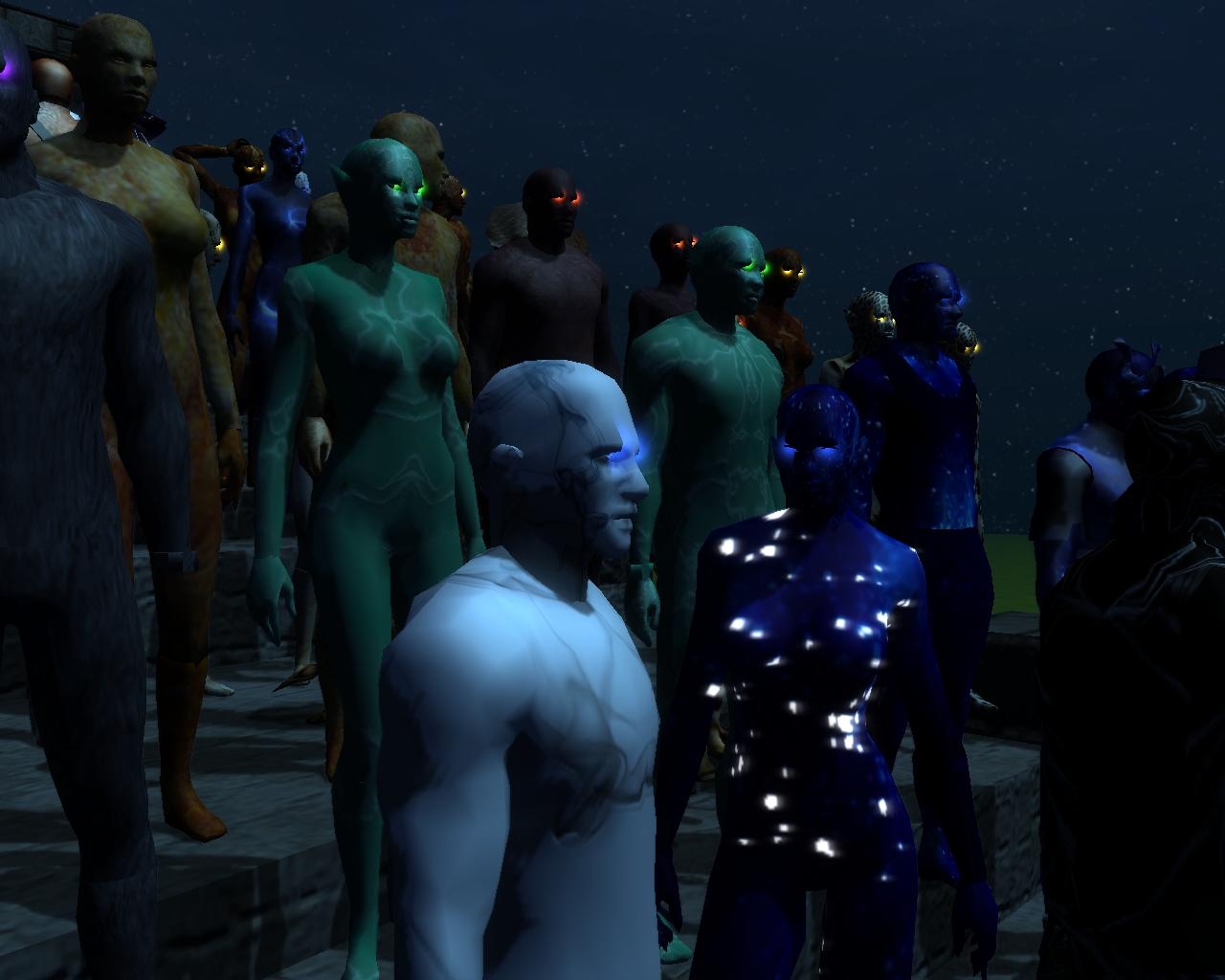
Whether you're going for an elemental, planar, super-hero or other look, Second Skins have you covered!
Second Skins are a collection of visual effects, much like stone skin, which envelop a creature head to toe, armor and all.
Dozens of existing skins to choose from and an easy process to create many more of your own. Mix different heads and armor sets for many different looks for each skin!
Simply unzip the Second Skin folder to your override directory, open the toolset, add your second skin visual effect appearance under the properties section ("ss_" prefix) and begin experimenting.
How To Make Your Own Second Skin: *This is a real quick process, once you get the hang of it, so don't be intimidated!*
1. Find image. Paste to photo editor.
2. Rescale image to 256 pixels max dimension. (512 may be needed for larger models, such as dragons, I was told.)
3. Save as a .dds image (ss_imagename_d.dds, �d� for �diffuse� image, though I�ve excluded the �_d� notation in most of my own) to your override/Second Skin folder. (Create mip maps is unnecessary as far as I know.)
4. Create a normal map of image, if desired. (Filters>Map>Normal Map if using Gimp and have Normal Map plug-in installed.) Increasing the scale will affect how pronounced the texture is. There are more in-depth processes, but they are beyond my scope of understanding.
5. Save as ss_imagename_n.dds to same folder.
6. Create glow map, if desired. Tutorial, Tutorial (pdf). (Glow maps most probably require cloning various model parts. Unless your models have existing glowmaps, swapping in your new texture won't work. All glow maps I've supplied should be redone if to be used, since I didn't confirm their intended look.)
7. Save as ss_imagename_i.dds (or �_g�) to same folder.
8. Create a tint map, if desired. A tint map will override the default tints of your creature, default tints which may interfere/cause non-uniformity with your desired goal. I�ve included a blank white tint map, �ss_white_t.dds�. It allows the true color of your Second Skin. (This might also be possible without the use of a tint map by adding a Game Mode Effect Event in the visual effects editor. See #13.)
9. Save tint map.
10. Now that you have all your resources saved to your override folder, open the Visual Effects editor from your Plugins menu.
11. Open an existing Second Skin .sef file.
12. Edit the file names of the diffuse/normal/glow/tint according to your new images.
13. If the file you open does not have an image type already that you need, click Add Event>Game Mode Effect. Click on the newly added event, and in the properties display section below, Click on Game Mode Effect Type and select the one you want. Next, click on "texture name" and enter the filename, including �.dds� extension you want.
14. If you would like to add glowing eyes, Add Event>Particle System. Under properties, click on First Attachment, select ATTACH_EYE_L or _R. Next, click on Definition File, A list of effects should pop up. Type �eye� and a list of eye colors should be narrowed. Repeat process for other eye.
15. Remove any unwanted Events. (There are some vestigial event(s) from the stoneskin effect in some of my initial works, black box or something like that, which can be removed.)
16. Test your effect by pressing the play button. It probably won�t look great on the default model, but will give you an idea. If you like to make changes, such as rotating your texture images, do so now (as modifications don�t seem to render after a blueprint using the effect is made, while the toolset remains opened... though I may be wrong). Click �Reload Textures� and Play again.
17. Save as �ss_effectname� to same folder.
18. Create a blueprint and assign your effect in the properties section under �Appearance (visual effect)�.
19. Change the model appearance under the �Armor Set� property category. Hopefully you will find an appearance you like. (Nude models from the vault and full plate armor are often very telling/successful.)
Once you've found a nice appearance, you can also re-create it as a clothing/armour item with a unique tag and use tag-based equip and un-equip scripts to add/remove your Second Skin effect.
(Note: Some skins shown in images are not included in this package, as they were chosen 'exclusively' for an upcoming campaign trilogy "Tamas")
UPDATE:
It has come to my attention that you can also use .tga format in lieu of .dds format. The second tutorial linked above explains the Pros and Cons of each.
Update 5-27: Added a few missing files (country flags)
Posted by tieflingsftw at 2009-08-25 15:23:14 Voted 10.00 on 08/25/09
Meat... >:D _________________________ "That thing has my things! It has it's sallow, clammy hands all over my doo-dads touching my junk! NO ONE touches Oghren's junk and LIVES!!!"
~Oghren
Dragon Age Origins: Awakening
Posted by Nacaal at 2009-06-27 11:46:54 Voted 10.00 on 06/27/09
Thank you so much for sharing!
Posted by Saphhira at 2009-06-27 10:19:42 Voted 10.00 on 06/27/09
It looks so cool!
Posted by purtellfr at 2009-06-27 08:36:21 Voted 10.00 on 06/27/09
GREAT...
Posted by Dragonsbane777 at 2009-06-26 17:31:50 Voted 9.50 on 06/26/09
Looks really good, I am curious as well about some screen shots that have a clearer view of what they look like though. _________________________ Talernon3 - Age of Dragons Link
Talernon Team Submissions: Link
3C Music Compilation: Link
Posted by nicethugbert at 2009-06-26 15:50:18 Voted 10.00 on 06/26/09
Posted by Drammel at 2009-06-26 15:01:38 Voted 10.00 on 06/26/09
I've gotta say I'm not only impressed by the sheer quality and quantity of the work you've done, but also that you took the time to detail how to make your own skins. You've clearly gone above and beyond what you needed just to post. Given that, I can't wait to see what "Tamas" is all about.
10 - A Masterpiece, Genuinely Groundbreaking 9 - Outstanding, a Must Have 8 - Excellent, Recommended to Anyone 7 - Very Good, Deserves a Look 6 - Good, Qualified Recommendation 5 - Fair, Solid yet Unremarkable 4 - Some Merit, Requires Improvements 3 - Poor Execution, Potential Unrealized 2 - Very Little Appeal 1 - Not Recommended to Anyone






 Site
Site