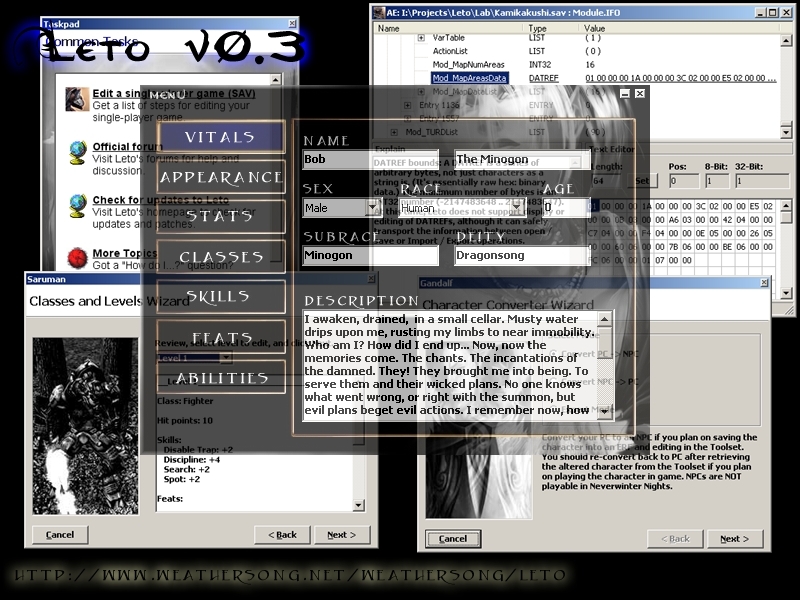
Leto is a Toolset Companion, designed primarily for character sheet editing, but also for low-level GFF editing in general. This is build 0.3.1.67, which supports SoU and HotU. Questions? Comments? Want to take a look at the beta for version 4? Please visit the forums: http://weathersong.infopop.cc/
umm, sure _________________________ Steve's Characters - please don't forget to vote on them if you play them. Thanks, Steve
Posted by Hagaar at 2007-03-2910:05:10
Doshi, Unfortunately, it seems that Leto (current version) is all there is going to be. According to something I read, I *think* on their site, that there will not be another version nor will it be supported any longer. As this is a wee bit old, I'd suggest hitting their site as listed above in the Description. _________________________ We are all born ignorant, but one must work to remain ignorant. Benjamin Franklin
Posted by Doshi at 2007-03-1615:03:03
Hey Mr. Dave, Do you have an update to the Lists.leto.xml? Also any hope of getting version 4.0.4 up and running. It looks much nicer! [Except for the "this tab is under construction" signs. _________________________ Doshi
Posted by Doshi at 2007-03-1614:59:18
Hey Mr. Dave, Do you have an update to the Lists.leto.xml? Also any hope of getting version 4.0.4 up and running. It looks much nicer! [Except for the "this tab is under construction" signs. _________________________ Doshi
Posted by Tatem at on02/17/07
Hi, this may help those like me who had to figure it out on their own.. but needed help along the way. Hi, Open Leto.. then open the character .bic file from the local vault folder in the NWN game directory.. Click on the word Menu, scroll to File > Open. then left click.. it will pop up a window to chose your pc file. then click over the upper left word MENU with a Left Click.. scroll to Tools > Advanced Editor and Left Click again. Go down to where it says Tail or Wings For Wings and Tails... the numbers are in the same order as the toolset.. so Angel wings are number two... since they are the second selection in the toolset from Zero... etc... so right click over the word Tail or Wings and hover the mouse cursor over Edit Value and Left Click.. then enter the number in the same order as the toolset for making NPC characters for the wings or tail you want. and the leto program is tricky.. you have to enter the altered number into the field.. then press enter. then you have to right click and hover over refresh data.. then left click.. it will take you to the top of all the info... scroll down to make sure it reads as you entered.. but without being bold. then right click and hover over Save File.. a small window will appear and say Leto is in your head at the top. just select OK with a left click over it.. then a window will appear with your PC .bic files.. just hover over the .bic character file you want to save over and left click over the name.. just once.. to bring the name into the File Name Field.. make sure the Save as Type field reads.. As ITP file..and save over the .bic character file by left clicking over Save.. and just close the advanced editing window.. and Leto.. you don't need to save the pc again from the MENU word.. it's done. Load your mod. and bring in your pc.. that should work.. this worked for me, and I put it here to hopefully help where the instructions lacked.
Posted by Mr_Dave at 2007-01-2410:37:00
Hmm... No instructions, eh? When you first start it, there is a taskpad which gives you instructions. When you are using the advanced editor, there is an "Explains" window in the lower left which gives you instructions. The instructions are there. All you have to do is read them. Also, in the taskpad, there is a link to the official forums, where you can find even more instructions. Again, all you have to do is read. _________________________ Me go beer!
Posted by Brintinacx at 2007-01-2308:42:42
Was wondering why it dosen't have instructions with myself. With something this vast, you'd think......well I'll stop for now, all the smart asses will start flaming me now.
Posted by malce at 2007-01-1402:25:18
Ty guys found out how
Posted by malce at 2007-01-1401:07:06
ok,ive read all the instructions but,HOW DO YOU GET WINGS,there is a lot of list in advanced editer,i mean,c'mon be more speicific






 Site
Site