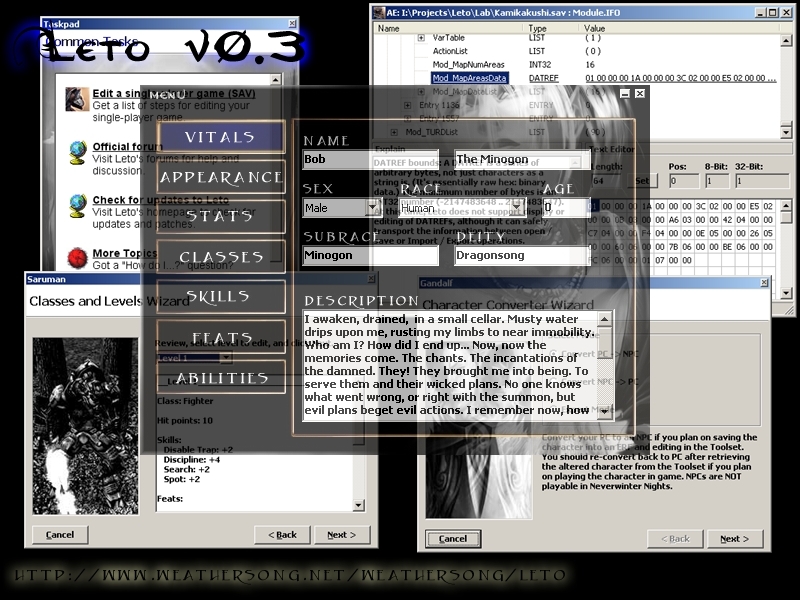
Leto is a Toolset Companion, designed primarily for character sheet editing, but also for low-level GFF editing in general. This is build 0.3.1.67, which supports SoU and HotU. Questions? Comments? Want to take a look at the beta for version 4? Please visit the forums: http://weathersong.infopop.cc/
okay, i admit it. i'm pretty much the most uncomputer savvy person--well ever--my 60 year old dad laughs at my feeble attempts to figure things out, but where exactly do i install this?
Posted by NineCoronas at on12/15/06
Loverly. Easy to use as well. _________________________ "A dagger in the night is worth a thousand swords at dawn..."
Posted by Vamp_2006 at 2006-12-1219:10:32
I downloaded it and when i go to toolset I don't see it anywhere, nor in the menus, just the reg. toolset. Did I download it to the wrong place? if so where do i download it to. I downloaded it to nwn
Posted by Arius at 2006-12-0918:04:06
Trial and error works fine I just have problems creating capref entrie's... they dissapear...
Posted by Malchior_of_Nakshur at on07/06/06
I really think Version 4 should come with an instruction manual. There are so many things in Leto that I had to figure out on my own through trial and error.
Posted by Seclude at 2006-08-2607:52:22
Quote "The site has infrequent outages"
Posted by zcassel11 at 2006-08-2214:42:57
I just downloaded Leto on recommendation. They told me that I could use Leto to take a character made in the toolset and transfer it to become a player character. Could someone help me? Thanks.
Posted by Gamer99 at on08/15/06
When I started it up everything worked fine but when I went to the abilities tab there was nothing there is there a update I need to get to get the tab?
Posted by Malchior_of_Nakshur at on07/06/06
The list of wings useable if you have CEP can be found if you search for my name on the vault and click on one of my custom characters. In order to give your character wings or a tail you must open a character in Leto(By opening the program and clicking on Menu, Open). You then click on Menu, Tools and scroll right to Advanced Editor. You then scroll down to Wings(or Tail) and input a number from the list. Finally you must then right click on Entry 0(which is at the top of the page) and click save File to save you character. Your character will now show up with the wings/tail you chose if you are playing a CEP module.
Posted by Narwash at 2006-07-0523:24:00
Hey, great tool so far Team Leto...just one question I'm having a little trouble bringing in my custom portrait into leto's portraits folder and then having leto recognize it. I convert the file from tga to jpg format using windows media player then i erase the m from the filename and....bam! It doesn't pop up in the list of portraits. Maybe I'm converting it wrong or something, I dunno what i need to put in the filename besides erasing the m. I'm not an expert on this computer stuff so if I could get some feedback that'd be great. Stay warm, keep your teeth clean Narwash






 Site
Site