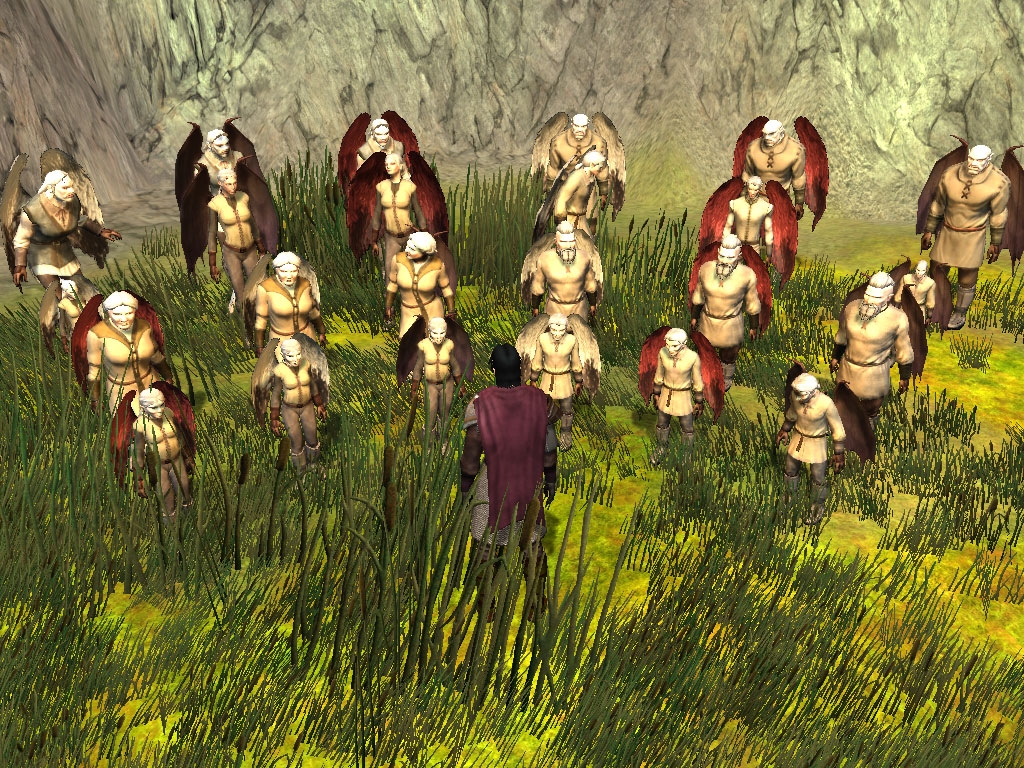
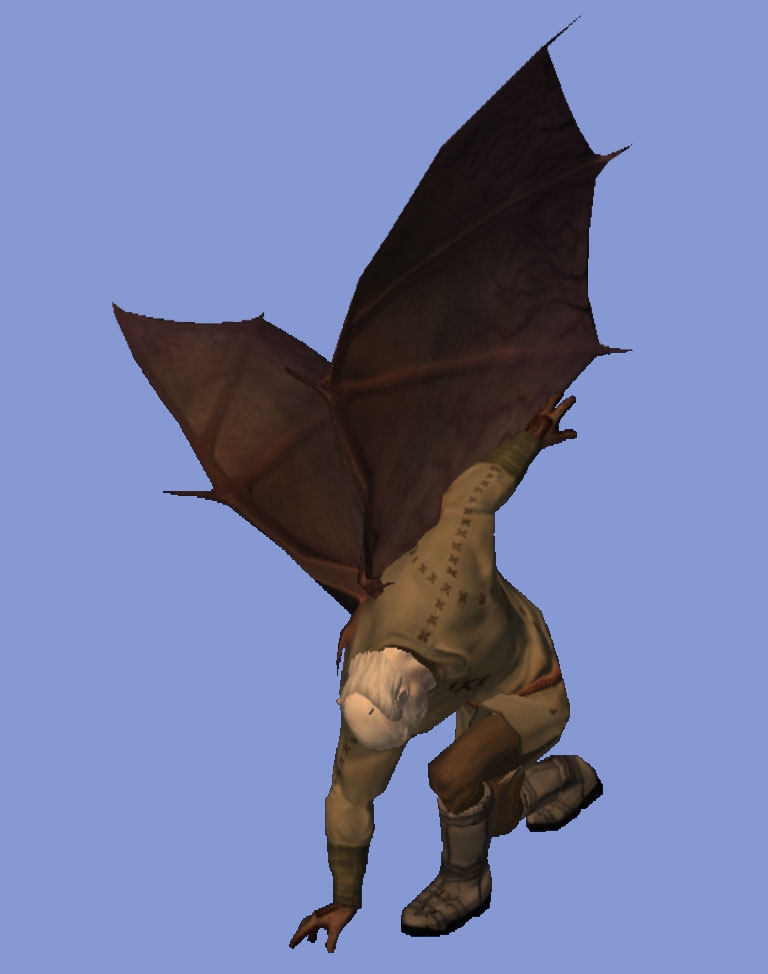
2) Used better text descriptions so finding the wings you want should be easier.
"White" wings are the Hezebel wings (white with black tips), "Red" wings are the erinyes wings, "Leather" wings are the Succubus wings, and "Solar" wings are the pure white wings.
3) Added the Solar wing options for all races/genders.
Humans, elves, half-elves, aasimars, tielfings, and halflings all use the human wings, as usual. Males use the Solar wings, females use the Kaelyn wings.
Below are the new numerical ID numbers for the wing sets:
27 Human Male White
28 Dwarven Male White
29 Dwarven Female White
30 Gnome Male White
31 Gnome Female White
32 Halforc Male White
33 Halforc Female White
34 Human Male Red
35 Dwarven Male Red
36 Dwarven Female Red
37 Gnome Male Red
38 Gnome Female Red
39 Halforc Male Red
40 Halforc Female Red
41 Human Male Leather
42 Human Female Leather
43 Dwarven Male Leather
44 Dwarven Female Leather
45 Gnome Male Leather
46 Gnome Female Leather
47 Halforc Male Leather
48 Halforc Female Leather
49 Dwarven Male Solar
50 Dwarven Female Solar
51 Gnome Male Solar
52 Gnome Female Solar
53 Halforc Male Solar
54 Halforc Female Solar
A lot of characters got the shaft when it came to getting a set of spiffy wings. I set out to solve that dilemma and came up with this pak of feathery and leathery goodness.
This set converts the Erinyes, Hezebel, and Succubus wings for each PC race and gender. When selecting the wings in the toolset, you will notice that each race has their own listing, however, it isn't exactly straight forward. The male-compatible wings of a particular race are listed by the singular version of the race name (ie. "Dwarf"). The females are listed by the plural form (ie. "Dwarves").
Humans, elves (all sub-races), half-elves, halflings, Aasimars, and Tieflings all use the Human set of wings. The exception to this are the female Erinyes and Hezebel wings. The default wings for these creatures already work for the human female skeleton so no conversion was necessary.
The reason I chose this naming-scheme is because the wingmodel.2da file requires an StrRef to accurately label each set of wings. This would call for a custom TLK file and I did not want module makers to wrestle with combining my TLK with their own. You can use the set as is, or you can create your own TLK entries to use with the 2da I have in this pak.
Usage (mod-maker): Include the hak-pak in the module to select the wings you want. Oddly, the wings do not appear in the toolset using just the hak-pak, but work fine in the game. If you want to see the wings in the toolset, you will need to use the Override set as well.
Usage (players): Use the Override set, then use the GFFEditor to add the wings to your character. Open your character file (usually located in the localvault folder under the "My Documents" NeverwinterNights 2 directory) with the GFFEditor and find the "Wings" field. Insert the index number of the wings you want into this field and save the character. To find the index number, open the wingmodel.2da file and look at the number to the far left of the wings you want. In the 2da, the "01" wings are the Hezebel (white) wings, the "02" are the Erinyes (red) wings, and the "03" are the Succubus (leather) wings.
The "Can I...?" section:
Yes, do whatever you want with this pak. As mentioned below, most of the work was by Obsidian to begin with.
The "Can you...?" Section:
Probably not. I do not do requests, but I do keep in mind suggestions made. I'm not entirely sure what possessed me to do this in the first place.
Disclaimer: All models and textures are by Obsidian Entertainment. I did not create any new models or textures for this pak. I simply re-weighted the existing models to fit onto the skeletons of the other races.
This is the Override version of the Wings Galore set. Extract everything into the Override folder. All the files are in their own folder for easier organization.
Good Work _________________________ The End just only Begin
Posted by RavenHarlequin at 2008-07-2512:02:01
As cool as it is for my tiefling to have wings again, I'm kind of disappointed that the female humanoid only has one choice of wing... Number 37 is the only one I've found to sync with the female movements and it's bat wings. Is there a way for me to get the butterfly wings at all for my other character? In fact, values 1-6 don't show. When I put 5 for the value it shows nothing.
Posted by diwrnach at on05/15/08
Thank you great work.
Posted by rolanddodo at on05/06/08
Thank you now my RDD has wings again
Posted by madman264 at 2008-04-0502:13:45
how do u use da wings an stuff ( were do u put da file ???)
Posted by D15C0RD at on03/30/08
Very cool.
Posted by whatbrick at 2008-03-1715:44:01
The devilhornwings are for the Horned Devil object, hence the reason they are so large in comparison to your character. For leathery wings, try 41 (for MotB) or 36 (for vanilla NWN2).
Posted by ferkin at 2008-03-1612:37:14
Hi, i need help. Im trying to use wing number 13 the devilhornwings but they r to huge for my tiefling char and they dont even attach to his body, what am i doing wrong?
Posted by Digitael at 2008-03-1215:40:47
Well doesn't look like anyone posts here anymore but I'll ask anyway... I have been trying to get this mod going for a few hours and it isn't working for me, any help is appreciated. My first question would be is if this mod would even work with the non-expansion version of NW2 (not getting expansion until I beat the first game), it doesn't say anything in the file that it doesn't. I downloaded the wings_override.rar file and extracted the files into My Documents/Neverwinter Nights 2/Override/wb-wings folder. I ran the Updater and it took about 6 hours to update all of my files, but everything is up to date now at version 1.11. Problem : Not seeing wings in game on my character. Steps Taken : 1. Made a new character and exported the character to player.gff file in the \localvault folder. Also tried editing the player.bif from a saved game file. 2. Opened the wingmodel.2da file and to determine which value I needed and chose 21 for the hezebel wings, for male elf. (tried this on both gff and bif files) 3. Opened GFFEditor.exe and scrolled down to Wings and typed 21 in the Basic Field Data tab, clicked Save... and exited program. 4. Started a new game with my created character - no wings. Loaded my savegame, - no wings. Anyone know what the problem might be? I am new to the game (just got it today) so don't hold back any newbie advice hehe. Thank you for reading I hope someone can help, I'm big on character customization and it really helps pull me into the game more.
Posted by Snotaap at on03/04/08
Simply awesome, i was clumsy how to get it to work, but now i got it ^^ great addon. (i dont touch the toolset cuz i have NO idea how it works, so this is great!)
10 - A Masterpiece, Genuinely Groundbreaking 9 - Outstanding, a Must Have 8 - Excellent, Recommended to Anyone 7 - Very Good, Deserves a Look 6 - Good, Qualified Recommendation 5 - Fair, Solid yet Unremarkable 4 - Some Merit, Requires Improvements 3 - Poor Execution, Potential Unrealized 2 - Very Little Appeal 1 - Not Recommended to Anyone






 Site
Site