Overview:
This Addon is intended to fix many problems with the "SexyOC" & "United Colors" mods.
These issues have occurred after the installation of MOTB.
Whats New v1.00:
Added support for Elves.
NOTE: I have noticed the angle of the Lighting has a dramatic effect on how the neckline color blends into the body. The polygons that makeup the head and body models don't match well. This can also cause some necks to poke out the back of the head. Expecially on Elves! My Addon is just a Texture and Color fix, I probably won't be fixing those modeling issues.
Whats New v0.99:
Added support for Tieflings.
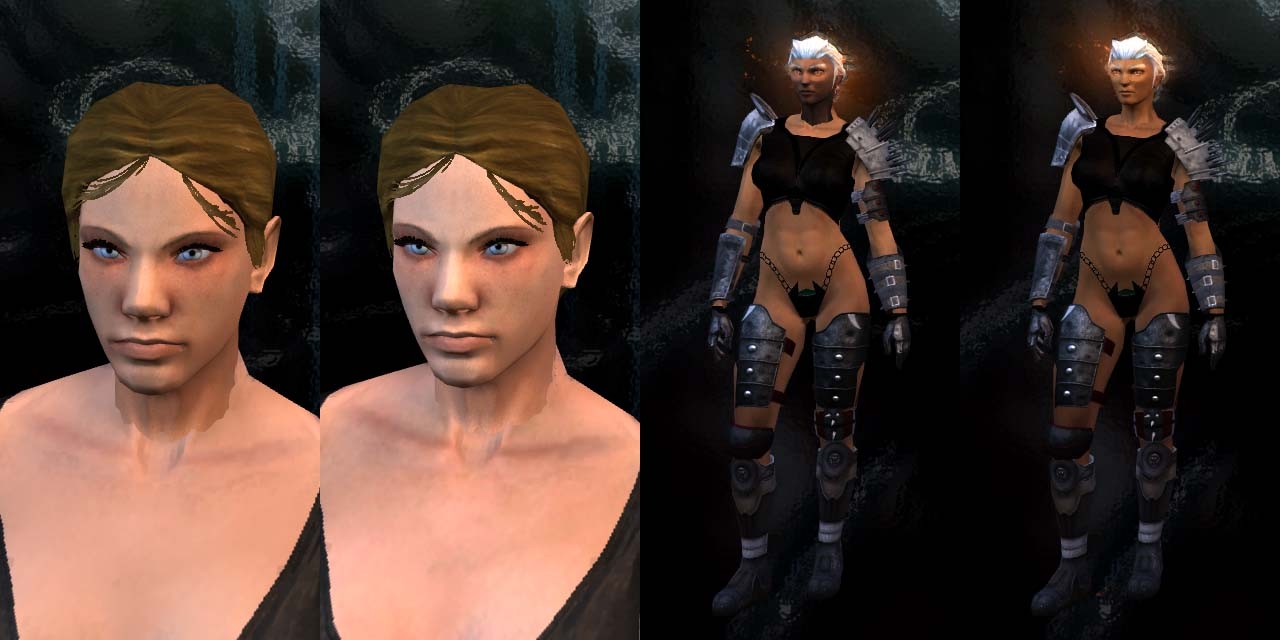
Kaelyn now has a matching Face & Body Color.
Problems Addressed SexyOC:
New races disappeared with SexyOC installed.
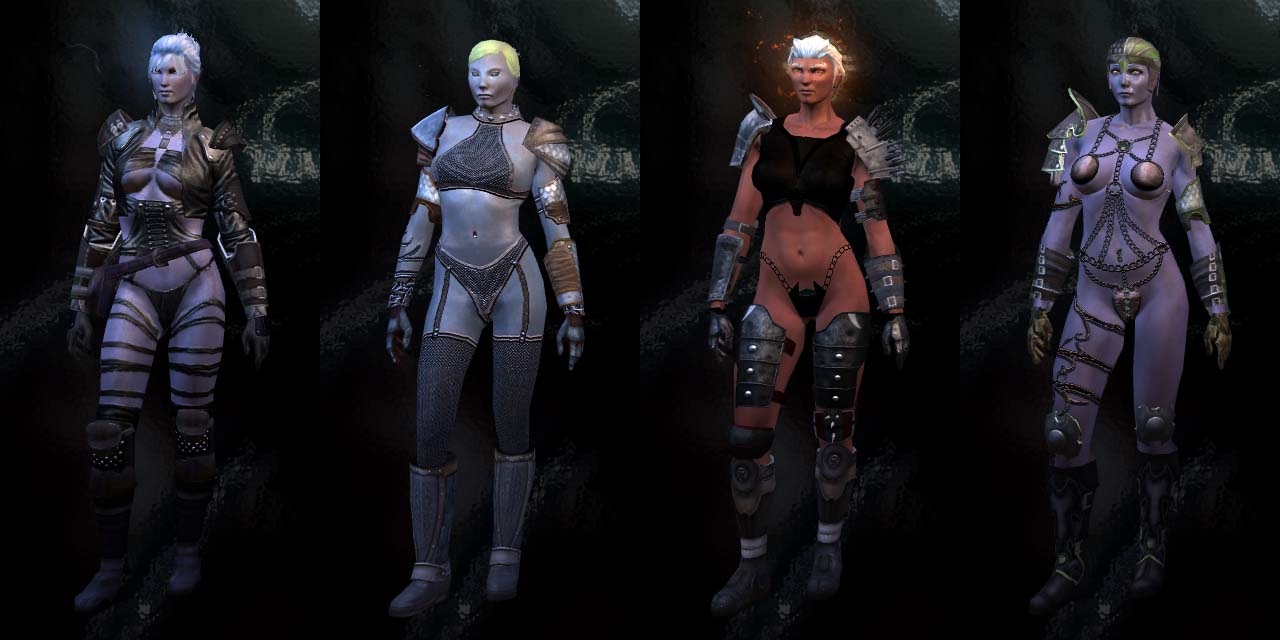
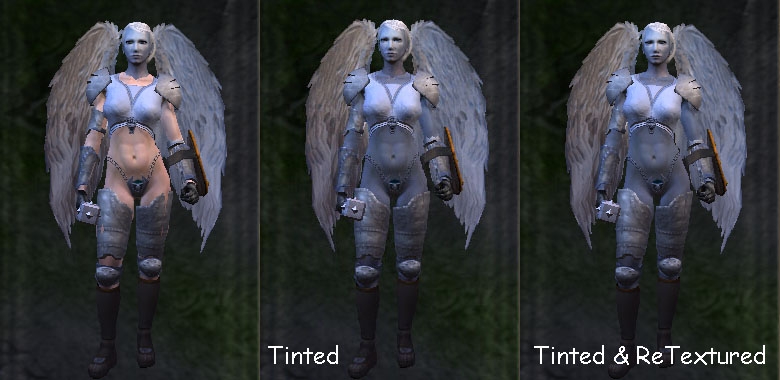
Better match of skin Tone & Color. The Color Fix effects Humans, Genasi, Tieflings, and Elves. + Kaelyn.
I recommend the Crafting Hammer SexyOC addon so you can chose when to see the sexy armors.
Problems Addressed United Colors:
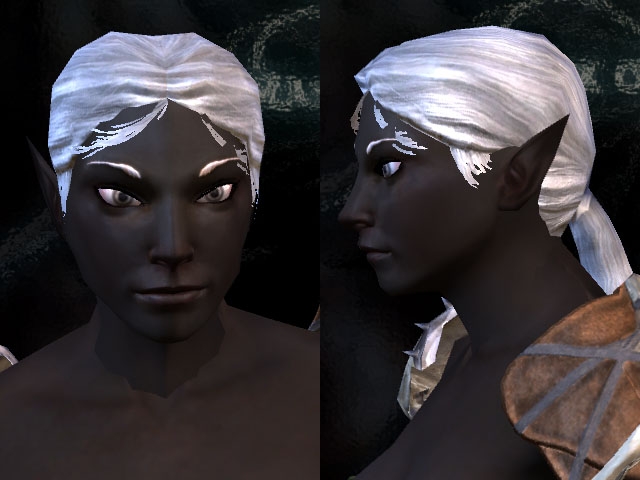
PlaneTouched Genasi and Half-Drow support.
A little Background:
It seems that the MOTB Expansion has installed new Detailed Face textures. These new textures look great but unfortunately the
new colors do NOT match ANY of the previous user made addons that show skin. WHY BREAK OUR STUFF!?!?! Anyway I decided to fix
the problem. I have edited the Armor textures that are needed in the SexyOC addon. I have also edited the face textures of the
new PlaneTouched to be compatible with the Human scheme of coloring skin. I hope this solves some color issues you may be
noticing with SexyOC + MOTB.
Requirements:
Neverwinter Nights 2 & MOTB
Installation of "SexyOC" with all its necessary packages. I leave that to you to install properly.
Installation of the "United Colors" mod.
GFFEditor
Installation Instructions:
Extract the "appearance.2da" wherever you installed the SexyOC download. Overwrite/Replace the one installed with SexyOC.
Extract the "SexyOC Faces" sub-folder from the "Texture Updates" folder and put it into your Override folder.
Extract the folder "United Colors MOTB Fix" into the "united_colors" folder you previously installed.
This next step can get quite tricky. The SexyOC installation was complicated and anything but Elegant. I have included
sub-folders in the "Texture Updates" folder. Each sub-folder includes texture files that MUST overwrite their Identically
named counterpart that was installed with the various packages.
Optional Installation Instructions For v0.99:
Kaelyn can now have a matching Face & Body Color. However it is not as simple as just adding her texture to the "SexyOC Faces"
folder. Yes first extract her texture from the sub-folder "Kaelyn" and place it in Overide/SexyOC Faces along with the others.
NEXT you will need GFFEditor. If Kaelyn has joined your party. The file "ROS-dove.ros" will be located in your save game
folder. Open "ROS-dove.ros" with GFFEditor. Expand then scroll down until you see the entry "Tint_Head". Expand that and add
the entries shown in the "Kaelyn_Tint.jpg" included with this download. Click File & Save. Kaelyn should now have skin color
to match her face.
Credits:
The fixes for "United Colors" and "appearance.2da" where not my discovery.
Credit goes to those various posters who shared their comments with us about the various addons.
The textures where not not my creations. Credit goes to the original package authors. I just edited them for compatibility
Enjoy!
LCountach.
Side Note: If you like my work here you may also like my Big Bag Inventory mod. Link
I'd been wondering why Elanee was such a special case. As for JSkaven, I've got P_HH?_Skel twice in a row in my appearance.2da It goes: P_XX?_Head then P_EE?_Hair then P_HH?_Skel then P_HH?_Skel The P_XX?_Head is from another hak I'm using, so I can use the same custom head models for all the elf-like races.
Posted by JSkaven at 2007-11-1008:02:24
Seemed to me, before the expansion, elves used the basic human body anyways with Zylch's. Had the texture somehow changed but not the body? When did the body change? Pauravi, I did as you recommended, however I'm still getting the same effect, on both NPC elves and main character. I've tried P_HH? and N_HH? with unfortunately no good results. I do appreciate the tip regardless. I'm walking away knowing more about how this works everytime. ;) Although it seems to me the texture is the problem, and not the body. Where are these textures assigned?
Posted by Pauravi at 2007-11-0900:30:15
@mr_bumpkin: Elanee doesn't use the normal elf model, she uses "N_Elf", which is further down the list in the .2da file. Change the model body to P_HH? and Elanee should be able to use the skins.
Posted by mr_bumpkin at 2007-11-0820:20:03
Kind of depends on what appearance.2da modifications you have in place. I can get elven characters to use Zylch's base, but, just like you, I haven't gotten Elanee to do it. Neeshka is naked when my party finds her, adding a whole new possible dimension of possibilities to the situation she's in.
Posted by Pauravi at 2007-11-0815:12:28
I have a question. Is it possible to get the MotB characters, Kaelyn the Dove and Safiya, to use Zylch000's models and textures as the base? The SexyOC armors seem to work just fine, even the ones that are essentially nude. But after I remove them, they have the regular base clothes on. They have more clothing on when naked than when they're wearing armor! XD I've changed all the appropriate ArmorVisualType entries to 10, although obviously there are no modified UTC files as there are for SOC. Since it isn't working for them, I assume that those files are necessary. What would be involved in modifying them to take advantage of the Zylch000's base models? @JSkaven: If Elanee's (and other elves) textures look messed up, it is probably because the textures don't fit the models. The textures are for the human model only. To make them fit, open up the appearance.2da file. Under the "NWN2_Model_Body" header for the "Elf" and "N_Elf" entries, change P_EE? to P_HH?. This will essentially force the elves to use the human body.
Posted by Greg100 at 2007-11-0717:36:58
Installed LCountach mod for MotB following the guidelines in Trawlol's post. Working fine except for weird problem. I can create the outfits just fine and they show up the inventory, but when I try to put them on my character in either NWN2 or MotB the outfit disappears and I get the message "you lost ****". Character is usually nude at this point. Anyone else experiencing this problem? Or know what's wrong? Thanks
Posted by Donnerschlag at 00:48:35 Voted10.00
Hmmm,I just encountered a stange problem. I'm using this override in concert with Chimneyfish's lingerie/underwear and I can get Elanee to wear the druidess undergarments,but everytime I try to get Qara (or any other character) to wear the sorceress undergarments,it simply disappears from my inventory. Again,any advice would be greatly appreciated. _________________________ It's not the years,honey,it's the mileage.
Posted by GSoda at 02:29:27 Voted10.00
Hey thanks -that update came sooner then I thought. Great.
Posted by JSkaven at 2007-11-0310:54:28
Forgot to mention, the armor on elves doesn't display, other than the shoulders. It looks like the standard tunic.
Posted by JSkaven at 2007-11-0310:52:24
I'm having major issues with elves still. The texture looks all bunched up, and the body shape is somewhat off. On humans, the armor can be viewed just fine. Not sure if it's related or not, I also noticed that the default nude skin doesn't seem to be working on Safirya (spelling?) although the armor shows up fine. I've followed LCountach's instructions, and Trawlol's, both. (multiple times). I'm obviously missing something if you guys are running fine. Um...help?
10 - A Masterpiece, Genuinely Groundbreaking 9 - Outstanding, a Must Have 8 - Excellent, Recommended to Anyone 7 - Very Good, Deserves a Look 6 - Good, Qualified Recommendation 5 - Fair, Solid yet Unremarkable 4 - Some Merit, Requires Improvements 3 - Poor Execution, Potential Unrealized 2 - Very Little Appeal 1 - Not Recommended to Anyone






 Site
Site