Placeable Walkmesh Helper version 0.5, by Zarathustra217 - 19th of September 2009.
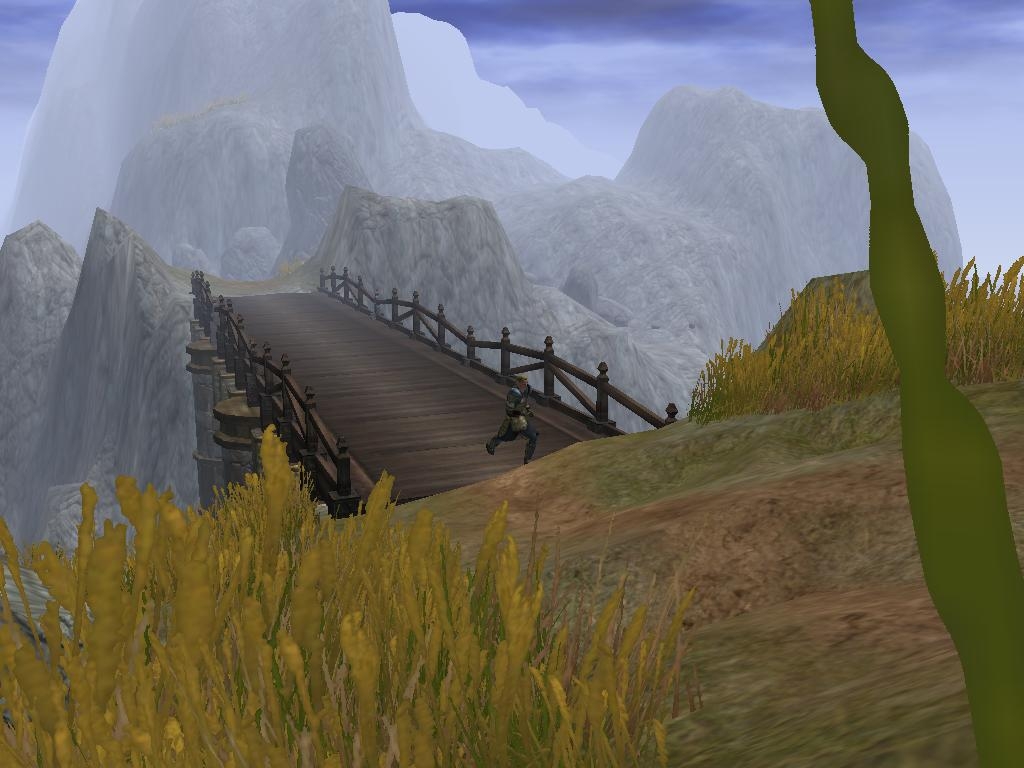
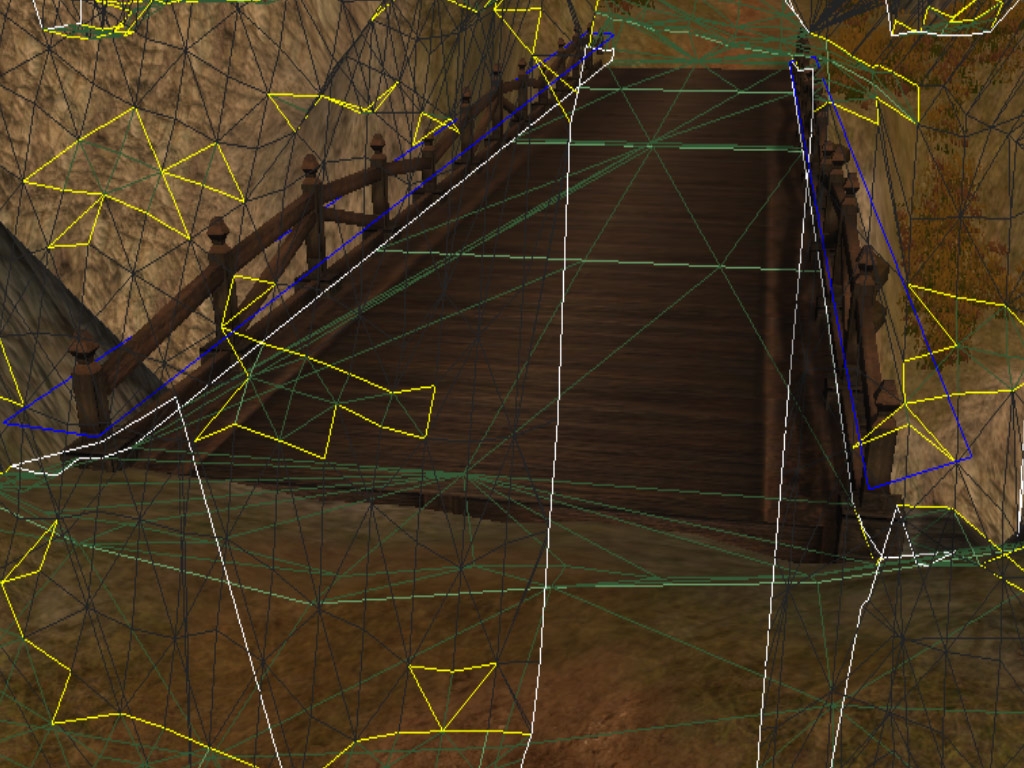
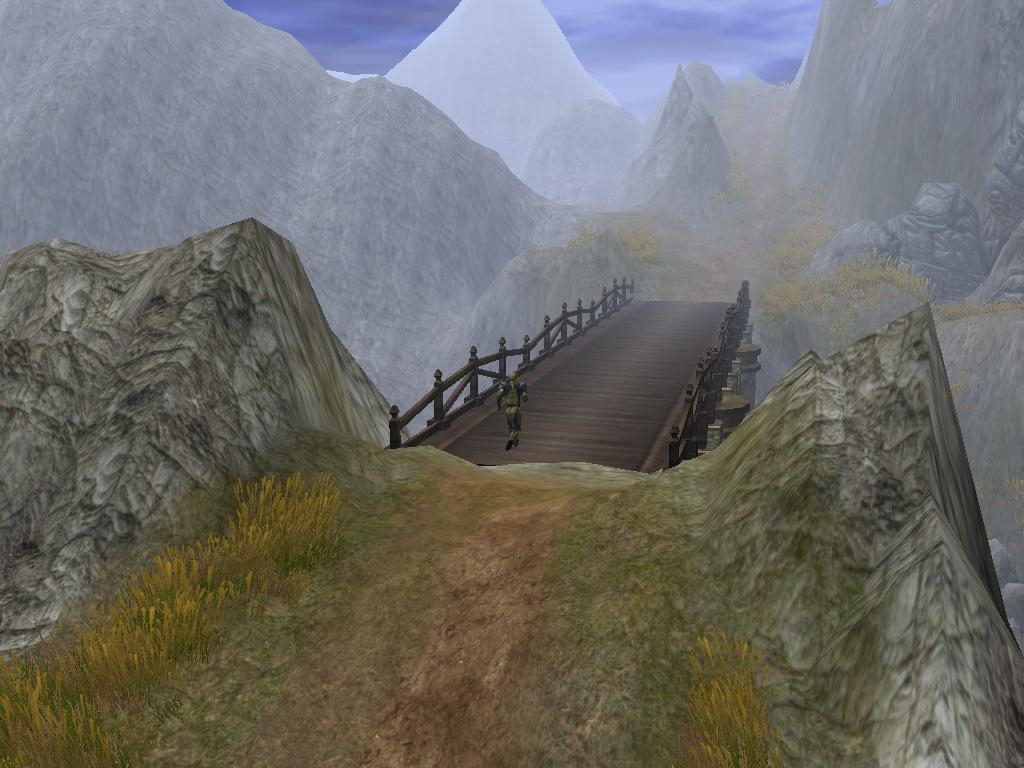
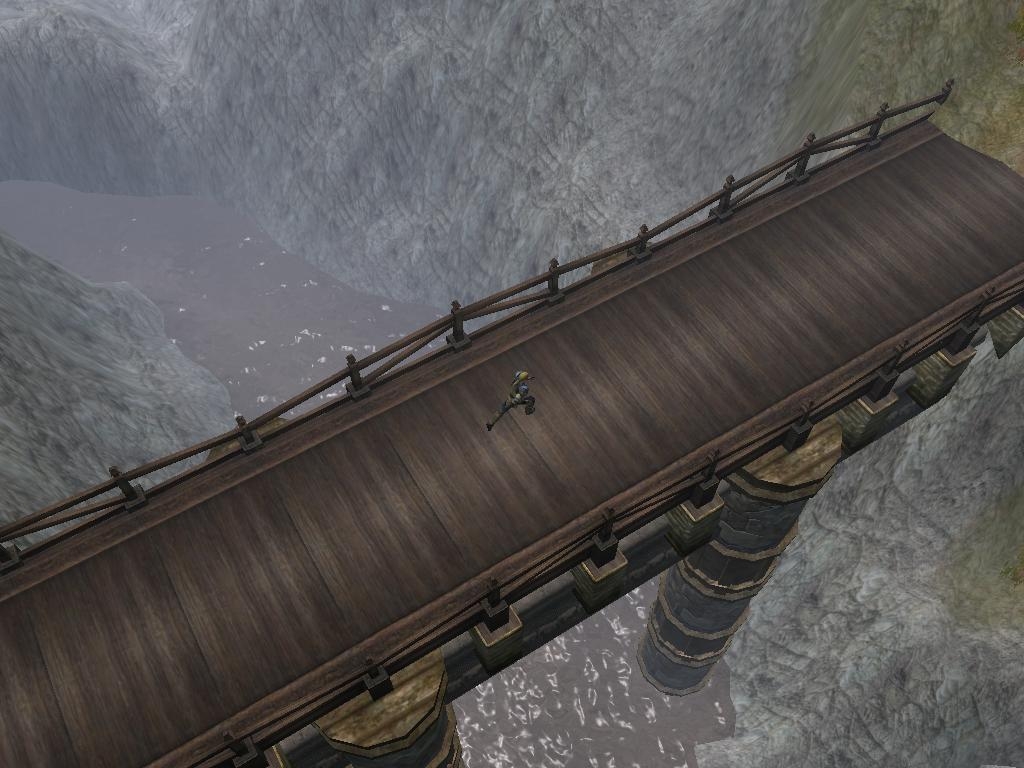
This is a simple package intended to make a builder's life easier. It consists of simple squared invisible placeables with a walkable walkmesh. When scaled, the Walkmesh Helper objects are handy to use along with Walkmesh Cutters (found under trigger) to have more control of the walkmesh. This especially is evident when using a combination of placeables, like several bridges. Place the Walkmesh Helper just above the walkable plane of the placeables, scale it to properly cover the desired area, and cut away with Walkmesh Cutters as fit. You might get the best result by converting the placeables to environment objects, but it shouldn't be required.
It is intended to work as an override, and doesn't require that the end users of your module have this package in place. They will still experience the effect it has on the walkmesh without it installed. You can, however, still alternatively use it as a hak pak if you prefer.
Package includes:
For override:
* PLC_BR_walkmeshhelper_*.MDB - The actual model file of the basic Walkmesh Helper. S is the stone version and W is the wood. Place in your My Documents\Neverwinter Nights 2\Override
* PLC_BR_walkmeshhelperramp_*.MDB - This is the model file of the ramp Walkmesh Helper. S is the stone version and W is the wood. Place in same location as above.
* placeables.2da - A version of the 2da that adds the Walkmesh Helpers. Add into same location as the above.
For hak use:
* walkmeshhelper.hak - Attach to your module first, save and reload.
Both use:
* WalkmeshHelper.erf - Import into your module to add the varius Walkmesh Helpers to the palette. They will appear under 04 - MISC PROPS
Notes:
- For the ramp, enable C2 collision data in the toolset view to see what side points up.
Credits:
A great thanks and thumbs up to Adinos and tazpn for their modelling tools, as well as Tanita for the NWN2Packer utility.
Revision History
v 0.1 - First release.
v 0.2 - Added the Walkmesh Helper Ramp.
v 0.3 - Improved the geometry for more seamless use and made the helpers not cast shadows.
v 0.4 - Added new wood versions, updated 2da to MotB version 1.12 and made the helpers completely invisible.
v 0.5 - Updated 2da to SoZ version 1.23.
Invisible helpers! Hooray! Thank you very much for this update! Any plans to make a circular helper? Is it even possible? I've said it before but I'll say it again: I couldn't mod without this! _________________________ E.C.Patterson Gaming Parents Studios Trinity, the NWN2 adventure : Download now.
Posted by Zarathustra217 at 2008-04-1004:23:41
Hey all, Sorry for the long wait, but finally got around to update this package. The 2da should now match NWN2 1.12 with MotB installed. You'll have to update your already placed helpers, but I kept the names of the resources, so importing the new erf and using the Apply in all areas under the placeable properties should do the trick. Enjoy! :-) _________________________ Lead scripter, artist and designer -~ Ravenloft - Prisoners of the Mist ~- Souls' prison, roleplayers' haven... www.NwNRavenloft.com Other projects: Placeable Walkmesh Helper - Waterfall Package - Creature Distance Tweaks
Posted by Inder at 09:06:25 Voted10.00
Indira Lightfoot, I have had the same problems as you with getting this to work. You mentioned that CiViLized helped you to fix it. How did you do it? I really want to be able to use these ramps again, but I need some help.
Posted by Indira at on01/18/08
With the help CiViLized I got the ramp working quite nicely! And what can I say, without it my areas would have lost out on usable staircases of all sorts of varieties. Thanks! _________________________ From someone who is starting to feel like an Ent among saplings when playing computer-based DD games...
Posted by Indira at on01/18/08
Hi SorceressAshura! As I really wish to have that ramp-walkmesh thingie I have tried to follow what you said. Using MotB v.11153, I downloaded v 1.03 walkmeshhelper here above. After extraction, I placed the mbd.files in the override (which one, btw? I have tried all variants here. Once with only override in My Docs/NWN2 folder, once with only override in Program files/Atari/NWN2 folder, and once with the same mbd.files in both override dirs). Thereafter, I copied a placeable.2da into override, first I edited it like you said, removed 1999 n 2000 lines, and replaced them with the lines that came with Walkmesher zipfile (of course, I renamed them 1999 n 2000 also). Well, what happens it that when I browse to MISC PROPS, the stone and wood walkmeshes are still there, and there property windows are now inaccesible, greyed out, aamof, but the appearances' handles remain "walkmesh stone" and "wakmesh wood", instead of what you said would be the sigh of it all having worked: "walkmesh cutter" n "walkmesh ramp". Should I have imported the erf.file after all? Exactly how do I turn the standard toolset (after patch 1.05) walkmesh stone and wood into walkmesh cutter and ramp? Please spell your answer out as clearly as possible, coz I am a beginner. Many thanks in advance! _________________________ From someone who is starting to feel like an Ent among saplings when playing computer-based DD games...
Posted by SorceressAshura at 15:49:00 Voted10.00
I've been getting alot of emails lately with concerns and issues about my particular way of working with this helper. After you've adjusted the placables.2da in your overrides. When you go to use the placables in the module, you can find them where the offical walkmeshes helpers are suppose to be. The wood and stone ones remember? Don't use the ones that Zarathustra gives to import. Thats what I'm guessing is the issue many of you have. Your still using the objects Zarathustra has, (so be sure to put those .mpd files in your override) your just using the "spots" the offical ones have open in the 2da. If you look at the properties for the placables for the offical walkmeshes, after you override the placables.2da. you'll notice that the Stone one has Walkmesh cutter in the appearance, and the wood has Ramp. That means it worked. Let me know if you have any more questions. _________________________ AKA: GuardianofLore. Interested in joining Rhydin's PW Staff? Come make your dreams, a reality.
Posted by E.C.Patterson at on04/17/08
The walkmesh helper was a little revolution for NWN2. Even though the official game has now incorporated the flat helper, this package is still a must-have for its ramp shape helper. I couldn't even think of building without the helpers now. (P.S. : A round helper would be a really nice addition... ;) ) _________________________ E.C.Patterson Gaming Parents Studios Trinity, the NWN2 adventure : Download now.
Posted by SorceressAshura at 03:23:24 Voted10.00
Ever since MotB, I had alot of issues with this wonderful helper. I kept tinkering with the 2das until I realised I might as well overwrite the offical helpers with this particular one. I tried everything else, that was suggested here, none seem to work for me until I took out the Wood, and Stone helpers out. Replacing them with the flat, and Ramp. Then it worked like a charm, while keeping all the new placables MotB has to offer, minus the wood and stone walkmesh flat planes. If anyone was having the same issues I had, a good fix was this... remove the placables 2da in your overides. So you can then reset it. Open the offical 2da, and save that offical 2da into your override. Open that 2da up, and remove lines 1999, and 2000. Just delete them right out. The helpers found here on this page, as mentioned earlier, are far superior. Now, minimize that offical 2da, and open the 2da found in the zip for this download. scroll down to the bottom lines. (i think the numbers are fairly close to offical, as 2000, and 2001.) Adjust those numbers to 1999, 2000. Then copy the entire two lines. Go back to the offical 2da you have minimized, and paste them in the spot you deleted from before. Line everything up, and save it. .. That should do it. Its what worked for me, just sharing the knowledge. _________________________ AKA: GuardianofLore. Interested in joining Rhydin's PW Staff? Come make your dreams, a reality.
Posted by Ociros at on12/10/07
Hello folks. I think I might have found a solution to the 'Black Box' problem with these Helpers. I just tried changing the 'Appearance' of these items into 'InvisObj' via the Properties, and it -seems- to have worked. It'll look rather strange in the toolset, especailly if you've stretched them a fair amount. Excellent work with these, very useful. Was looking for something to make Qudditch a little more... up-and-down. I think this will do, I just need to figure out how to get them all to 'connect' together. :)
Posted by Zarathustra217 at 2007-12-0101:20:06
Hey all, Thank you for all the nice words, and my sincere apologies for not having checked in here more often. Life has been rather busy the past year. For those of you still prefer using my version of the Walkmesh Helper, I suggest you download the 3C placeable package as Mokah suggested. Again, thank you all for the praises - it really means a lot :) -Søren _________________________ Lead scripter, artist and designer -~ Ravenloft - Prisoners of the Mist ~- Souls' prison, roleplayers' haven... www.NwNRavenloft.com Other projects: Placeable Walkmesh Helper - Waterfall Package - Creature Distance Tweaks
10 - A Masterpiece, Genuinely Groundbreaking 9 - Outstanding, a Must Have 8 - Excellent, Recommended to Anyone 7 - Very Good, Deserves a Look 6 - Good, Qualified Recommendation 5 - Fair, Solid yet Unremarkable 4 - Some Merit, Requires Improvements 3 - Poor Execution, Potential Unrealized 2 - Very Little Appeal 1 - Not Recommended to Anyone






 Site
Site