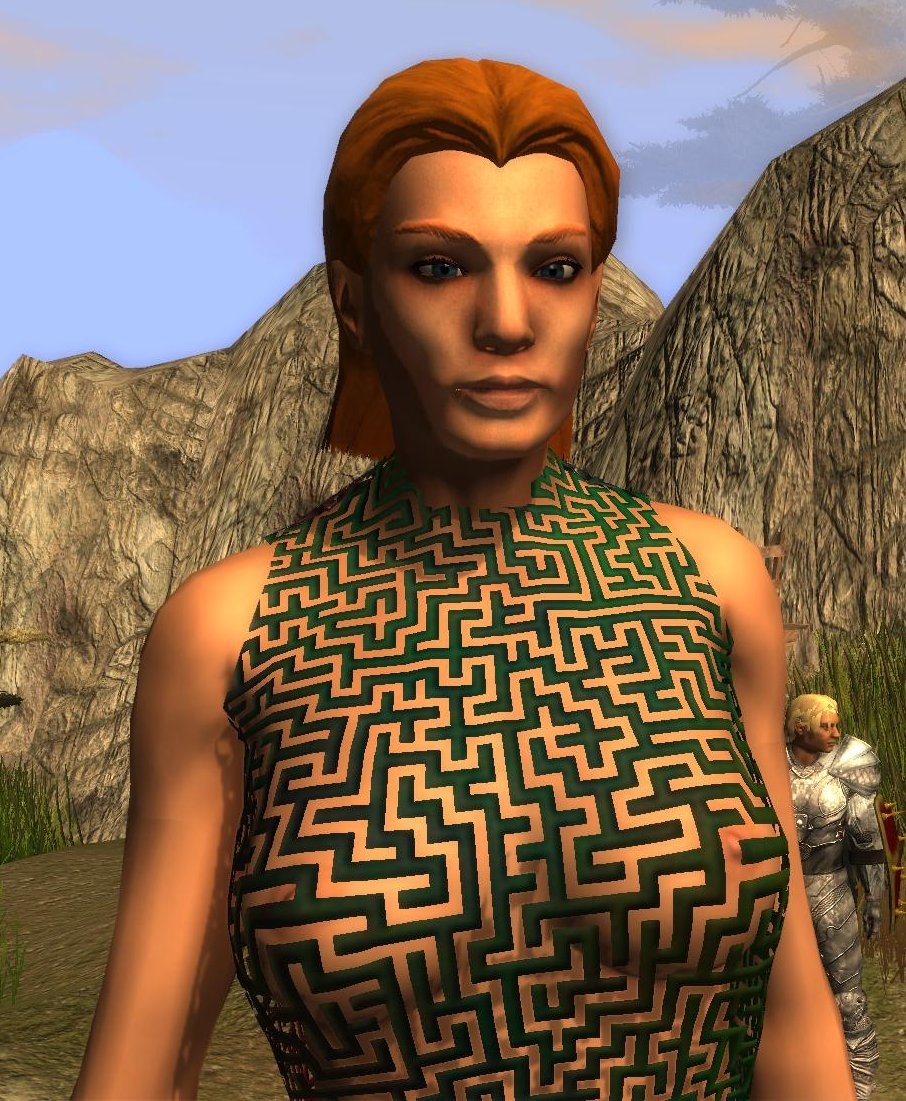
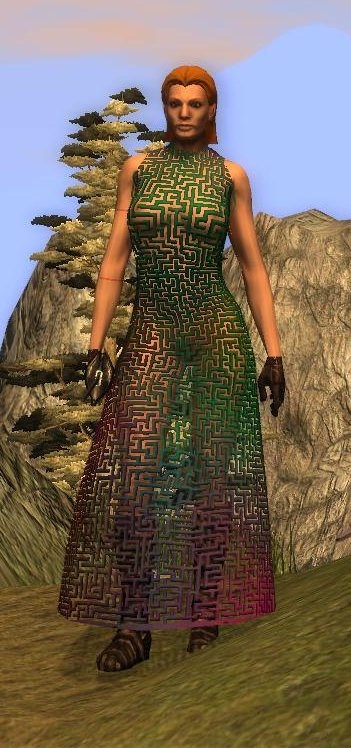
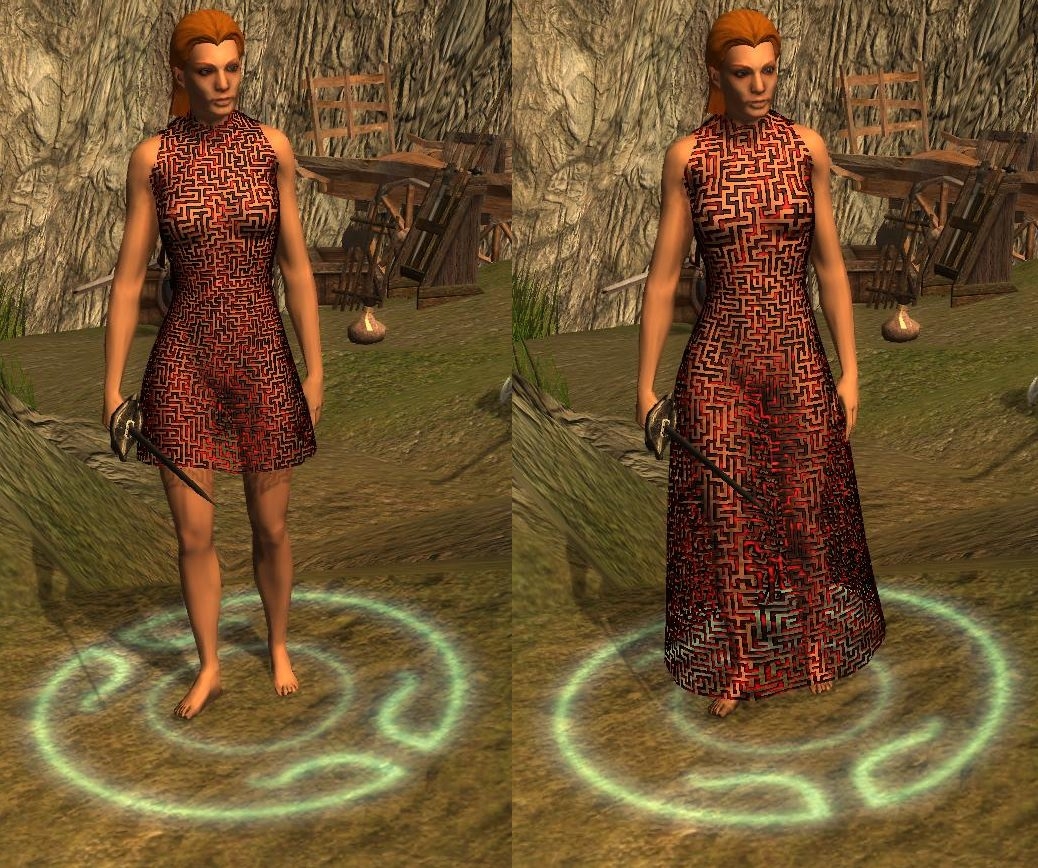
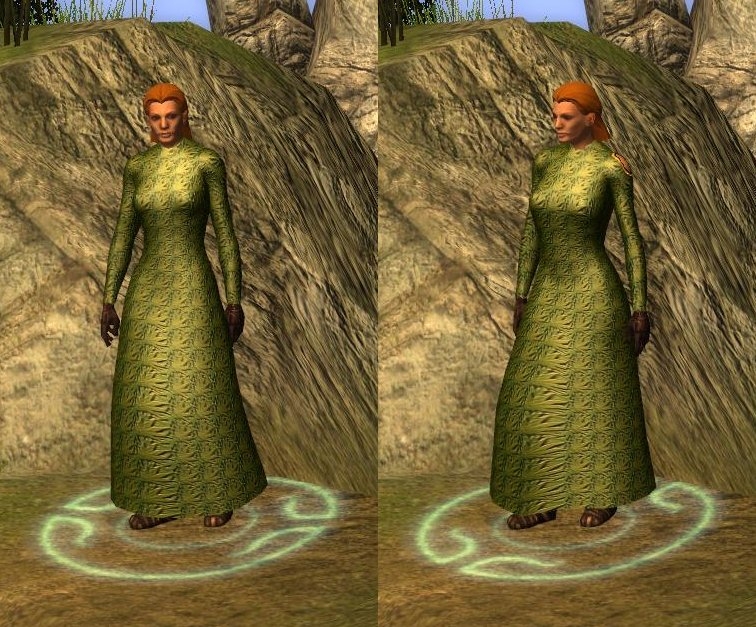
Right- added sleeves to the other long dresses, fixed tint map for people who won't avert their eyes...
Tired now.
************
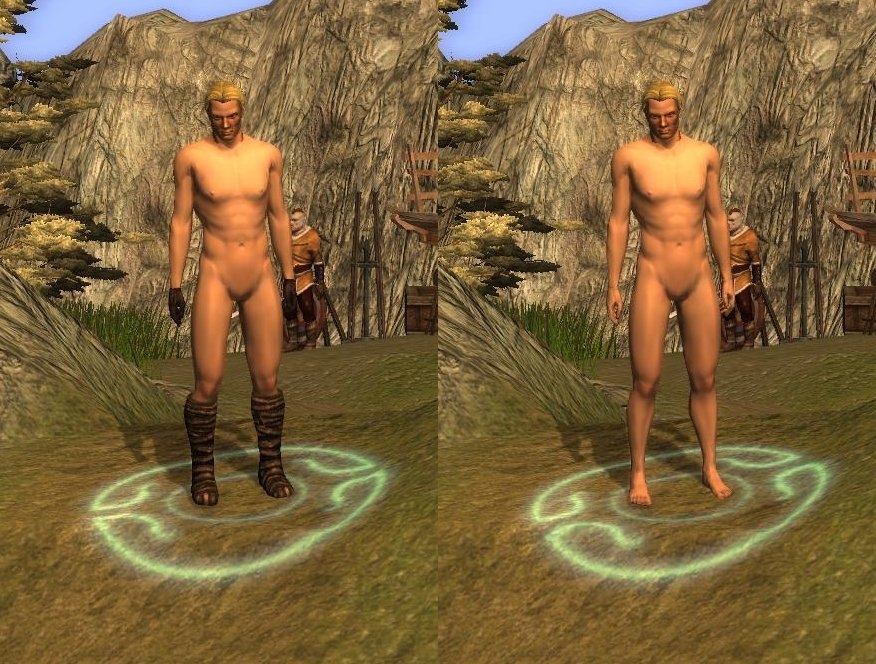
Sorted out the malebase neck.
Right - I'm done on nudes and clothes for a bit (except bugfixes), got an armour project I want to finish.
*************
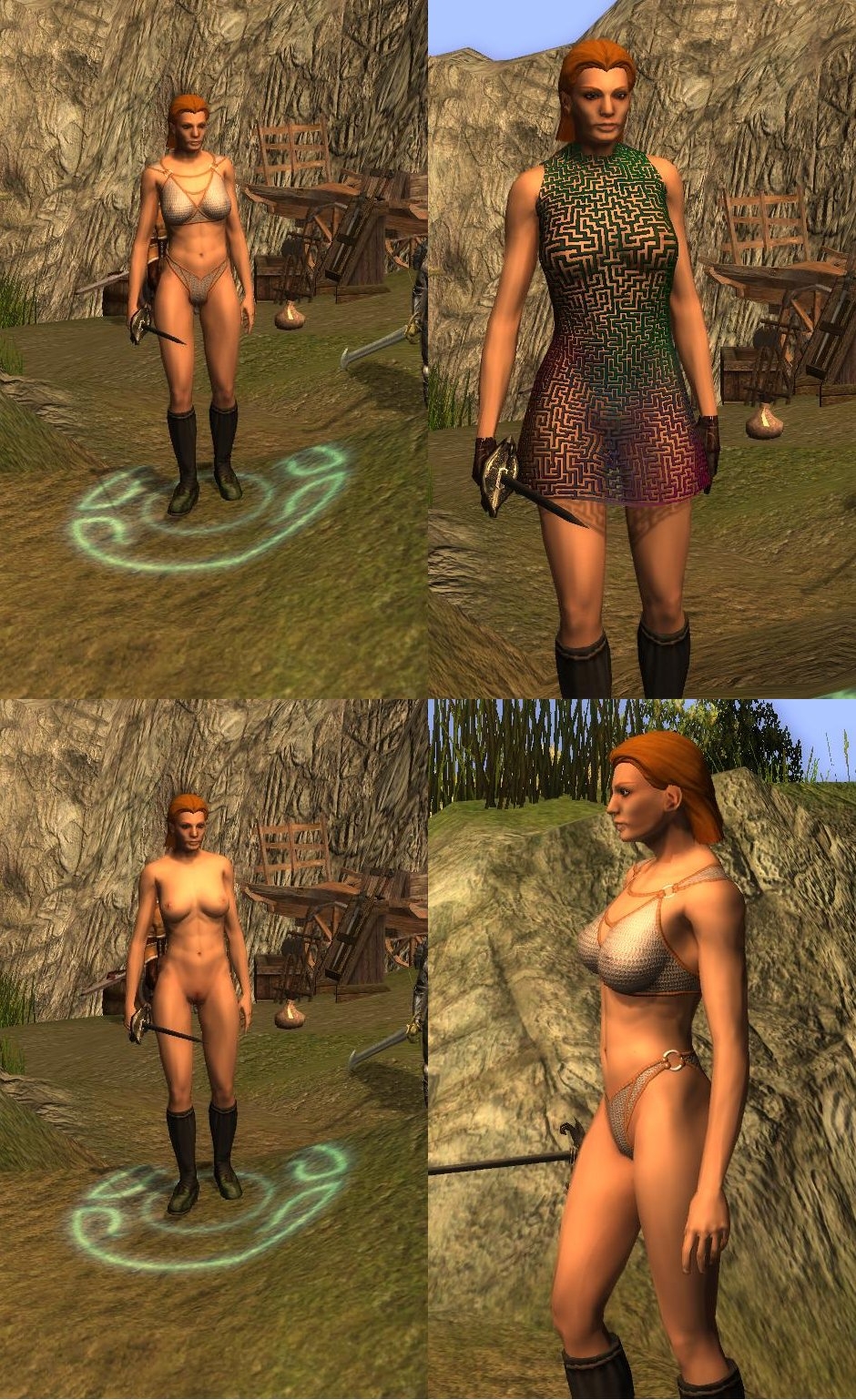
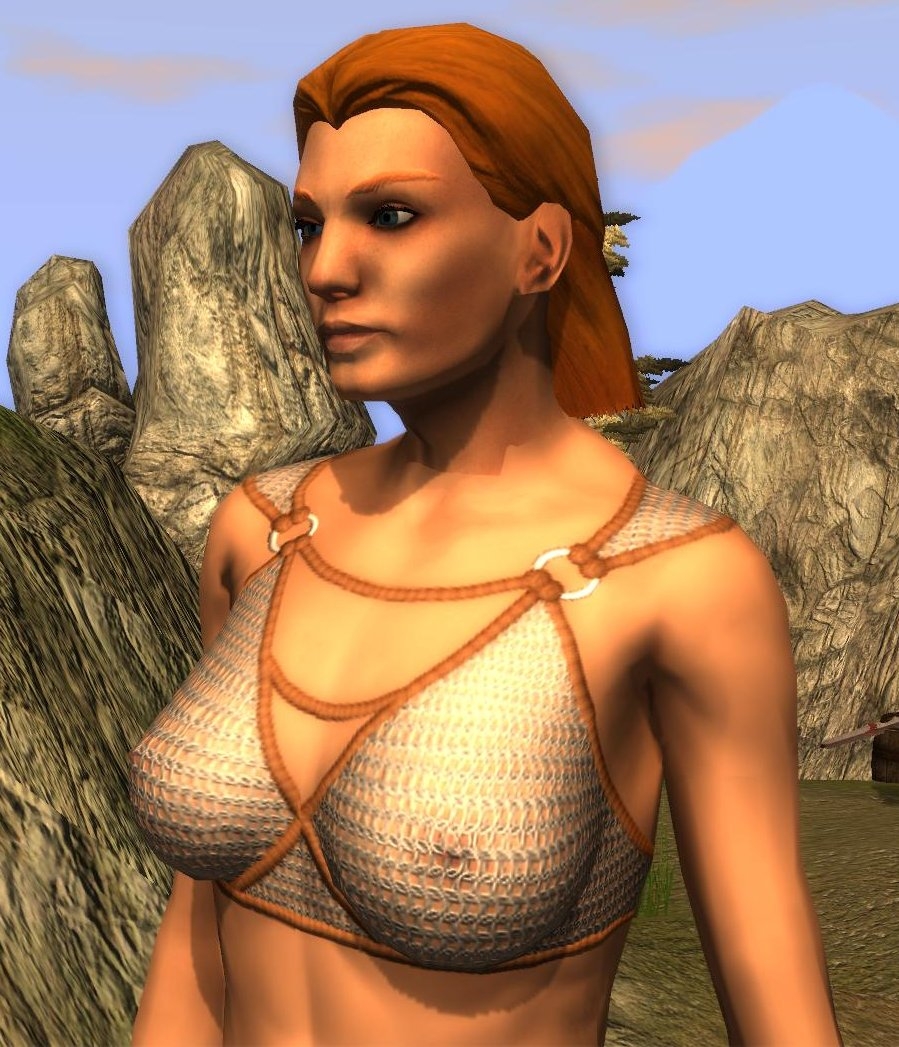
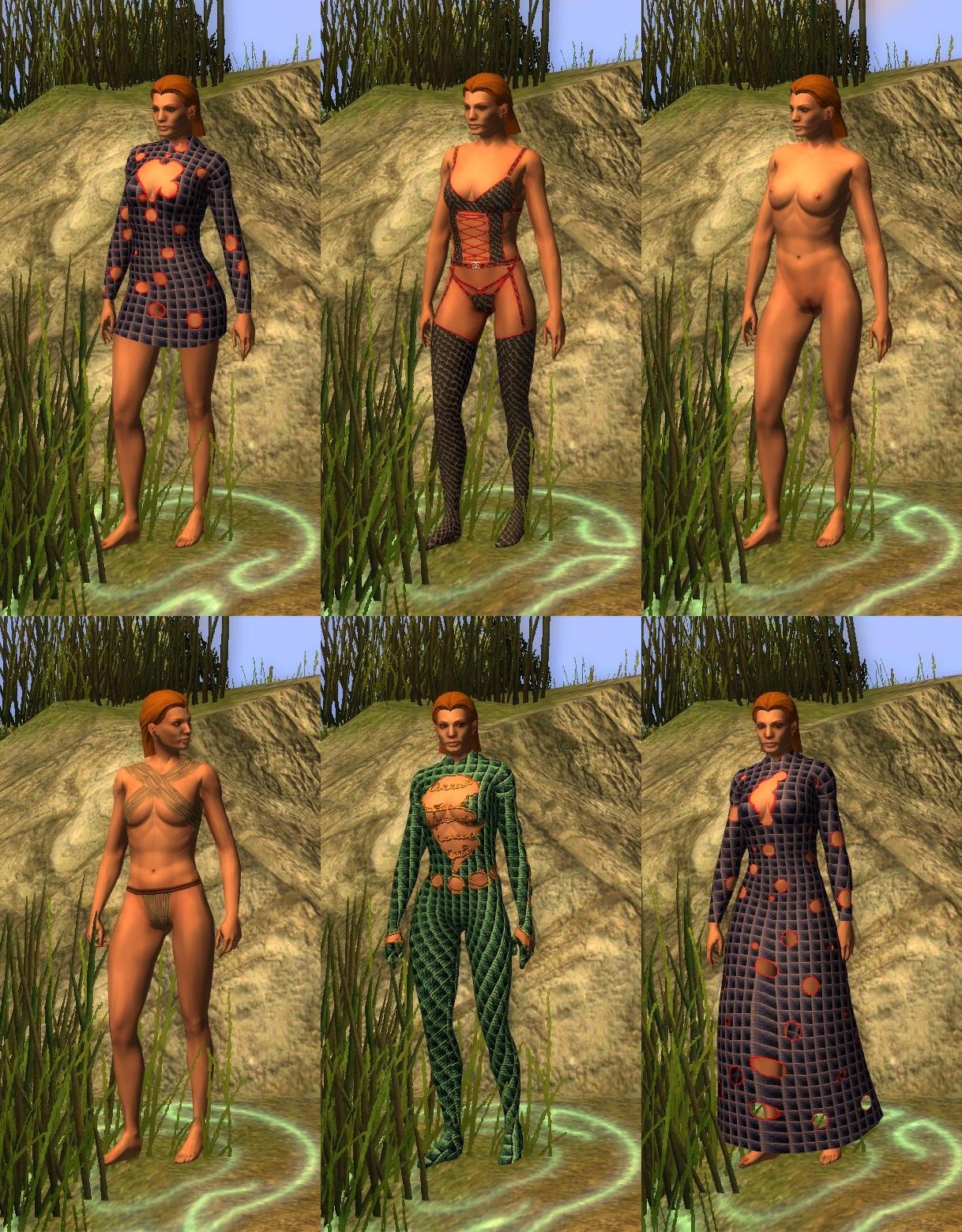
I felt the dresses looked wrong without a bit of cleavage, so I got tweaking. I also discovered sleeves were easier than I thought. Finally I spend more than the usual 15 seconds on clothes textures and put together a couple of sets of underwear (fully tintable). This will hopefully satisfy the PW people :-)
The catsuit was easy, but I'm not sure how useful/sensible it is. It's a lot of polys to achieve something that could be mostly done with a proper base texture. Anyway, I've included it, but use with care.
Only three sets of UVS - one for the long robe, one for the short and one for all the bodies (and catsuit). I've only included .mdbs of the underwear for the bodies with feet and hands - I'm sure you can manage to sort it out if you want to use the outfits with boots.
Any future retexturing I do I'll probably use these meshes - I think they're the best yet.
Just need to get the male base neck sorted out and then I'm done with this!
***********************
OK - done the male bases. Same deal as before - P_HHM_NK_Body02 has hands and feet but may clash with boots and gloves. P_HHM_NK_Body03 has no hands or feet. Came together OK in the end.
*************
All the dresses are done now - phew.. going to be week or two to get the male base done unless a cunning idea I've had works.
Let me know any problems and I'll do my best to fix them.
****Long Dress 1 done****
Well that was a nightmare - there is very bad mesh stretch when running on the front and back of the dress - confined to the centre panels. This seems to be unavoidable - all the original dresses suffer from it as well. I strongly advise leaving a slit in the dress if you want it to be used by a player (who will be running everywhere)
I may revisit the weighting a bit in the future, but it's not going to get much better. If somebody else wants to try feel free!
***Now with smaller breasts!*** (By request)
Added:
NK_Body04 (with hands and feet)
NK_Body05 (without)
Yes - its the long awaited (well by me anyway) JNNWC!
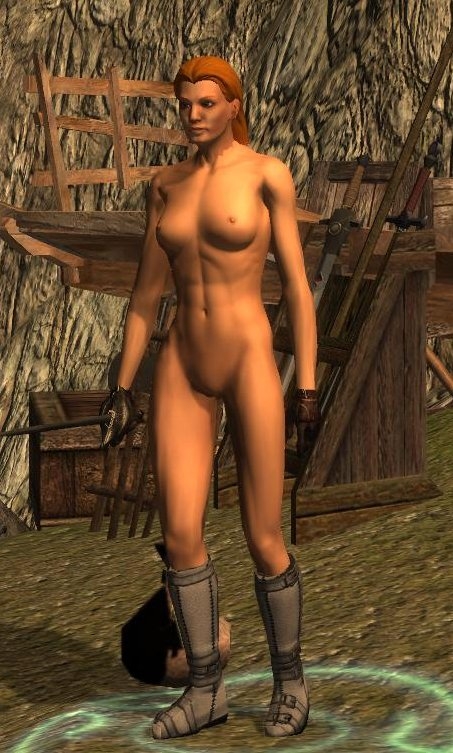
Ardells work on the Blender scripts reignited my interested in doing something for NWN2 - so I figured I revisit my first project - chainmail bikinis (hey, a guy's got to have an obsession...) I soon found Zylch's nude a bit restrictive and so did my own. It's got a few more polys than the original, but I think it looks better for it. Look at the hands and feet - no seams! (Only possible thanks to Ardell)
Once I'd done that I had to make a dress to go in the belt slot so you reskinners can have some fun.
The main change to the nude is that I've redone the UV map so there's more texture space (and more polys means a better profile too). This may lead to seam problems for some people but solutions to this do exist - drop me a line if you're have problems retexturing it. Likewise making the dress a second object means it's got a much better texture space too - much more scope to do your own hemlines.
The seamless hands and feet are done by modelling hands feet on the main body but then having invisible boots and gloves. This causes problems if you do put gloves and boots on the mesh - so use NK3 if you're planning to this - it has no hands and feet.
I've done the elven one too - just a quick rename. It uses the same textures as the human one.
I have no plans to do dwarves and half-orcs yet - if enough people want them I suppose I could.
Interestingly once I'd got the nude done and the texture baking sorted out I was able to do the bikini in about 2 hours flat - so I may produce a few more varients. The dress texture took all of 5 minutes, but you can probably see that from looking at it!
Programs used:
Daz 3d for the high poly model
Blender
Gimp
Ok im dont no what im doing wrong got the 2.1 version but i just dont get it to show up in the toolset i have put it into override but it just dont want to show up plz need help
Posted by casadechrisso at 2010-01-27 16:06:24 Voted 10.00
Are you done yet, Jester, or can we still ask for updates?
Since I'm just working on my skin variations again, I must say that the lack of dwarf/orc/gnome versions kinda bugs me now. I considered throwing in some of the old bodies based on Zylch for them, but frankly, they look too ugly in comparison to your stuff.
The second request is a rather delicate topic... a male package. There's exactly one at the vault (as always, you find thousands of superdetailed female nudes, but not a single male), and that one by necrolord is.. well, how should I put it... only made for the kind of hardcore "social" servers I'm not trying to build myself. Plus, it is of very poor quality. I don't want any pixelpr0n thing ready to do the deeds, just something that fills that hurtful wound down there. Simply nothing looks almost as strange as.. well you know. :)
Anyway, I'm currently working on male reskins for my skins pack, hope I'll have them ready soon. _________________________ Middleforest - An upcoming NWN2 PW Skins for all races
Posted by dj1 at 2010-01-02 18:51:49 Voted 10.00 on 01/02/10
@rotten- I've got a 1.06G override folder right now, including all of this, and none of it conflicts (eye-candy like SOC/aleanne/lineage/oblivion/shirtless and charlie's mods, takes up a lot of space). The modders, for the most part, did well in not over-riding each others' numbering. Be sure to get chimneyfish's iconic outfits based on this. They're excellent.
Speaking of expansions to this...
With what's been added since my original vote, I have to bump it to a 10.
D
_________________________ "In life, one and one don't make two. One and one make one."
-The Who "Bargain"
Is all of this content compatible? In other words, can I download all of this and put it in my override folder and expect it to work correctly?
Posted by dj1 at 2009-12-20 15:26:59 Voted 10.00 on 01/02/10
A humble request if I may,
I've "painted" different tattoo textures for my characters but only universal (all chars using the chosen body model). I'd like female "accessory-based" tats like the males from the Shirtless Saga hak but I need models/ meshes that match your bodies to do the accessories. I suck at modeling so could you produce generic rt and lt upper arm .mdb's (or other "accessorizable" body parts for that matter) based on your human and elf female bodies? If this is simple (or too difficult or doesn't even make sense), sorry I'm new at this. Learning by tinkering with others stuff. I'm still flipping through mapping tutorials and have yet to do more than paint new textures.
Thanx _________________________ "In life, one and one don't make two. One and one make one."
-The Who "Bargain"
Posted by tygaran at 2009-10-21 00:36:05 Voted 9.75 on 10/21/09
Very Nice! I look forward to more designs.
Posted by chintznibbles at 2009-10-16 02:13:49 Voted 9.00 on 10/16/09
Nice work! I like these more than the existing bases solely for the fact that the hands and feet match so much better. I might prefer the waist pushed in just a tad, but as is, they're quite nice and realistic for the poly count.
Ideally, I'd like to see three body type variations: petite (for elves, etc), average (humans) and large/curvy (Amazons, etc, and ideally dwarves and orcs). If you find the time to make a bigger/curvier version, I'd love it.
Posted by KoGar at 2009-10-13 14:28:30 Voted 10.00 on 10/13/09
Very well done!
The textures are amazing and look very natural on the models. _________________________ Ignore stupidity, and it shall destroy itself.
Ignore wisdom, and it shall destroy you...
Know what to ignore...KoGar
Kemo, I didn't know that. Fortunately, I can't imagine anybody would want to use the dresses I made and hopefully the reskinners will remember to renumber them... (and now they know they need to!)
Posted by kemo at 2009-08-27 08:31:33 Voted 9.00 on 08/27/09
noloser: It's been a very long time since I used 3dmax, but I'm sure these a way to get it to recalculate the face normals so that they're all pointing 'outside', and I think it's with a modifier. Try asking on the Bioware forums. If you're slicing a face then it's normal shouldn't change - though 3dmax might flip it.
Dalamar: If you look at some of the costumes (naked*) in the toolset you'll see what I mean. To change the textures simply open the .dds file in Gimp (free plugin needed), edit, and save.
How do I use that variant? I'm not that well versed in modifying the NWN client and didn't see anything about it in the tutorial how to change the skin (Zylch's I believe)
Posted by noloser at 2009-08-18 10:16:54 Voted 10.00
If I Recall Correctly? So you are saying in 3dmax then? If you are not saying something that found in newer version of 3dmax, then yes, indeed there is one modifier that can edit normal without changing the polygons faces. But still, there isn�t a function that you can auto calculates the normals through the original mesh or a function to import/export those normals; you have to edit them one by one by hand. But, beside there is so many normals in the mesh that it would confuse you to the max, there is no way shall I know how much to move those normals for them to have the same reflections angles as the unsliced version. So, there is no way I can fix that, and I can�t find any help in Google too.
Posted by noloser at 2009-08-18 10:13:34 Voted 10.00
If I Recall Correctly? So you are saying in 3dmax then? If you are not saying something that found in newer version of 3dmax, then yes, indeed there is one modifier that can edit normal with changing the polygons faces. But still, there isn�t a function that you can auto calculates the normals through the original mesh or a function to import/export those normals; you have to edit them one by one by hand. But, beside there is so many normals in the mesh that it would confuse you to the max, there is no way shall I know how much to move those normals for them to have the same reflections angles as the unsliced version. So, there is no way I can fix that, and I can find any help in Google too.
That's the problem. I use the version with boots, the boots are there. I use the one without boots, the boots are still there as well as the feet clipping from underneath.
There are two versions of each base mesh - one with feet and without. If you want to use boots, use the one without feet. There are some textures floating about that do a better job of matching the heads, or just use GIMP to modify the gamma curve
I can't seem to be able to change the skin tone to match the head correctly (yeah, tint is the same, yet the skin always appears darker than head. It could be an issue with drow only?)
And also I can't seem to be able to get rid of the boots, they're always there though the textures clearly clip with them from underneath like if the boots are overlaid.
Any help please?
10 - A Masterpiece, Genuinely Groundbreaking 9 - Outstanding, a Must Have 8 - Excellent, Recommended to Anyone 7 - Very Good, Deserves a Look 6 - Good, Qualified Recommendation 5 - Fair, Solid yet Unremarkable 4 - Some Merit, Requires Improvements 3 - Poor Execution, Potential Unrealized 2 - Very Little Appeal 1 - Not Recommended to Anyone






 Site
Site









 at 2011-09-18 20:59:25
 at 2010-07-18 19:43:47


