DM-Friendly Initiative (DMFI) Tools Package is community-built package that aims to improve the player and DM experience in MP games. Your feedback and comments are welcome, see the link above to the DMFI forums.
The NWN2 version represents brand new code with a new structure from the ground up. We have been fortunate to have several very talented professional programmers from within the NWN1 community contribute to helping create this new foundation. This is a project that has been in serious development for over 6 months with initial discussions dating back over a year.
MAJOR FEATURES
- 100% UI Driven
The current DMFI Tools do not use listeners, instead the entire package is UI driven.
- Commands
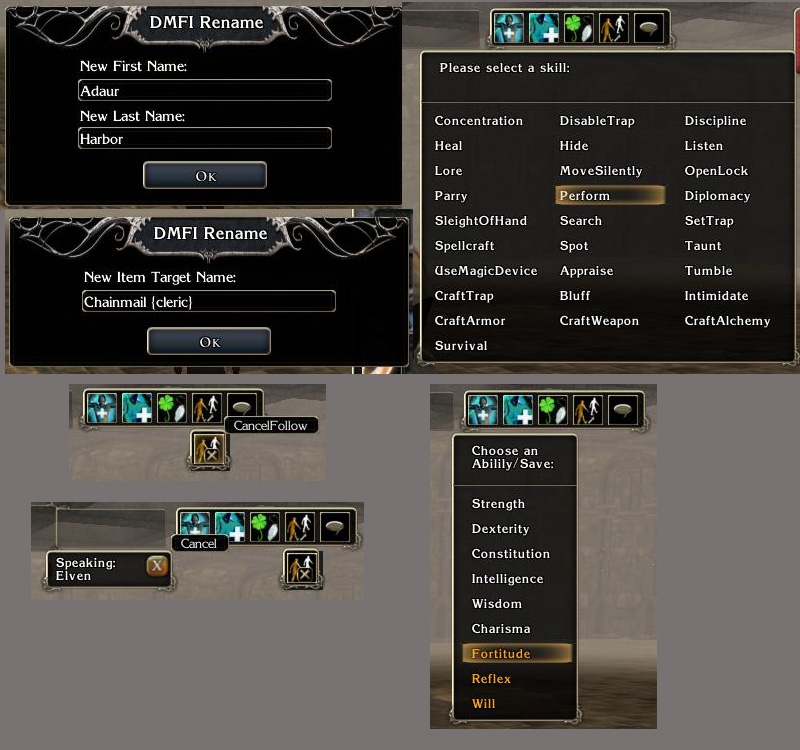
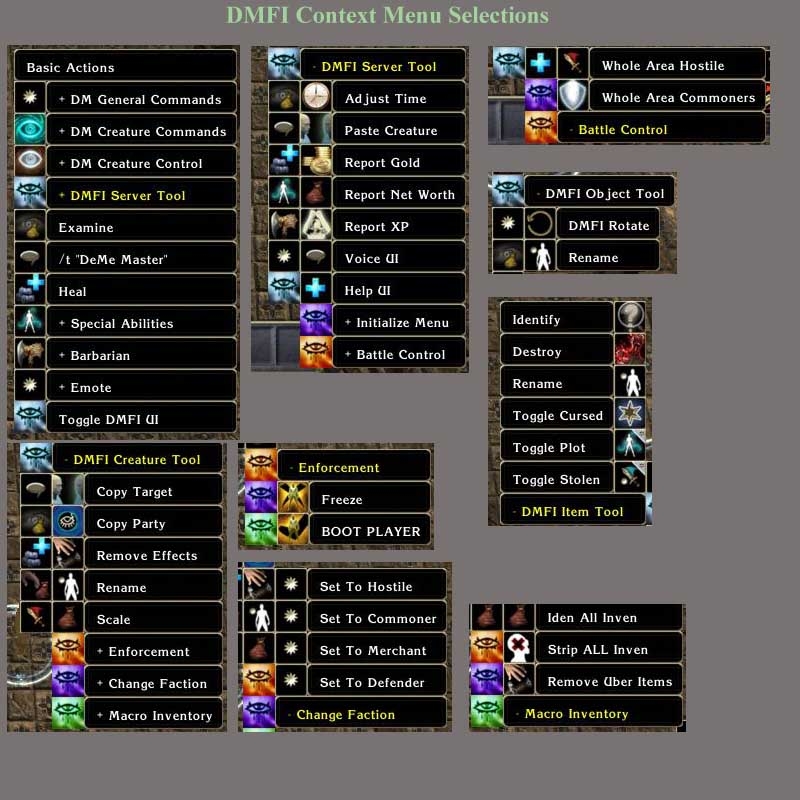
New UIs and additions to the context menu provide far better access to commands!
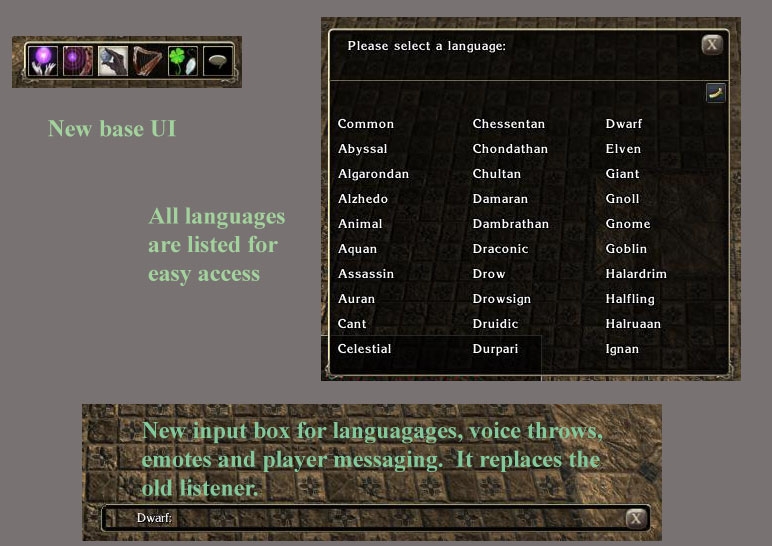
- Text Entry UI
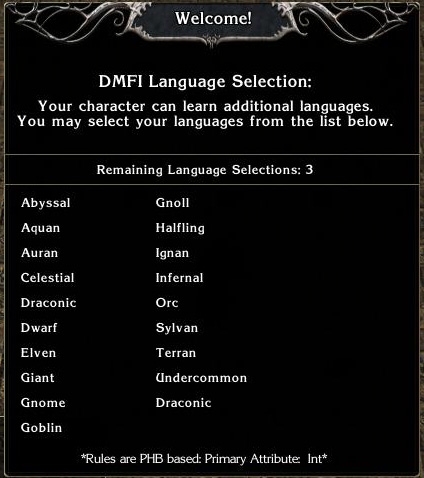
A new text entry box supports voice throws, languages, emotes, and player messaging through one nice interface - again with no listeners.
- Documentation
Version 1.10 readme file included, along with an example demo/tutorial mod to help ease you into the package.
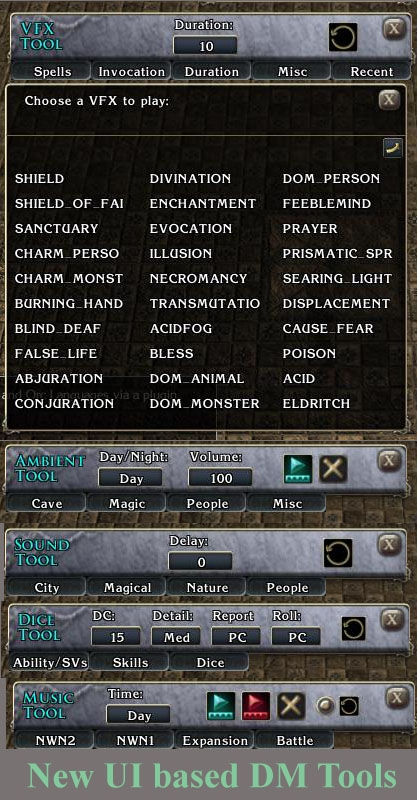
NEW FEATURES IN 1.10 - The target tool: this new UI screen will take care of all the functions in the old contextmenu. It's separated by two panes, one for the server options and another for the object options. It will show the name of the current target and the buttons will fire the commands.
- The manager tool: This UI screen will store items and creatures in a database to retrieve them later. Up to 20 slots.
- Battle tool: 2 more buttons to add or decrease Spell Resistance.
- Placeables: Make placeable "plot", destroy placeable, and destroy placeables in 3 different radius.
- Report Location: will show a screen with PC's locations, PublicCDKeys, Current Hit Points and debug numbers.
- Weather: added weather functions.
- GetOutOfMyWay: fires the new OEI joke, gets players out of the way who are around you.
- Jump a party to DM: Jump all players to DM and jump player to his party leader.
- Create Teleport Portals.
- Send Message Popups to all players or targeted party.
- Added FOLLOW buttons to DM bar.
- VFX Tool, added support for Custom NWN2 effects. Just type the name of the effect and fire it on location or target.
- Added a little button to DMFI text which allows a player's language to be changed quickly.
DOWNLOAD
- Download the v1.10b developer package.
INSTALLATION
- Installation of DMFI files into your own mod: associate the DMFI version 1.10 hak with your mod, import the included erf file, compile module scripts. Place the dmfi_mod_pcload script in the On PC Loaded Script event of your module.
1.10 PATCH NOTES:
Fixes:
- DMFI Tools now work with NWN2 and Mask of the Betrayer patch 1.10
- Added support for DisplayguiScreen() updated function. This means you no longer need a modified .ini file.
- Support for Mask of the Betrayer content: appearances, music, ambient sound.
- Languages: DMs could not understand racial languages while possessing NPCs. Fix provided by Dragonsbane777.
- Languages: previously any chat line starting with a number crashed the system. (However, see below known issues)
- CopyObject (used for making copies of PCs): copies were previously hostile faction and lootable. Fix provided by Dragonsbane777.
Known issues:
- Languages: only text between quotation marks (" ") or apostrophes (' ') will appear if these are used in chat, not the rest of the chat line. This occurs because of the XML processor and cannot be fixed at this time, but a work-around is available: put the entire chat line in quotation marks.
- If you start a phrase on the chat line with a number, the server/module still has a 10% chance to crash. Hopefully OEI will fix this in a future as sometimes the string values are interpreted as integers.
Feedback and suggestions are always welcomed. Visit the DMFI guild forums for discussion and latest news.
If you don't know what to do with the UI files, then ignore them. It's for developers to modify if they want their own custom version of the DMFI UI. Otherwise, just associate the hak with your module, import the scripts, and compile.
Posted by Chuchu at 2008-05-1408:05:38
Hi, For Developer Package, the information about installation says: "Includes the files you need to import into your module as well the main files for the UI (if you want to modify them)." Could you please give more informations about the UI and its installation in the module? How could I "import" the UI into my module? or I will have to place the UI into some folder ? What folder? Thank's Choochoo
Posted by ekieron at 2008-05-0112:23:18
If nothing else, this gives me hope that I am simply doing something wrong. It is, however, odd, since the PC tools and every other Hak/script I have put in works fine. I will try to put them in again and see if I can't get it working. Thanks! _________________________ Kieron
Posted by ekieron at 2008-05-0112:08:36
;) Override is/has always been clean. Still not working. :/ _________________________ Kieron
Posted by Carlo at 18:45:30 Voted9.75
This version works with 1.12. Please be sure that your override folder does not have any conflicting UI files, that's the first thing I'd check.
Posted by ekieron at 2008-04-2910:57:21
I forgo to mention that yes, I did import the ERF and did compile all scripts in the module after I did this. There are no other haks in the module. The only thing I can think of would be that this version does not work with 1.12. If someone could let me know that and/or where I can find DMFI or player tools that work with 1.12. Thanks. _________________________ Kieron
Posted by ekieron at 2008-04-2910:19:25
I cannot seem to get this to work with my module. Does this not work with the 1.12 patch? I have associated the hak with the module, compiled the scripts, saved, yet nothing works in game. Do I need to do something on the player/DM side with the hak (besides having it in the hak folder), or the UI files? Thanks. _________________________ Kieron
Posted by Carlo at 19:38:38 Voted9.75
Some notes on installation of the package into a module: -- The readme file contains all necessary installation instructions, which are short and straightforward (essentially delete all previous files/databases, associate the hak, import scripts, compile). However, depending on your computer/server's previous setup, some tweaking may be necessary. The DMFI forums contain some posts on common issues. -- For toolset basics, such as associating haks with the toolset, please consult one of the excellent NWVault tutorials available. This is the developer package and as such basic knowledge of the toolset is assumed on the part of the user. -- No DMFI scripts are required to be installed into any of the module events. At least, I've got it up and running without doing that, and haven't to this point seen anyone else post that was necessary. Please document specific bugs/issues and the DMFI will try to incorporate fixes into the next version. Thanks very much for your interest and support.
Posted by over_my_head at on12/29/07
Believe me MCMunroe, I've been struggling a month before finally being able to set up DMFI correctly. It works fine now, like a charm to be honest. No enabling DMFI UI, etc. It works as intended. If you would like any help, or support, you can always contact me at worldofgoliath@gmail.com. More than happy to help you, as I find every PW/Module/etc needs this package! Yours sincerely, Over My Head, Admin WoG
Posted by MCMunroe at 2008-03-1515:54:44
I've been fighting with installing DMFI for 4 days now.... Your documentation is very poor. If you follow the directions given. DMFI DOES NOT WORK. "- Installation of DMFI files into your own mod: associate the DMFI version 1.10 hak with your mod, import the included erf file, compile module scripts. " There is missing instructions of how to associate a HAK, sounds simple but not if you've never done it. As it's not writting anywhere how. Also missing instructions mentioning that one needs to include "dmfi_inc_initial" On PC Loaded.
10 - A Masterpiece, Genuinely Groundbreaking 9 - Outstanding, a Must Have 8 - Excellent, Recommended to Anyone 7 - Very Good, Deserves a Look 6 - Good, Qualified Recommendation 5 - Fair, Solid yet Unremarkable 4 - Some Merit, Requires Improvements 3 - Poor Execution, Potential Unrealized 2 - Very Little Appeal 1 - Not Recommended to Anyone






 Site
Site