This system extends the official DM Client functionalities.
It provides 2 main features:
- PC/PNC inventory manager
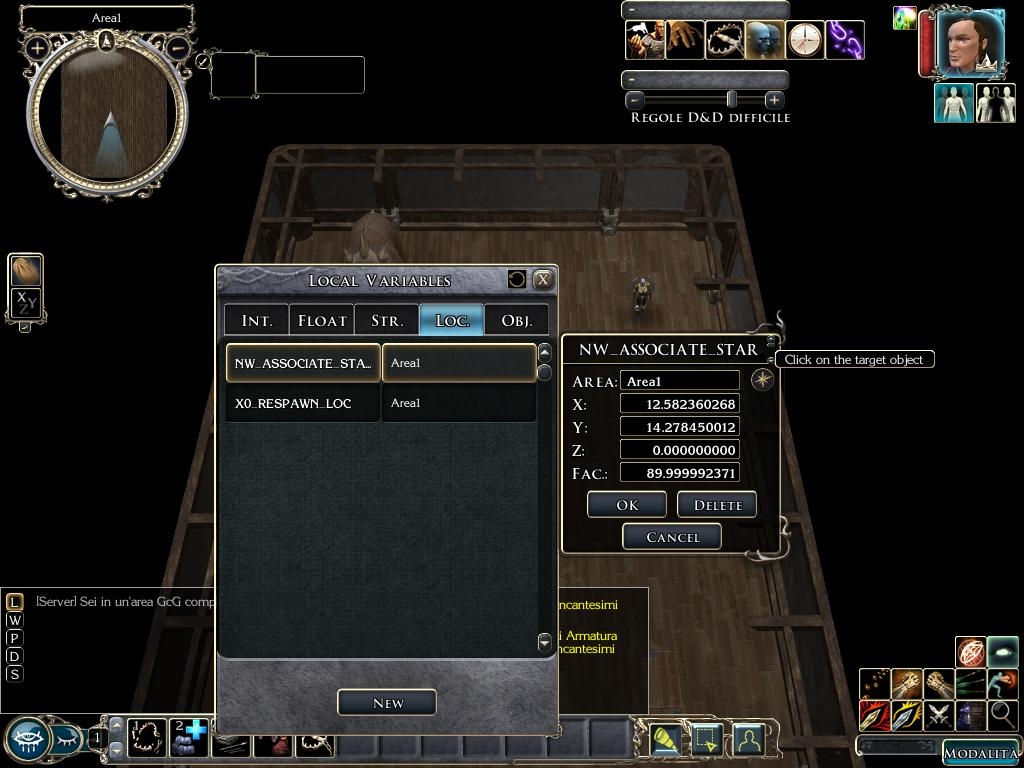
- Object's local variables manager
FEATURES
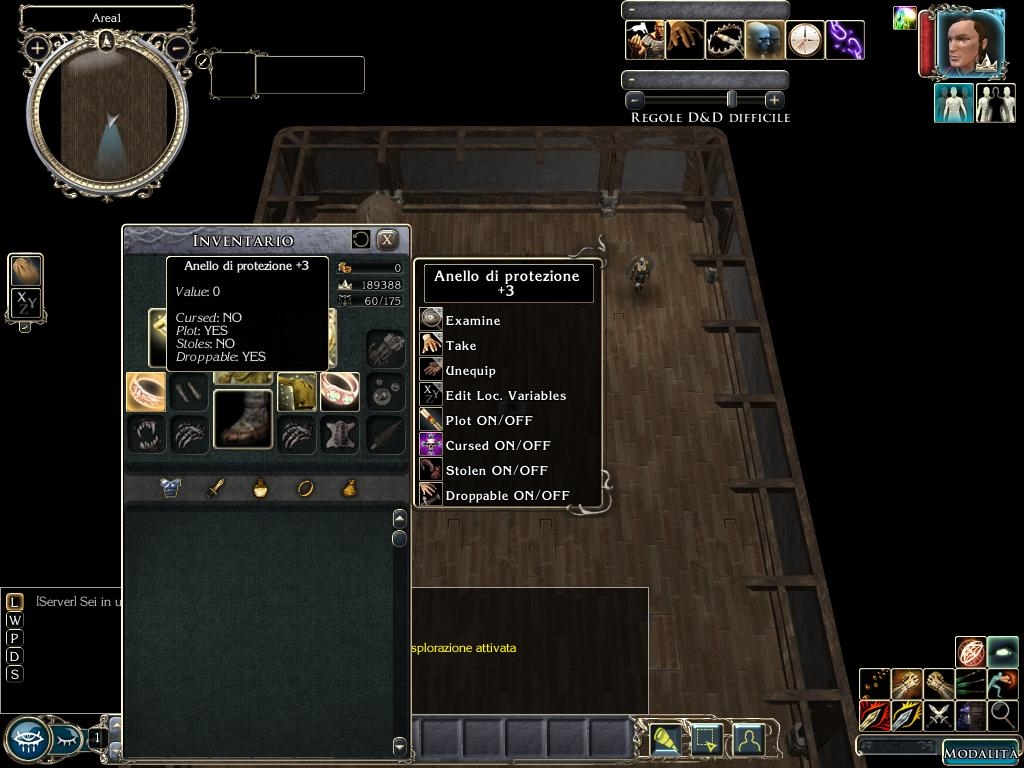
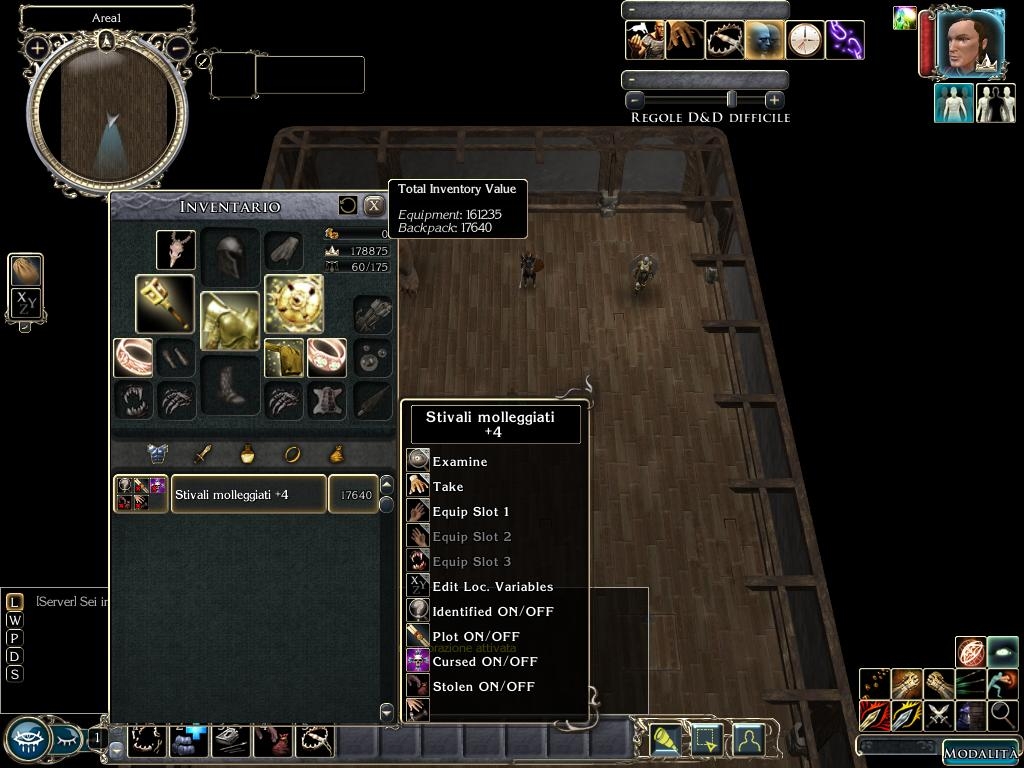
1) Display/manage PC/PNC inventory (give/take/equip/unequip items).
2) Display PC/PNC total inventory value (even equipped & carried values apart -> check tooltip).
3) Display PC/PNC owned gold.
4) Display PC/PNC encumbrance.
5) Display/Edit item's property within PC/PNC inventory (identified, plot, stolen, droppable, cursed flags).
6) Display item's value within PC/PNC inventory.
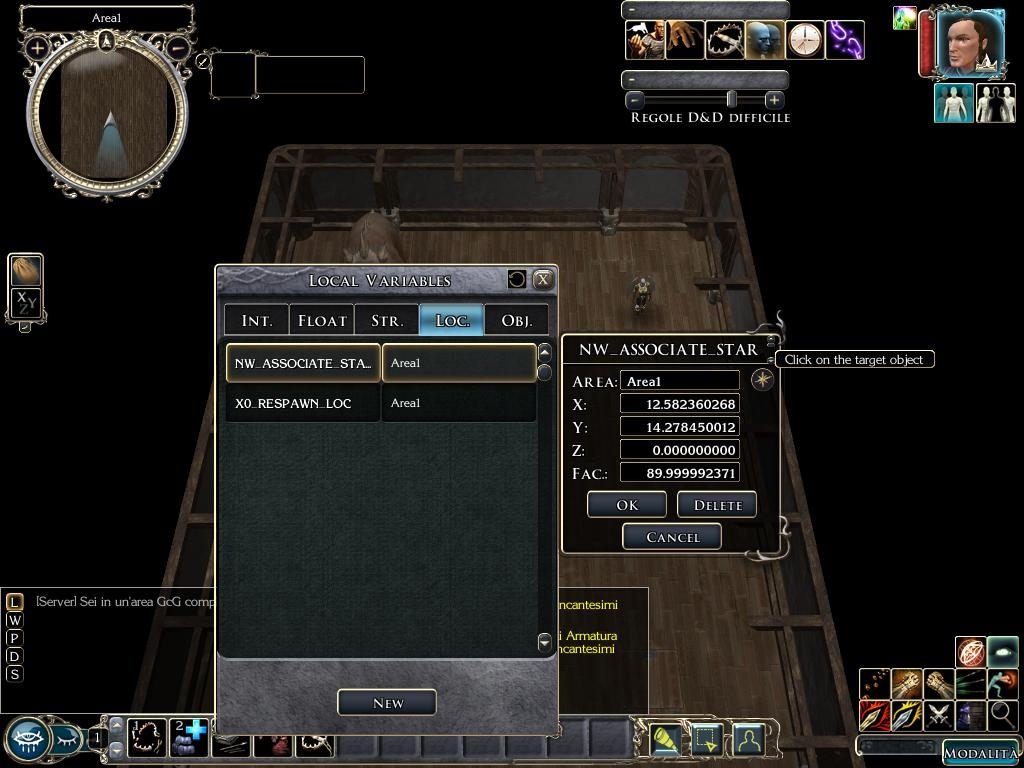
7) Display/create/edit/delete local variabibles
INSTALLATION
1) Import the scripts in your module.
a) CLASSIC MODE
Import the "dm_client_extension.erf" in your module
b) DIRECTORY MODE
Unzip the file "dm_client_extension.zip" in your module directory
2) Open your module with the Neverwinter Nights 2 Toolset. Add the following line of code in your "On Client Enter Script":
ExecuteScript("wand_init", oPc);
3) Recompile all your module scripts.
4) Add the UI files to your module.
a) HAK VERSION
Copy the file "dm_client_extension.hak" in your "Documents\Neverwinter Nights 2\hak" folder.
Add the file "dm_client_extension" to the module's list of Hak Paks
Open your module with the Neverwinter Nights 2 Toolset -> View Module Properties -> Properties pane/tab -> Hak Paks
b) OVERRIDE VERSION
Unzip the file "dm_client_extension_UI.zip" in your override folder.
5) Save and close your module
Note
The default file "inventoryscreen.xml" has been slightly modified to allow "drag & drop give" feature.
You actually don't need to override this file if you don't feel safe or if you already have your own version of this file but you won't be able to drag & drop an item from the DM inventory to the PC/PNG inventory.
CONFIGURATION
1) Open the Neverwinter Nights 2 Toolset.
2) Edit the script "wand_inc_conf". All the options (a few options) are explained within the script.
3) Save the script and recompile all your module scripts.
LOCALIZATION
1) Open the Neverwinter Nights 2 Toolset.
2) Edit the script "wand_inc_language" and translate all the strings within quotes.
3) Save the script and recompile all your module scripts.
Note
You don't have to edit any XML file!!!
KNOWN ISSUES
1) Examine action is not 100% reliable as it is a trivial workaround.
2) Creature weapon's equipping action do not work with bite slot
3) Bite slot and left claw slot seems to be swapped (INVENTORY_SLOT_CWEAPON_B = 16 <-> INVENTORY_SLOT_CWEAPON_L = 14). I've taken account of this.
4) Equipping action follows the standard equipping action rules. i.e. You can't equip a weapon in you left hand slot if you don't have a weapon in your right slot.
Please, if you like this mod download and vote it.
Unfortunately I don't think there is enough interest in this custom addition to the NWN2 DM client. So I think that Caos81 doesn't support this or update.
Posted by BlakOrkz at 2011-01-22 00:25:53 Voted 10.00 on 01/22/11
I agree with NWN DM. It's sad that I have to vote this so high--not because of your work, but because of the lack thereof (at least from a DM's perspective) from a significant entity who shall remain nameless.
Posted by Developer Silver at 2010-12-10 14:19:11 Voted 9.00 on 12/10/10
Just added to our PW, great! _________________________ Developer Silver Faerûn Nights Admin
Posted by Deider at 2010-06-22 10:33:40 Voted 9.75 on 06/22/10
We use this on our PW, and it really fills a need. Excellent work!!
One question - is there a way to resolve the issue with creature items being unable to be equipped to the bite slot?
Posted by Pain at 2009-11-10 21:21:54 Voted 10.00 on 11/10/09
This looks fantastic, will be integrating it with my own content for my PW, and think it should be part of the DMFI from what i can read. Really should be standard for all dm's.
Posted by Dragonsbane777 at 2009-10-22 12:16:08 Voted 10.00 on 10/22/09
BAMALICIOUS! _________________________ Talernon3 - Age of Dragons Link
Talernon Team Submissions: Link
3C Music Compilation: Link
Posted by NWN DM at 2009-09-26 21:44:01 Voted 10.00 on 09/26/09
In NWN this would be a 2/10.
With the significant shortfall of the official DMC in NWN2, this is an outstanding 10/10.
Thank you for making this!
Posted by Urlord at 2009-07-25 23:59:05 Voted 10.00 on 07/25/09
Works like a charm and exactly what I needed. Thanks!!! _________________________ Peace,
Posted by pelhikano at 2009-07-07 04:09:01 Voted 10.00 on 07/07/09
Fantastic! Had only a short look so far, but this really should have been in NWN2 from the start. Thank you for a great tool!
Posted by Saphhira at 2009-06-02 06:57:44 Voted 10.00
NWN DM you must write "oPC" always in the same way ;)
Posted by NWN DM at 2009-05-20 17:55:31 Voted 10.00 on 09/26/09
Following your instructions to add to an existing module.
When I add the "ExecuteScript("wand_init", oPc);" and try to compile the script, I get a VARIABLE DEFINED WITHOUT TYPE error. My whole script is as follows:
// dmfi_bm_oncliententer
// use this script or copy it into your own OnClientEnter script if desired
// automatically gives module's DM tools to entering DMs, if they lack them
void main()
{
object oPC=GetEnteringObject();
if(GetIsDM(oPC)) // only give items if a DM
{
// Create DM Affliction Wand
if(GetIsObjectValid(GetItemPossessedBy(oPC,"dm_affliction"))==FALSE)
CreateItemOnObject("dm_affliction", oPC);
// Create Module Control Book
if(GetIsObjectValid(GetItemPossessedBy(oPC,"mod_ctrl_book"))==FALSE)
CreateItemOnObject("mod_ctrl_book", oPC);
}
{
ExecuteScript("wand_init", oPc);
}
}
Any ideas?
Posted by Saphhira at 2009-04-25 09:33:55 Voted 10.00
Unfortunately I don't think there is enough interest in this custom addition to the NWN2 DM client. So I think that Caos81 doesn't support this or update.
This is an outstanding custom addition to the NWN2 DM client. Would very much be interested in using an updated version if the crash bug has been fixed.
Hello Caos, did you fixed the crash on item inventory value editing?
Posted by Arvirago at 2009-02-25 02:40:39 Voted 9.50
I sent it throught the Vault email. If you prefer another mailbox or the non-ascii characters get messed up just tell me. _________________________ Reino de Aldor
Posted by Arvirago at 2009-02-25 02:38:44 Voted 9.50
I'm sending you the spanish translation of the file: wand_inc_language_es.NSS
(but I saw you named the german file inc_wand... instead of wand_inc...)
Excellent work. _________________________ Reino de Aldor
No, non dovrebbe essere necessario fare nient'altro. L'oggetto trascinato dall'inventario del DM lo rilasci in uno slot nell'area sottostante contenenti le liste?
Posted by Cyric_the_Dark at 2009-02-20 03:22:21 Voted 10.00 on 02/20/09
Ciao e complimenti ! E' un grnadioso miglioramento della giocabilità da DM.
L'ho installato da ieri su Reami Perduti e funziona come un gioiellino. Il 10.00 è pienamente meritato, se ci fosse un 11 ti meriteresti anche quello.
Una domanda, leggendo sul documento di accompagnamento ho letto che inserendo il file inventoryscreen.xml che abilita il "drag & drop give", dovrebbe esser possibile dare oggetti dal DM all'inventario del PG. Però a me non funziona. Ho inserito il file xml nella override. C'è da fare qualche modifica ad altri file? _________________________ Reami Perduti - PW Italiano Full-GdR(www.reamiperduti.it)
The Dark Armory: Link
My other works on the Vault: Link
It'is also doing it with the test module. I'm opening the human inventory with the DMCE Inventory manager, i click on his chest slot (scale armor), i go in Local Vars Manager : Int Vars, Create New, the Int Input Gui is appearing, and then the game crash. Same happen with a item in the inventory.
Editing creature vars is working, but editing vars from the DMCE inventories make the game crash.
Posted by puket at 2009-02-14 04:03:16 Voted 10.00 on 02/10/09
You want only a translation from the wand_inc_language?.This is done right now by me in german language.Is there anything more?Ask you only,because sitting here in my office and cannot test the ui's.Told you the strings in the include are ok so far.
By the way I'm looking for a "localization team". So far only english (a bad english) and italian versions are available.
I'd like to provide german, french, spanish and whatever language this game has been sold I don't even know translation because the community deserve it.
Posted by puket at 2009-02-10 09:39:18 Voted 10.00 on 02/10/09
Thanks for the quick answer, Caos81.My voting here will be a 10. Will tell you why in some short words.
1.Your code is so far clean and without any bugs.
2.You filled a gap,where many modders where looking to after a very long time and nobody found the right way how to do (me included...:)).
@ puket
1) If you use the hak pack version players still need the hak pack but you can give your DM only the override package (i.e. you don't add the hak to your module) and your players won't even ever know you are using such extension.
2) You only need to add the following 2 lines of code within the "InvPrototypeButton" button tag:
OnMouseDrop0=UIObject_Misc_ExtractData("self:","objectid",0,local:100)
OnMouseDrop1=UIObject_Misc_ExecuteServerScript("gui_set_last_dragged_item",local
:100)
Please note that this mod is only required if you want the drag&drop feature (drag and drop an item from DM inventory to PC/PNC inventory).
DM can already create items into the PC/PNC inventory therefore you only want this feature for items actually stored into the DM inventory.
P.S.
This is a fake account. My previous, official one seems to be broken. I'm waiting for help about this issue.
P.P.S.
Please spread the word about this extension and I'll support it as best as I can.
Posted by puket at 2009-02-10 07:32:39 Voted 10.00 on 02/10/09
Greetings Caos81!
Have 2 questions please.
1.Do players need the hak pack form in a persistent world?
2.What line/code do you have changed in inventoryscreen.xml to make it compatible with my SlimGui inventoryscreen.xml?
Cheers!
Posted by DM Nessuno at 2009-02-10 06:29:11 Voted 10.00 on 02/10/09
10 - A Masterpiece, Genuinely Groundbreaking 9 - Outstanding, a Must Have 8 - Excellent, Recommended to Anyone 7 - Very Good, Deserves a Look 6 - Good, Qualified Recommendation 5 - Fair, Solid yet Unremarkable 4 - Some Merit, Requires Improvements 3 - Poor Execution, Potential Unrealized 2 - Very Little Appeal 1 - Not Recommended to Anyone






 Site
Site









 at 2011-07-13 19:01:18

 at 2009-04-19 17:34:43


