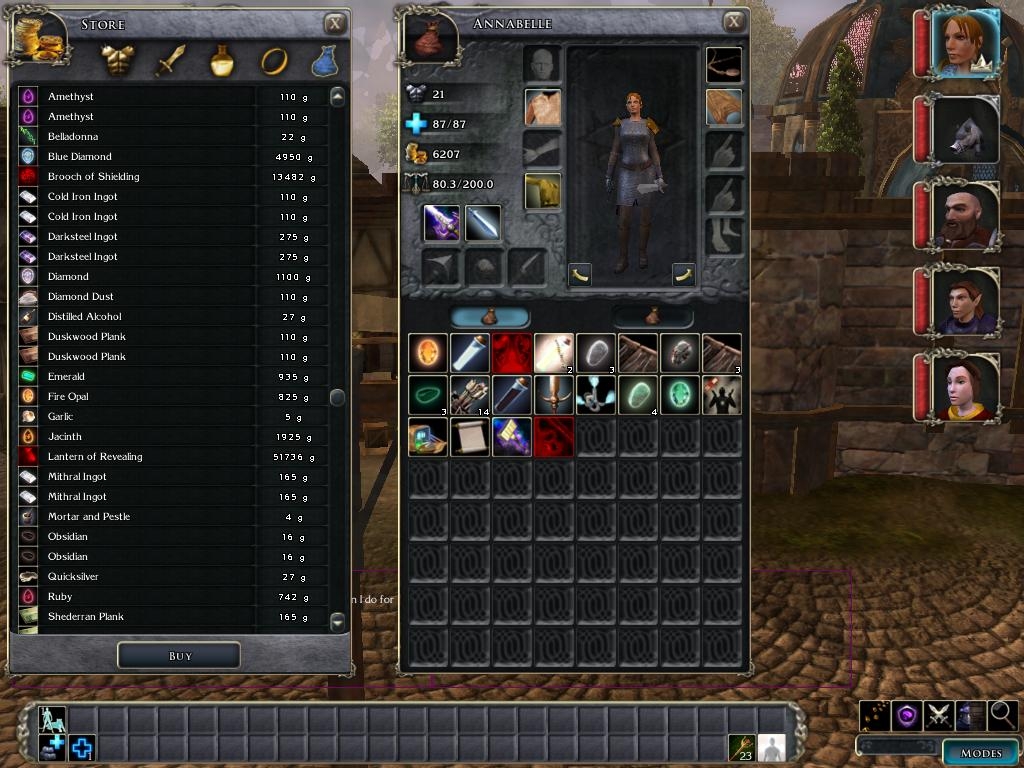
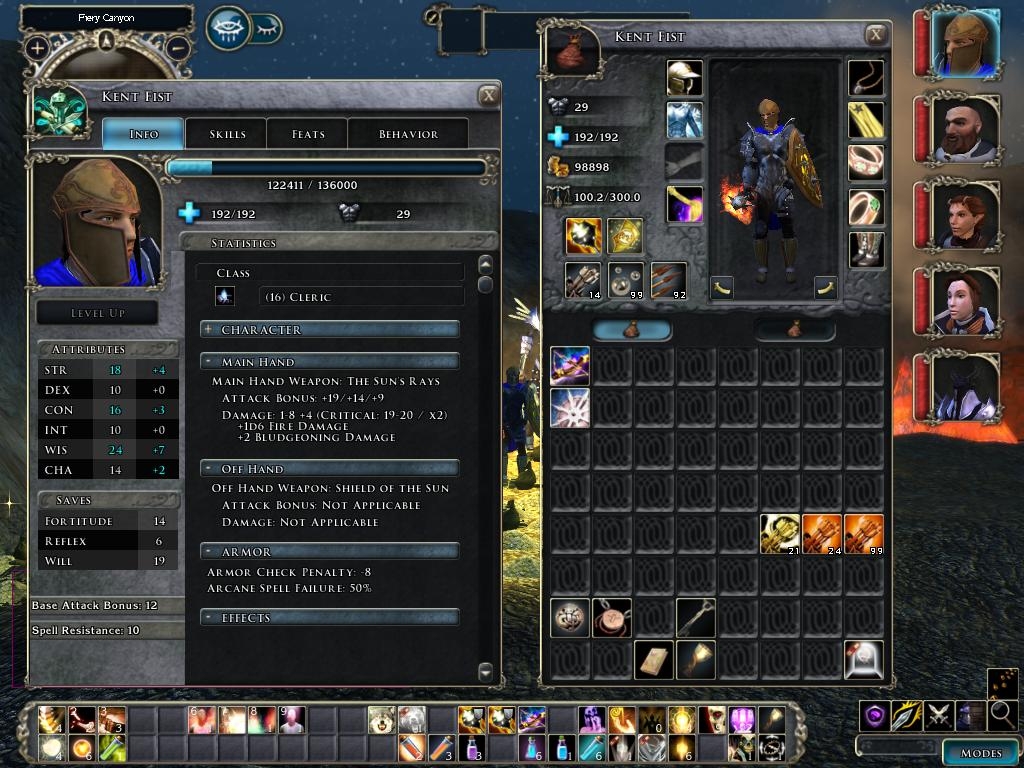
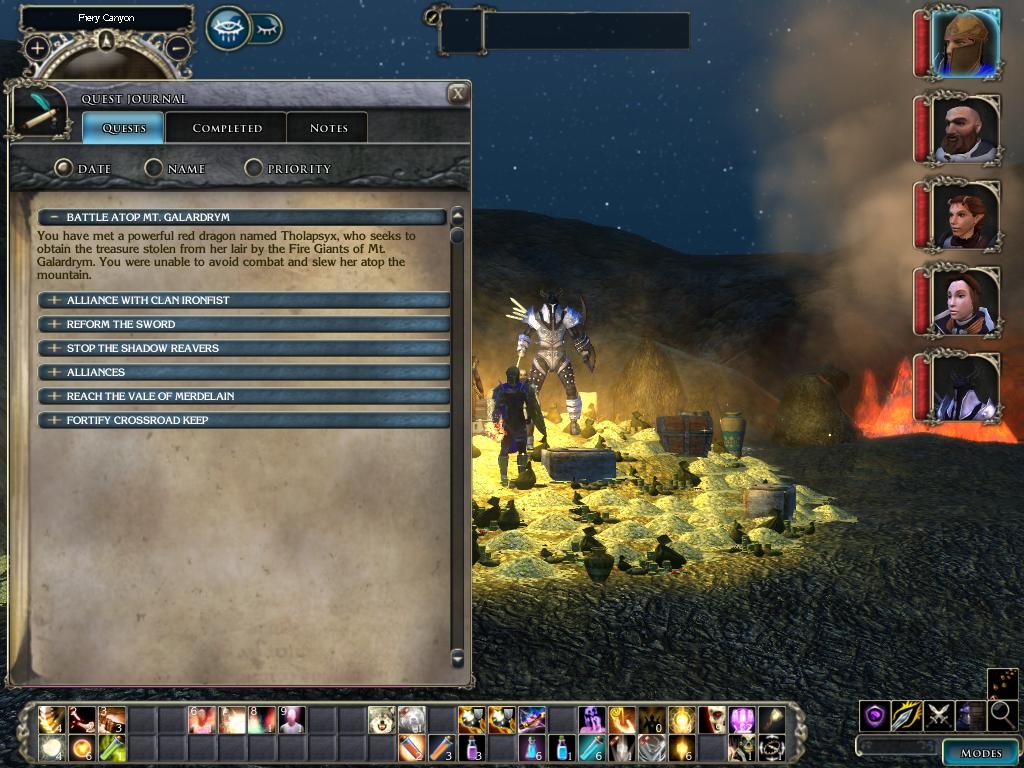
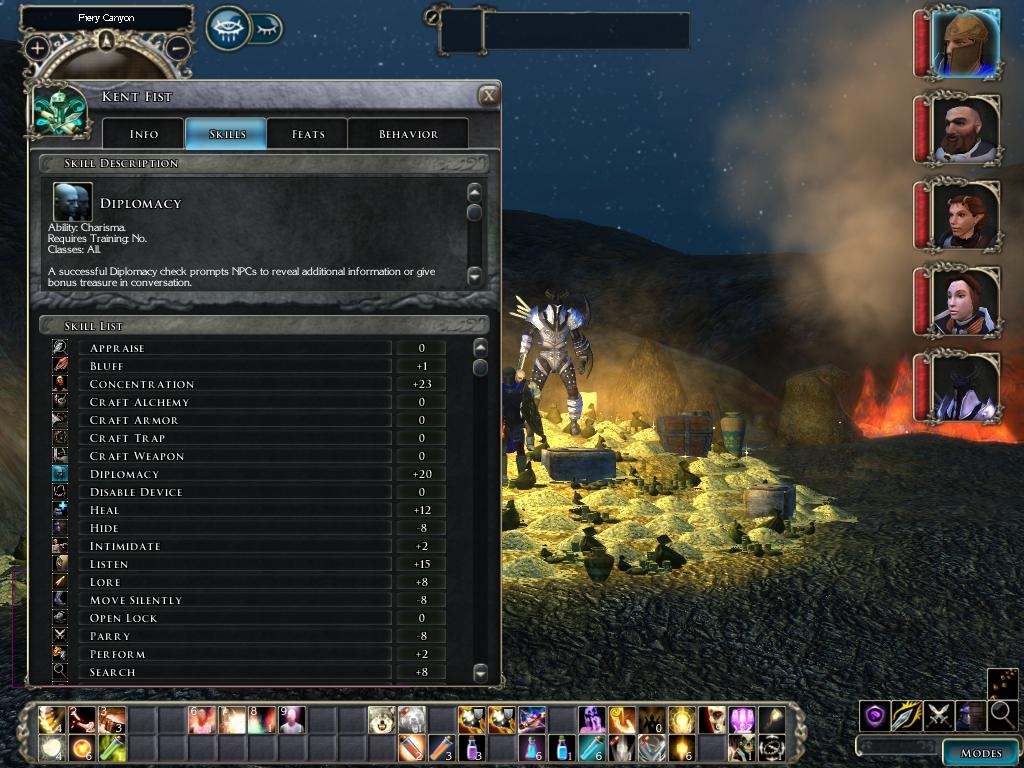
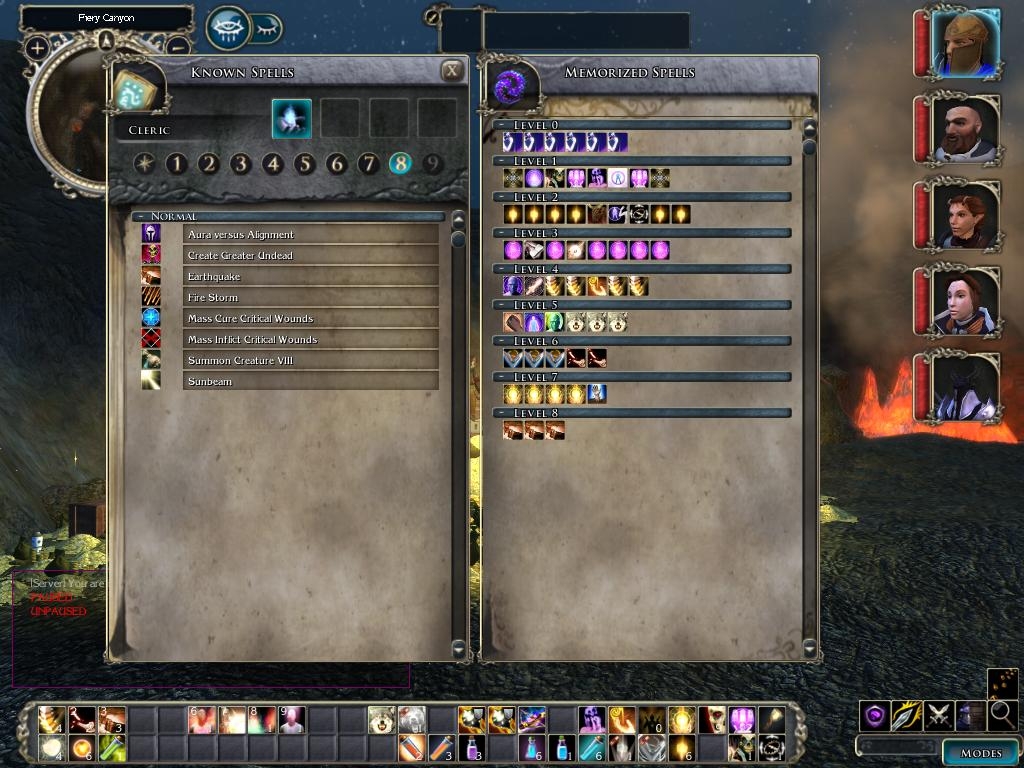
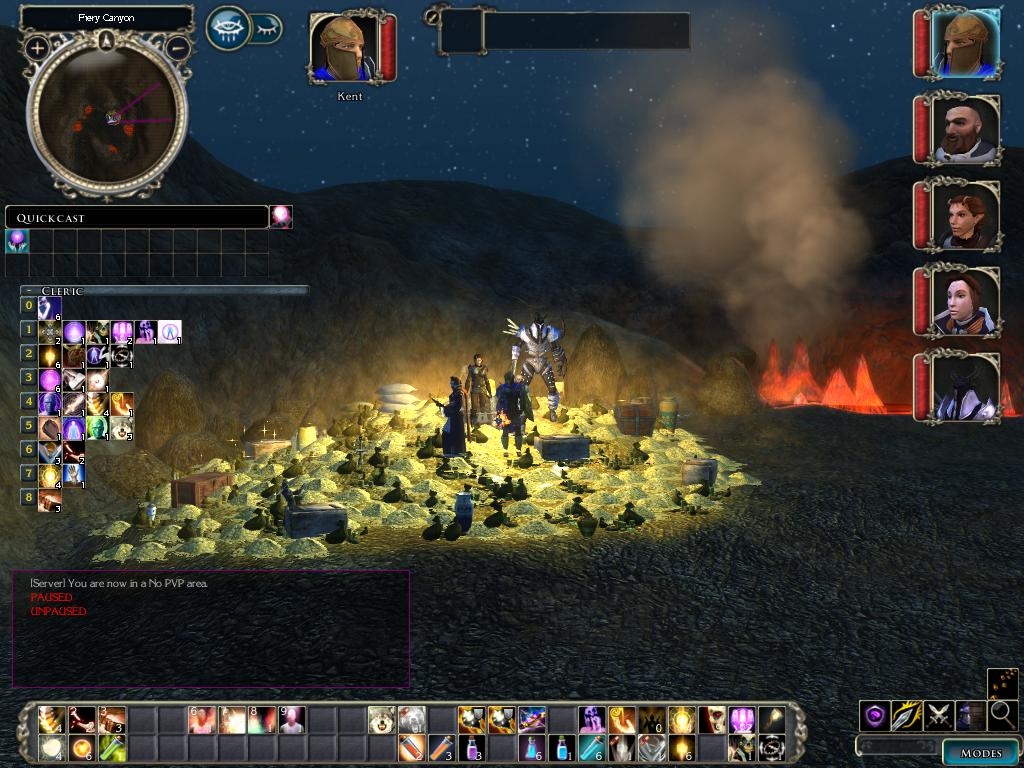
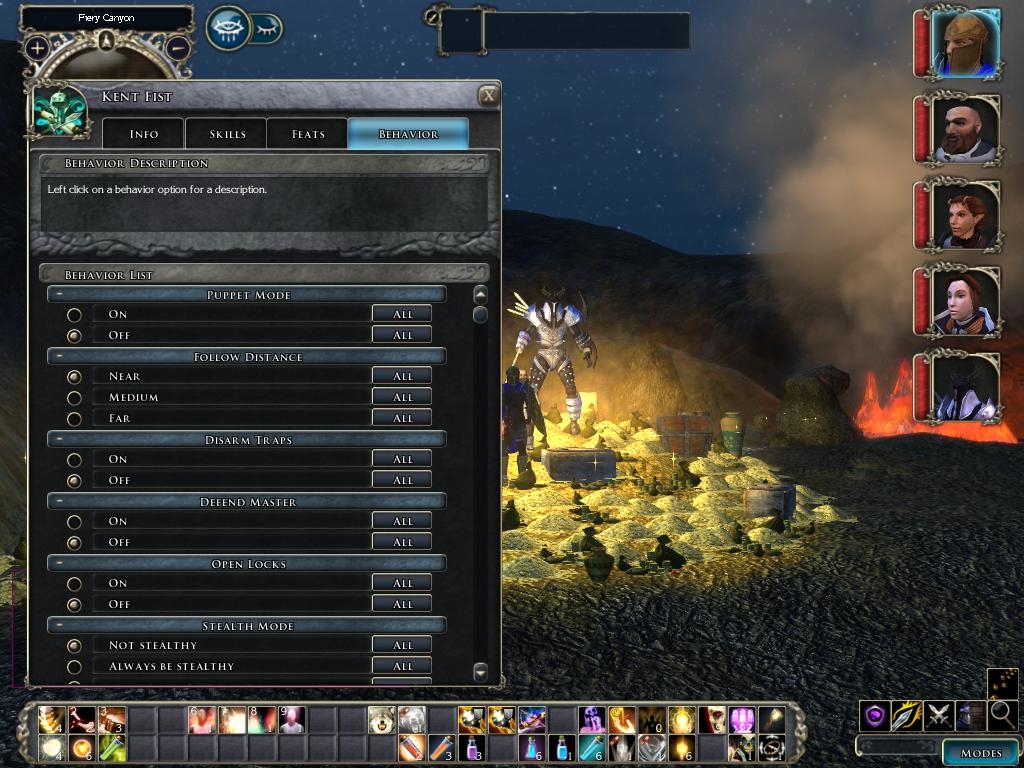
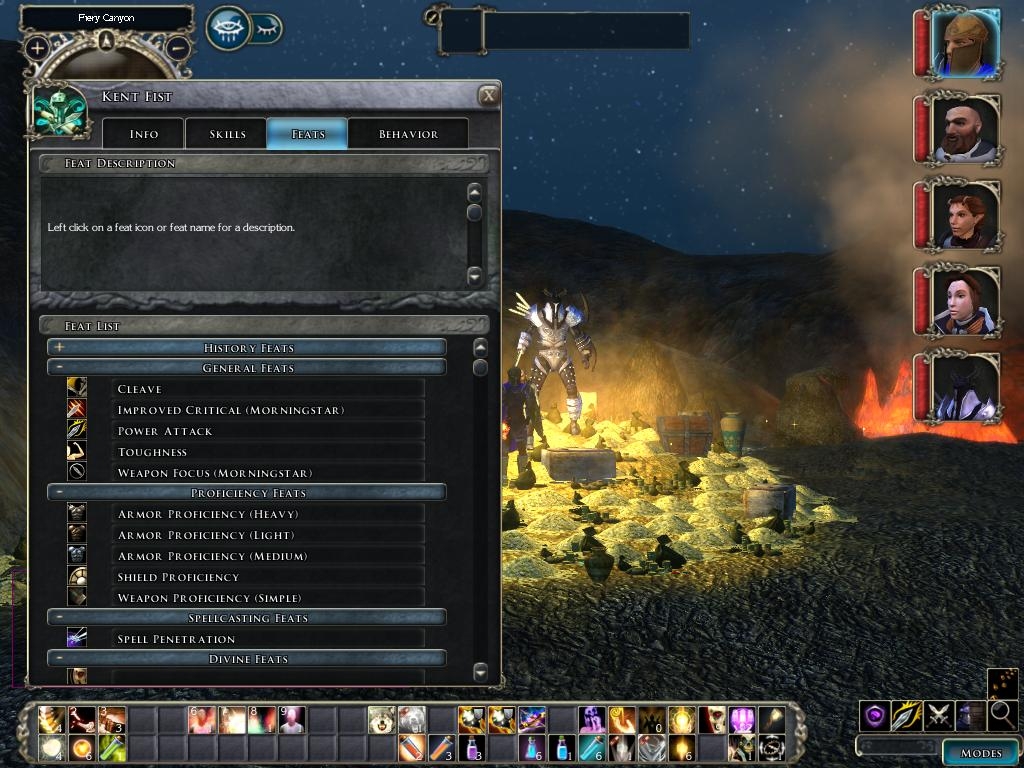
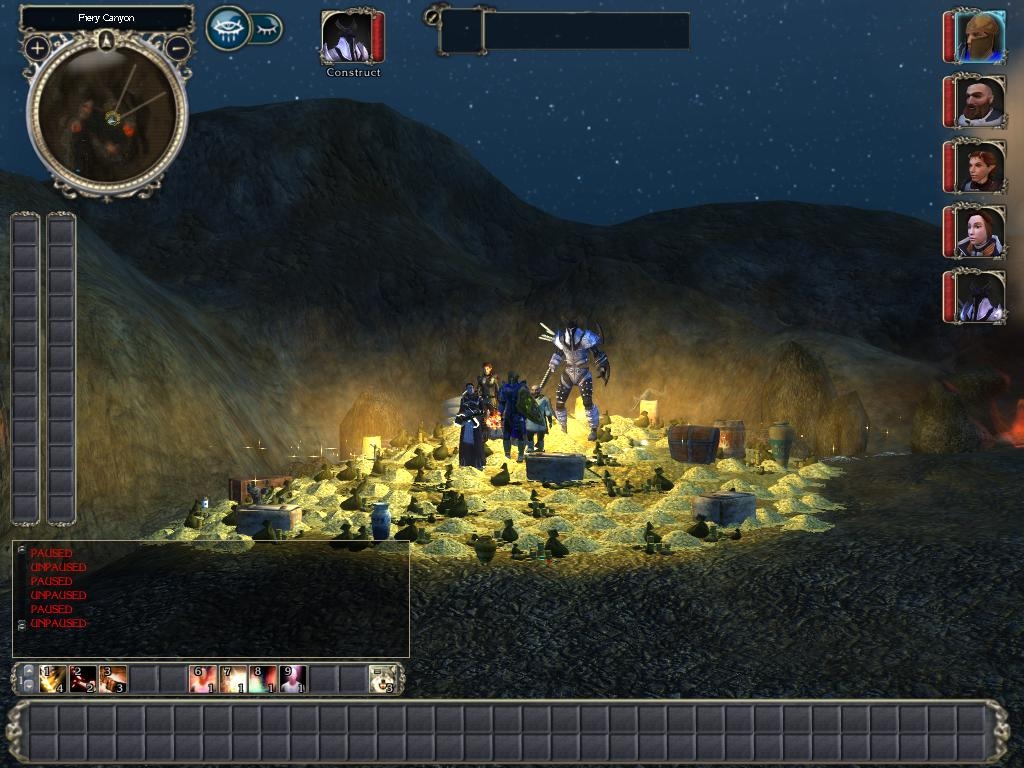
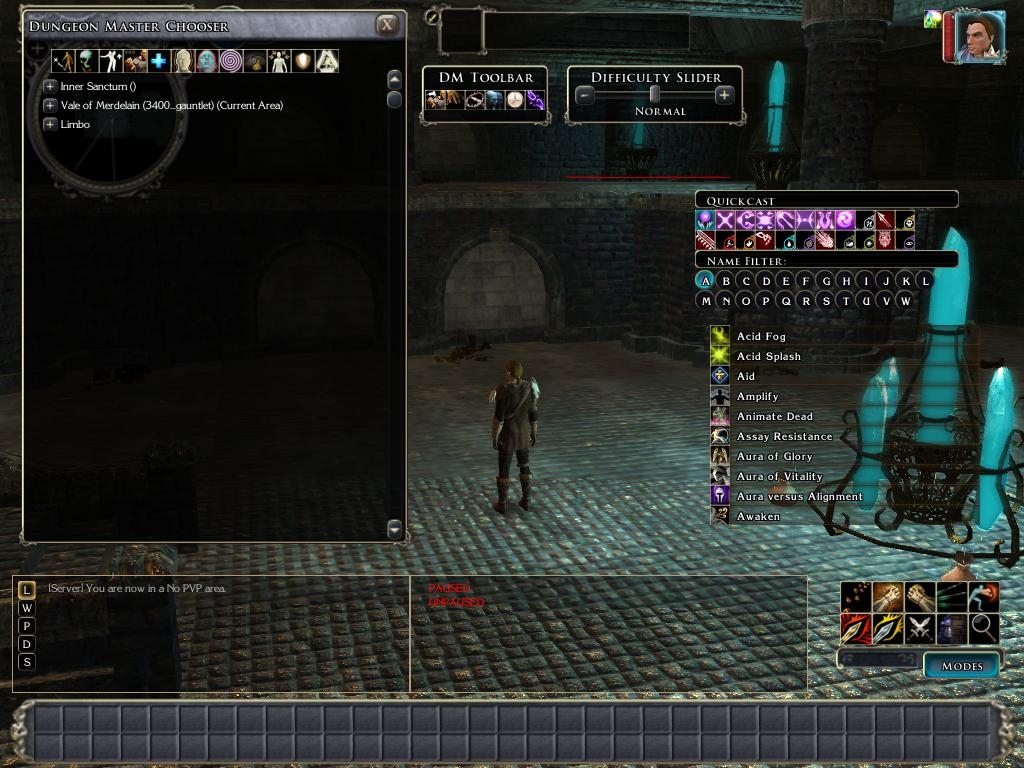
A more compact UI with less wasted space, safe for multi player.
It includes * Side by side re-sizable multi player chat windows
* A more compact character sheet (all pages)
* Classic alignment value display (multi player safe).
* Compact creature examine (same as character sheet).
* 12 x 10 scrolling hot-bar, 33x2 big hot-bar & 2 12x1 vertical hot-bars.
* compact, transparent voice chat with back arrow.
* Compact player/rest menu
* Extended action queue bar
* Compact 2x8x8 inventory
* Compact spell book
* Compact stores
* Compact party bar
* Compact target box
* Larger journal with compact headings.
* Compact character selection page when loading/starting new game
* Smaller mini-map icons and modified camera direction indicator.
* Drag-able death screens.
* More compact player list.
* Double click enabled to join a server or LAN game.
* Larger player chat selection window with a background.
* United Colors - Greatly increases the choice of colors during character creation. - by Gaoneng * Compatable with Tony K's Companion and Monster AI v2.0
... and for DMs * Compact DM tool bar and difficulty slider with a border for easy dragging.
* Compact & drag-able DM Quick Cast
* Compact, single row of buttons in the DM Chooser.
Installation * Remove any old version of Charlie's UI
* Rename guisettings.ini in "My Documents\Neverwinter Nights 2\UI\default" to guisettings.bak
* Unzip the download into "My Documents\Neverwinter Nights 2\override".
* For 1.04+ hot-bars, you must restart the game after turning on/off hot-bars in the options->interface menu.
* For the 'classic alignment value' to display in multiplayer the script file 'gui_vn_classic_alignment.NCS' must be installed in the server's override directory. Without it you will get the standard alignment display.
* (optional) If you don't want, or have conflicts with united-colors, simply delete that directory.
* (optional) For compatibility with xUI rename override\charlie_ui\hotbar.xml to hotbar.bak
Customization If you only want part of the Charlie UI, delete the files you don't need. The files and what each one does are:-
Hot Bars hotbar.xml hotbar_2.xml hotbar_v1.xml hotbar_v2.xml & hotbar_bg_md.tga
Action Queue (top centre) actionqueue.xml & action_queue_md.tga
Character Selection characterselection.xml
Character Sheet characterscreen.xml, creatureexamine.xml, char_left_bg_md.tga & char_skills_top_md.tga (+ gui_vn_classic_alignment.NCS for classic alignment values)
Chat windows defaultchat.xml, defaultmpchat1.xml & defaultmpchat2.xml
'Conversation' skill font fix levelup_skills.xml, chargen_skills.xml
DM Client charlie-DM folder
Double click join server. internetbrowser.xml, lanbrowser.xml
Inventory 2x8x8 inventoryscreen.xml
Journal journal.xml
Load Game Char Selection loadgamescreen.xml & pregameloadgame.xml
Mini (round) Map minimap.xml & radar_camera_direction_md.tga
Mode bar modebar.xml
Party bar partybar.xml
Player chat chatselect.xml
Player list playerlist.xml
Player Menu (with rest icon) playermenu.xml & playermenu_popup.xml
Smaller Font size fontfamily.xml
Spell Book spells_known.xml & spells_memorized.xml
Stores store.xml
Target box target_enemy.xml & target_object.xml
Quick Cast Bar quickspell.xml
United Colors chargen_appearance.xml & color_*.2da & color_united.tga
Voice Chat voicemenu.xml, b_back_hover.tga, b_back_normal.tga & b_back_hover_pressed.tga
Updates From version 1.31, Charlie's UI will try to check for updates, when playing on-line. It does this by comparing its version number against the version number in server scripts. This will give the user a message if the on-line server has a newer version installed.
Change log * Added FontFamily as an additional download for people who like the smaller fonts. Just add FontFamily.xml to your override directory.
* 1.45 - Removed 'classic alignment' display. Alignment values are displayed normally in NWN 1.23.
* 1.44 - Updated for NWN2 1.23. Fixed trade button for SoZ. Changed back to default fonts.
* 1.43 - Updated for NWN2 1.21 and SoZ and TonyK's AI v2.0.
* 1.42 - Updated for NWN2 1.13 and TonyK's AI 1.11
* 1.41 - Added custom portrait choice ability - NWN2 update 1.12.
* 1.40 - Fix missing last item in stores scene; Fix repeated "Spell casting" heading in behavior tabs.
* 1.39 - Character sheet fixes: companion influence readout (OC/MotB); skills descriptions; behavior tabs consistent; Added Tony_K AI Merge download.
* 1.38 - Removed 'Concentration Fix' - OEI Fixed this, making older versions of Charlie's UI unable to adjust skills ; No longer suppresses the "custom portrait".
* 1.37 - More space for long feat names.
* 1.36 - Fixed flashing inventory icons. Longer class names now fit on the character sheet.
* 1.35 - Fixed x1 backgrounds and duplicated scenes.
* 1.34 - Added default player menu for users with only Charlie's UI.
* 1.33 - All feats show on creature examine and character screen. Updated United Colors.
* 1.32 - Mode bar move-able; fixed the party bar issue with 1.10 so you can summon without crashing; fixed the inventory (the 1.10 update changed the inventory background) and added the sort inventory button; quick spell is move-able.
* 1.31 - Compatibility fix for Charlie's Item Appearance Changer. Added update checker.
* 1.30 - Fixed DM tool-bar and difficulty sliders.
* 1.29 - Improved hot-key alignments for the hot-bars.
* 1.28 - Enabled double click to join a server. Added a larger player chat with background.
* 1.27 - Includes 'Concentration Fix'. Fixed xp progress bar. Long feat names now displayed properly.
* 1.26 - Fixed Character screen - Spell casting, Disarm Spells and Item usage tabs.
* 1.25 - Fixed Load Game button. Updated Gaoneng's United Colors to version 1.05.
* 1.24 - Fixed journal.xml
* 1.23 - Added a more compact player list.
* 1.22 - Added 'classic' alignment value display, so you can see the numeric (1-100) value of your alignment.
* 1.21 - Fixed player chat.
* 1.20 - Added drag-able death screens.
* 1.19 - Added changes to DM Client UI.
* 1.18 - Door image now fits the targeting box.
* 1.17 - Updated for NWN2 1.04 beta; compact target and party bars; more consistent color scheme (silver/gold)
* 1.16 - Divided into folders: charlie_ui, united_colors, theme-black
* 1.15 - Added theme-black; Merged in United Colors by gaoneng
This package provides alternative player menus (playermenu_popup.xml) for compatibility between Charlie's UI, Charlie's Item Appearance Changer, Charlie's Item Modifier and Alan's Universal Companion Database. Instructions included.
Updated for 1.23, SoZ and TonyK's AI 2.2. Added trade goods button to inventory. Changed fonts. _________________________ Charlie's Pages | Fournoi Forum | Charlie's UI | Charlie's Item Modifier | Charlie's Item Appearance Changer
Posted by letonga at 2010-09-2222:25:07
Ok, I get it they are in Zehir. If I copy them to override, textures are no more missing. Will this button cause trouble in OC?
Posted by letonga at 2010-09-2212:50:48
Where the heck do I get trade_button.tga and co.? In game I get a "missing texture".
Posted by rizzdog at 2010-08-2617:23:07
Anyone having trouble saving the AI options on the NPC character sheets? I am unable to save any options to instruct my NPCs -- tried the save button, load button and even reset. However, each time I close the character sheet, the the options "deselect" so that no options are selected. I would appreciate help as the UI mod looks awesome! Thanks.
Posted by zokushi at on08/02/10
Dangit. I noticed the text didn't show up ... hm .. Atleast someone posted it above me. You just have to change the to the "less than" sign and the to the "greater than" sign. Make sure you don't drop any of the forward ( / ) slashes. Also you might need to add " " around up, down, focused, hilted, hifocus, and disabled. _________________________ "Save Early, Save Often"
Posted by zokushi at on08/02/10
There's a fix for the cargo cart thing. It's a little complicated, so if you don't understand editing an xml file do not attempt! Go to your Override folder and locate the "inventoryscreen.xml" file and edit it with notepad. Use ctrl+F (search/find) to find SLOT_RING_2 block in the xml. Beneath that block hit enter and add the following: Also, some of the rare materials names are missing. The fix is to open fontfamily.xml and scroll down. Near the bottom you'll see a block for "Special_Font". Change the 20 to a smaller number in the FontBoldItalic line. I suggest 12 or 14. -- Anyway! Voted 9.5. I've been using this mod for forever : ) The only complaint I'd have is the fonts are a little small. You can edit the font xml, but that leads to sizing problems so it doesn't really work out :p _________________________ "Save Early, Save Often"
Posted by taltamir at 2009-12-0409:12:35
1. Resource "Cargo cart" not showing up in SoZ, and not clickable either so I cannot check my cargo. 2. Some of the fonts are just too small, makes them harder to read, also makes some fonts deformed. A lot of improvements are awesome, very well thought out. But a few are detrimental. _________________________ I do not have a superman complex; for I am God, not Superman!
Posted by taltamir at 2009-12-0406:00:02
installed: charlie UI 1.43b and TonyK compaion 2.2, and the files to make them worked together into a clean install. I noticed that the option "knockdown (global)" that the options "on, off, off". the middle off says "sometimes" and the bottom off says never. I think that the middle off was supposed to be sometimes. _________________________ I do not have a superman complex; for I am God, not Superman!
Posted by ongogain at on11/20/09
I love this. It improves playability like no other UI mod I have seen. I have one question though: How can I get the enlarged multi player tell window to be transparent or better yet re-sizable too?
10 - A Masterpiece, Genuinely Groundbreaking 9 - Outstanding, a Must Have 8 - Excellent, Recommended to Anyone 7 - Very Good, Deserves a Look 6 - Good, Qualified Recommendation 5 - Fair, Solid yet Unremarkable 4 - Some Merit, Requires Improvements 3 - Poor Execution, Potential Unrealized 2 - Very Little Appeal 1 - Not Recommended to Anyone






 Site
Site