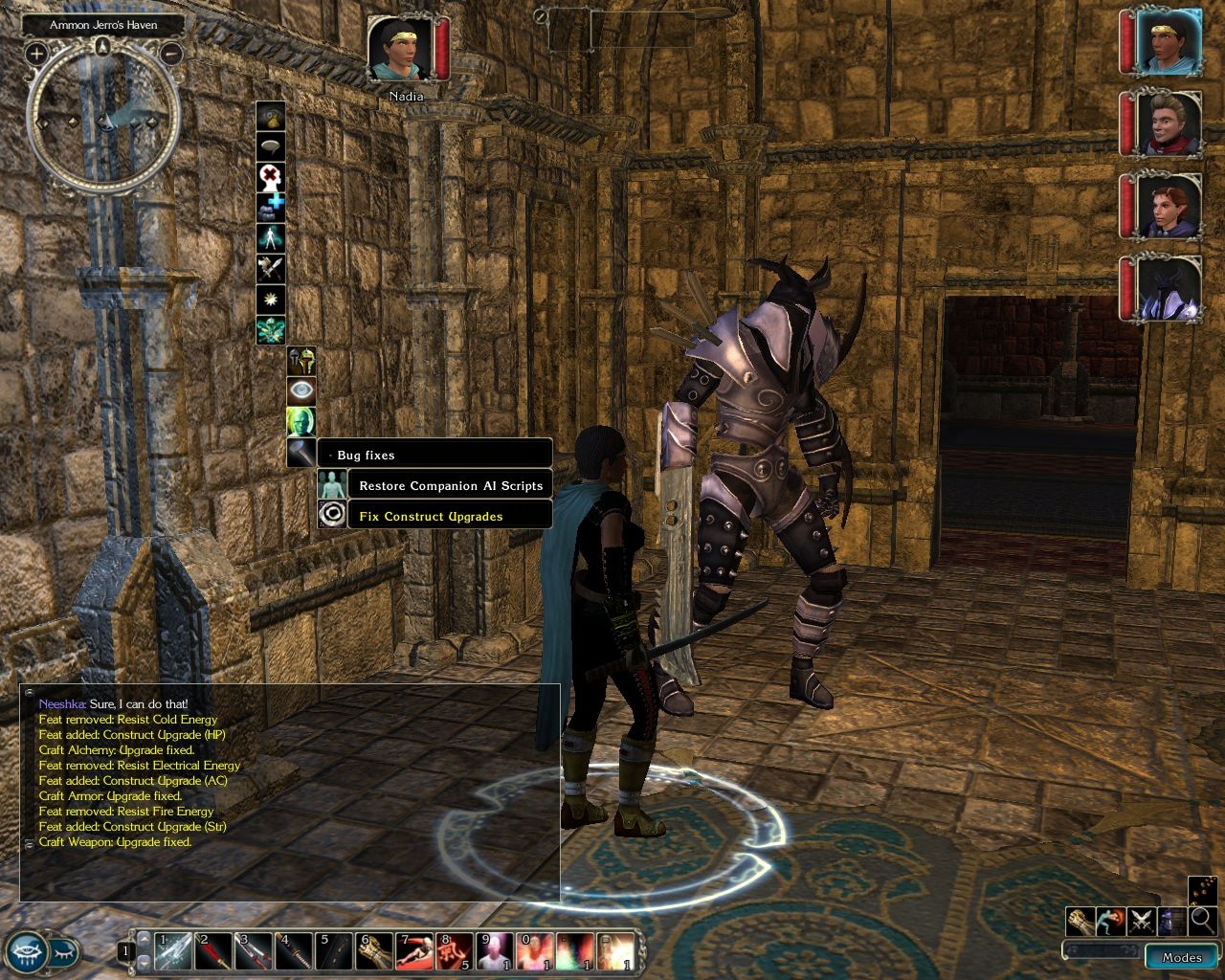
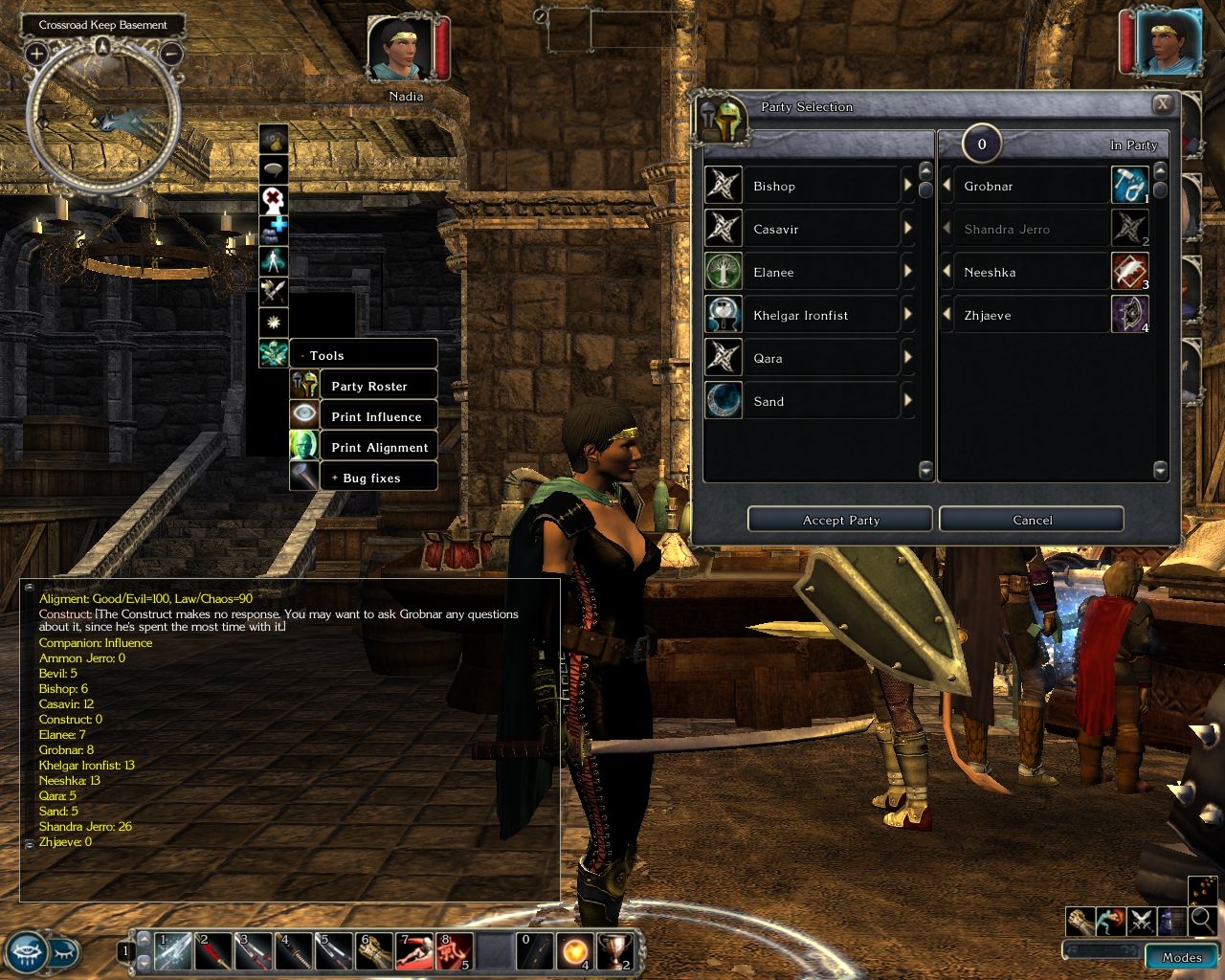
The Official Campaign Tools&Fixes (OCT&F) UI modification adds a new node to the player context menu. This new node 'Tools' opens a submenu containing the following commands:
- Party Roster: Pulls up the character selection GUI screen.
- Print Influence: Prints the influence you have on your companions to the message window.
- Print Alignment: Prints your detailed alignment to the message window.
- Bug Fixes: Opens a submenu containing a few bug fixes. See below for more informations.
Be careful when changing your party. OnEnter and OnExit scripts do not fire for party members entering or leaving the area through the character selection GUI screen. So you shouldn't use the party roster tool in the Duskwood areas for example (spell failure will not be removed). Also I don't know what will happen if you change the party inside a dungeon every second minute - so be careful!
Originally this started as Context Menu Party Roster tool and was mainly made for changing the party inside the sunken flagon inn or in crossroad keep for easier item exchange or crafting.
The Bug Fixes submenu contains the following fixes (see the readme file for more informations):
- Restore Companion AI scripts
- Construct Upgrade Fix
The installation is very simple:
Copy the content of the ui folder (the file 'contextmenu.xml') to
If you're still running NWN2 1.02 you should try the contextmenu.xml in the 1.02 folder. However I was not able to make any tests so it might work or not.
Also you have to copy the content of the override folder into
My Documents\Neverwinter Nights 2\override
Both the compiled script 'gui_mk_tools.ncs' and the source code 'gui_mk_tools.nss' are required.
New in the version 1.033: 'Bug Fixes' submenu added, 'Restore AI Scripts' and 'Construct Upgrade Fix' added.
Patch 1.04. Only the roster in Tools menu is working (and I haven't understand about "Bugs" - I wasn't investigating this). Tried your mod in modules (JEGs Training Module and Old Meetings).
Posted by Vortaka at on07/11/07
Well, Kamiryn, you were right... And it's very easy to add to the additional line (found in the readme) to Tony K. Companion and Monster AI contextmeny.xml. Takes but a few seconds of your time! Thanks!
Posted by Kamiryn at 2007-07-0521:57:28
The problem might be that both mods change the contextmenu.xml file. To use both at the same time you have to merge these two xml files. The readme file has some informations how to add my changes to another contextmenu.xml.
Posted by jcohan at 2007-07-0500:36:34
Seems to work just fine with 1.06, at least as far as influence and alignment printing are concerned. Unfortunately, though, it doesn't seem to be compatible with Tony K's Improved AI mod. _________________________ I've got a head full of useless minutiae and I'm not afraid to use it.
Posted by FloridaFringe at 2007-06-2019:50:48
Will this work with v1.06 for simply printing influence and alignment information? These are the only functions that I'm looking for so if anyone could help by confirming that this will work and which files to put where or point me in another direction I would highly appreciate it. Thank you kindly.
Posted by Kamiryn at 2007-04-1921:45:15
Actually, you've found it :D. I've renamed it because it's not just the 'Party Roster' thing anymore.
Posted by Kipferl at 2007-04-1822:01:11
The override folder is empty, 'gui_mk_tools.ncs' and 'gui_mk_tools.nss' are not there. I have done a search on the Vault but could not find the "Context Menu Party Roster", has it been delated from the Vault?
Posted by lanapoo at on02/25/07
Very nice!
Posted by Kamiryn at 2007-02-0622:03:34
So far I haven't seen any problems. Haven't played much however.
10 - A Masterpiece, Genuinely Groundbreaking 9 - Outstanding, a Must Have 8 - Excellent, Recommended to Anyone 7 - Very Good, Deserves a Look 6 - Good, Qualified Recommendation 5 - Fair, Solid yet Unremarkable 4 - Some Merit, Requires Improvements 3 - Poor Execution, Potential Unrealized 2 - Very Little Appeal 1 - Not Recommended to Anyone






 Site
Site